sketchucation logo sketchucation
    • 登入
    Oops, your profile's looking a bit empty! To help us tailor your experience, please fill in key details like your SketchUp version, skill level, operating system, and more. Update and save your info on your profile page today!
    🔌 Smart Spline | Fluid way to handle splines for furniture design and complex structures. Download

    MSPhysics 1.0.3 (16 October 2017)

    已排程 已置頂 已鎖定 已移動 Plugins
    926 貼文 171 Posters 963.1k 瀏覽 172 Watching
    正在載入更多貼文
    • 從舊到新
    • 從新到舊
    • 最多點贊
    回覆
    • 在新貼文中回覆
    登入後回覆
    此主題已被刪除。只有擁有主題管理權限的使用者可以查看。
    • A 離線
      Anton_S
      最後由 編輯

      Hi, Robin,

      I'm glad I could help.

      Best regards,
      Anton

      1 條回覆 最後回覆 回覆 引用 0
      • S 離線
        Sjamon
        最後由 編輯

        Dear Anton,

        I just downloaded the plugin to make a simple cinematic / collision check on a folding workbench model, that is basically a deformable parallelogram.
        Although I got the basic principle and manage to make singles hinges move as expected, any component is stuck as soon as it's linked to two hinges.

        There's also a message reading "Requires MSPhysics 0.9.8+" in a corner of the screen, should I understand that it won't work unless I install something else ?

        Thanks
        Armand

        1 條回覆 最後回覆 回覆 引用 0
        • A 離線
          Anton_S
          最後由 編輯

          Hi, Armand,

          A hinge with no parent groups will act stationary. In order for the hinge to move, it must have a parent group. What I think is going on in your model is that the hinges are top level groups. If you want a hinge to link two groups together, and still move, simply create a hinge joint within one of the groups andd then, using the joint connection tool, connect it to the other group. That way the hinge joint will have a parent body, which will allow it to move.

          Check out this mini clip:
          Movable Joints Example

          The message is there so that people using your model would know that they need MSPhysics in order to run it.

          Regards,
          Anton

          1 條回覆 最後回覆 回覆 引用 0
          • gillesG 離線
            gilles
            最後由 編輯

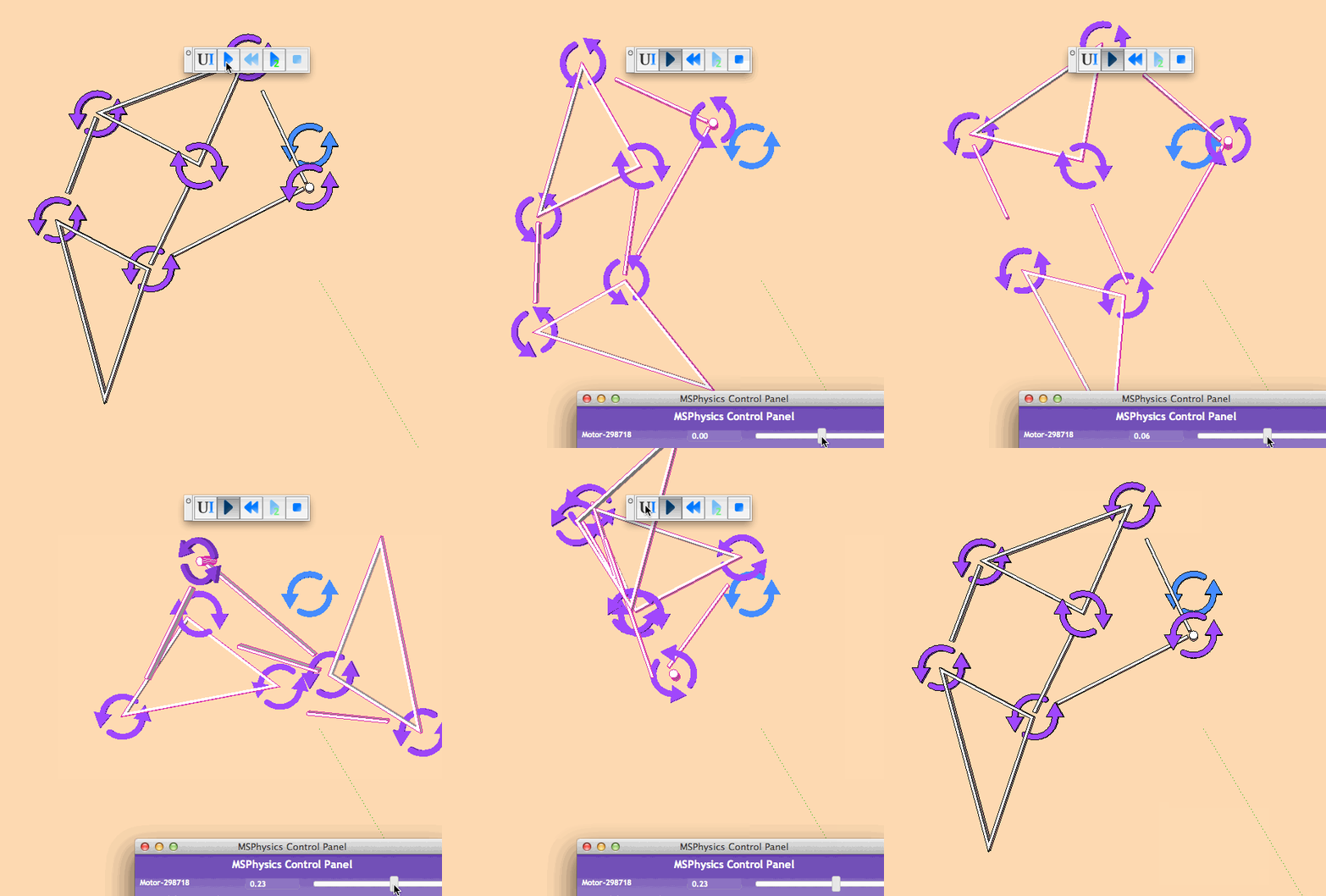
            I think I have some issue with hinge when I link it to a parent:

            Mac OSX 10.8.5, SU2015.

            hinge.gif

            " c'est curieux chez les marins ce besoin de faire des phrases "

            1 條回覆 最後回覆 回覆 引用 0
            • A 離線
              Anton_S
              最後由 編輯

              Hi, gilles,

              To fix that, you have to select the joint, open MSPhysics UI, and check the "connected collide" option.

              Regards,
              Anton

              1 條回覆 最後回覆 回覆 引用 0
              • robintR 離線
                robint
                最後由 編輯

                @anton_s said:

                Hi, Robin,

                I'm glad I could help.

                Best regards,
                Anton

                I made a simple mass/spring damper system as per model, but I get some odd results not like the damped sinusoid

                Am I on the right track or have I made some basic errors

                Also the block doesn't sit still on the plane but wanders off

                I am also having difficulty tying in the UI with real values of spring rate N/m and damping c*velocity Ns/m

                Any advice, most appreciated

                Cheers
                Robin

                BTW I looked at the Ruby docs but couldnt tie up real units to the constants


                classic spring damper

                As one door closes another one slams in your face

                1 條回覆 最後回覆 回覆 引用 0
                • gillesG 離線
                  gilles
                  最後由 編輯

                  @anton_s said:

                  Hi, gilles,

                  To fix that, you have to select the joint, open MSPhysics UI, and check the "connected collide" option.

                  Regards,
                  Anton

                  Works fine 👍

                  A lot to dig in, I go back to the mine.

                  " c'est curieux chez les marins ce besoin de faire des phrases "

                  1 條回覆 最後回覆 回覆 引用 0
                  • A 離線
                    Anton_S
                    最後由 編輯

                    Hi, Robin,

                    The block doesn't sit still probably because you disabled the friction. Enabling the friction checkbox option for the block and for the floor contacting the block will fix the wandering off behavior.

                    I will add an option to control accel and damp with the SI units in the upcoming release. At the moment, I figured that spring constant is roughly equals to (accel * 7 - damp), when spring joint stiffness is set to 1.0.

                    Edit: Ensure that both anuglar and linear damping for all bodies are set to zero. This improves the closeness.

                    Anton

                    1 條回覆 最後回覆 回覆 引用 0
                    • robintR 離線
                      robint
                      最後由 編輯

                      Hi Anton

                      I'm sure I tried every way with the friction coeffs, and it didnt seem to help much, unless Im doing something wrong. If you could get real SI units into the spring damper model this would be fantastic. Classic maths leaves everything in normalised units which is really hard for students to translate into the real world - thats what MS physics is about. I try to encourage my student to abandon th suck-it-and-see approach in favour of understanding what is really happening and calculating the effect. I know that math is a real turn off for most users, but I try

                      cheers Robin

                      As one door closes another one slams in your face

                      1 條回覆 最後回覆 回覆 引用 0
                      • robintR 離線
                        robint
                        最後由 編輯

                        @anton_s said:

                        Hi, Robin,

                        The block doesn't sit still probably because you disabled the friction. Enabling the friction checkbox option for the block and for the floor contacting the block will fix the wandering off behavior.

                        I will add an option to control accel and damp with the SI units in the upcoming release. At the moment, I figured that spring constant is roughly equals to (accel * 7 - damp), when spring joint stiffness is set to 1.0.

                        Edit: Ensure that both anuglar and linear damping for all bodies are set to zero. This improves the closeness.

                        Anton

                        Yes indeed, improved action, I missed the friction box

                        Herewith a revised model changing block mass from 0 - 0.5 kg gives a displacement of 0 - 1.0 so the spring rate is 2

                        spring stiff 1 (what does this do?)
                        Accel 1, damp 1.5 (gives critical damping approx)

                        changing sample rate from 1/60 to 1/240 changes the whole model performance

                        iterations 16 - improves stability

                        the plane has a mass of 0.01kg, lowest i could get without instability

                        So Ive actually got a spring damper that sort of behaves but it seems like the spring has inertial mass - an ideal spring should be zero mass and friction

                        What do you think? Anything I can do to help (ruby dummy just now)

                        Cheers

                        Robin) 😛


                        V 2

                        As one door closes another one slams in your face

                        1 條回覆 最後回覆 回覆 引用 0
                        • A 離線
                          Anton_S
                          最後由 編輯

                          Hi, Robin,

                          I just revised the spring joint to base on Hooke's law. Just need to adress a few other things before its ready for the release.

                          Regards,
                          Anton

                          1 條回覆 最後回覆 回覆 引用 0
                          • robintR 離線
                            robint
                            最後由 編輯

                            @anton_s said:

                            Hi, Robin,

                            I just revised the spring joint to base on Hooke's law. Just need to adress a few other things before its ready for the release.

                            Regards,
                            Anton

                            Hi Anton

                            It occured to me loking at the motor joint, that it would be neat to have control sliders on important coeffs, of spring rate, friction, and damping, help to speed up student experience

                            BTW just seen some example in Sketchucation, blown away with the talent out there

                            Hope my little exercises aren' t too dull

                            Cheers

                            Robin

                            As one door closes another one slams in your face

                            1 條回覆 最後回覆 回覆 引用 0
                            • gillesG 離線
                              gilles
                              最後由 編輯

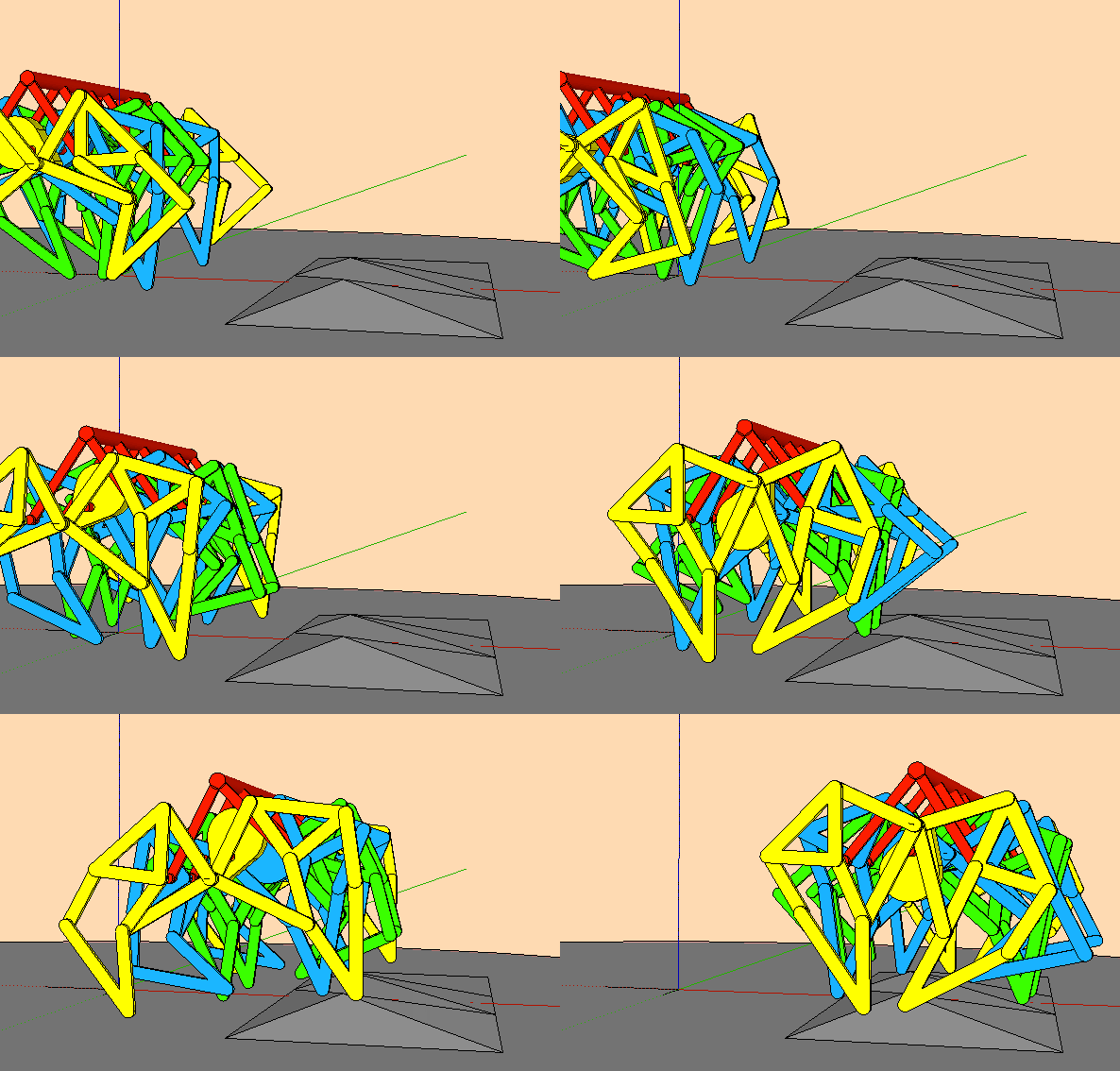
                              jansen.gif

                              What am I doing wrong?


                              THEO-JANSEN2.skp

                              " c'est curieux chez les marins ce besoin de faire des phrases "

                              1 條回覆 最後回覆 回覆 引用 0
                              • A 離線
                                Anton_S
                                最後由 編輯

                                Hi, gilles,

                                You just need to adjust motor joint properties. So, select the motor joint, open MSPhysics UI, and set Accel to 20, Damp to 10, and uncheck the Free Rotate checkbox option. This should make the motor more stronger.

                                Anton

                                1 條回覆 最後回覆 回覆 引用 0
                                • gillesG 離線
                                  gilles
                                  最後由 編輯

                                  Thanks Anton,

                                  Very nice tool you made there.

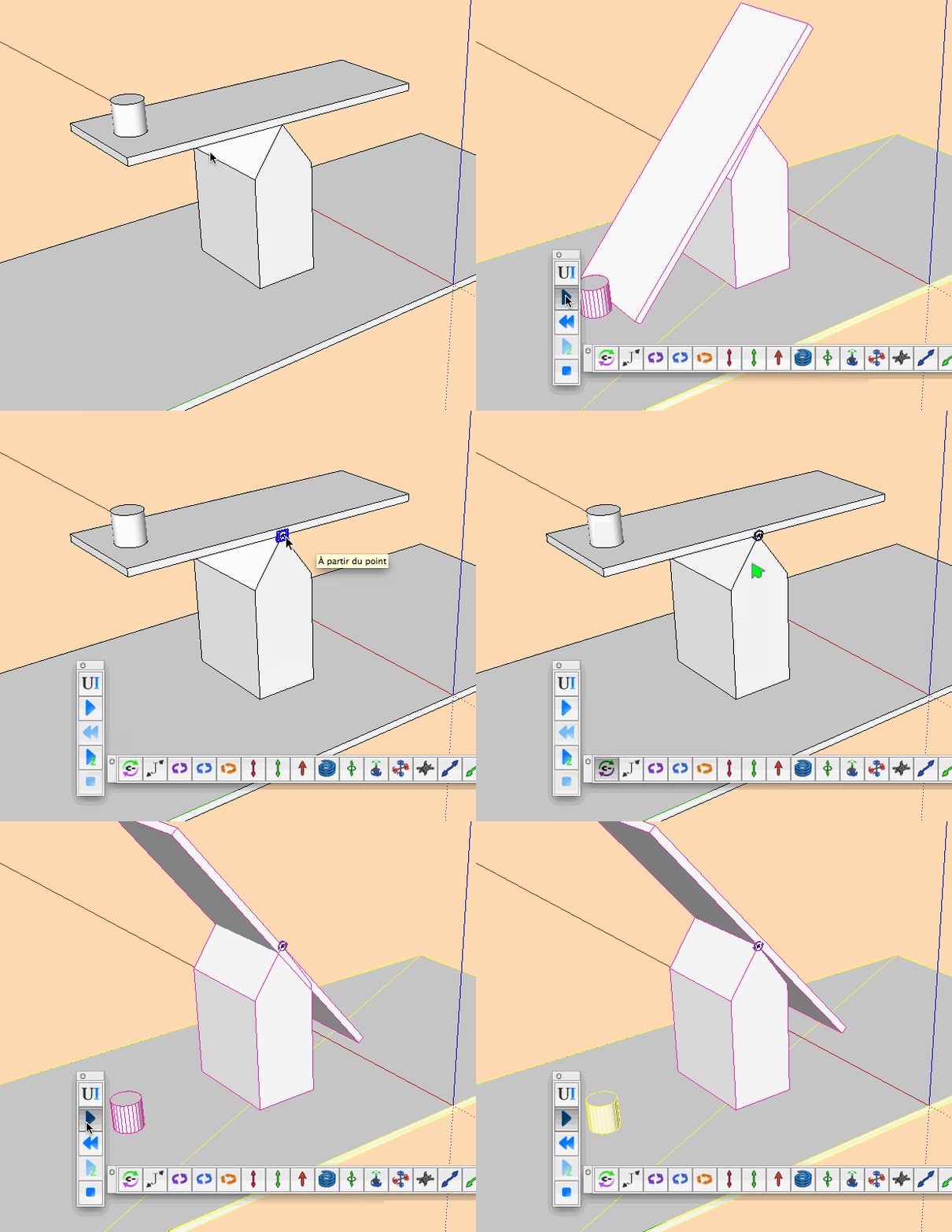
                                  theo.gif


                                  THEO.skp

                                  " c'est curieux chez les marins ce besoin de faire des phrases "

                                  1 條回覆 最後回覆 回覆 引用 0
                                  • A 離線
                                    Anton_S
                                    最後由 編輯

                                    Very clever, gilles!

                                    I'm sure there is a way to improve performance and stiffness of that thing.

                                    Anton

                                    1 條回覆 最後回覆 回覆 引用 0
                                    • gillesG 離線
                                      gilles
                                      最後由 編輯

                                      Théo Jansen.

                                      http://www.strandbeest.com/index.php 👍

                                      " c'est curieux chez les marins ce besoin de faire des phrases "

                                      1 條回覆 最後回覆 回覆 引用 0
                                      • pilouP 離線
                                        pilou
                                        最後由 編輯

                                        The peaceful robots! 😎

                                        Frenchy Pilou
                                        Is beautiful that please without concept!
                                        My Little site :)

                                        1 條回覆 最後回覆 回覆 引用 0
                                        • gillesG 離線
                                          gilles
                                          最後由 編輯

                                          I had issues with MS UI: modifying values, sometimes works sometimes not. 😡

                                          Then I notice this: typing a value +enter or tab does not work. 😮
                                          Typing a value + click outside the input box works… 😮

                                          Just for anybody else having the same troubles.
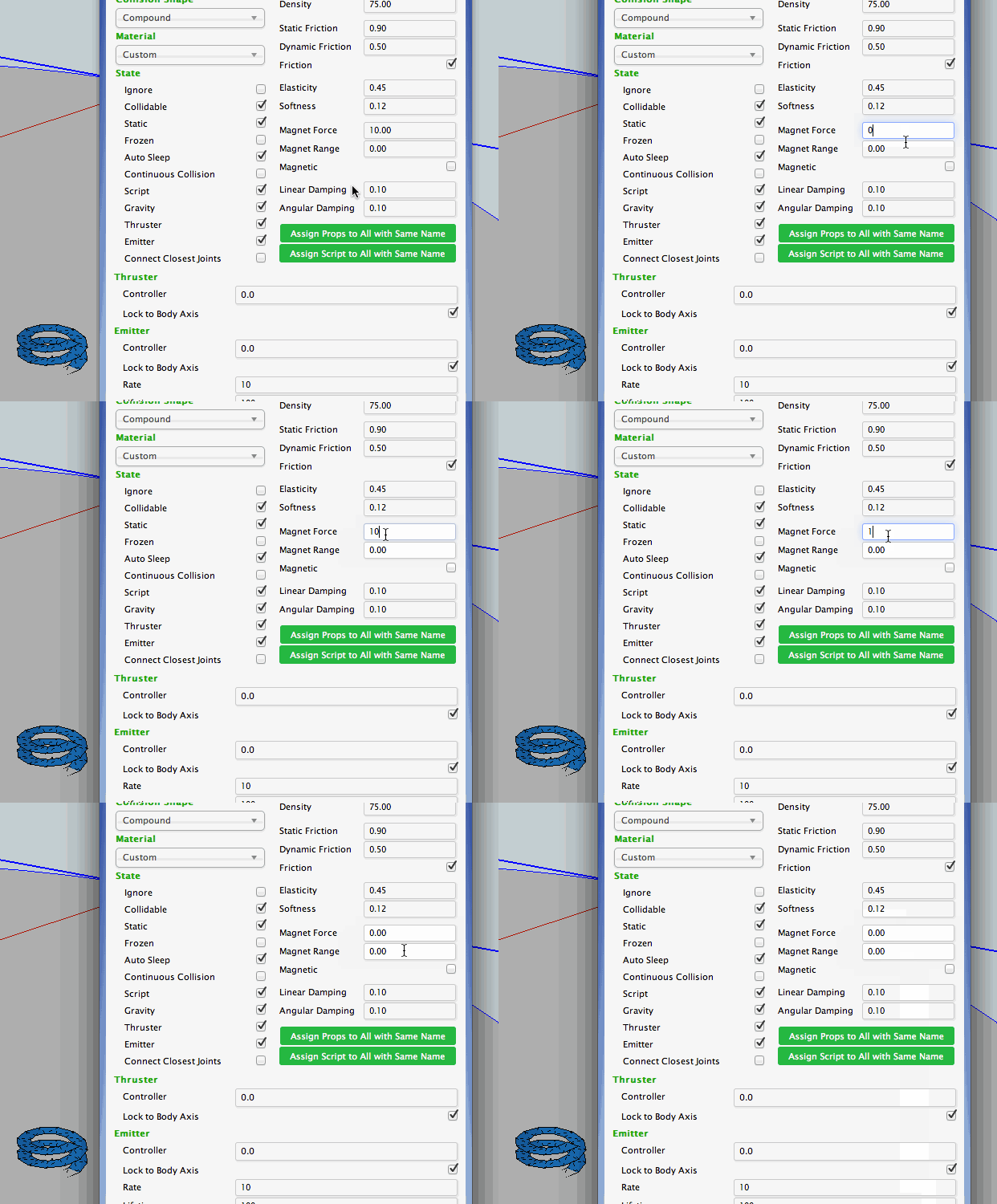
                                          MS-UI.gif

                                          Mac OSX 10.8.5, SU2015.

                                          " c'est curieux chez les marins ce besoin de faire des phrases "

                                          1 條回覆 最後回覆 回覆 引用 0
                                          • A 離線
                                            Anton_S
                                            最後由 編輯

                                            Yeah, I'm working on that. Thanks for the report, gilles!

                                            1 條回覆 最後回覆 回覆 引用 0
                                            • 1
                                            • 2
                                            • 43
                                            • 44
                                            • 45
                                            • 46
                                            • 47
                                            • 47 / 47
                                            • 第一個貼文
                                              最後的貼文
                                            Buy SketchPlus
                                            Buy SUbD
                                            Buy WrapR
                                            Buy eBook
                                            Buy Modelur
                                            Buy Vertex Tools
                                            Buy SketchCuisine
                                            Buy FormFonts

                                            Advertisement