Rbz error
-
I am trying to install extentions, rbz files, but i get bugslat, I have attached the files. Not sure what I am doing wrong?
File New
File New
======== Starting GL ========CBaseGLView::OnInitialUpdate
InitializeOpenGL
GetActivePixelFormat
Got PF= 0 from registry
requestedpf.accel=1
ARB functions NOT available.
nPfds=60
Pixel format 1 does not do a swap copy.
Pixel format 4 does not do a swap copy.
Pixel format 7 does not do a swap copy.
Pixel format 10 does not do a swap copy.
Pixel format 13 does not do a swap copy.
Pixel format 16 does not do a swap copy.
Pixel format 19 does not do a swap copy.
Pixel format 22 does not do a swap copy.
ChoosePixelFormat returning 3
GLConfigUtils::GetActivePixelFormat ... returning 3
Make a context ... pf=3
Got context @43f32c0 error=0
GL initialization succeeded
Tool(SelectionTool)
UseHWAccelerationFirstTime
Got vendor (ATI Technologies Inc.) renderer(ATI Mobility Radeon HD 5470 )
Returning 0
UpdateView
Create rv=1
CBaseGLView::OnInitialUpdate
InitializeOpenGL
GetActivePixelFormat
Got PF= 0 from registry
requestedpf.accel=1
ARB functions available.
WGL_SWAP_COPY_ARB
ChoosePixelFormat returning 3
GLConfigUtils::GetActivePixelFormat ... returning 3
Make a context ... pf=3
Got context @6a38ac0 error=0
GL initialization succeeded
TerminateOpenGL
HW_OK=1
pNew=6a686a8
Tool(SelectionTool)
Tool(SelectionTool)
***** First UI thread = 4772
requestedpf.accel=1
ARB functions available.
WGL_SWAP_UNDEFINED_ARB
Did not find PF from GetCompatibleGLDevCapsARB.
ARB functions NOT available.
nPfds=60
requestedpf.accel=1
ARB functions available.
WGL_SWAP_COPY_ARB
requestedpf.accel=1
ARB functions available.
WGL_SWAP_COPY_ARB -
It looks to me as if there's an issue with OpenGL. You might try updating the video drivers for a start.
-
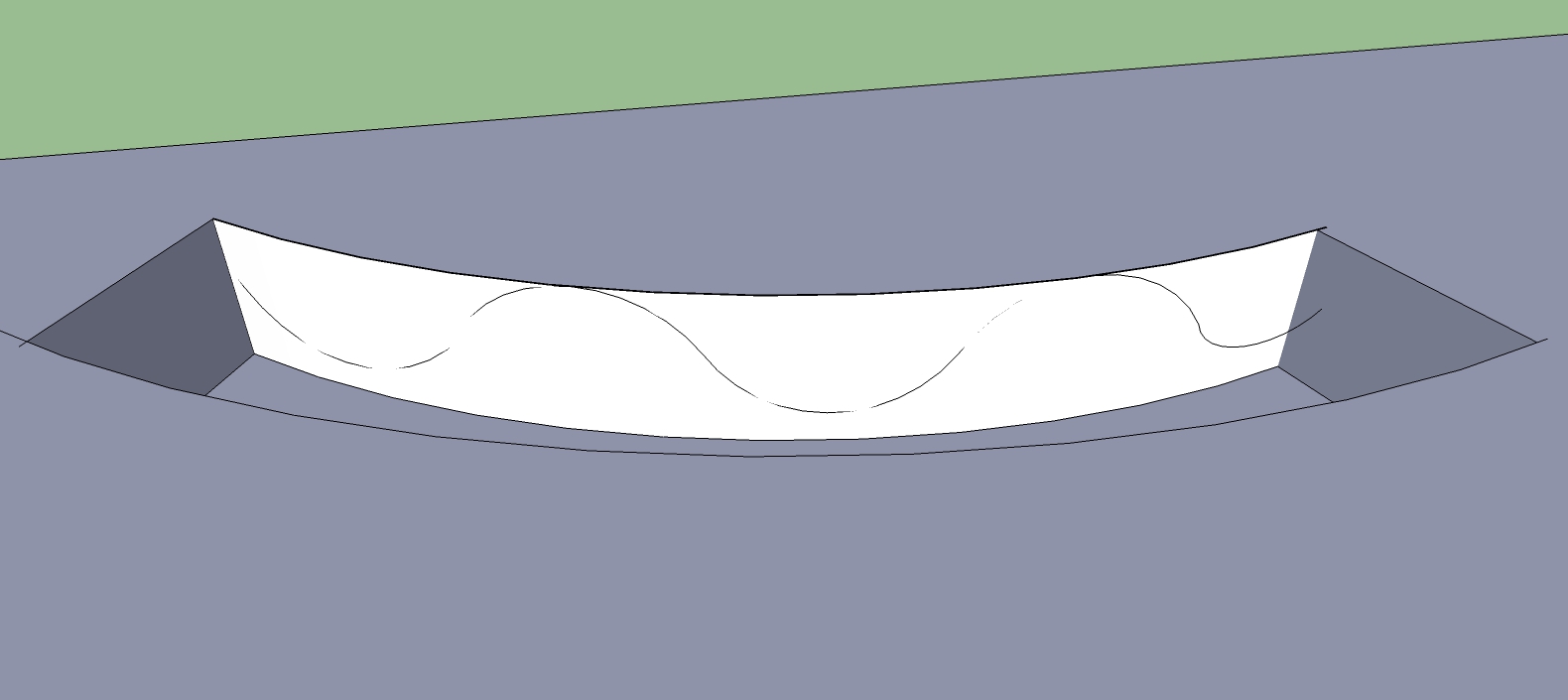
Thanks so much that was the problem! Another question I want to pull out the bottom of the connected arcs I have created to create a rolling bike track. I cant get the arcs to attach to the wall, I have the joint push pull interactive tool installed, is there a tool to attach an arc to the wall so it follows the curve so can push pull the bottom out?
-
You could use Shape Bender to bend the curve to match the surface. Then use JPP to pull out the bottom part to the opposite side.
-
Try Fredo's 'ToolsOnSurface', which lets you draw onto a surface that is not 'flat' - including Arcs...
Then to PushPull that newly divided surface use his 'JointPushPull' tools - the native tool only works on flat faces...
-
awesome, thanks so much for your help!
-
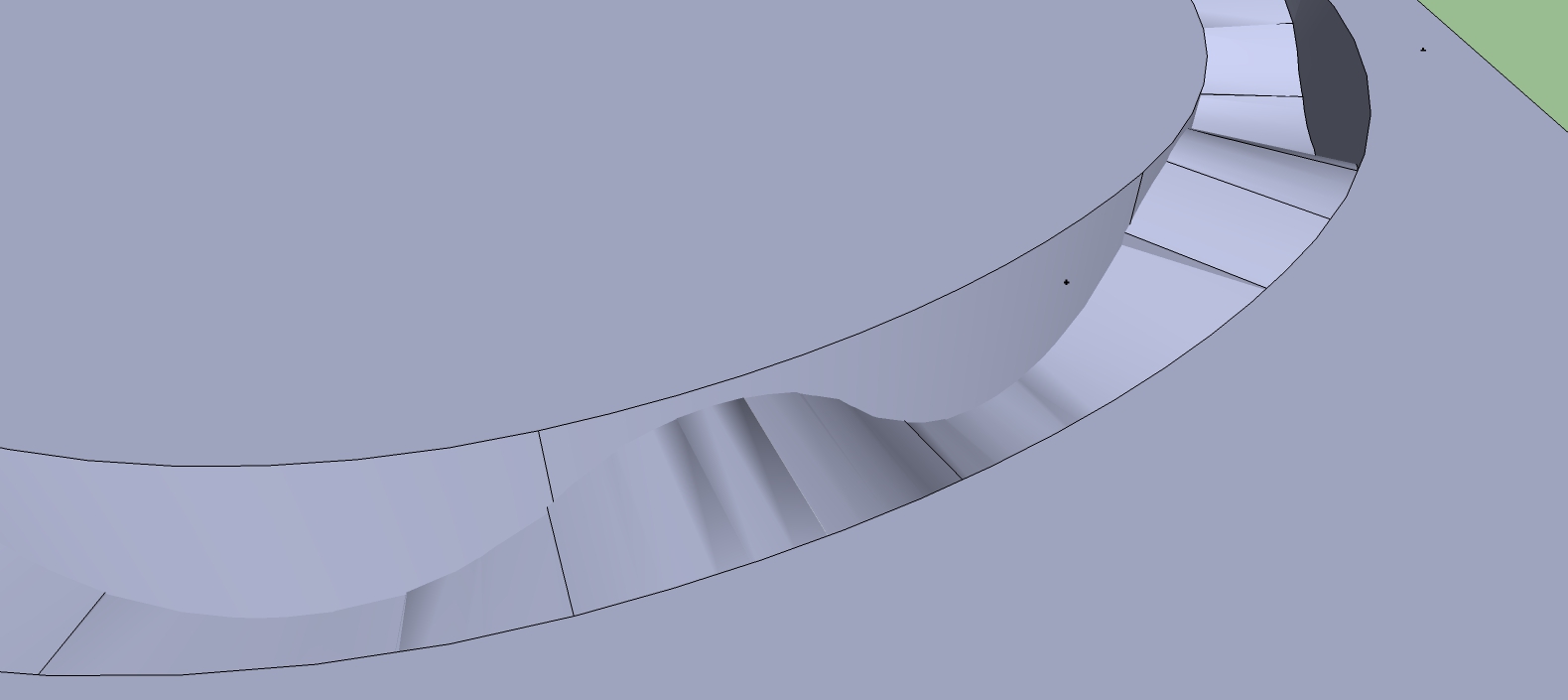
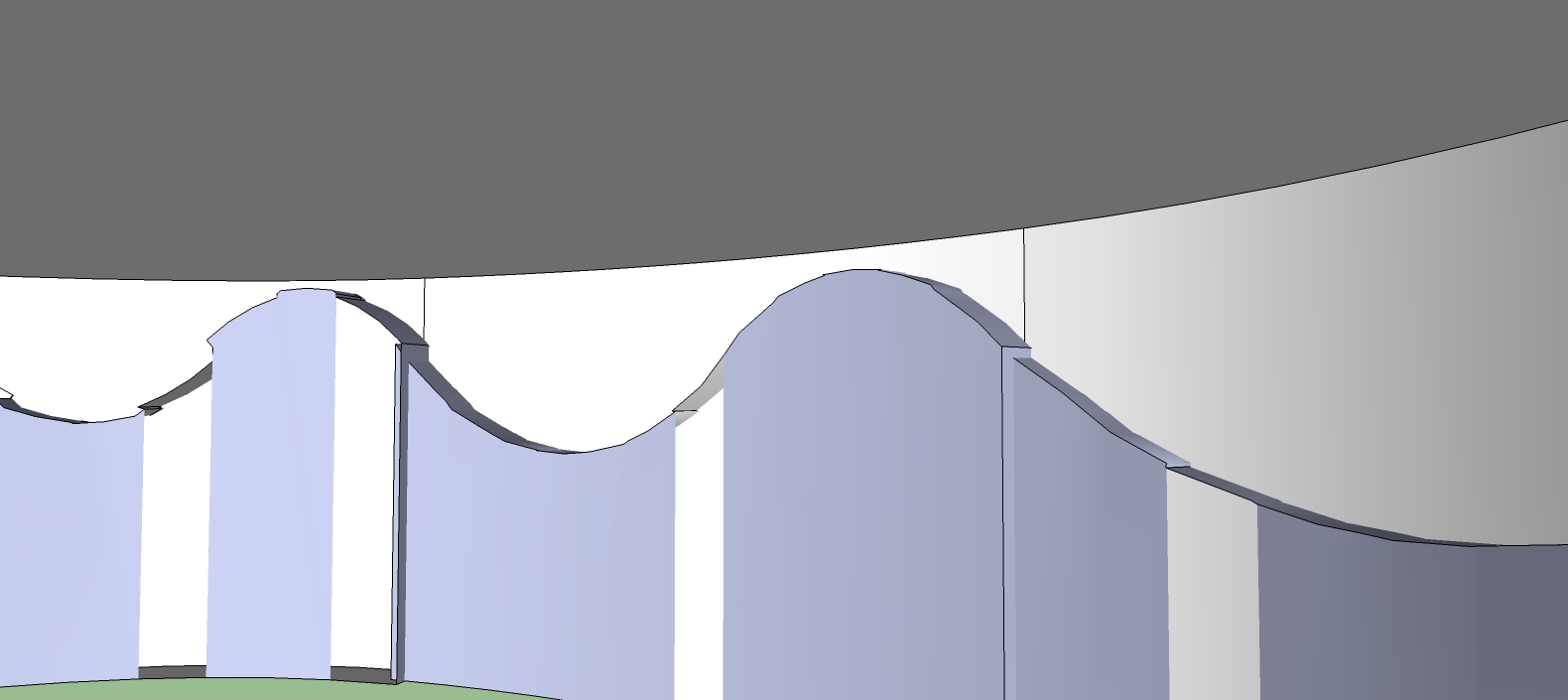
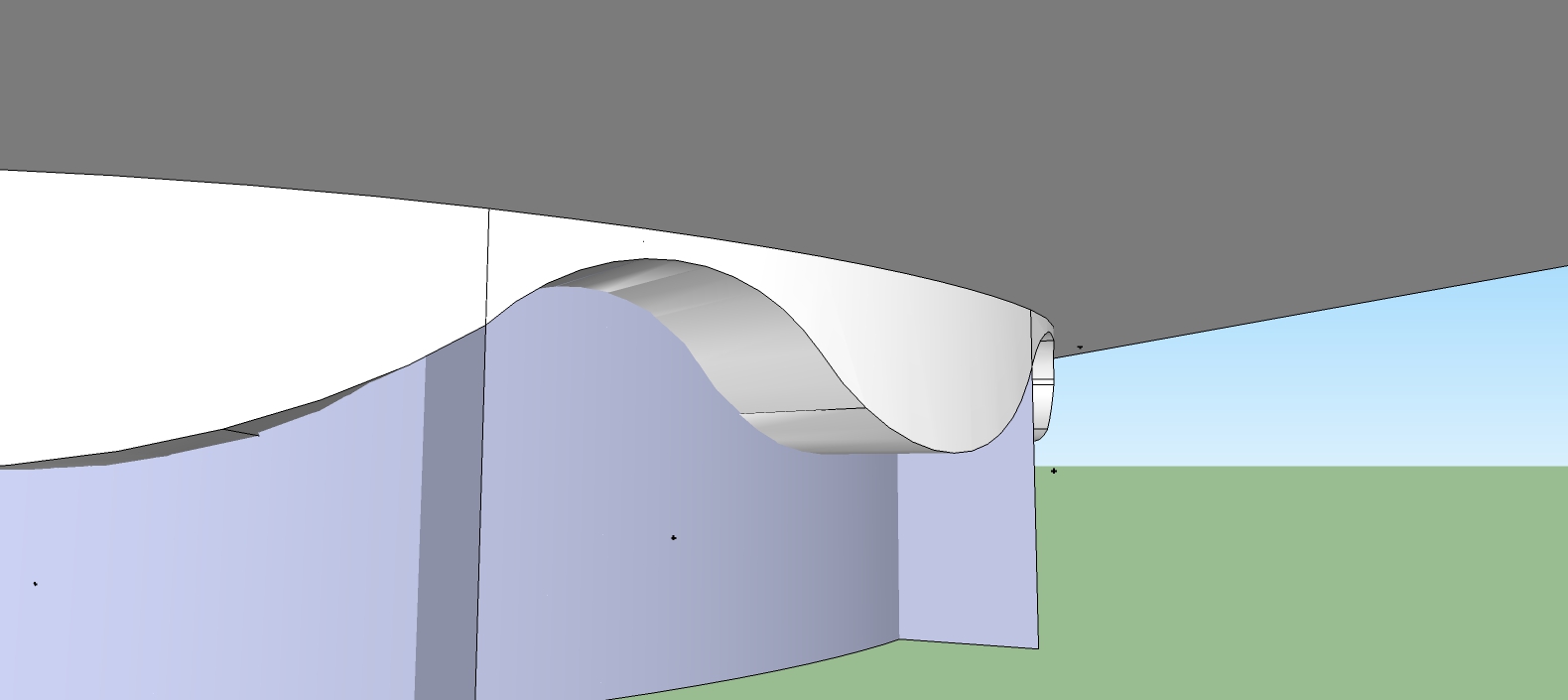
The tools on surface with the push pull tool was great, I am noticing now that when i start to curve the rolls are not smooth and have irregularities in them. Is there a way to smooth out the surface or am I not connecting the arcs correctly? As well is there a way to connect all my arcs together so i don't have to pull sections of the wall out separetly?


Hello! It looks like you're interested in this conversation, but you don't have an account yet.
Getting fed up of having to scroll through the same posts each visit? When you register for an account, you'll always come back to exactly where you were before, and choose to be notified of new replies (either via email, or push notification). You'll also be able to save bookmarks and upvote posts to show your appreciation to other community members.
With your input, this post could be even better 💗
Register Login


Advertisement