sketchucation logo sketchucation
    • 登入
    Oops, your profile's looking a bit empty! To help us tailor your experience, please fill in key details like your SketchUp version, skill level, operating system, and more. Update and save your info on your profile page today!
    ⚠️ Important | Libfredo 15.6b introduces important bugfixes for Fredo's Extensions Update

    Sketchup and Blender

    已排程 已置頂 已鎖定 已移動 Extensions & Applications Discussions
    extensions
    170 貼文 26 Posters 30.6k 瀏覽 26 Watching
    正在載入更多貼文
    • 從舊到新
    • 從新到舊
    • 最多點贊
    回覆
    • 在新貼文中回覆
    登入後回覆
    此主題已被刪除。只有擁有主題管理權限的使用者可以查看。
    • soloS 離線
      solo
      最後由 編輯

      @dod3r said:

      Hi solo,
      Can you share story about your journey from SU to blender. I know you mentioned some Cinema4d somewhere.
      I think it must be interesting.

      I am myself was lurking around blender for a long time. It supposed to be a solution for uv mapping absence in SU, but i so far had no time to invest my time into it.

      D.

      DOD3R, I really have no story, I did try Cinema4D and thought it was great but it was pricey and not as comprehensive as Blender that has everything one could possibly need and free. The thing is when I initially tried to learn Blender in 2005 it was one big mess, the UI was all over the place and short cuts and keys did not match between modeling tools, now with the whole new UI it's a hell of a lot better but still not as polished as say Maya, but certainly getting there fast. The best resource for Blender is Google as I can Google any question and I get a solution or even a YouTube tutorial.

      That being said I am also very lazy, and learning new software is like scraping nails across a blackboard, I usually only learn things I need to know relevant to a project. However I decided to find fun stuff to do in Blender and follow tutorials in order to create them, doing so I will learn all the other stuff around them and hopefully by the end of a few cool tutorials I will have the knowledge to try something on my own.

      http://www.solos-art.com

      If you see a toilet in your dreams do not use it.

      1 條回覆 最後回覆 回覆 引用 0
      • cottyC 離線
        cotty
        最後由 編輯

        Is that the new basecamp hat in your avatar? 😉

        my SketchUp gallery

        1 條回覆 最後回覆 回覆 引用 0
        • J 離線
          jpalm32
          最後由 編輯

          Really enjoying this thread solo.
          I loaded and unloaded Blender so many times.
          Maybe I should give another try.

          1 條回覆 最後回覆 回覆 引用 0
          • soloS 離線
            solo
            最後由 編輯

            When I get time I will play, this time I tackled UV mapping. The globe has got a basic map, a bump map, a specular map and then a larger cloud map.

            http://www.solos-art.com

            If you see a toilet in your dreams do not use it.

            1 條回覆 最後回覆 回覆 引用 0
            • CadFatherC 離線
              CadFather
              最後由 編輯

              great idea Solo, and i see fast developments in this thread, i shall lock it on my speed dials. i also play with Blender once in a while, but nothing worth showing yet.

              one thing that comes to mind, is the danger of scattering the information in the thread, perhaps creating a second wiki-like thread, with only the 'working stuff' (which can be updated) and no comments?

              1 條回覆 最後回覆 回覆 引用 0
              • andybotA 離線
                andybot
                最後由 編輯

                @cadfather said:

                one thing that comes to mind, is the danger of scattering the information in the thread, perhaps creating a second wiki-like thread, with only the 'working stuff' (which can be updated) and no comments?

                Interesting point - this thread might become like the "D'oh" thread - many good nuggets buried in miles of posts.
                [By "good nuggets" I mean: each user will find different things useful - but not everything for everyone...]

                http://charlottesvillearchitecturalrendering.com/

                1 條回覆 最後回覆 回覆 引用 0
                • soloS 離線
                  solo
                  最後由 編輯

                  I have found a great resource, an online quick-start course for Blender and it's free, it will take you through modeling a pencil from start to end, teaching you a lot of stuff as you go including UV mapping, face painting, creating bump and specular maps, rigging, posing,the works.

                  Just a moment...

                  favicon

                  (www.udemy.com)

                  And here is a quick view of what I achieved half assed, something went wrong with my rigging that I need to figure out.

                  CLICK TO ANIMATE
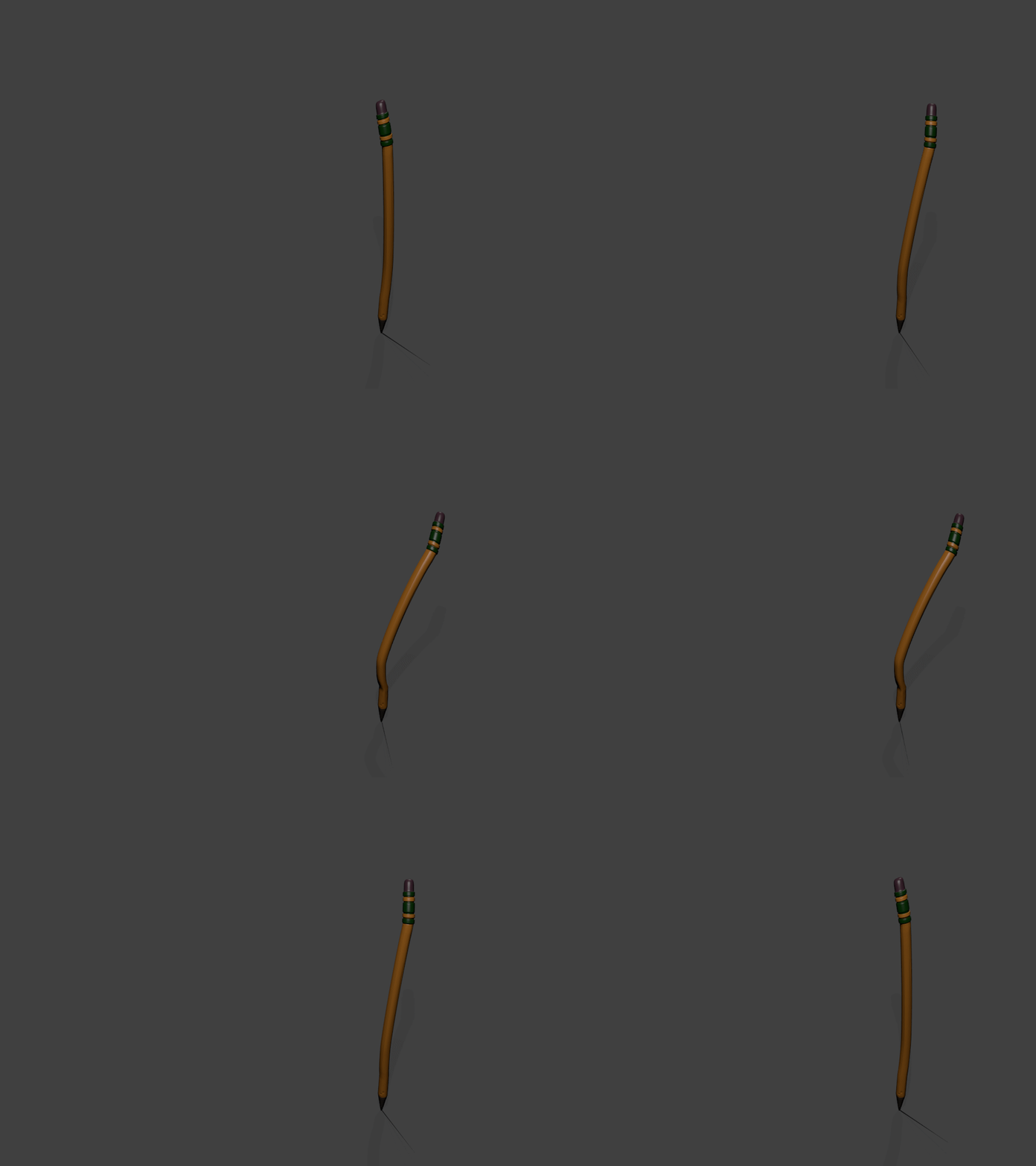
                  pencil.gif

                  http://www.solos-art.com

                  If you see a toilet in your dreams do not use it.

                  1 條回覆 最後回覆 回覆 引用 0
                  • olisheaO 離線
                    olishea
                    最後由 編輯

                    This is a great thread 👍

                    oli

                    1 條回覆 最後回覆 回覆 引用 0
                    • arail1A 離線
                      arail1
                      最後由 編輯

                      When I first started using modo I found this short, simple video to be a helpful explanation of sub d modeling:

                      1 條回覆 最後回覆 回覆 引用 0
                      • soloS 離線
                        solo
                        最後由 編輯

                        Andrew Price from Blender guru created this awesome trailer for the Architecture academy.

                        http://www.solos-art.com

                        If you see a toilet in your dreams do not use it.

                        1 條回覆 最後回覆 回覆 引用 0
                        • boofredlayB 離線
                          boofredlay
                          最後由 編輯

                          Thanks for sharing that Pete. 👍

                          http://www.coroflot.com/boofredlay

                          1 條回覆 最後回覆 回覆 引用 0
                          • daleD 離線
                            dale
                            最後由 編輯

                            I thought I would post this as "Another Reason I Should Learn Blender"
                            This gent has developed a 3D printer using the sound card of the computer operating lasers to harden resin. The model needs to be created in blender, and uses an add on software he has developed. Oh and did I mention he plans to market it for around $100. Or you can build it yourself, because he will be posting plans.

                            http://www.cbc.ca/news/canada/saskatchewan/3-d-printer-by-sask-man-gets-record-crowdsourced-cash-1.2417416

                            Just monkeying around....like Monsanto

                            1 條回覆 最後回覆 回覆 引用 0
                            • cottyC 離線
                              cotty
                              最後由 編輯

                              Impressive concept!

                              my SketchUp gallery

                              1 條回覆 最後回覆 回覆 引用 0
                              • soloS 離線
                                solo
                                最後由 編輯

                                My opinion so far.....

                                I have dedicated about 3-4 hours for the last 4 days on learning Blender and so far I think I have picked up a lot of the basics and maybe a few things I have absolutely no need to know but was fun to learn.

                                Remembering the key strokes and location of menus is probably the hardest thing initially but with practice and Google search it can be picked up.
                                Blender is powerful, it has so many bells and whistles that I doubt anyone knows everything about it as there just are too many things to learn and the development is so fast.

                                Working with Blender is a huge departure from Sketchup which is bad as I was a lazy modeler with SU and in Blender one needs to work a lot harder and smarter to get similar results, if only one could model in SU and export with some sort of re-mesher into Blender to use all the tools SU does not offer.

                                The good news is that mesh from Blender imports very well into Sketchup see image below of a nurbs model exported into SU.
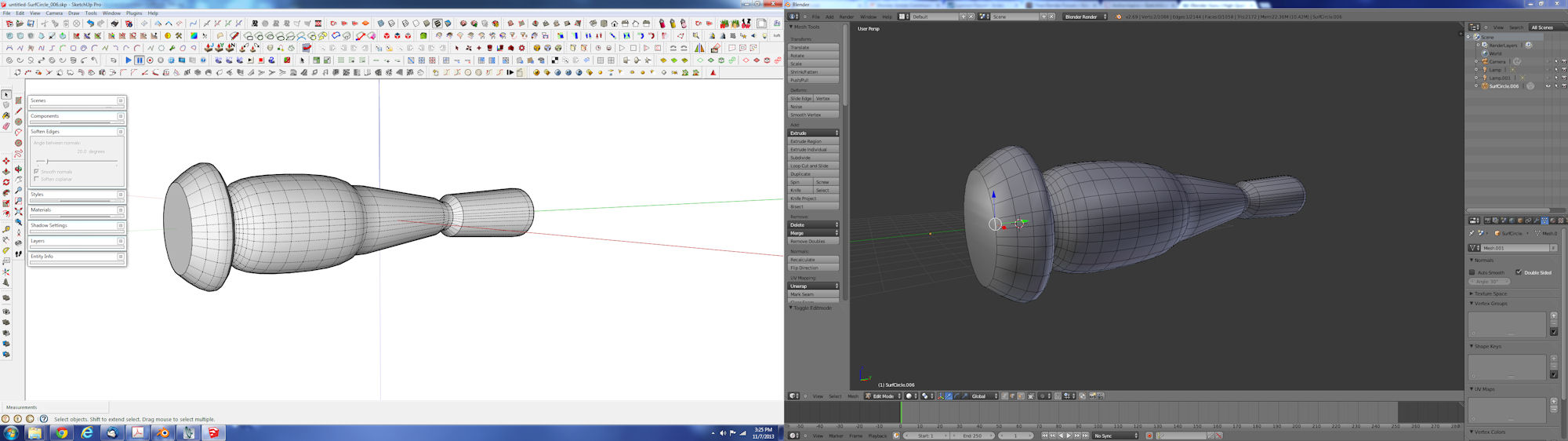
                                conversion B to S.jpg

                                I do like nurbs and meta modeling in Blender, I am yet to try sculpting and dynotopo.

                                http://www.solos-art.com

                                If you see a toilet in your dreams do not use it.

                                1 條回覆 最後回覆 回覆 引用 0
                                • Rich O BrienR 離線
                                  Rich O Brien Moderator
                                  最後由 編輯

                                  Re-mesher?

                                  Can you expand a bit more?

                                  Download the free D'oh Book for SketchUp 📖

                                  1 條回覆 最後回覆 回覆 引用 0
                                  • soloS 離線
                                    solo
                                    最後由 編輯

                                    @rich o brien said:

                                    Re-mesher?

                                    Can you expand a bit more?

                                    Just a term that I made up but essentially what I'd like is some tool in Blender that will take a Sketchup model and redo the entire mesh into quads, almost like what happens when modeling in nurbs and meta whan one presses cntrl C and converts it into normal quad mesh ready for edit.

                                    http://www.solos-art.com

                                    If you see a toilet in your dreams do not use it.

                                    1 條回覆 最後回覆 回覆 引用 0
                                    • jiminy-billy-bobJ 離線
                                      jiminy-billy-bob
                                      最後由 編輯

                                      @solo said:

                                      [attachment=0:511xn80i]<!-- ia0 -->conversion B to S.jpg<!-- ia0 -->[/attachment:511xn80i]

                                      Man... That's a lot of toolbars ! 😄

                                      25% off Skatter for SketchUcation Premium Members

                                      1 條回覆 最後回覆 回覆 引用 0
                                      • Rich O BrienR 離線
                                        Rich O Brien Moderator
                                        最後由 編輯

                                        You want quad exports from SU into Blender?

                                        Download the free D'oh Book for SketchUp 📖

                                        1 條回覆 最後回覆 回覆 引用 0
                                        • soloS 離線
                                          solo
                                          最後由 編輯

                                          @rich o brien said:

                                          You want quad exports from SU into Blender?

                                          Ideally I'd like to model in SU as I have always done and export to Blender so that I can use the mesh from SU. I have tried converting models in SU to quads but that does not work great and I have tried converting tri's to quads in Blender which also does not work great.

                                          http://www.solos-art.com

                                          If you see a toilet in your dreams do not use it.

                                          1 條回覆 最後回覆 回覆 引用 0
                                          • Rich O BrienR 離線
                                            Rich O Brien Moderator
                                            最後由 編輯

                                            Can you PM or share a file?

                                            I might have a workflow but since I mostly model in Quads I'd need a dirty mesh to test.

                                            If it's something's with n-gons forget it as that's just a recipe for disaster.

                                            Download the free D'oh Book for SketchUp 📖

                                            1 條回覆 最後回覆 回覆 引用 0
                                            • 1
                                            • 2
                                            • 3
                                            • 4
                                            • 5
                                            • 8
                                            • 9
                                            • 2 / 9
                                            • 第一個貼文
                                              最後的貼文
                                            Buy SketchPlus
                                            Buy SUbD
                                            Buy WrapR
                                            Buy eBook
                                            Buy Modelur
                                            Buy Vertex Tools
                                            Buy SketchCuisine
                                            Buy FormFonts

                                            Advertisement








