sketchucation logo sketchucation
    • 登入
    Oops, your profile's looking a bit empty! To help us tailor your experience, please fill in key details like your SketchUp version, skill level, operating system, and more. Update and save your info on your profile page today!
    ⚠️ Important | Libfredo 15.6b introduces important bugfixes for Fredo's Extensions Update

    Sketchup and Blender

    已排程 已置頂 已鎖定 已移動 Extensions & Applications Discussions
    extensions
    170 貼文 26 Posters 30.6k 瀏覽 26 Watching
    正在載入更多貼文
    • 從舊到新
    • 從新到舊
    • 最多點贊
    回覆
    • 在新貼文中回覆
    登入後回覆
    此主題已被刪除。只有擁有主題管理權限的使用者可以查看。
    • JQLJ 離線
      JQL
      最後由 編輯

      I tried exporting a model from SU to render in Blender, with little success. Is there a way to export cameras from SU to Blender? That was mostly where I stuck because everything was already set in SU.

      Thanks,

      JQL

      www.casca.pt
      Visit us on facebook!

      1 條回覆 最後回覆 回覆 引用 0
      • soloS 離線
        solo
        最後由 編輯

        @jql said:

        I tried exporting a model from SU to render in Blender, with little success. Is there a way to export cameras from SU to Blender? That was mostly where I stuck because everything was already set in SU.

        Thanks,

        JQL

        Looking at the addons in Blender there are many importers and exporters, I wonder what it will take or who it will take to write one for Sketchup, one that will support layers, groups, components, camera's and even animations.

        http://www.solos-art.com

        If you see a toilet in your dreams do not use it.

        1 條回覆 最後回覆 回覆 引用 0
        • soloS 離線
          solo
          最後由 編輯

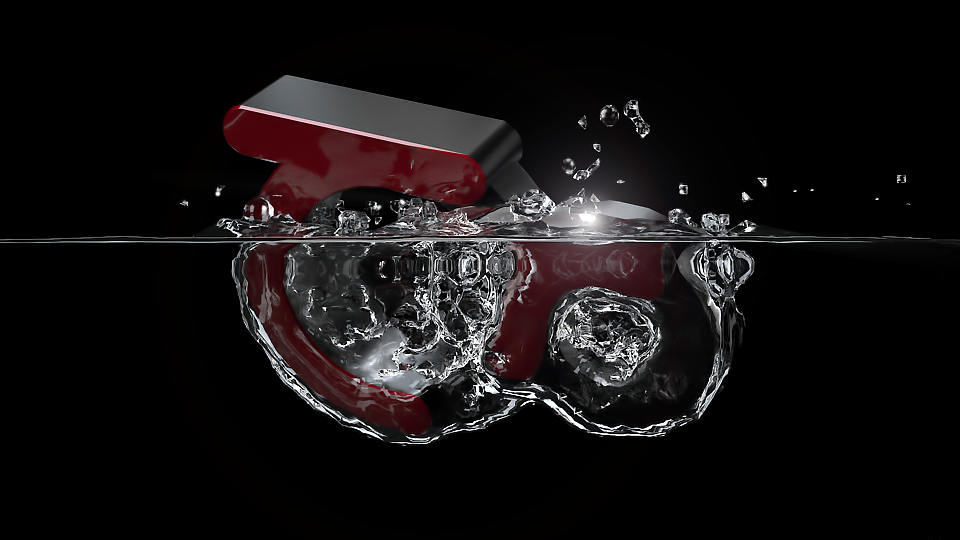
          My first attempt at following a tutorial.

          I changed the obstacle to the Thea logo and opted to render with the Thea plugin and not Cycles as Cycles was still rendering after 15 minutes (too slow) and Thea completed it in just over 3 minutes.
          blend test.png

          http://www.solos-art.com

          If you see a toilet in your dreams do not use it.

          1 條回覆 最後回覆 回覆 引用 0
          • Rich O BrienR 離線
            Rich O Brien Moderator
            最後由 編輯

            Winner.

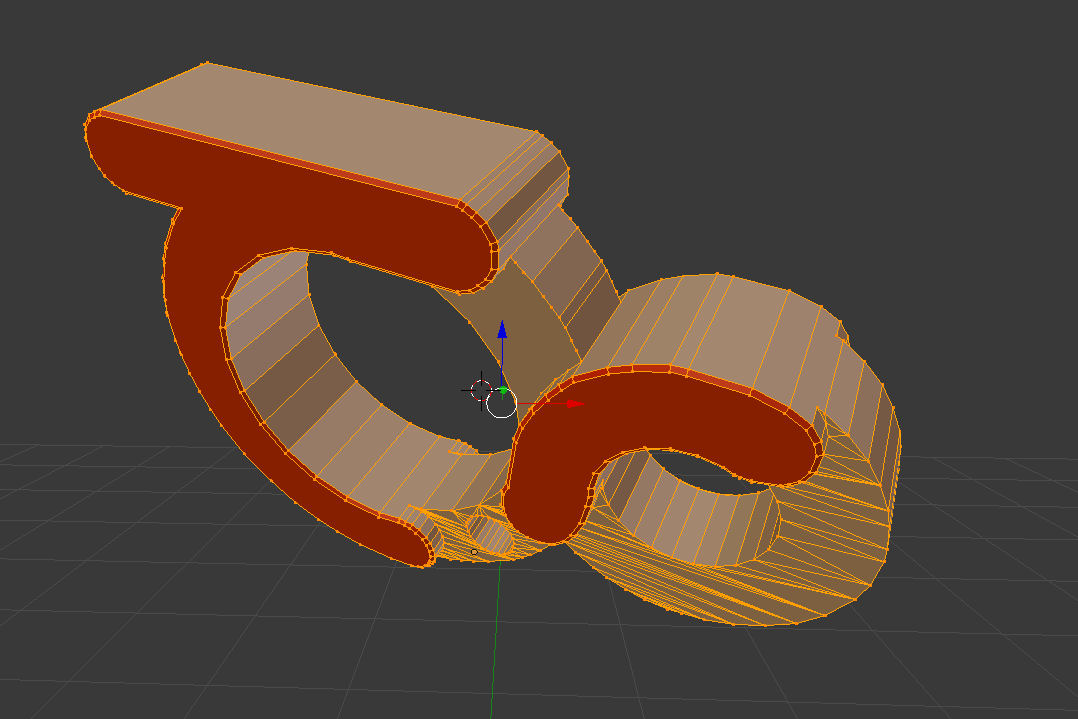
            Show the blender mesh.

            Mine way to quickly learn commands is with the dynamic menu. Hit space bar while in the viewport and start typing.

            Download the free D'oh Book for SketchUp 📖

            1 條回覆 最後回覆 回覆 引用 0
            • soloS 離線
              solo
              最後由 編輯

              @rich o brien said:

              Winner.

              Show the blender mesh.

              Mine way to quickly learn commands is with the dynamic menu. Hit space bar while in the viewport and start typing.

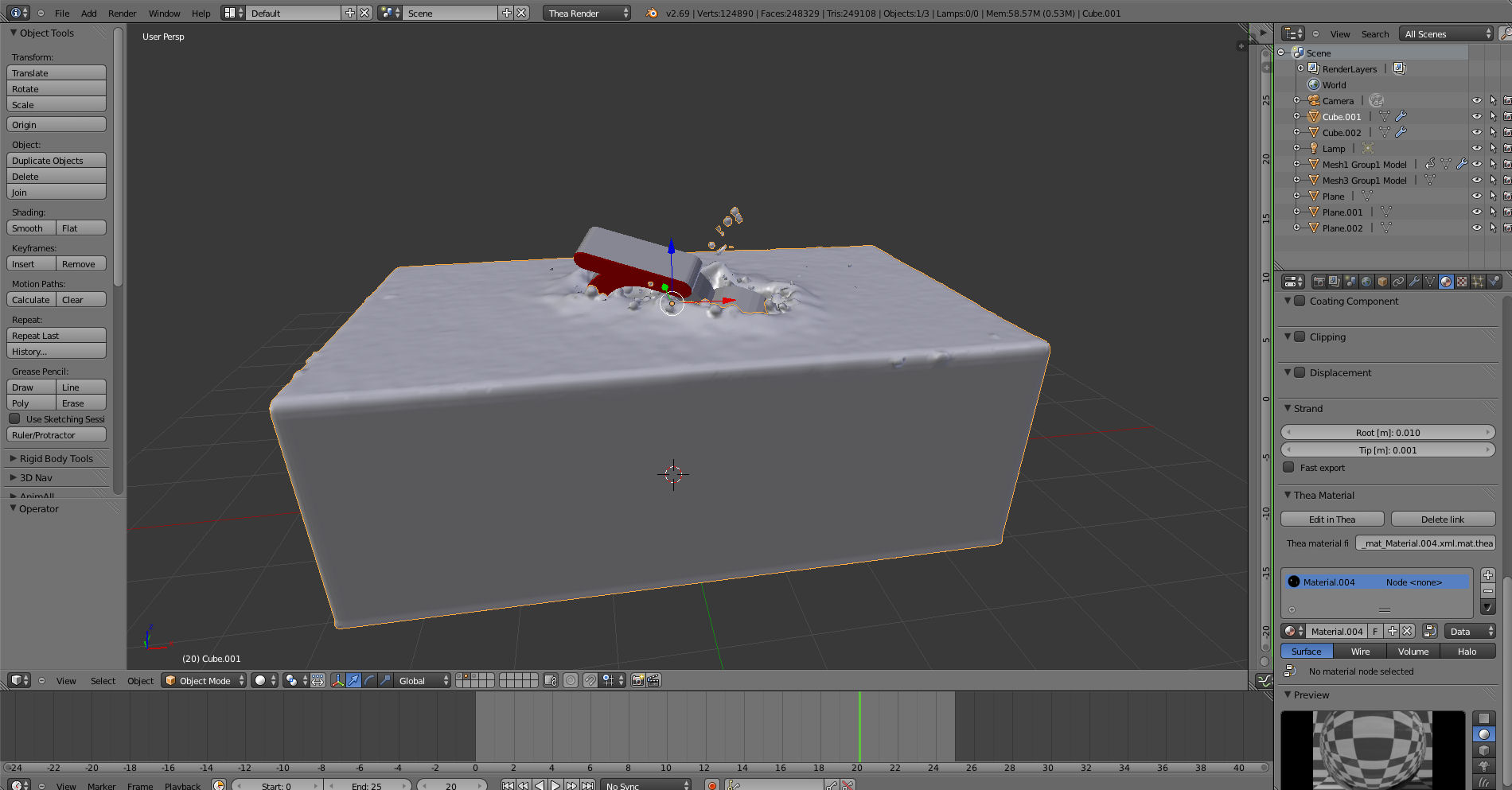
              What is supposed to happen when you hit space, I get a window that opens but not sure what to do then.

              Here is the screen shot.
              blender screen1.jpg

              thealogoblender.jpg

              http://www.solos-art.com

              If you see a toilet in your dreams do not use it.

              1 條回覆 最後回覆 回覆 引用 0
              • Rich O BrienR 離線
                Rich O Brien Moderator
                最後由 編輯

                You should see this command palette...
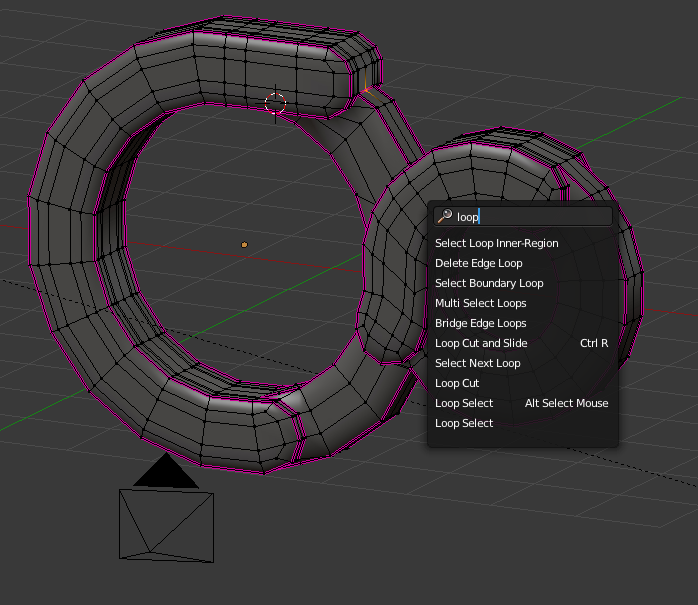
                Image 7.png

                ...here you can type a word to see what the command is...

                example...if you needed to merge verts hit space - type merge...
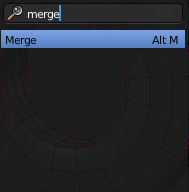
                Image 8.png

                ...and you'll see the command is Alt+M

                Great way to learn what is the shortcuts and the commands.

                I'd really like to see the Thea Logo in edit mode.

                Select it, hit edit and then hit / on the numpad to go into local view.

                Take a screengrab while in edit mode so we can see the mesh.

                Download the free D'oh Book for SketchUp 📖

                1 條回覆 最後回覆 回覆 引用 0
                • andybotA 離線
                  andybot
                  最後由 編輯

                  Woohoo!! Thanks for starting this thread Pete, glad to see Rich and Michalis right on board! I will be watching and participating as I can. I ❤ Blender!

                  http://charlottesvillearchitecturalrendering.com/

                  1 條回覆 最後回覆 回覆 引用 0
                  • andybotA 離線
                    andybot
                    最後由 編輯

                    My tool of choice in SU is TIG's "Triangulate Faces" plugin. Before exporting anything to Blender that I will be editing in Blender, I always make sure I can see the entirety of my topology, and then make extensive use of the sandbox "Flip Edge" tool. I use TIG's obj exporter for my conversion, then import with the "keep vert order" option. (This is important for vray proxies, plus it helps keep the outliner neater.) Then in Blender: Mesh -> vertices - > "remove doubles", and Alt-J for tris to Quads.

                    http://charlottesvillearchitecturalrendering.com/

                    1 條回覆 最後回覆 回覆 引用 0
                    • soloS 離線
                      solo
                      最後由 編輯

                      @unknownuser said:

                      I'd really like to see the Thea Logo in edit mode.

                      I inserted it into post above, not much done to it from export, I figured it would be under water so it will be fine. 😕

                      http://www.solos-art.com

                      If you see a toilet in your dreams do not use it.

                      1 條回覆 最後回覆 回覆 引用 0
                      • soloS 離線
                        solo
                        最後由 編輯

                        @andybot said:

                        My tool of choice in SU is TIG's "Triangulate Faces" plugin. Before exporting anything to Blender that I will be editing in Blender, I always make sure I can see the entirety of my topology, and then make extensive use of the sandbox "Flip Edge" tool. I use TIG's obj exporter for my conversion, then import with the "keep vert order" option. (This is important for vray proxies, plus it helps keep the outliner neater.) Then in Blender: Mesh -> vertices - > "remove doubles", and Alt-J for tris to Quads.

                        Ooo, thanks, gonna try this.

                        http://www.solos-art.com

                        If you see a toilet in your dreams do not use it.

                        1 條回覆 最後回覆 回覆 引用 0
                        • Rich O BrienR 離線
                          Rich O Brien Moderator
                          最後由 編輯

                          Do you want my .blend file? It's a bit rough but you might see things that raise some questions?

                          Download the free D'oh Book for SketchUp 📖

                          1 條回覆 最後回覆 回覆 引用 0
                          • soloS 離線
                            solo
                            最後由 編輯

                            @rich o brien said:

                            Do you want my .blend file? It's a bit rough but you might see things that raise some questions?

                            Yeah, always good to compare things and learn tricks, thanks

                            http://www.solos-art.com

                            If you see a toilet in your dreams do not use it.

                            1 條回覆 最後回覆 回覆 引用 0
                            • boofredlayB 離線
                              boofredlay
                              最後由 編輯

                              Yes, glad you started this thread Pete.
                              I started learning Blender a few months ago and like everything I try to tackle I have to do it in small doses because of time issues.
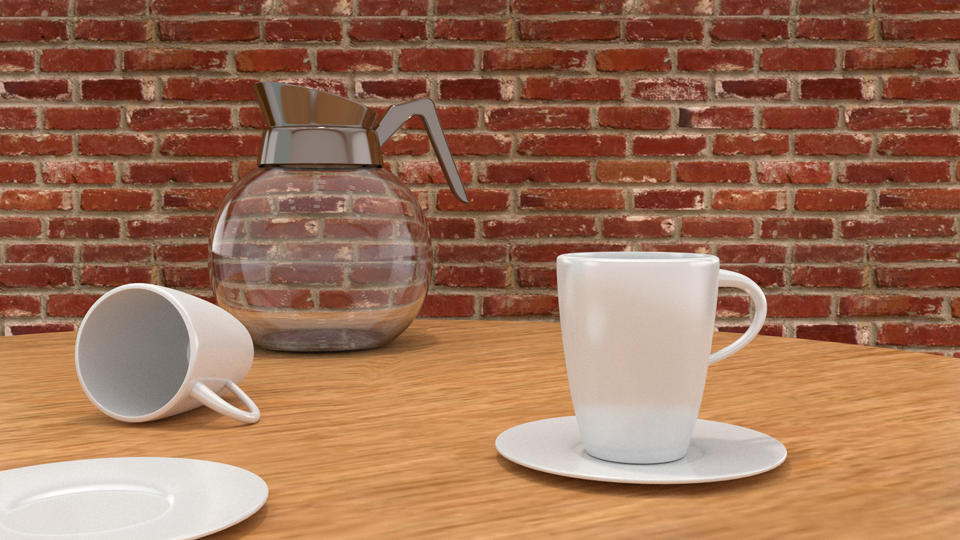
                              Anyway, I have been following the Blender Tutor http://www.blendertutor.com/page/4/?fp_type=news with pretty good results.
                              I finished the coffee pot and am starting the SNES machine tutorial next.
                              I think I have a better image at home but I am not at home now so...

                              CoffeePot3.png

                              http://www.coroflot.com/boofredlay

                              1 條回覆 最後回覆 回覆 引用 0
                              • Rich O BrienR 離線
                                Rich O Brien Moderator
                                最後由 編輯

                                Here you go....

                                thea-logo-su.zip

                                Load file

                                Press 0 for Camera view

                                Press Alt+A to play animation

                                Download the free D'oh Book for SketchUp 📖

                                1 條回覆 最後回覆 回覆 引用 0
                                • Rich O BrienR 離線
                                  Rich O Brien Moderator
                                  最後由 編輯

                                  thea.gif

                                  Download the free D'oh Book for SketchUp 📖

                                  1 條回覆 最後回覆 回覆 引用 0
                                  • soloS 離線
                                    solo
                                    最後由 編輯

                                    @rich o brien said:

                                    Here you go....

                                    [attachment=0:7zja5vc2]<!-- ia0 -->thea-logo-su.zip<!-- ia0 -->[/attachment:7zja5vc2]

                                    Load file

                                    Press 0 for Camera view

                                    Press Alt+A to play animation

                                    That is a clean logo. Hmm, basic mesh with a sub-D modifier only.

                                    So this is modeled in SU, exported to Blender and added a modifier only?

                                    I'd love to sit next to you as you model this in SU as I cannot seem to get my head around what tools you used and your workflow, then I need to still figure out the material assigning in Blender, I did a tutorial this weekend and it's already forgotten. 😕

                                    http://www.solos-art.com

                                    If you see a toilet in your dreams do not use it.

                                    1 條回覆 最後回覆 回覆 引用 0
                                    • Rich O BrienR 離線
                                      Rich O Brien Moderator
                                      最後由 編輯

                                      Yes modeled in SU to a point just to figure out vert placement and form. Then into Blender for tweaking and some edge loops, creases and sub-d

                                      Download the free D'oh Book for SketchUp 📖

                                      1 條回覆 最後回覆 回覆 引用 0
                                      • Rich O BrienR 離線
                                        Rich O Brien Moderator
                                        最後由 編輯

                                        BTW, a better way to figure what key does what...

                                        waldobronchart.be

                                        favicon

                                        (waldobronchart.be)

                                        Download the free D'oh Book for SketchUp 📖

                                        1 條回覆 最後回覆 回覆 引用 0
                                        • soloS 離線
                                          solo
                                          最後由 編輯

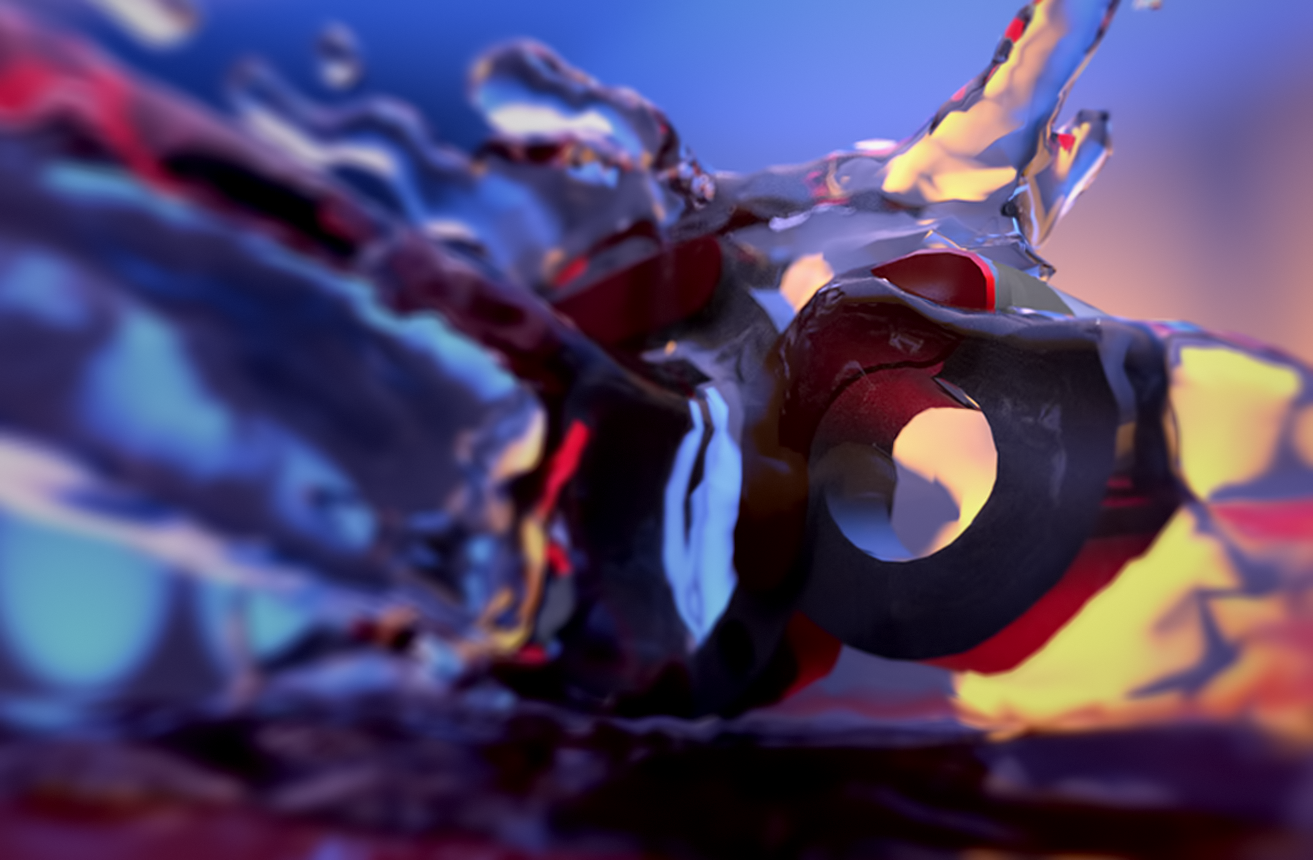
                                          Now I'm goofing around with fluid flow.

                                          I'm learning Blender arse about face, doing fluids, then particles and fabric.
                                          I want to have fun learning.

                                          Some crazy DOF and HDRI lighting with a few emitters.
                                          test 2 blender splash.png

                                          http://www.solos-art.com

                                          If you see a toilet in your dreams do not use it.

                                          1 條回覆 最後回覆 回覆 引用 0
                                          • Rich O BrienR 離線
                                            Rich O Brien Moderator
                                            最後由 編輯

                                            Is that with Thea plugin?

                                            Download the free D'oh Book for SketchUp 📖

                                            1 條回覆 最後回覆 回覆 引用 0
                                            • 1
                                            • 2
                                            • 3
                                            • 4
                                            • 5
                                            • 6
                                            • 7
                                            • 8
                                            • 9
                                            • 6 / 9
                                            • 第一個貼文
                                              最後的貼文
                                            Buy SketchPlus
                                            Buy SUbD
                                            Buy WrapR
                                            Buy eBook
                                            Buy Modelur
                                            Buy Vertex Tools
                                            Buy SketchCuisine
                                            Buy FormFonts

                                            Advertisement