sketchucation logo sketchucation
    • 登入
    Oops, your profile's looking a bit empty! To help us tailor your experience, please fill in key details like your SketchUp version, skill level, operating system, and more. Update and save your info on your profile page today!
    ⚠️ Important | Libfredo 15.6b introduces important bugfixes for Fredo's Extensions Update

    [REQ] Plugin Multi-View Elevations

    已排程 已置頂 已鎖定 已移動 Plugins
    50 貼文 10 Posters 4.8k 瀏覽 10 Watching
    正在載入更多貼文
    • 從舊到新
    • 從新到舊
    • 最多點贊
    回覆
    • 在新貼文中回覆
    登入後回覆
    此主題已被刪除。只有擁有主題管理權限的使用者可以查看。
    • KrisidiousK 離線
      Krisidious
      最後由 編輯

      ask all the questions you want Rafael...

      By: Kristoff Rand
      Home DesignerUnique House Plans

      1 條回覆 最後回覆 回覆 引用 0
      • renderizaR 離線
        renderiza
        最後由 編輯

        @krisidious said:

        ask all the questions you want Rafael...

        Thanks I will! Just want to understand every detail before trying to solve it.

        @krisidious said:

        yes but the front back right and left will all be inverted... instead of all four viewing inwards toward one point they would all view outwards away from the central point...

        Can you offer some examples that will aid me understand this concept of inverting views because I am not quite understanding it.

        Thanks!

        [url=https://www.sketchupcode.com/:z3kqsidd]My Extensions ...[/url:z3kqsidd]

        1 條回覆 最後回覆 回覆 引用 0
        • KrisidiousK 離線
          Krisidious
          最後由 編輯

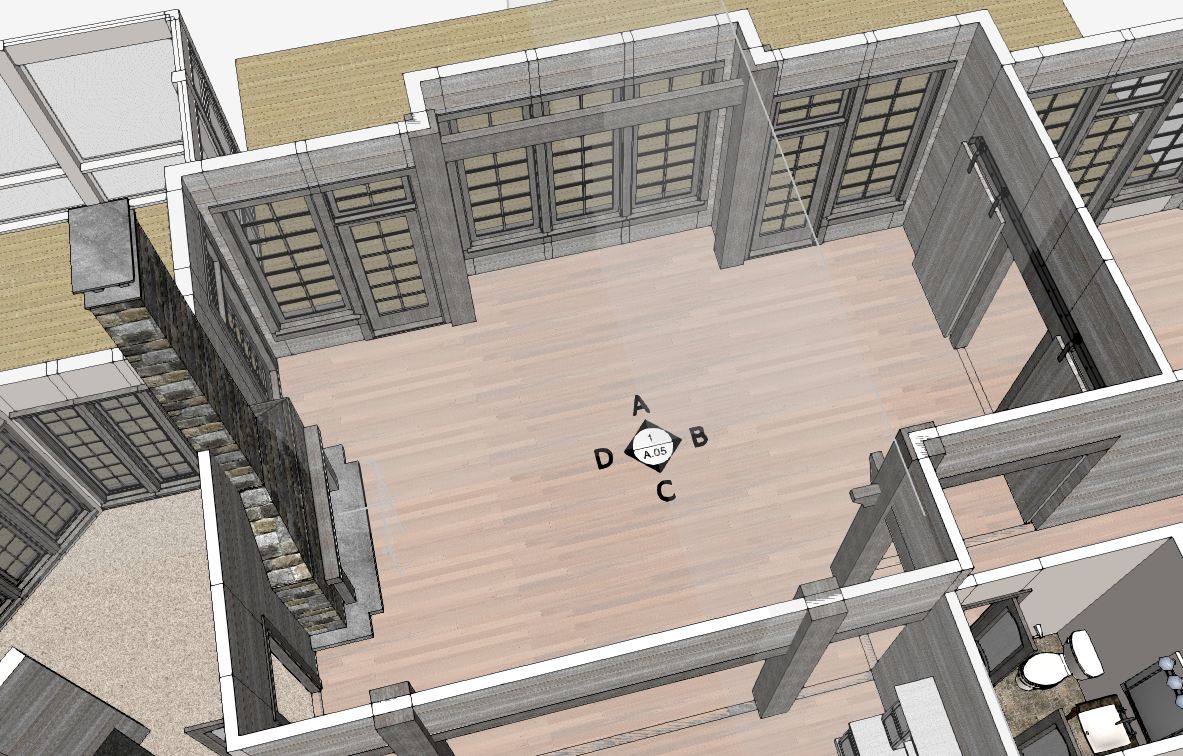
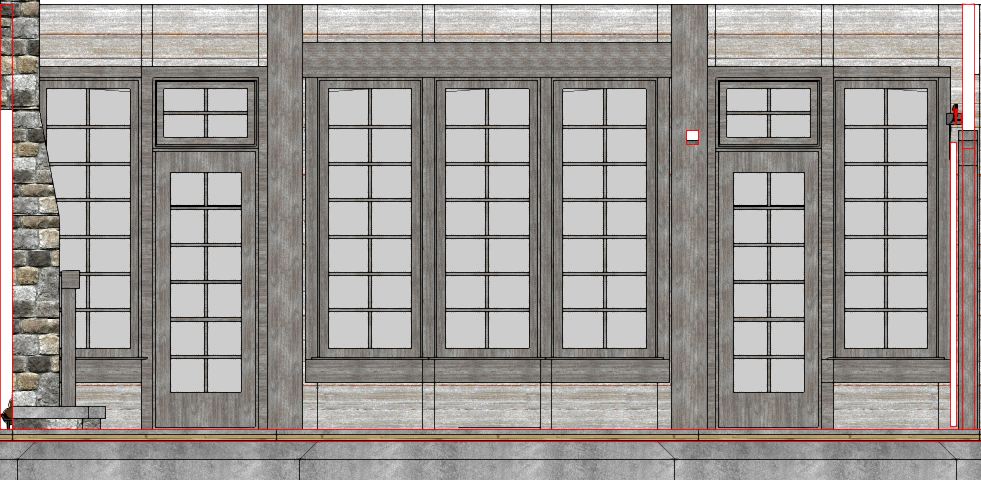
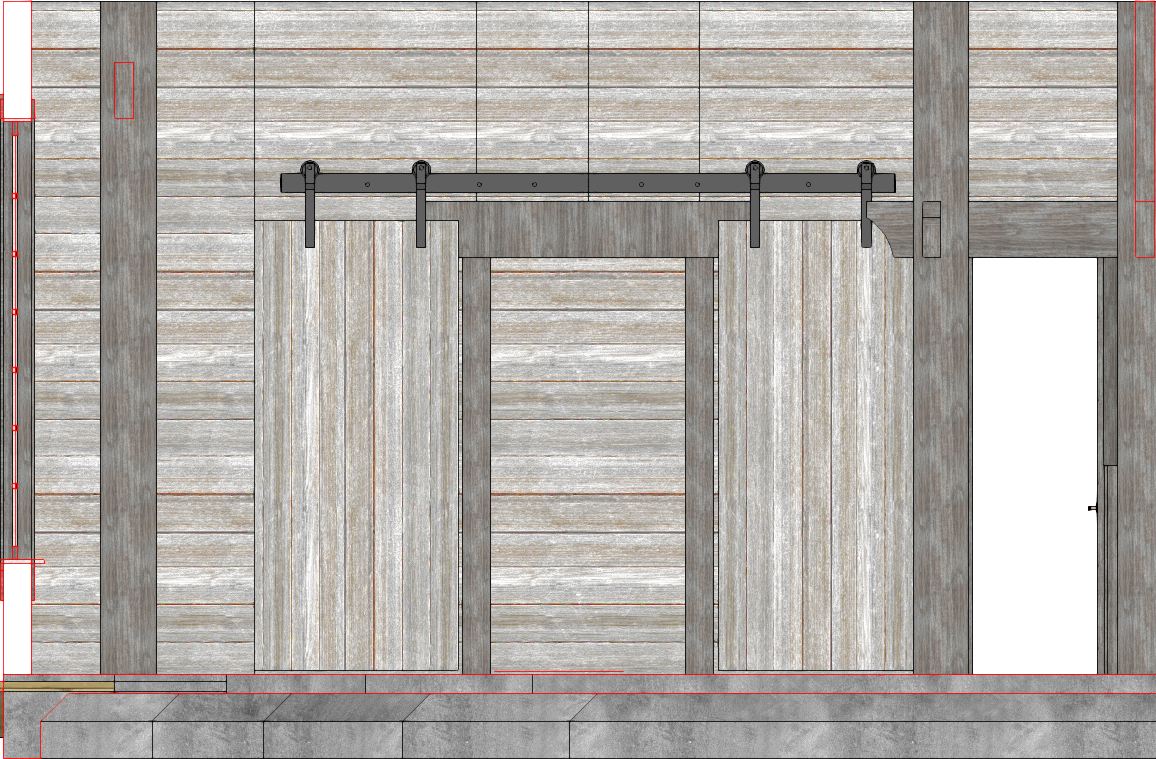
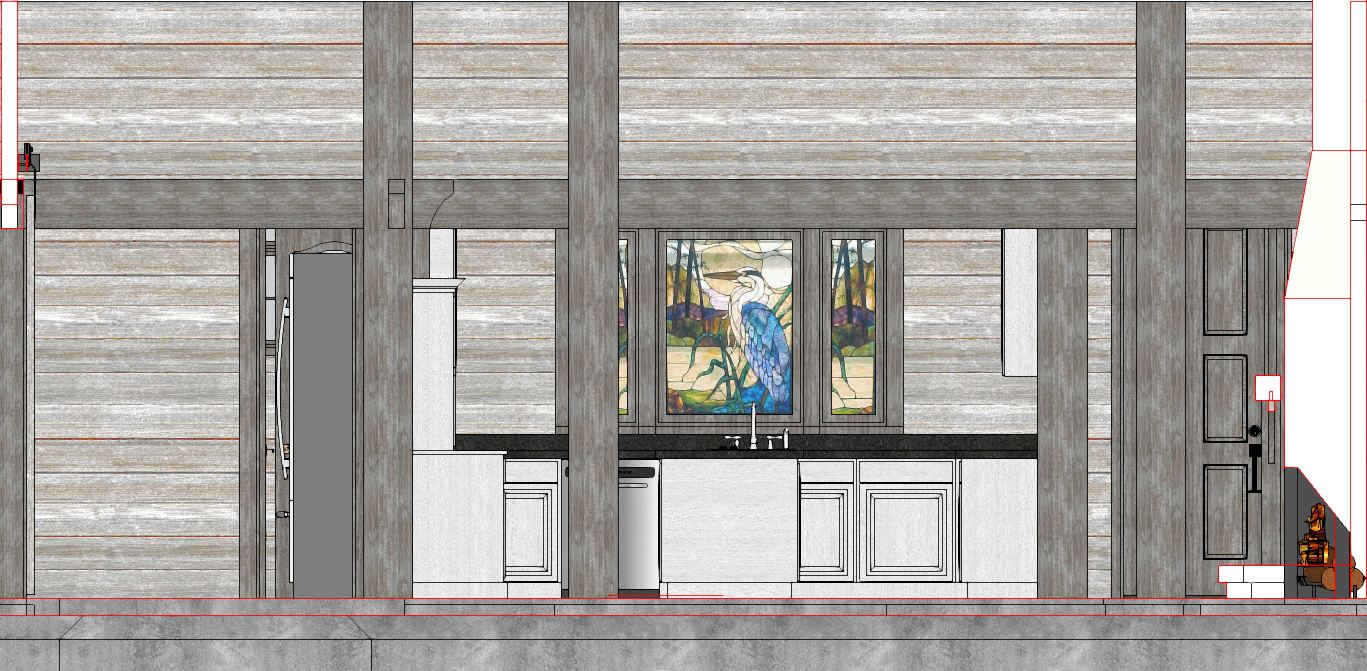
          Sure... Here's a break down of how it works.
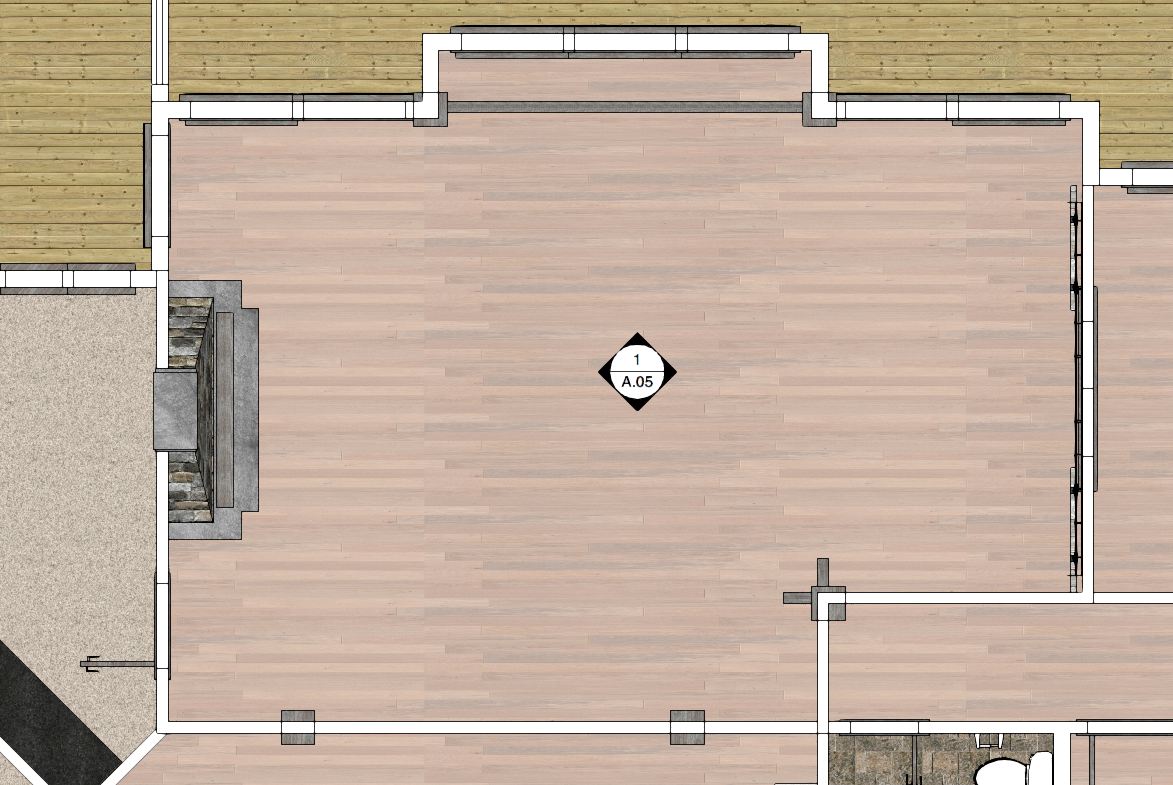
          Multi-View Elevations Plan.JPG

          Multi-View Elevations Perspective.JPG

          Capture-A.JPG

          Capture-B.JPG

          Capture-C.JPG

          Capture-D.JPG

          By: Kristoff Rand
          Home DesignerUnique House Plans

          1 條回覆 最後回覆 回覆 引用 0
          • renderizaR 離線
            renderiza
            最後由 編輯

            Very clever idea!

            Ok I think I got it but just in case...

            You want to place that decal that have arrows with A, B, C, D and plugin will recognize its position and place camera origin on center of that to capture elevation from there?

            This is a Brilliant idea!

            [url=https://www.sketchupcode.com/:z3kqsidd]My Extensions ...[/url:z3kqsidd]

            1 條回覆 最後回覆 回覆 引用 0
            • KrisidiousK 離線
              Krisidious
              最後由 編輯

              yes, exactly... 4 elevations or even better if I could choose how many, because this symbol is used with 1,2,3,4 or even more directions. but normally no more than 4.

              By: Kristoff Rand
              Home DesignerUnique House Plans

              1 條回覆 最後回覆 回覆 引用 0
              • KrisidiousK 離線
                Krisidious
                最後由 編輯

                @renderiza said:

                Very clever idea!

                This is a Brilliant idea!

                I can't take credit for it... some guy way back in drafting history came up with it... or maybe his wife. 🤣

                By: Kristoff Rand
                Home DesignerUnique House Plans

                1 條回覆 最後回覆 回覆 引用 0
                • renderizaR 離線
                  renderiza
                  最後由 編輯

                  I gotcha...going to my lab an will report to you soon! 🤓

                  [url=https://www.sketchupcode.com/:z3kqsidd]My Extensions ...[/url:z3kqsidd]

                  1 條回覆 最後回覆 回覆 引用 0
                  • KrisidiousK 離線
                    Krisidious
                    最後由 編輯

                    wrings hands and waits with bated breath... 😎

                    By: Kristoff Rand
                    Home DesignerUnique House Plans

                    1 條回覆 最後回覆 回覆 引用 0
                    • BoxB 離線
                      Box
                      最後由 編輯

                      One thing to keep in mind while making this. If the scene order is right it should make a good basis for a standard animation.

                      I just had fish for dinner, so mine is baited breath.

                      1 條回覆 最後回覆 回覆 引用 0
                      • KrisidiousK 離線
                        Krisidious
                        最後由 編輯

                        @box said:

                        One thing to keep in mind while making this. If the scene order is right it should make a good basis for a standard animation.

                        I just had fish for dinner, so mine is baited breath.

                        👍

                        By: Kristoff Rand
                        Home DesignerUnique House Plans

                        1 條回覆 最後回覆 回覆 引用 0
                        • renderizaR 離線
                          renderiza
                          最後由 編輯

                          Hi,

                          Any ideas on what will be the name of this plugin?

                          Cheers!

                          [url=https://www.sketchupcode.com/:z3kqsidd]My Extensions ...[/url:z3kqsidd]

                          1 條回覆 最後回覆 回覆 引用 0
                          • KrisidiousK 離線
                            Krisidious
                            最後由 編輯

                            The name of the symbol is an Elevation Marker. Perhaps "MarkerMaker"?

                            By: Kristoff Rand
                            Home DesignerUnique House Plans

                            1 條回覆 最後回覆 回覆 引用 0
                            • renderizaR 離線
                              renderiza
                              最後由 編輯

                              The name is important since it will give a hint as to what the plugin do.

                              "Marker Maker" - Is good

                              "Elevation Maker" - Maybe good as well?

                              Anyways no hurry for this but its nice to start exploring ideas. 👍

                              [url=https://www.sketchupcode.com/:z3kqsidd]My Extensions ...[/url:z3kqsidd]

                              1 條回覆 最後回覆 回覆 引用 0
                              • KrisidiousK 離線
                                Krisidious
                                最後由 編輯

                                Elevation Maker would be good if you can also make the exterior elevations... which would be an inversion of directions. The same marker is used for exterior parallel elevations.

                                Easy Elevations?
                                Interioriza?
                                Elevation Tools?

                                By: Kristoff Rand
                                Home DesignerUnique House Plans

                                1 條回覆 最後回覆 回覆 引用 0
                                • CadFatherC 離線
                                  CadFather
                                  最後由 編輯

                                  sectionist 😆

                                  1 條回覆 最後回覆 回覆 引用 0
                                  • BoxB 離線
                                    Box
                                    最後由 編輯

                                    Multi Elevation Set Point

                                    1 條回覆 最後回覆 回覆 引用 0
                                    • TIGT 離線
                                      TIG Moderator
                                      最後由 編輯

                                      Late to the party...

                                      ElevTag - 1 direction == outside elev marker...
                                      ElevTag4 - 4 direction == room elev marker...

                                      That's what mine is called...
                                      Unpublished for personal use...

                                      TIG

                                      1 條回覆 最後回覆 回覆 引用 0
                                      • CadFatherC 離線
                                        CadFather
                                        最後由 編輯

                                        camera samurai

                                        1 條回覆 最後回覆 回覆 引用 0
                                        • KrisidiousK 離線
                                          Krisidious
                                          最後由 編輯

                                          You already have something that does this Tig?

                                          By: Kristoff Rand
                                          Home DesignerUnique House Plans

                                          1 條回覆 最後回覆 回覆 引用 0
                                          • renderizaR 離線
                                            renderiza
                                            最後由 編輯

                                            Maybe TIG already have this but just in case here is some initial progress into making this plugin happen.

                                            The following code is only purpose is to position camera to the center of a group (in this case the marker with arrows). The way the code filters other groups is by name so in this case I am naming the group "Camera".

                                            model = Sketchup.active_model ;
                                            sel = model.selection ;
                                            ents = model.active_entities ;	
                                            groups = ents.grep(Sketchup;;Group)
                                            
                                            groups.each do |e|
                                              if e.name == "Camera"
                                                boundbox = e.bounds ;
                                                @center = boundbox.center ;
                                              end ;
                                            end ;
                                            
                                            view = Sketchup.active_model.active_view ;
                                            
                                            x = @center.x.to_f ;
                                            y = @center.y.to_f ;
                                            z = 50 ;
                                            newEye = Geom;;Point3d.new(x,y,z) ;
                                            
                                            targetX = 0.0 if !targetX ; 
                                            targetY = 0.0 if !targetY ; 
                                            targetZ = 50.0 if !targetZ ; 
                                            newTarget = Geom;;Point3d.new(targetX,targetY,targetZ)
                                            
                                            newUp = Geom;;Vector3d.new(0,0,1)
                                            
                                            newCamera = view.camera
                                            newCamera.set(newEye,newTarget,newUp)
                                            
                                            view.camera = newCamera
                                            view.invalidate()
                                            

                                            There is still a lot of things to but just want to post some progress code. This is just testing code that you may use with "Ruby Code Editor" to see results.

                                            Cheers!

                                            [url=https://www.sketchupcode.com/:z3kqsidd]My Extensions ...[/url:z3kqsidd]

                                            1 條回覆 最後回覆 回覆 引用 0
                                            • 1
                                            • 2
                                            • 3
                                            • 1 / 3
                                            • 第一個貼文
                                              最後的貼文
                                            Buy SketchPlus
                                            Buy SUbD
                                            Buy WrapR
                                            Buy eBook
                                            Buy Modelur
                                            Buy Vertex Tools
                                            Buy SketchCuisine
                                            Buy FormFonts

                                            Advertisement