[Plugin][$] 3D Tree Maker - New version 1.10.14
-
sorry for any incovenience - that toolbar is very old, i think i made it in SU6 or 7 - that's why those files are there - you needed them then. eventually i didn't get round to update it properly + was inactive in the forum for a long time.
-
@cadfather said:
sorry for any inconvenience - that toolbar is very old, i think i made it in SU6 or 7 - that's why those files are there - you needed them then. eventually i didn't get round to update it properly + was inactive in the forum for a long time.
Inconvenience? No way... I use those bars every single time I use sketchup... Which is almost every day. very convenient.
-
hi guys , I am slowly ( very slowly ) building a collection of 3d good quality plants I intend soon to share here and when I saw that , my heart jumped ... sadly , the link to Pascal download page does not work . is there any other ways to get that plugin or maybe a good soul here could send a copy to me ? pleeezzz , it looks so awesome .
-
Sorry for that,
I had problems with my website.
Now available online : http://www.3darcstudio.com/downloads-files.htmlStill working on a new version with better User Interface (web) and proxy setting (to minimize file size).
Will post here news when available.
Yours
-
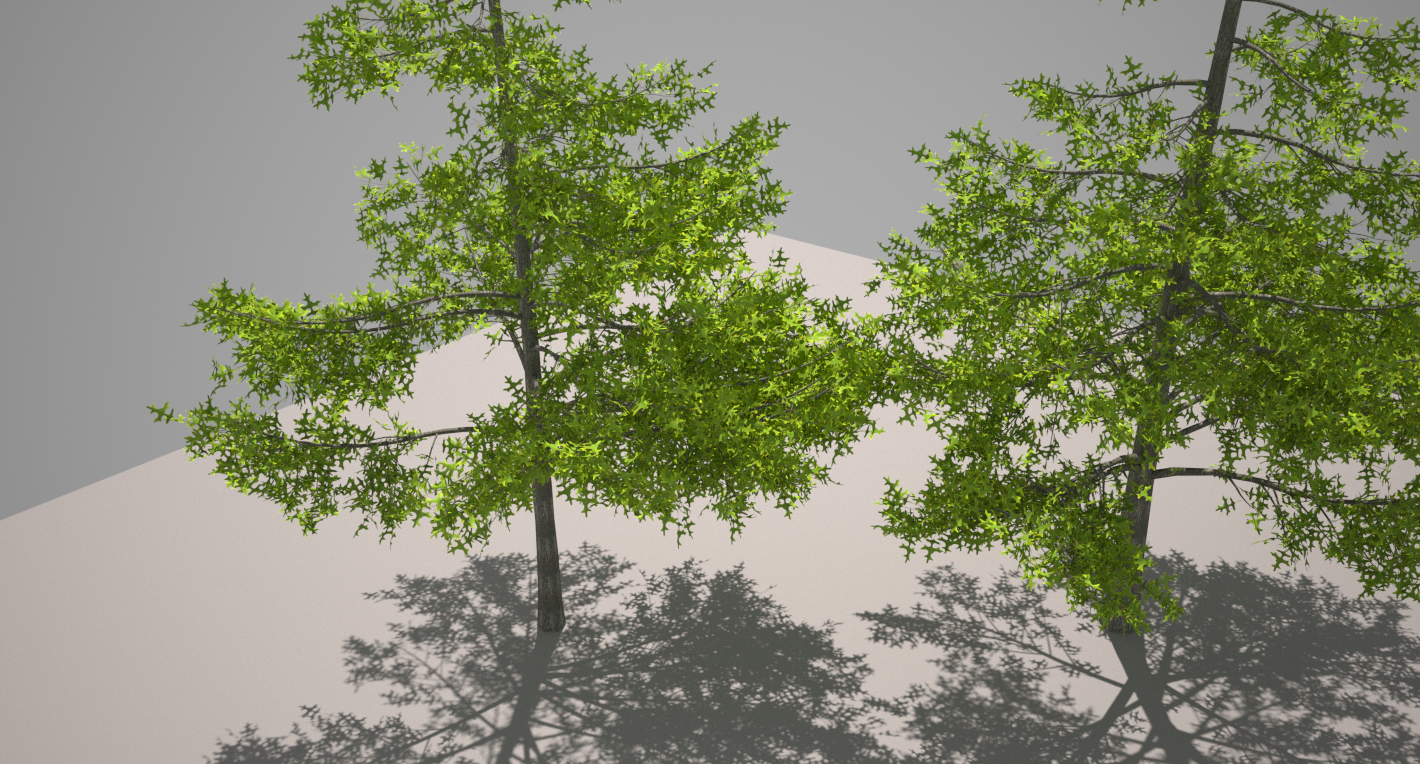
it's simply awesome ... just made a pine oak . ok I am still struggling to get my leaves where I want them and how they should hang but I am stubborn and will get there . my only complaint is that there is no possibilities to edit a project back to a previous state if something goes not as wanted while experimenting with the settings , or did I miss something ?
-
Hi Gilles,
When creating/testing a new tree, you can save it as a new template (right click/save as template) each time you are satisfied with the result. This way you can restart from your last template saved.
i'm really late... but still want to release new version before the end of the year, at least in beta stage. -
We can set up a private beta forum here if you need it.
-
Ppoublan
Your TreeMaker trees look really nice but your link does not goto files for download.
Not blocked just does not select and is greyed out.
?

dtr
-
woot woot...
-
I am trying to load Tree Maker on my Mac and cannot work out where to put the files that come with the download. I have asked 3Darcstudio but they don't seem to know about Macs. I use Plugin manager.
Thanks -
@bluegravy said:
I am trying to load Tree Maker on my Mac and cannot work out where to put the files that come with the download. I have asked 3Darcstudio but they don't seem to know about Macs. I use Plugin manager.
ThanksMacintosh HD> Library> Application Support> Google SketchUp 8> SKetchUp> Plugins
Paste "3darcstudio" folder and "3darcstudiotreeloader.rb" into the Plugins folder.
Where I have written Google SketchUp 8 please substitute for whatever version you are using. You may be using 2013 for example so obviously don't paste the ruby and folder into any previous versions of sketchup.
-
Oli has answered for v8...**

Please fill in your User Profile. We don't know your SketchUp version... or OS [other than MAC].
If you have v8M2 or newer and the SketchUcation PluginStore tools, then get the ZIP downloaded and use the submenu Archive Installer... which will install it all in the right places for you. BUT see below about 'permissions'...***
OR select the ZIP file and convert it into an RBZ by changing it's file suffix.
Then use Preferences > Extensions > Install button to install it all in the right place for you.Alternatively extract all of the ZIP's contents into a temp folder, keeping all of any subfolder's contents intact - never move files out of their subfolders, this is sure to break the tool as it loads.
Now move ALL of the temp folder's contents into your Plugins folder, carefully following the 'intact rule'...**To find your Plugins folder...
In the Ruby Console type [or copy+paste]:Sketchup.find_support_file("Plugins")The path it returns can be copy+pasted into the Finder's Go to Folder...
Because we don't know your exact set up it will vary...
The v8 example's "pattern" is applicable backwards to 7 etc, but the tree for v2013 is quite different - there's no 'Google' in the path - just 'SketchUp'...
BUT it will always be in a 'Lib' folder tree...***Permissions...
If it's in your User...Lib tree [likely for more recent versions] you should already have FULL Read/Write permissions to that Plugins folder in 'Get Info'.
If it's the older set up's HD Lib tree you will probably need to reset your Plugins folder's permissions to FULL Read/Write.
Remember to make the FULL permissions filter down to apply to all contents as well...
Lib folders can also be hidden - depending on your Finder settings - check the option to show Lib folders... Shortcut your Plugins folder to the Finder's side-bar to make accessing it easier in the future...Assuming you have been able to find and access your Plugins folder now move the files/subfolders over...
IF you have previously mis-installed some files/subfolder contents you need to remove them as their loading out of sequence could break SketchUp as it starts...Provided you have suitable FULL permissions to the Plugins folder it's best to use the simplest way - Extensions > Install... button, or the SketchUcation Archive Installer...
If you are stuck on an earlier version of Sketchup consider upgrading to a newer version, or learn to do a 'manual install' properly... -
Thanks for that TIG!
I'm still being old-school with my V8.

-
Hello all, I'm new actually, first post
 I'm trying to make a Christmas tree with this, But I don't have the right leaves + in the user guide it looks like there's already a Christmas tree template. However, I cannot for the life of me figure out where the templates are and how to use them. So 2 questions: How do I use the templates, (tree00, tree 01 etc.) and where could I get the other leaves that are shown in the user guide that don't come with the download OR how would I go about making it so that leaves I built myself would be useable. Thanks!
I'm running sketchup 8 free on windows 7. -
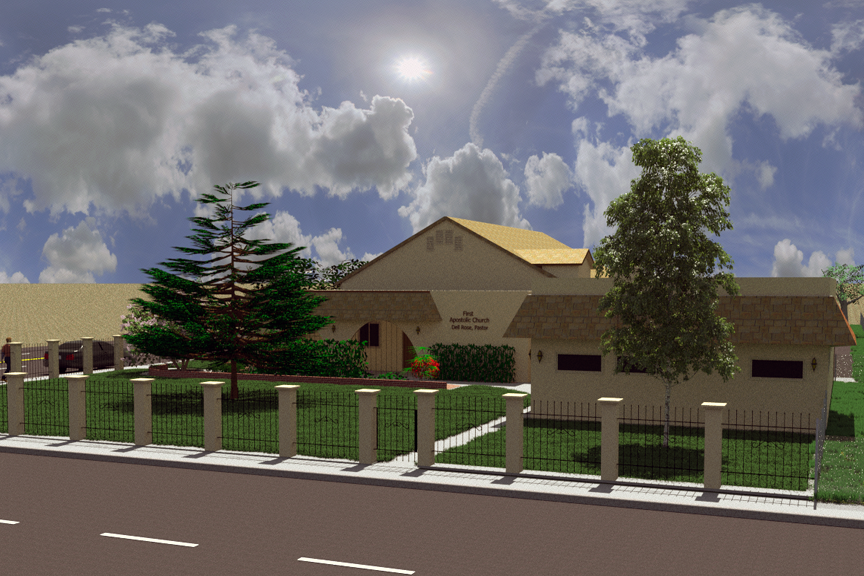
I was working on a project to update a church that required a "Star Pine" and could not find a model anywhere. I happened upon this thread and downloaded Tree Maker. In less than an hour I had a tree that was more than adequate to match the existing tree (at least from the distances I needed).
VERY USEFUL - Thank you and keep up the great work!![Rendered with Thea Presto 1.3 in 45 seconds!]
-
Thank you both for your prompt and very effective advice. Everything is now working fine. I will update my profile as suggested. Many thanks again.
-
download link posts 404
-
@bob james said:
[Rendered with Thea Presto 1.3 in 45 seconds!]
I suggest you check your skybox, the mapping looks weird.
-
@jiminy-billy-bob said:
@bob james said:
[Rendered with Thea Presto 1.3 in 45 seconds!]
I suggest you check your skybox, the mapping looks weird.
Can you help me by explaining what seems "weird"?
-
@bob james said:
Can you help me by explaining what seems "weird"?
Not sure what jiminy-billy-bob means, but I also find the sky looking strange...
It's as if you've wrapped a hemi-spherical sky onto a full spherical sky...
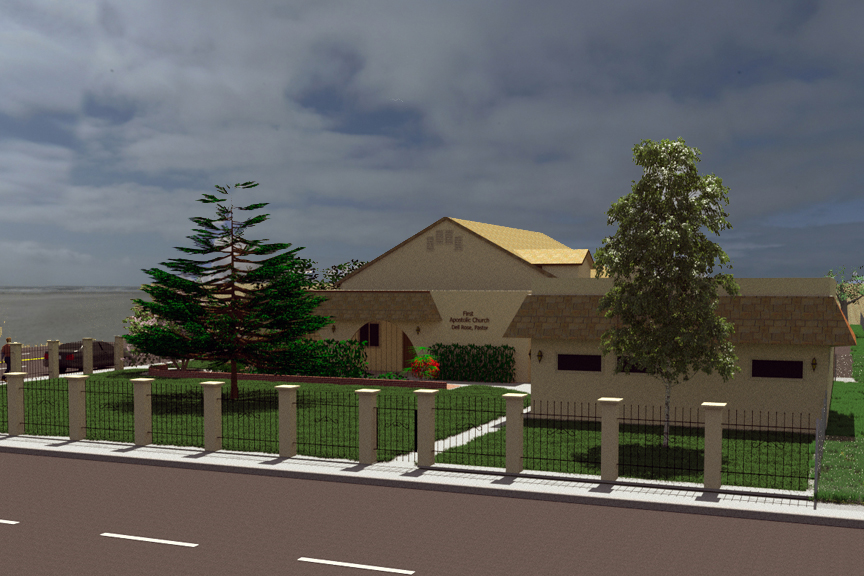
There doesn't seem to be a horizon, making it appear as if the sky is turned half way around...
The sky in the horizon appears to be skies that are supposed to be right above the scene...
(Dang - this was tougher to explain than what I thought it would be, but I hope you understand what I mean...)EDIT: Just made a quick and dirty test...
Another thing that makes it appear "weird" is the sun position vs the shadows the trees are casting...
Please remember that you can adjust the sun to be positioned where the sun is in your IBL...










Advertisement