sketchucation logo sketchucation
    • 登入
    Oops, your profile's looking a bit empty! To help us tailor your experience, please fill in key details like your SketchUp version, skill level, operating system, and more. Update and save your info on your profile page today!
    🔌 Smart Spline | Fluid way to handle splines for furniture design and complex structures. Download

    [Plugin][$] 3D Tree Maker - New version 1.10.14

    已排程 已置頂 已鎖定 已移動 Plugins
    322 貼文 79 Posters 174.2k 瀏覽 79 Watching
    正在載入更多貼文
    • 從舊到新
    • 從新到舊
    • 最多點贊
    回覆
    • 在新貼文中回覆
    登入後回覆
    此主題已被刪除。只有擁有主題管理權限的使用者可以查看。
    • OxerO 離線
      Oxer
      最後由 編輯

      You can obtain very realistic trees, thanks again!! 👍
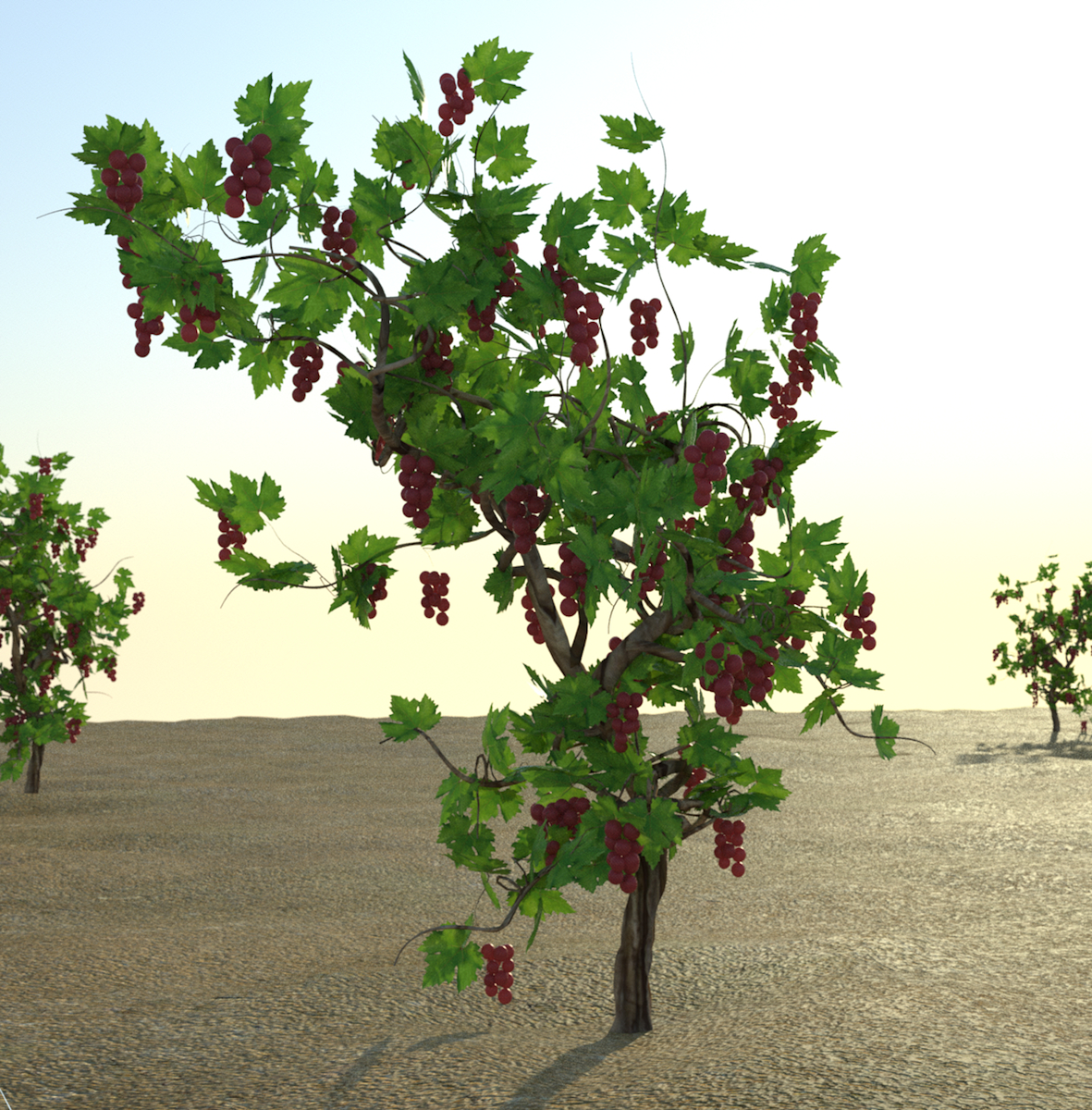
      Playing with Vine Tree, I have changed the leafs for high details leafs with new texture and I add more details to the flowers, rendering with Thea.
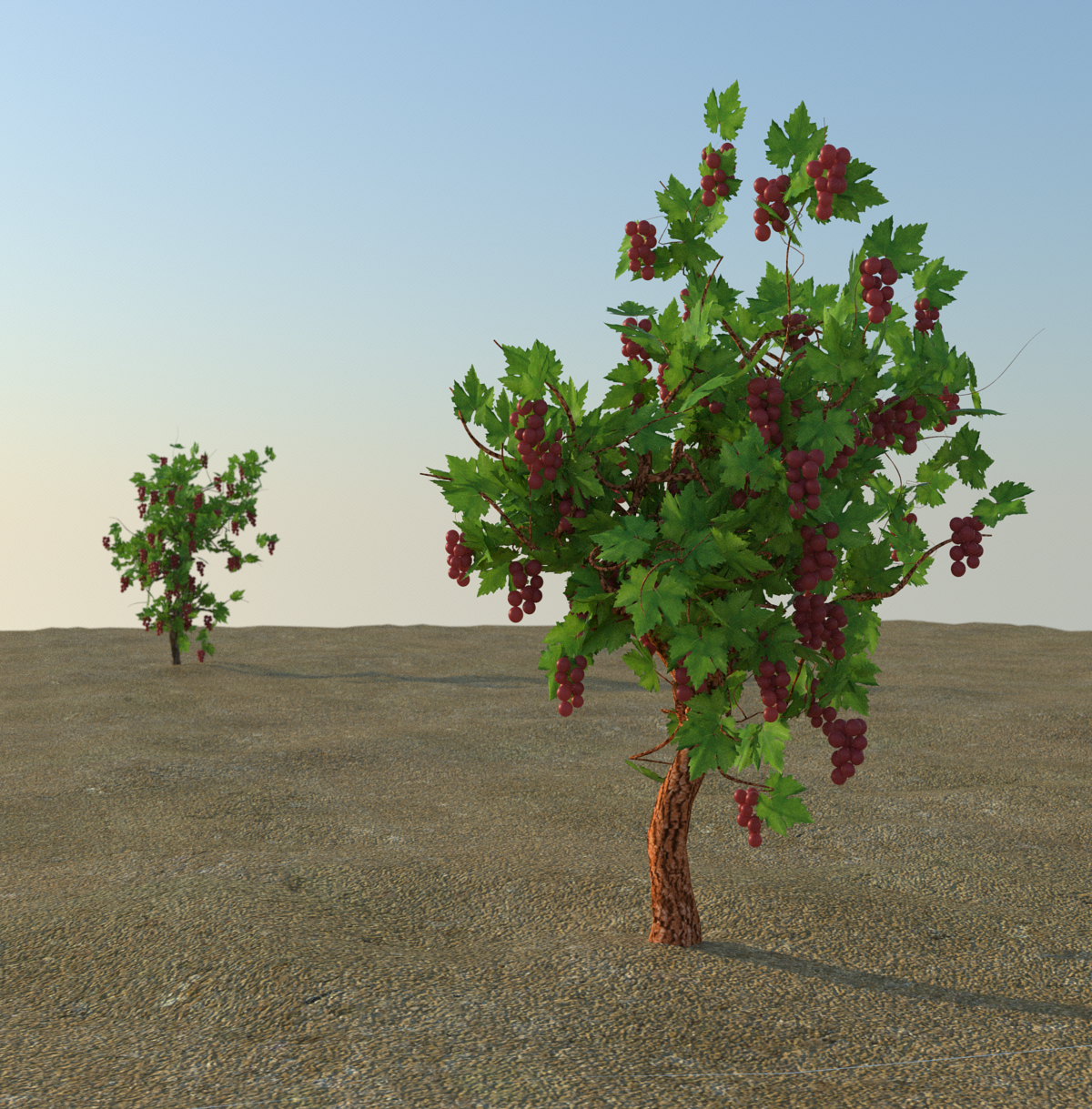
      Parras2.jpg
      Texture trunk changed.
      Parras.jpg

      "The result is the end what is important is the process" by Oxer
      http://www.oxervision.blogspot.com/

      1 條回覆 最後回覆 回覆 引用 0
      • ppoublanP 離線
        ppoublan
        最後由 編輯

        @oxer said:

        You can obtain very realistic trees, thanks again!! 👍
        Playing with Vine Tree, I have changed the leafs for high details leafs with new texture and I add more details to the flowers, rendering with Thea.
        [attachment=1:2v25delg]<!-- ia1 -->Parras2.jpg<!-- ia1 -->[/attachment:2v25delg]
        Texture trunk changed.
        [attachment=0:2v25delg]<!-- ia0 -->Parras.jpg<!-- ia0 -->[/attachment:2v25delg]

        Waouah ! Thanks for sharing your results.
        I'm working on the web UI interface. Just started so it will need some time, but will be easier to play with parameters. I will ask to those who created great trees to share them in order to include it into the next release (if volonteers of course).
        Yours

        1 條回覆 最後回覆 回覆 引用 0
        • X 離線
          xyz11811
          最後由 編輯

          For me, this plugin seems conflict with another plugin " SCF Powerbar". Anyone has the same problem? Big thx!

          1 條回覆 最後回覆 回覆 引用 0
          • KrisidiousK 離線
            Krisidious
            最後由 編輯

            @unknownuser said:

            For me, this plugin seems conflict with another plugin " SCF Powerbar". Anyone has the same problem? Big thx!

            I'm not... Try looking if you have the file extensions.rb or sketchup.rb in your plugins folder. If so delete it.

            By: Kristoff Rand
            Home DesignerUnique House Plans

            1 條回覆 最後回覆 回覆 引用 0
            • TIGT 離線
              TIG Moderator
              最後由 編輯

              Please don't use SCF-Powerbar [it's not anything to do with SCF officially] or even have it installed...
              http://sketchucation.com/forums/viewtopic.php?p=112024#p112024
              It installed old files in the Plugins folder when the SketchUp-installed newer ones were needed in Tools !
              Double check you have none of those in Plugins [e.g. sketchup.rb, extensions.rb]
              It was removed last year - it caused too many problems...
              It was a known 'rogue' long before that...
              Find its rb file in Plugins and remove it.
              Get in touch with [PM] its author, CADfather, if you need more advice...

              TIG

              1 條回覆 最後回覆 回覆 引用 0
              • KrisidiousK 離線
                Krisidious
                最後由 編輯

                I cannot give up my SCF PowerBar... It has a paste in place button TIG. A Paste in Place Button! I haven't run into any issue with it that I know of.

                Oh wait... That's SCF Standard with the past in place. I don't use Power Bar as much. I use the drop, component stringer and line extrude on it though.

                By: Kristoff Rand
                Home DesignerUnique House Plans

                1 條回覆 最後回覆 回覆 引用 0
                • TIGT 離線
                  TIG Moderator
                  最後由 編輯

                  @krisidious said:

                  I cannot give up my SCF PowerBar... It has a paste in place button TIG. A Paste in Place Button! I haven't run into any issue with it that I know of.
                  Oh wait... That's SCF Standard with the past in place. I don't use Power Bar as much. I use the drop, component stringer and line extrude on it though.
                  BUT hopefully you have NOT got the 'rogue files' that ill-advisedly come with it, inside its ZIP - like sketchup.rb and extensions.rb - which it stupidly puts into the Plugins folder, when SketchUp already puts newer versions of them into the Tools folder as it itself is installed [any versions in those system scripts in the Plugins folder take precedence when loading, and can thereby break SketchUp in unexpected/subtle ways]... 😒

                  TIG

                  1 條回覆 最後回覆 回覆 引用 0
                  • Alan FraserA 離線
                    Alan Fraser
                    最後由 編輯

                    @krisidious said:

                    I cannot give up my SCF PowerBar... It has a paste in place button TIG. A Paste in Place Button! I haven't run into any issue with it that I know of.

                    Oh wait... That's SCF Standard with the past in place. I don't use Power Bar as much. I use the drop, component stringer and line extrude on it though.

                    ???

                    There's a Paste in Place on the Edit menu. I put in a Feature Request for it (in V4, I think) because I'd been using it in Corel for years...and we got it. 😄

                    3D Figures
                    Were you required to walk 500 miles? Were you advised to walk 500 more?
                    You could be entitled to compensation. Call the Pro Claimers now!

                    1 條回覆 最後回覆 回覆 引用 0
                    • M 離線
                      mwm5053
                      最後由 編輯

                      Just got on the bandwagon here and works great

                      Thanks Pascal

                      THis a quicky in KT
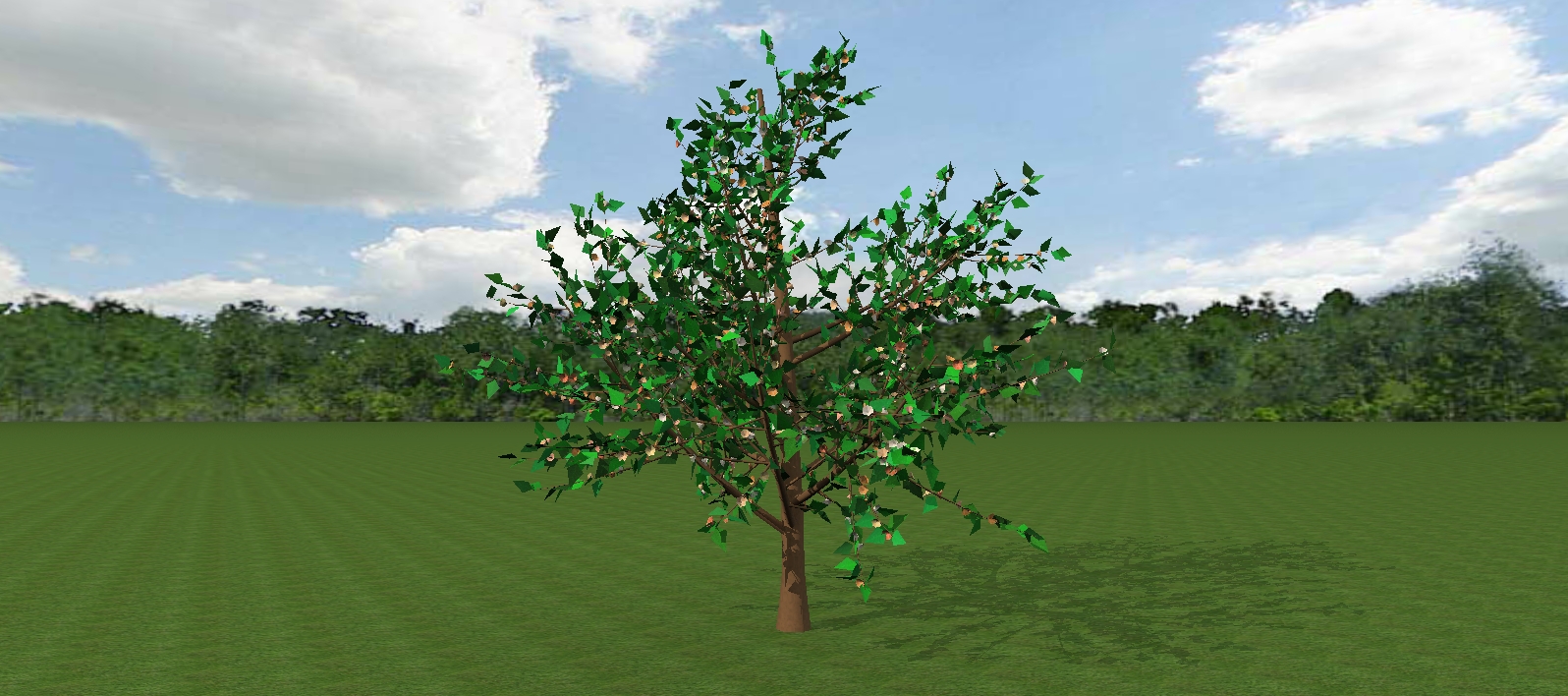

                      3d tree.jpg

                      2011 iMac
                      SU 2015 Pro, 2017 Make
                      V2 Twilight
                      macOS Sierra 10.12.5

                      1 條回覆 最後回覆 回覆 引用 0
                      • X 離線
                        xyz11811
                        最後由 編輯

                        @krisidious said:

                        @unknownuser said:

                        For me, this plugin seems conflict with another plugin " SCF Powerbar". Anyone has the same problem? Big thx!

                        I'm not... Try looking if you have the file extensions.rb or sketchup.rb in your plugins folder. If so delete it.

                        I del those 2 files. Now everything looks great! ☀

                        1 條回覆 最後回覆 回覆 引用 0
                        • N 離線
                          notareal
                          最後由 編輯

                          @krisidious said:

                          Yes!

                          It's a conflict.

                          Removing all plugins from the plugins folder and it works.

                          Now how can I figure out which one it is...

                          Even this was a conflict. It's also possible that something gets tossed in virtual store (by improper permissions at plugin -folder). So it's good to use thomthom's VirtualStore Check http://sketchucation.com/forums/viewtopic.php?t=48399 too

                          Welcome to try Thea Render, Thea support | kerkythea.net -team member

                          1 條回覆 最後回覆 回覆 引用 0
                          • KrisidiousK 離線
                            Krisidious
                            最後由 編輯

                            @alan fraser said:

                            There's a Paste in Place on the Edit menu. I put in a Feature Request for it (in V4, I think) because I'd been using it in Corel for years...and we got it. 😄

                            Yes Alan there is one on the edit menu, but I hate using menus. I have 6 square foot of screen... I like toolbars. The SCF Standard has a Paste in Place button on it with the copy, paste, cut features.

                            By: Kristoff Rand
                            Home DesignerUnique House Plans

                            1 條回覆 最後回覆 回覆 引用 0
                            • KrisidiousK 離線
                              Krisidious
                              最後由 編輯

                              @tig said:

                              BUT hopefully you have NOT got the 'rogue files' that ill-advisedly come with it, inside its ZIP - like sketchup.rb and extensions.rb - which it stupidly puts into the Plugins folder, when SketchUp already puts newer versions of them into the Tools folder as it itself is installed [any versions in those system scripts in the Plugins folder take precedence when loading, and can thereby break SketchUp in unexpected/subtle ways]... 😒

                              yes, Thanks TIG... I'm finally rid of them.

                              By: Kristoff Rand
                              Home DesignerUnique House Plans

                              1 條回覆 最後回覆 回覆 引用 0
                              • CadFatherC 離線
                                CadFather
                                最後由 編輯

                                sorry for any incovenience - that toolbar is very old, i think i made it in SU6 or 7 - that's why those files are there - you needed them then. eventually i didn't get round to update it properly + was inactive in the forum for a long time.

                                1 條回覆 最後回覆 回覆 引用 0
                                • KrisidiousK 離線
                                  Krisidious
                                  最後由 編輯

                                  @cadfather said:

                                  sorry for any inconvenience - that toolbar is very old, i think i made it in SU6 or 7 - that's why those files are there - you needed them then. eventually i didn't get round to update it properly + was inactive in the forum for a long time.

                                  Inconvenience? No way... I use those bars every single time I use sketchup... Which is almost every day. very convenient.

                                  By: Kristoff Rand
                                  Home DesignerUnique House Plans

                                  1 條回覆 最後回覆 回覆 引用 0
                                  • G 離線
                                    gilles63
                                    最後由 編輯

                                    hi guys , I am slowly ( very slowly ) building a collection of 3d good quality plants I intend soon to share here and when I saw that , my heart jumped ... sadly , the link to Pascal download page does not work . is there any other ways to get that plugin or maybe a good soul here could send a copy to me ? pleeezzz , it looks so awesome .

                                    1 條回覆 最後回覆 回覆 引用 0
                                    • ppoublanP 離線
                                      ppoublan
                                      最後由 編輯

                                      Sorry for that,
                                      I had problems with my website.
                                      Now available online : http://www.3darcstudio.com/downloads-files.html

                                      Still working on a new version with better User Interface (web) and proxy setting (to minimize file size).

                                      Will post here news when available.

                                      Yours

                                      1 條回覆 最後回覆 回覆 引用 0
                                      • G 離線
                                        gilles63
                                        最後由 編輯

                                        it's simply awesome ... just made a pine oak . ok I am still struggling to get my leaves where I want them and how they should hang but I am stubborn and will get there . my only complaint is that there is no possibilities to edit a project back to a previous state if something goes not as wanted while experimenting with the settings , or did I miss something ?
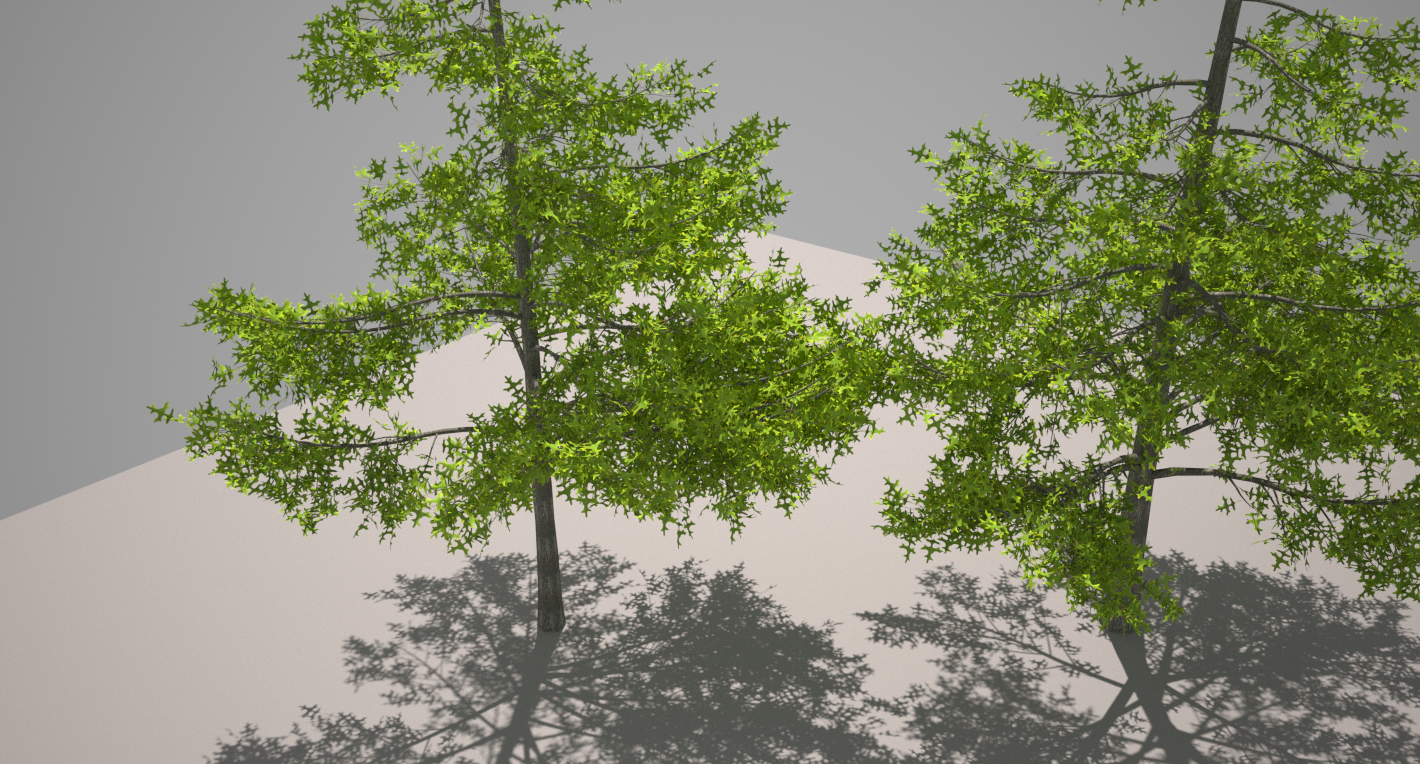

                                        pine oak.png

                                        1 條回覆 最後回覆 回覆 引用 0
                                        • ppoublanP 離線
                                          ppoublan
                                          最後由 編輯

                                          Hi Gilles,
                                          When creating/testing a new tree, you can save it as a new template (right click/save as template) each time you are satisfied with the result. This way you can restart from your last template saved.
                                          i'm really late... but still want to release new version before the end of the year, at least in beta stage.

                                          1 條回覆 最後回覆 回覆 引用 0
                                          • Rich O BrienR 離線
                                            Rich O Brien Moderator
                                            最後由 編輯

                                            @pp

                                            We can set up a private beta forum here if you need it.

                                            Download the free D'oh Book for SketchUp 📖

                                            1 條回覆 最後回覆 回覆 引用 0
                                            • 1
                                            • 2
                                            • 3
                                            • 4
                                            • 5
                                            • 6
                                            • 7
                                            • 16
                                            • 17
                                            • 5 / 17
                                            • 第一個貼文
                                              最後的貼文
                                            Buy SketchPlus
                                            Buy SUbD
                                            Buy WrapR
                                            Buy eBook
                                            Buy Modelur
                                            Buy Vertex Tools
                                            Buy SketchCuisine
                                            Buy FormFonts

                                            Advertisement