sketchucation logo sketchucation
    • 登入
    Oops, your profile's looking a bit empty! To help us tailor your experience, please fill in key details like your SketchUp version, skill level, operating system, and more. Update and save your info on your profile page today!
    🔌 Smart Spline | Fluid way to handle splines for furniture design and complex structures. Download

    How to create a solid from curved surfaces

    已排程 已置頂 已鎖定 已移動 Newbie Forum
    sketchup
    21 貼文 7 Posters 11.6k 瀏覽 7 Watching
    正在載入更多貼文
    • 從舊到新
    • 從新到舊
    • 最多點贊
    回覆
    • 在新貼文中回覆
    登入後回覆
    此主題已被刪除。只有擁有主題管理權限的使用者可以查看。
    • M 離線
      Mike91
      最後由 編輯

      Hi, I'm new to sketchup and I'm having problems trying to create a wall from a few curved surfaces.
      I created the surfaces on bonzai3d and imported on sketchup. Then joined them all as a group and now I have those 2 2d walls and nothing between them, how can i fill the space and create a solid?
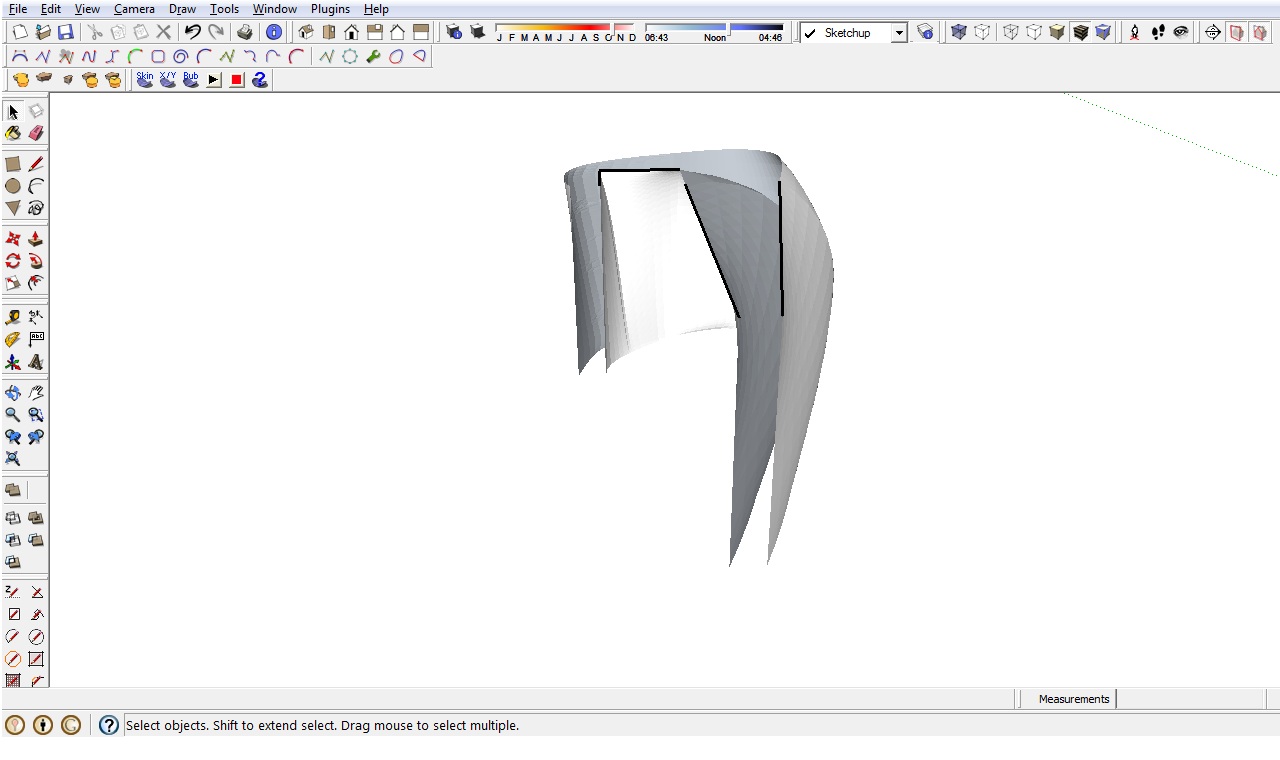
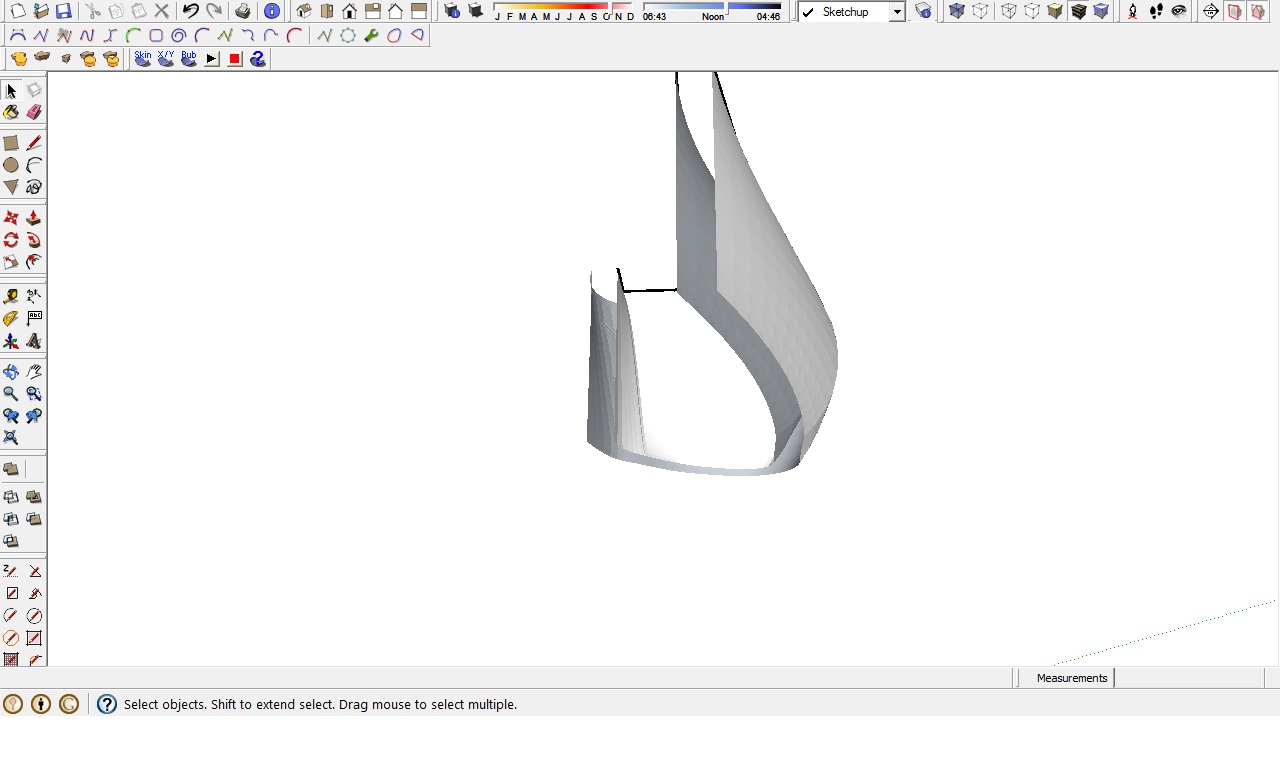
      Muro.jpg


      Muro1.jpg

      1 條回覆 最後回覆 回覆 引用 0
      • TIGT 離線
        TIG Moderator
        最後由 編輯

        View > Hidden Geometry ON so you can see the vertices.
        Now with the two surfaces inside the same context [group] as raw geometry... start to draw lines between vertices on opposite sides of the divide.
        Form triangle which will auto-face/
        Hand-stitch around the perimeters like this until the faces form.
        If some faces are reversed [backface is outwards select & use context-menu Reverse to flip] or try Orient to ensure all faces are out.
        To 'soften/smooth' edges use Erase+Ctrl or the context menu 'Smooth' tool on the group itself, adjusting the angle between faces, coplanar-tests etc...
        Switch Hidden Geom OFF to see the results...

        TIG

        1 條回覆 最後回覆 回覆 引用 0
        • M 離線
          Mike91
          最後由 編輯

          Thanks! It was working but, while doing that, I found out that the surfaces arent completely straight, if I draw a surface following green and red axes, over the 2 existing surfaces, one of those goes over the surface I just drawed.
          Is there a fast way to delete all the surfaces above? I could delete those one by one but, as you see, there are many lines. I wonder if it's possible delete everything above the surface of the red and green axes, like extruding that surface and deleting everything above it.
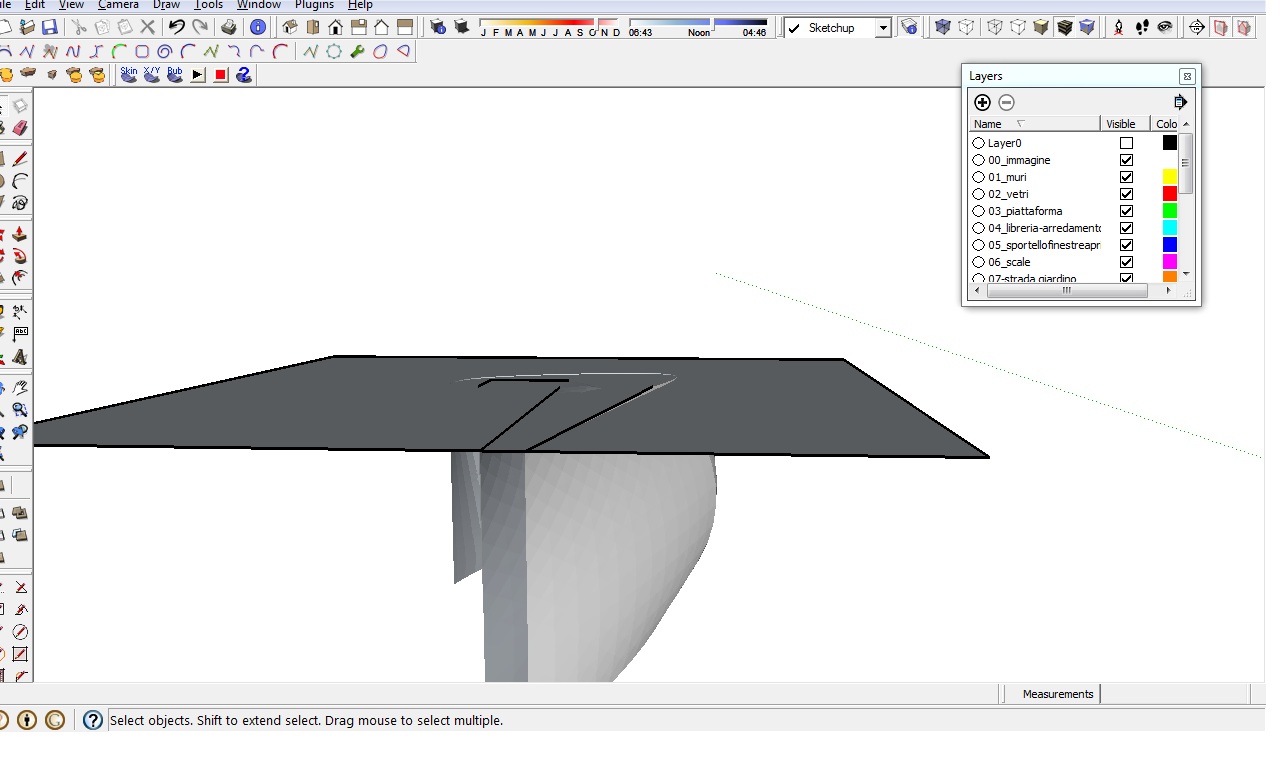
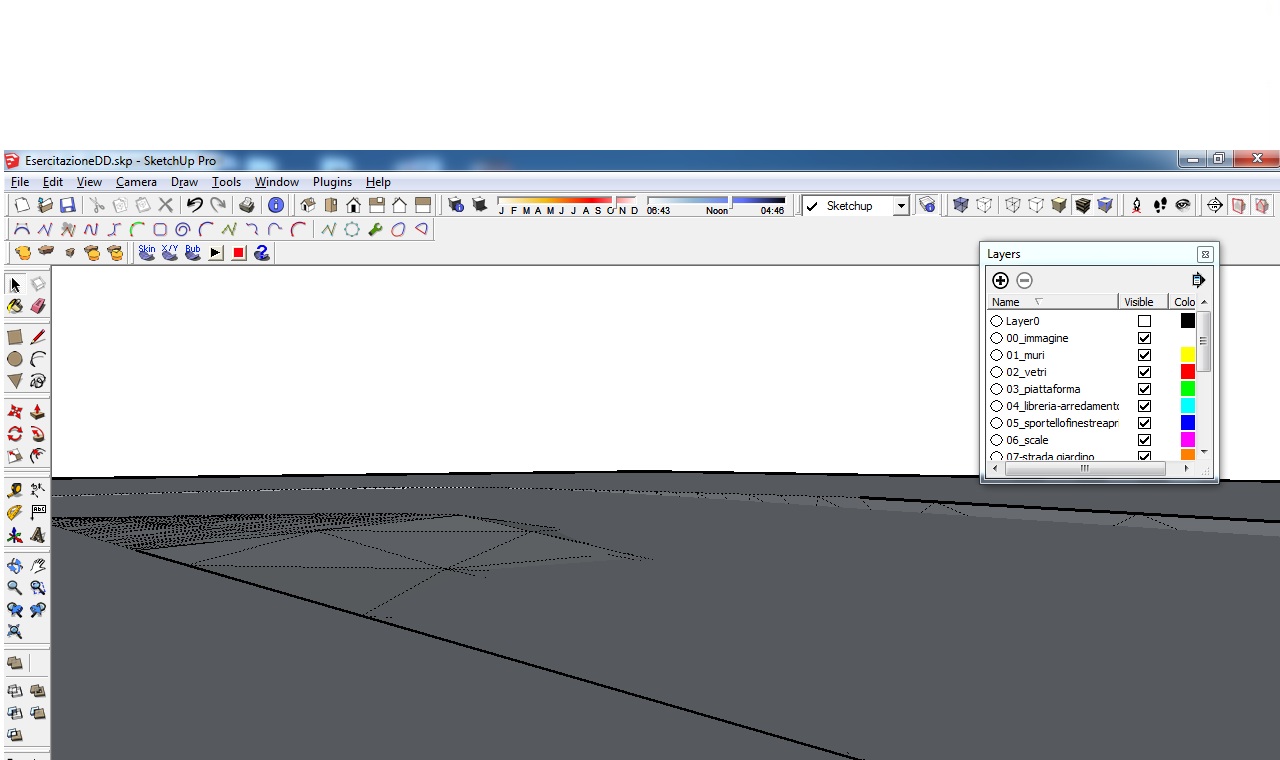
          surface.jpg


          surface1.jpg

          1 條回覆 最後回覆 回覆 引用 0
          • M 離線
            Mike91
            最後由 編輯

            Here is what I meant, I made a section plane and the surfaces left are those I want to keep and than close as a solid. How can I keep just the surfaces uneder the section plane and delete all those connected but above?
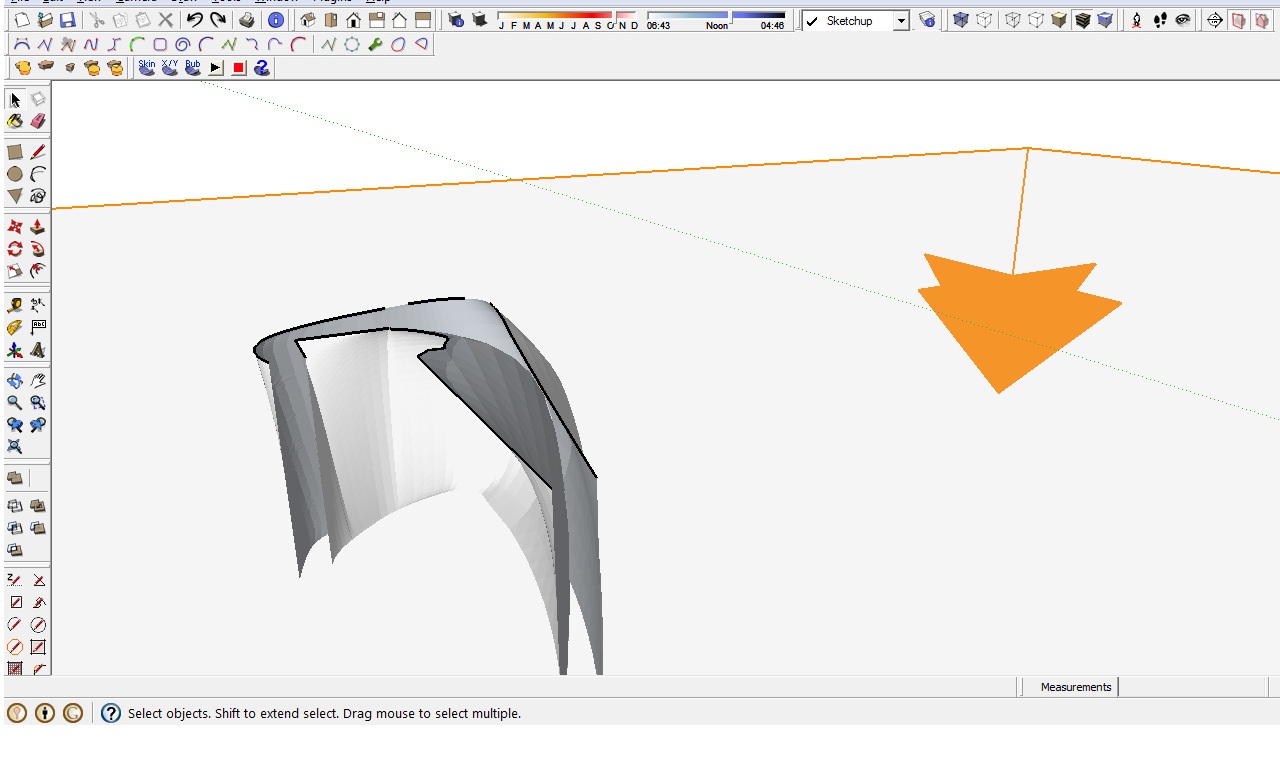

            Immagine.jpg

            1 條回覆 最後回覆 回覆 引用 0
            • pilouP 離線
              pilou
              最後由 編輯

              It's not more easy to take just one surface and give it a tickness ?

              Joint Push Pull by Fredo 6 is your friend ! 😉

              Frenchy Pilou
              Is beautiful that please without concept!
              My Little site :)

              1 條回覆 最後回覆 回覆 引用 0
              • M 離線
                Mike91
                最後由 編輯

                Thanks but I found a plugin that used the section plan to cut everything above it, I linked all faces but I found the real problem: when I imported not all the meshes where done.
                Is there any plugin that creates the surfaces to fill those voids? They are to many to be done one by one with lines manually.
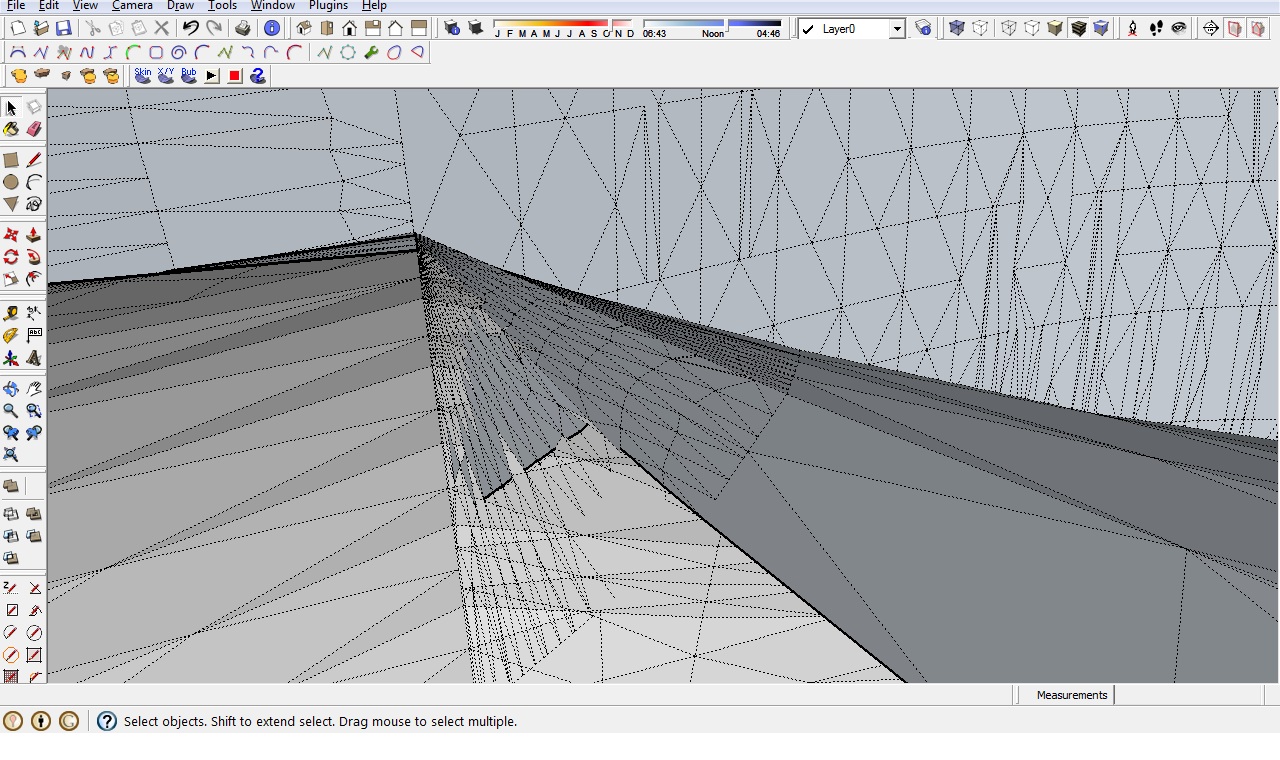

                Immagine.jpg

                1 條回覆 最後回覆 回覆 引用 0
                • pbacotP 離線
                  pbacot
                  最後由 編輯

                  Mike 91,

                  So you want to just cut everything at that horizontal plane? If you select the plane and use context menu, intersect with model, that will cut everything on that plane.

                  Not sure what you are doing exactly, but it is not always so easy to make a solid when you are starting with a shape that isn't what you wanted and then cutting it up and hoping to stitch it back together. Could happen.

                  The best way to get rid of all those unwanted lines and faces after intersecting is take a side view, left-to-right rectangle select everything above the plane, group, and delete.

                  MacOSX MojaveSketchUp Pro v19 Twilight v2 Thea v3 PowerCADD

                  1 條回覆 最後回覆 回覆 引用 0
                  • pilouP 離線
                    pilou
                    最後由 編輯

                    Why not post your original file? (save as V6 for a more large audience)

                    Frenchy Pilou
                    Is beautiful that please without concept!
                    My Little site :)

                    1 條回覆 最後回覆 回覆 引用 0
                    • GaieusG 離線
                      Gaieus
                      最後由 編輯

                      @unknownuser said:

                      Why not post your original file?

                      👍

                      @unknownuser said:

                      (save as V6 for a more large audience)

                      ONE member larger, Pilou? 😆
                      Anyway, what would you do with "solids" in V6? 😒

                      Gai...

                      1 條回覆 最後回覆 回覆 引用 0
                      • pilouP 離線
                        pilou
                        最後由 編輯

                        You can reload it in V8 for some boolean festivities ! 😄

                        Frenchy Pilou
                        Is beautiful that please without concept!
                        My Little site :)

                        1 條回覆 最後回覆 回覆 引用 0
                        • M 離線
                          Mike91
                          最後由 編輯

                          Thank you all for helping. I solved a few issues, i now have what appers to be a solid, still I find a few mistakes, tried to use a few plugins to make it solid but with no success...A plugin told me it can-t become solid.
                          Isn-t there a plugin or a way to simplify those surfaces impossible to close, in order to make it solid?
                          Thanks

                          PS I forgot to mention that there are 2 walls on the file because the more complete one is how I need it to be.


                          CurvedWallMaison.skp

                          1 條回覆 最後回覆 回覆 引用 0
                          • TIGT 離線
                            TIG Moderator
                            最後由 編輯

                            You are making is way too small - the walls are only a few cm apart !
                            Sketchup can't cope with tiny geometry.
                            It should be ~20x bigger, at least...
                            If you run thomthom's SolidInspector of it there are many errors.
                            Tiny holes, small gaps, loose-flaps, internal-partition-faces, double-faces etc...
                            A 'solid' can only contain faces and edges.
                            Every edge must have two faces, no fewer and no more.
                            Automatic solid-fixing tools must be given a chance - a myriad of issues lead down so many different possible paths that finding a good outcome is unlikely...

                            TIG

                            1 條回覆 最後回覆 回覆 引用 0
                            • M 離線
                              Mike91
                              最後由 編輯

                              Ok so, what do you suggest?
                              Should I recreate the curved surfaces making them 50x bigger, than import on sketchup, run an automatic solid-fixing plugin and scale down?

                              I did those surfaces on bonzai3d and than imported on sketchup because I wasn't able to create the surface from the edges on sketchup. On bonzai3d I simply selected the edges of the area and the surface was created, even if there where curves as edges, is there a plugin that does that directly on sketchup? SO I don't have to import and the mesh won't have errors.

                              1 條回覆 最後回覆 回覆 引用 0
                              • M 離線
                                Mike91
                                最後由 編輯

                                I re-did the whole wall from the start, this time I used the extrudetool plugin instead of bonzai so I didn't need to import/export. Also I scaled the curves 50x up before doing the surfaces.
                                If I use a section and use add section-cutface 2 parts of wall are solid while the first one is not, I tried a solid solver plugin but didn't work, do you have any suggestion?


                                Wall.skp

                                1 條回覆 最後回覆 回覆 引用 0
                                • cottyC 離線
                                  cotty
                                  最後由 編輯

                                  Thomthoms Solid Inspector show the problems:

                                  • Inner face
                                  • Groups inside the group
                                  • Volume not closed at bottom
                                    (- different face orientations)
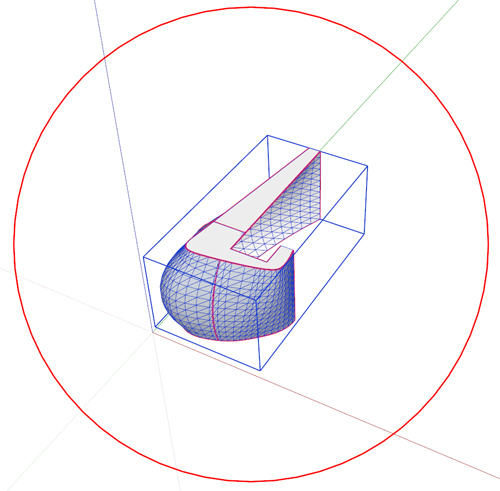
                                  wall_solid.jpg

                                  I've attached a solid version...


                                  Wall-2_cotty.skp

                                  my SketchUp gallery

                                  1 條回覆 最後回覆 回覆 引用 0
                                  • M 離線
                                    Mike91
                                    最後由 編輯

                                    Thank you very much! May I ask how you made it solid? With a plugin?
                                    Thanks!

                                    1 條回覆 最後回覆 回覆 引用 0
                                    • TIGT 離線
                                      TIG Moderator
                                      最後由 編輯

                                      Because the main Wall-group contained several nested groups they all needed exploding so it has a chance of becoming a solid group - remember "faces and edges" only and every edge needs exactly two faces!
                                      Then using thomthom's Solid Inspector tool it will show the problems - mainly red for holes/flaps around the base level, few orange highlights, but these evaporate when the flaps/holes are resolved.
                                      Erasing most of those flap edges manually, or Moving vertices to heal holes... and then using some erase-faceless-edge tools and so on... will quickly reduce the issues until it reports as a 'solid' in Entity Info...
                                      Finally Orient the faces so the blue-gray backs are all inside...

                                      TIG

                                      1 條回覆 最後回覆 回覆 引用 0
                                      • cottyC 離線
                                        cotty
                                        最後由 編輯

                                        I would not even be able to write it better 😎

                                        my SketchUp gallery

                                        1 條回覆 最後回覆 回覆 引用 0
                                        • M 離線
                                          Mike91
                                          最後由 編輯

                                          Thank you all, I followed the instructions and was able to make it solid!
                                          Sorry for all these stupid questions but I started using sketchup last week.
                                          I've the last question, how can I hide all the geometry lines on the surfaces of these solid?

                                          1 條回覆 最後回覆 回覆 引用 0
                                          • gillesG 離線
                                            gilles
                                            最後由 編輯

                                            Select all geometries, right click, soften/smooth edges.

                                            " c'est curieux chez les marins ce besoin de faire des phrases "

                                            1 條回覆 最後回覆 回覆 引用 0
                                            • 1
                                            • 2
                                            • 2 / 2
                                            • 第一個貼文
                                              最後的貼文
                                            Buy SketchPlus
                                            Buy SUbD
                                            Buy WrapR
                                            Buy eBook
                                            Buy Modelur
                                            Buy Vertex Tools
                                            Buy SketchCuisine
                                            Buy FormFonts

                                            Advertisement

