How to create a solid from curved surfaces
-
You are making is way too small - the walls are only a few cm apart !
Sketchup can't cope with tiny geometry.
It should be ~20x bigger, at least...
If you run thomthom's SolidInspector of it there are many errors.
Tiny holes, small gaps, loose-flaps, internal-partition-faces, double-faces etc...
A 'solid' can only contain faces and edges.
Every edge must have two faces, no fewer and no more.
Automatic solid-fixing tools must be given a chance - a myriad of issues lead down so many different possible paths that finding a good outcome is unlikely... -
Ok so, what do you suggest?
Should I recreate the curved surfaces making them 50x bigger, than import on sketchup, run an automatic solid-fixing plugin and scale down?I did those surfaces on bonzai3d and than imported on sketchup because I wasn't able to create the surface from the edges on sketchup. On bonzai3d I simply selected the edges of the area and the surface was created, even if there where curves as edges, is there a plugin that does that directly on sketchup? SO I don't have to import and the mesh won't have errors.
-
I re-did the whole wall from the start, this time I used the extrudetool plugin instead of bonzai so I didn't need to import/export. Also I scaled the curves 50x up before doing the surfaces.
If I use a section and use add section-cutface 2 parts of wall are solid while the first one is not, I tried a solid solver plugin but didn't work, do you have any suggestion?
-
Thomthoms Solid Inspector show the problems:
- Inner face
- Groups inside the group
- Volume not closed at bottom
(- different face orientations)
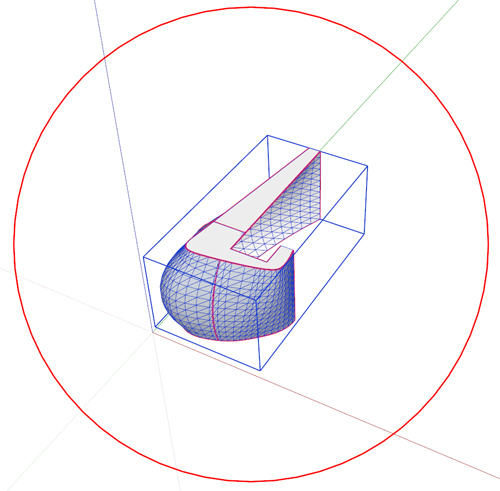
I've attached a solid version...
-
Thank you very much! May I ask how you made it solid? With a plugin?
Thanks! -
Because the main Wall-group contained several nested groups they all needed exploding so it has a chance of becoming a solid group - remember "faces and edges" only and every edge needs exactly two faces!
Then using thomthom's Solid Inspector tool it will show the problems - mainly red for holes/flaps around the base level, few orange highlights, but these evaporate when the flaps/holes are resolved.
Erasing most of those flap edges manually, or Moving vertices to heal holes... and then using some erase-faceless-edge tools and so on... will quickly reduce the issues until it reports as a 'solid' in Entity Info...
Finally Orient the faces so the blue-gray backs are all inside... -
I would not even be able to write it better

-
Thank you all, I followed the instructions and was able to make it solid!
Sorry for all these stupid questions but I started using sketchup last week.
I've the last question, how can I hide all the geometry lines on the surfaces of these solid? -
Select all geometries, right click, soften/smooth edges.
-
thank you!



Hello! It looks like you're interested in this conversation, but you don't have an account yet.
Getting fed up of having to scroll through the same posts each visit? When you register for an account, you'll always come back to exactly where you were before, and choose to be notified of new replies (either via email, or push notification). You'll also be able to save bookmarks and upvote posts to show your appreciation to other community members.
With your input, this post could be even better 💗
Register Login


Advertisement