sketchucation logo sketchucation
    • Login
    Oops, your profile's looking a bit empty! To help us tailor your experience, please fill in key details like your SketchUp version, skill level, operating system, and more. Update and save your info on your profile page today!
    Mac User? | Join the Rayscaper Beta for Mac Learn More

    3D cursor

    Scheduled Pinned Locked Moved Plugins
    16 Posts 4 Posters 1.2k Views 4 Watching
    Loading More Posts
    • Oldest to Newest
    • Newest to Oldest
    • Most Votes
    Reply
    • Reply as topic
    Log in to reply
    This topic has been deleted. Only users with topic management privileges can see it.
    • Rich O BrienR
      Rich O Brien Moderator
      last edited by

      Windows > Preferences > Drawing > Display Crosshairs

      Download the free D'oh Book for SketchUp 📖

      1 Reply Last reply
      Reply Quote 0
      • G
        glro
        last edited by

        @rich o brien said:

        Windows > Preferences > Drawing > Display Crosshairs

        yes it helps, thank you

        1 Reply Last reply
        Reply Quote 0
        • G
          glro
          last edited by

          @rich o brien said:

          Windows > Preferences > Drawing > Display Crosshairs

          it helps but it is not sufficient to know the positiv direction of the axis

          i found this: typing

          result = Sketchup.send_action "selectAxisTool;"
          

          in the ruby console brings 3 colored arrows with a direction on each

          then the positiv directions are obvious

          1 Reply Last reply
          Reply Quote 0
          • KrisidiousK
            Krisidious
            last edited by

            Upgrade to 2013 and you'll have a colored axis for your rotate view tool.

            for some reason the screenshot won't grab the cursor. so here it's something like this.
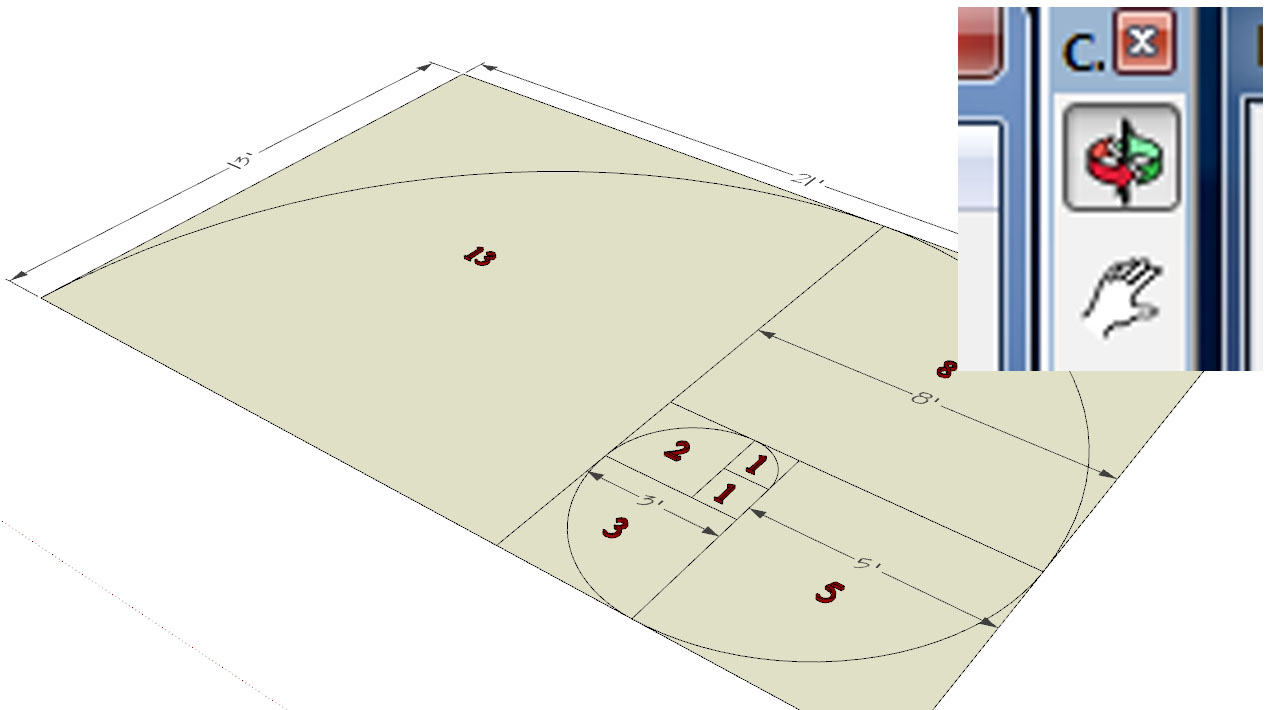
            Untitled-1.jpg

            By: Kristoff Rand
            Home DesignerUnique House Plans

            1 Reply Last reply
            Reply Quote 0
            • G
              glro
              last edited by

              @krisidious said:

              Upgrade to 2013 and you'll have a colored axis for your rotate view tool.

              for some reason the screenshot won't grab the cursor. so here it's something like this.

              [attachment=0:1mw5ie7a]<!-- ia0 -->Untitled-1.jpg<!-- ia0 -->[/attachment:1mw5ie7a]

              big improvement... thank you for the information
              it will help to rotate
              and what about the cursor for translation? is it in color also?

              1 Reply Last reply
              Reply Quote 0
              • Dave RD
                Dave R
                last edited by

                Kristoff, you mean the Orbit tool, don't you? That's what shows in your screen shot.

                The Move tool itself doesn't show any direction reference. Once you start moving the object you get the trailing line in the color of the axis to which the move is parallel just like always. The protractor of the Rotate tool changes color based on axis just as it always has, too.

                Etaoin Shrdlu

                %

                (THERE'S NO PLACE LIKE)

                G28 X0.0 Y0.0 Z0.0

                M30

                %

                1 Reply Last reply
                Reply Quote 0
                • KrisidiousK
                  Krisidious
                  last edited by

                  @dave r said:

                  Kristoff, you mean the Orbit tool, don't you? That's what shows in your screen shot.

                  The Move tool itself doesn't show any direction reference. Once you start moving the object you get the trailing line in the color of the axis to which the move is parallel just like always. The protractor of the Rotate tool changes color based on axis just as it always has, too.

                  Indeed... Orbit. But that's what the center mouse button is right? an orbit?

                  By: Kristoff Rand
                  Home DesignerUnique House Plans

                  1 Reply Last reply
                  Reply Quote 0
                  • Dave RD
                    Dave R
                    last edited by

                    Yes. And the cursor converts to that tool but it isn't rotating the model. 😉

                    Etaoin Shrdlu

                    %

                    (THERE'S NO PLACE LIKE)

                    G28 X0.0 Y0.0 Z0.0

                    M30

                    %

                    1 Reply Last reply
                    Reply Quote 0
                    • KrisidiousK
                      Krisidious
                      last edited by

                      That's why I said rotate view. 😉

                      By: Kristoff Rand
                      Home DesignerUnique House Plans

                      1 Reply Last reply
                      Reply Quote 0
                      • Dave RD
                        Dave R
                        last edited by

                        Hopefully the OP doesn't confuse Orbit and Rotate. 😉

                        Etaoin Shrdlu

                        %

                        (THERE'S NO PLACE LIKE)

                        G28 X0.0 Y0.0 Z0.0

                        M30

                        %

                        1 Reply Last reply
                        Reply Quote 0
                        • KrisidiousK
                          Krisidious
                          last edited by

                          using the actual name of tools is highly over rated...

                          By: Kristoff Rand
                          Home DesignerUnique House Plans

                          1 Reply Last reply
                          Reply Quote 0
                          • Dave RD
                            Dave R
                            last edited by

                            @krisidious said:

                            using the actual name of tools is highly over rated...

                            😆 My wife thinks so, too.

                            Etaoin Shrdlu

                            %

                            (THERE'S NO PLACE LIKE)

                            G28 X0.0 Y0.0 Z0.0

                            M30

                            %

                            1 Reply Last reply
                            Reply Quote 0
                            • KrisidiousK
                              Krisidious
                              last edited by

                              Did you just call me a girl?

                              By: Kristoff Rand
                              Home DesignerUnique House Plans

                              1 Reply Last reply
                              Reply Quote 0
                              • Dave RD
                                Dave R
                                last edited by

                                Not at all. Between us we are making sure this thread has been well and truly hijacked, though.

                                Etaoin Shrdlu

                                %

                                (THERE'S NO PLACE LIKE)

                                G28 X0.0 Y0.0 Z0.0

                                M30

                                %

                                1 Reply Last reply
                                Reply Quote 0
                                • G
                                  glro
                                  last edited by

                                  @dave r said:

                                  Not at all. Between us we are making sure this thread has been well and truly hijacked, though.

                                  concerning global axis...

                                  blue axis is not a problem

                                  i have seen a plugin that changes the cursor using a bmp file; i don't remember the name;

                                  it could be a solution, since a flat cursor could show red and green directions

                                  how to change the cursor using a bmp or jpg file?

                                  1 Reply Last reply
                                  Reply Quote 0

                                  Hello! It looks like you're interested in this conversation, but you don't have an account yet.

                                  Getting fed up of having to scroll through the same posts each visit? When you register for an account, you'll always come back to exactly where you were before, and choose to be notified of new replies (either via email, or push notification). You'll also be able to save bookmarks and upvote posts to show your appreciation to other community members.

                                  With your input, this post could be even better 💗

                                  Register Login
                                  • 1 / 1
                                  • First post
                                    Last post
                                  Buy SketchPlus
                                  Buy SUbD
                                  Buy WrapR
                                  Buy eBook
                                  Buy Modelur
                                  Buy Vertex Tools
                                  Buy SketchCuisine
                                  Buy FormFonts

                                  Advertisement

