sketchucation logo sketchucation
    • 登入
    Oops, your profile's looking a bit empty! To help us tailor your experience, please fill in key details like your SketchUp version, skill level, operating system, and more. Update and save your info on your profile page today!
    🔌 Smart Spline | Fluid way to handle splines for furniture design and complex structures. Download

    [Plugin] 3D Text Editor

    已排程 已置頂 已鎖定 已移動 Plugins
    202 貼文 50 Posters 174.3k 瀏覽 49 Watching
    正在載入更多貼文
    • 從舊到新
    • 從新到舊
    • 最多點贊
    回覆
    • 在新貼文中回覆
    登入後回覆
    此主題已被刪除。只有擁有主題管理權限的使用者可以查看。
    • thomthomT 離線
      thomthom
      最後由 編輯

      But you still get the warning? Did you use the VirtualStore check utility?

      Thomas Thomassen — SketchUp Monkey & Coding addict
      List of my plugins and link to the CookieWare fund

      1 條回覆 最後回覆 回覆 引用 0
      • J 離線
        JuanV.Soler
        最後由 編輯

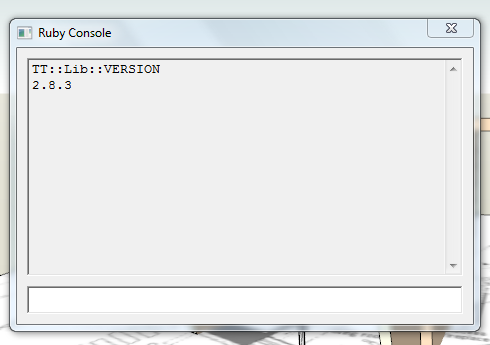
        now that´s funny , it says :
        TT .2.8.3.png
        so I do have installed the latest version after all

        I have the virtualstore plugin installed in the folder but it does not show in Plugins SketchUp aplication so I cannot run it
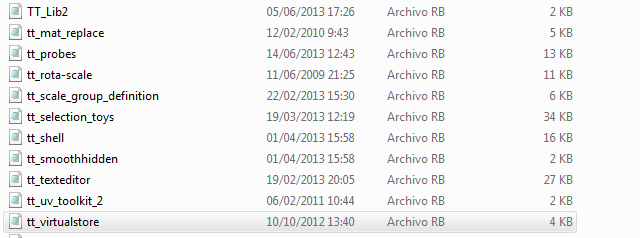
        tt.virtualstore.png

        ,))),

        1 條回覆 最後回覆 回覆 引用 0
        • J 離線
          JuanV.Soler
          最後由 編輯

          no more warnings no . I think that the trick was to ignore the first warning after installed
          .
          As I edited my latest post : I have the virtualstore plugin installed in the folder but it does not show in Plugins SketchUp aplication so I cannot run it

          ,))),

          1 條回覆 最後回覆 回覆 引用 0
          • thomthomT 離線
            thomthom
            最後由 編輯

            ? Really? No menu under the Plugins menu?

            Thomas Thomassen — SketchUp Monkey & Coding addict
            List of my plugins and link to the CookieWare fund

            1 條回覆 最後回覆 回覆 引用 0
            • J 離線
              JuanV.Soler
              最後由 編輯

              no , no menu under the Plugins menu

              ,))),

              1 條回覆 最後回覆 回覆 引用 0
              • thomthomT 離線
                thomthom
                最後由 編輯

                what happens if you type this into the ruby console: TT::Plugins::VirtualStore.check_virtualstore
                ?

                Thomas Thomassen — SketchUp Monkey & Coding addict
                List of my plugins and link to the CookieWare fund

                1 條回覆 最後回覆 回覆 引用 0
                • J 離線
                  JuanV.Soler
                  最後由 編輯

                  The **Text Editor**still works with the same workaround of unticking the extrude function to get the heights modified
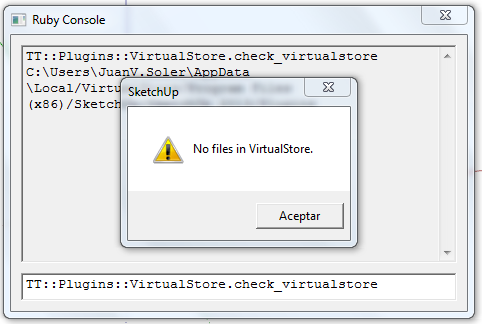

                  NO FILES.png

                  ,))),

                  1 條回覆 最後回覆 回覆 引用 0
                  • thomthomT 離線
                    thomthom
                    最後由 編輯

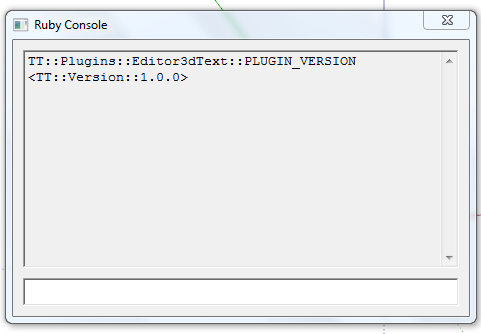
                    What does TT::Plugins::Editor3dText::PLUGIN_VERSION report.

                    And what version of Internet Explorer do you have installed?

                    (Lots of questions here - but I'm baffled by what is going on here. It should be working... :s )

                    Thomas Thomassen — SketchUp Monkey & Coding addict
                    List of my plugins and link to the CookieWare fund

                    1 條回覆 最後回覆 回覆 引用 0
                    • J 離線
                      JuanV.Soler
                      最後由 編輯

                      it reports :
                      plugin version.png

                      about Internet Explorer :
                      Internet 10.png


                      now those are all my credentials 😄

                      ,))),

                      1 條回覆 最後回覆 回覆 引用 0
                      • thomthomT 離線
                        thomthom
                        最後由 編輯

                        Your 3d Text Editor is out of date. It should be 1.1.3 - if you install the version from EW.

                        Thomas Thomassen — SketchUp Monkey & Coding addict
                        List of my plugins and link to the CookieWare fund

                        1 條回覆 最後回覆 回覆 引用 0
                        • J 離線
                          JuanV.Soler
                          最後由 編輯

                          ............finally.............succeeded
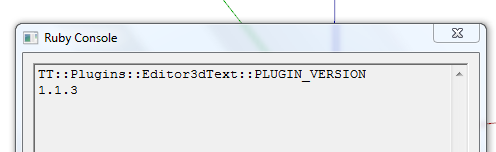
                          1.1.3.png

                          .......tyuuuu....... 👍

                          ,))),

                          1 條回覆 最後回覆 回覆 引用 0
                          • thomthomT 離線
                            thomthom
                            最後由 編輯

                            😍

                            Thomas Thomassen — SketchUp Monkey & Coding addict
                            List of my plugins and link to the CookieWare fund

                            1 條回覆 最後回覆 回覆 引用 0
                            • M 離線
                              matt.gordon320
                              最後由 編輯

                              Hi Thomthom, thanks again for an awesome plugin. I have an idea for a feature that some might find useful if they're doing visualization work - vertically stacked text (like the following, perhaps).

                              http://2.bp.blogspot.com/_nswHPYi_dEw/SoWP9m4sr6I/AAAAAAAAH_4/BUtChw6LSK8/s400/P1000262.JPG

                              Any way, just a thought! Thanks for creating so many awesome tools, it's inspiring. I'm slowly learning code, and it's great to see what you've written.

                              Thanks!

                              Matt

                              1 條回覆 最後回覆 回覆 引用 0
                              • Dave RD 離線
                                Dave R
                                最後由 編輯

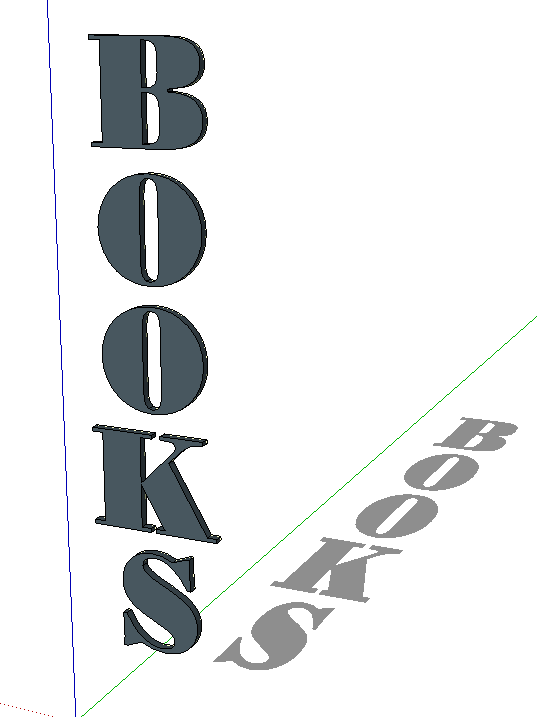
                                Capture.PNG

                                FWIW, you can already make vertically stacked text. It would be nice to be able to control things like leading and kerning, though.

                                Etaoin Shrdlu

                                %

                                (THERE'S NO PLACE LIKE)

                                G28 X0.0 Y0.0 Z0.0

                                M30

                                %

                                1 條回覆 最後回覆 回覆 引用 0
                                • G 離線
                                  glro
                                  最後由 編輯

                                  i downloaded and installed you plugin an TT_Lib_v2.8.3.rbz

                                  but then, when sketchup was launched, a message said i have to download TT_Lib2-2.8.0.rbz

                                  so i uninstalled TT_Lib_v2.8.3.rbz and installed TT_Lib2-2.8.0.rbz

                                  and then it worked

                                  you did a great job

                                  you managed to make a multilines editor...

                                  would it be possible to ...? 😛

                                  have the 3d text in a red/blue plan, instead of red/green?

                                  i would like to use your plugin to add comments to a scene, one comment per scene; usually, the camera is oriented so that vertical objects appear vertical

                                  So, it would be easier to read if the text was in the red/blue plan.

                                  1 條回覆 最後回覆 回覆 引用 0
                                  • G 離線
                                    glro
                                    最後由 編輯

                                    @glro said:

                                    i downloaded and installed you plugin an TT_Lib_v2.8.3.rbz

                                    but then, when sketchup was launched, a message said i have to download TT_Lib2-2.8.0.rbz

                                    so i uninstalled TT_Lib_v2.8.3.rbz and installed TT_Lib2-2.8.0.rbz

                                    and then it worked

                                    you did a great job

                                    you managed to make a multilines editor...

                                    would it be possible to ...? 😛

                                    have the 3d text in a red/blue plan, instead of red/green?

                                    i would like to use your plugin to add comments to a scene, one comment per scene; usually, the camera is oriented so that vertical objects appear vertical

                                    So, it would be easier to read if the text was in the red/blue plan.

                                    no, i just realised that you can change the plan by writing on a face of the model; so to write vertically, you just have to find a vertical face in the model

                                    1 條回覆 最後回覆 回覆 引用 0
                                    • tt_suT 離線
                                      tt_su
                                      最後由 編輯

                                      @glro said:

                                      i downloaded and installed you plugin an TT_Lib_v2.8.3.rbz
                                      but then, when sketchup was launched, a message said i have to download TT_Lib2-2.8.0.rbz
                                      so i uninstalled TT_Lib_v2.8.3.rbz and installed TT_Lib2-2.8.0.rbz

                                      Whaaat? 😕
                                      You shouldn't need to downgrade. Are you on Windows by any chance?
                                      Maybe you ended up with some files in VirtualStore...
                                      How did you install it?

                                      1 條回覆 最後回覆 回覆 引用 0
                                      • G 離線
                                        glro
                                        最後由 編輯

                                        @tt_su said:

                                        @glro said:

                                        i downloaded and installed you plugin an TT_Lib_v2.8.3.rbz
                                        but then, when sketchup was launched, a message said i have to download TT_Lib2-2.8.0.rbz
                                        so i uninstalled TT_Lib_v2.8.3.rbz and installed TT_Lib2-2.8.0.rbz

                                        Whaaat? 😕
                                        You shouldn't need to downgrade. Are you on Windows by any chance?
                                        Maybe you ended up with some files in VirtualStore...
                                        How did you install it?

                                        windows 7 64 bits

                                        installed using preferences > extensions

                                        downloaded vers 2.8.3 here
                                        http://sketchucation.com/resources/pluginstore?pln=TT_Lib

                                        but it didn't work so i downloaded the previous version using the link that appeared on my screen

                                        but it's OK now;works great

                                        1 條回覆 最後回覆 回覆 引用 0
                                        • tt_suT 離線
                                          tt_su
                                          最後由 編輯

                                          That is strange. I need to look into that.

                                          1 條回覆 最後回覆 回覆 引用 0
                                          • M 離線
                                            matt.gordon320
                                            最後由 編輯

                                            @dave r said:

                                            [attachment=0:38jz7em6]<!-- ia0 -->Capture.PNG<!-- ia0 -->[/attachment:38jz7em6]

                                            FWIW, you can already make vertically stacked text. It would be nice to be able to control things like leading and kerning, though.


                                            http://s23.postimg.org/pu5me6ejb/3d_text_editor.jpg

                                            Dave/TT - I'm glad to hear it's already capable, but here's the embarrassing part:I can't figure out how to do it 😳 . I've updated to the most recent version, but maybe I have an older version floating around in Virtual Store or something?

                                            Thanks!

                                            EDIT - Ok I'm stupid. I just realized what you meant @Dave.


                                            http://s24.postimg.org/x152egbj9/I_m_Stupid.jpg

                                            download screenshot

                                            1 條回覆 最後回覆 回覆 引用 0
                                            • 1
                                            • 2
                                            • 3
                                            • 4
                                            • 5
                                            • 6
                                            • 7
                                            • 10
                                            • 11
                                            • 5 / 11
                                            • 第一個貼文
                                              最後的貼文
                                            Buy SketchPlus
                                            Buy SUbD
                                            Buy WrapR
                                            Buy eBook
                                            Buy Modelur
                                            Buy Vertex Tools
                                            Buy SketchCuisine
                                            Buy FormFonts

                                            Advertisement