Scaling native .vismat material
-
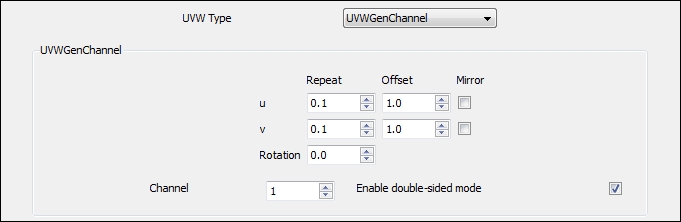
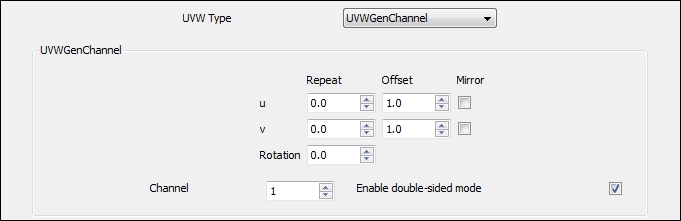
try changhing both u repeat and v repeat and set both of them to 0,1 (if it's still not big enough try 0,01 and so on..)
-
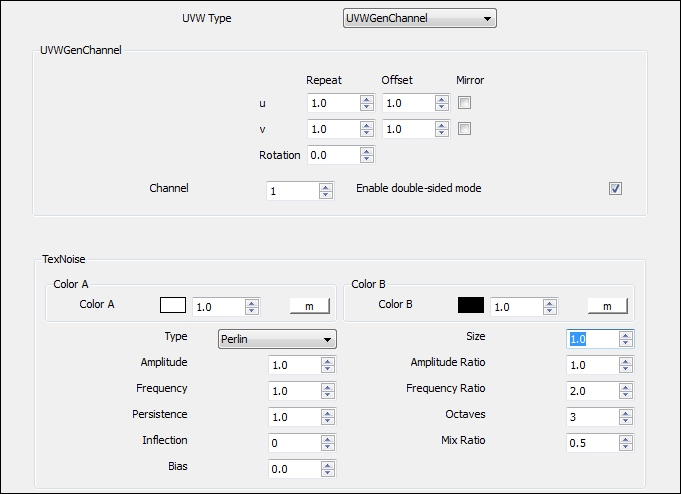
For noise maps I tend to adjust the size. Here's an example with a perlin noise bump map for speed. On a side note, apparently vray spheres don't really like accepting shadows, and have horrible edges.....maybe I'm using them in the wrong way.
Noise size 0.5
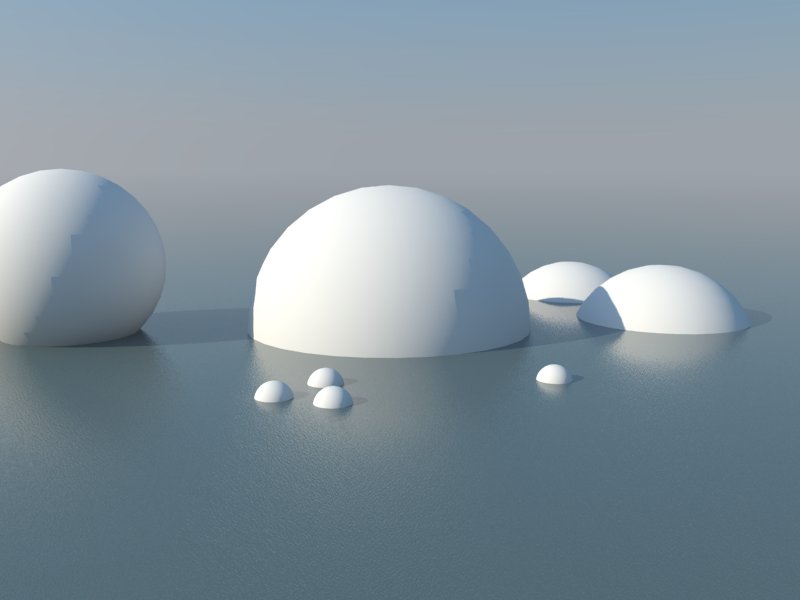
Noise size 10
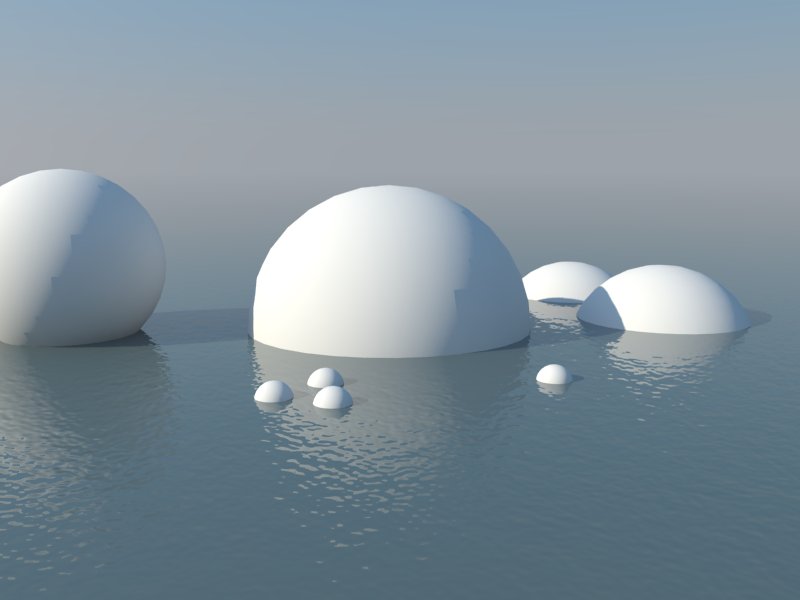
Noise size 50
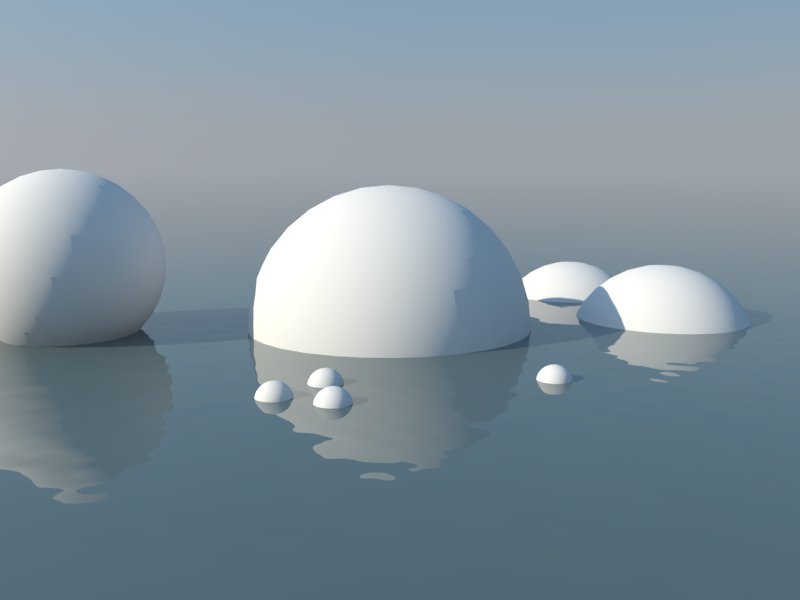
-
Hey that looks really good. Where do you set the Perlin noise size exactly? Is it the same as UV repeat?
-
If you look at jonedvard's last attachment showing the texnoise window you'll see a dropdown under the colour A/B for type, you can change to different noise types in there. The size setting is to the right of that.
-
wow! that's exactly the intended look that i was trying to sort.
thanks to all!
-
alright. some minor clarification.
panixia - i'm trying to understand 0,01 values. is that referring to (0 for both u/v repeat) and (0.1 for both u/v offset)?
also, the example you provided is a decreased value. am i actually needing to decrease my values in order to create a larger texture/pattern?
ATLAStudio - concerning perlin texnoise maps. should i adjust it to match the u/v repeat sizes? or does that not matter?
sorry for my confusion!

-
oh and regarding the spheres. my approach would be to increase the number of segments when creating your sphere - providing a smoother surface. an arc with about 48 segments is what i generally use for a fairly adequate smooth surface. hope that helps!
-
The way I did it doesn't involve any adjustment of UV, just leave them all at 1.0.
-
@jonedvard said:
panixia - i'm trying to understand 0,01 values. is that referring to (0 for both u/v repeat) and (0.1 for both u/v offset)?
i was ferring to u/v repeat, but actually i was wrong, because text noise acts in a different way than the most other maps.. for example rock, stucco etc.. with those changing the uv repeat would work (once you untick enable "3d mapping") -
@jonedvard said:
oh and regarding the spheres. my approach would be to increase the number of segments when creating your sphere - providing a smoother surface. an arc with about 48 segments is what i generally use for a fairly adequate smooth surface. hope that helps!
It's called the "terminator" problem
@ATLAStudio - good info, thanks! For me, I just keep re-loading a working water vismat, so I didn't remember off-hand which setting it was...




Hello! It looks like you're interested in this conversation, but you don't have an account yet.
Getting fed up of having to scroll through the same posts each visit? When you register for an account, you'll always come back to exactly where you were before, and choose to be notified of new replies (either via email, or push notification). You'll also be able to save bookmarks and upvote posts to show your appreciation to other community members.
With your input, this post could be even better 💗
Register Login


Advertisement