sketchucation logo sketchucation
    • 登入
    Oops, your profile's looking a bit empty! To help us tailor your experience, please fill in key details like your SketchUp version, skill level, operating system, and more. Update and save your info on your profile page today!
    🔌 Smart Spline | Fluid way to handle splines for furniture design and complex structures. Download

    [Plugin] TIG-Split_to_plane v1.1 20130107

    已排程 已置頂 已鎖定 已移動 Plugins
    25 貼文 17 Posters 34.2k 瀏覽 17 Watching
    正在載入更多貼文
    • 從舊到新
    • 從新到舊
    • 最多點贊
    回覆
    • 在新貼文中回覆
    登入後回覆
    此主題已被刪除。只有擁有主題管理權限的使用者可以查看。
    • TIGT 離線
      TIG Moderator
      最後由 編輯

      TIG (c) 2013

      TIG-Split_to_plane.rb

      Installation: Place this file in the Plugins folder and restart Sketchup.

      Usage:
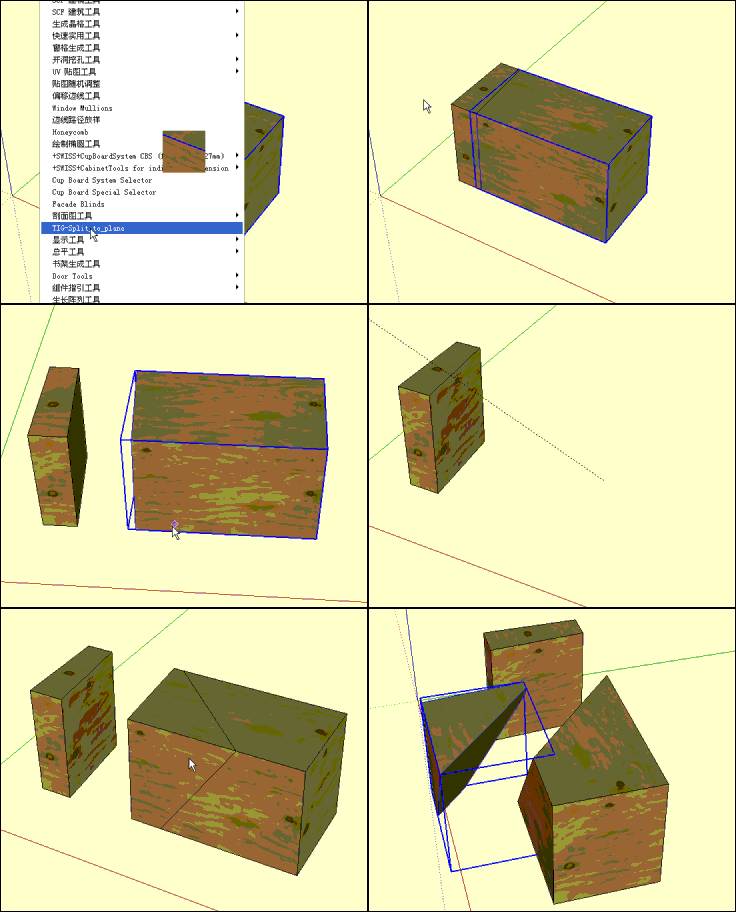
      Plugins menu > 'TIG-Split_to_plane' or with a suitable selection use the context-menu 'TIG-Split_to_plane'

      Note: for Pro >=v.8 only...

      Preselect a 'solid' object [group or component_instance].

      Activate the tool.

      Follow the prompts and pick 3 points to define a plane.

      If you press <Enter> rather than picking the 3rd point the plane is assumed to be vertical, passing through points 1 and 2.

      If points 1 and 2 are aligned vertically and you press <Enter> theres an error message and you need to pick point 3, OR abort, say by pressing <Spacebar>.

      The selected object will then be split along the defined plane.

      The two new part-groups made from the 'split' operation retains the original object's locked/hidden-state, shadow-casting/receiving-behavior, name*, material, layer and any attribute-dictionaries attached to it.

      *If the original was a group the 'split' groups take its name, if it was a component-instance the 'split' group takes its definition name, but if that instance also had a name then this is appended to the new name inside [].

      The two parts are also given a suffix to differentiate them - '-A' or '-B'.

      The 'splitting' is one step undo-able.

      Donations: PayPal.com info @ revitrev.orgPayPalButtonVersion:
      1.0 20121007 First issue.
      1.1 20130107 Now at Point 3 an alternative <Enter> press splits vertically.
      Context-menu if selection suitable.


      Place this file in the Plugins folder and restart Sketchup.
      Read and follow the instructions...

      TIG

      1 條回覆 最後回覆 回覆 引用 0
      • J 離線
        jorge2011
        最後由 編輯

        exelente. thank you very much 😄

        1 條回覆 最後回覆 回覆 引用 0
        • T 離線
          Trogluddite
          最後由 編輯

          That's brilliant, thanks TIG.
          Beautifully simple to use - yet another of your creations that makes me think "Why wasn't that in the standard toolbox all along?"

          1 條回覆 最後回覆 回覆 引用 0
          • B 離線
            Ben Ritter
            最後由 編輯

            TIG, thank you, for both of these plugins.

            1 條回覆 最後回覆 回覆 引用 0
            • gillesG 離線
              gilles
              最後由 編輯

              May I suggest to add [ProV8] to [Plugin] so free users are aware of the restriction?

              " c'est curieux chez les marins ce besoin de faire des phrases "

              1 條回覆 最後回覆 回覆 引用 0
              • R 離線
                rilian
                最後由 編輯

                Seems like both plane tools would be very useful. Too bad they don't work on the free version.

                1 條回覆 最後回覆 回覆 引用 0
                • guanjinG 離線
                  guanjin
                  最後由 編輯

                  qiege.gif

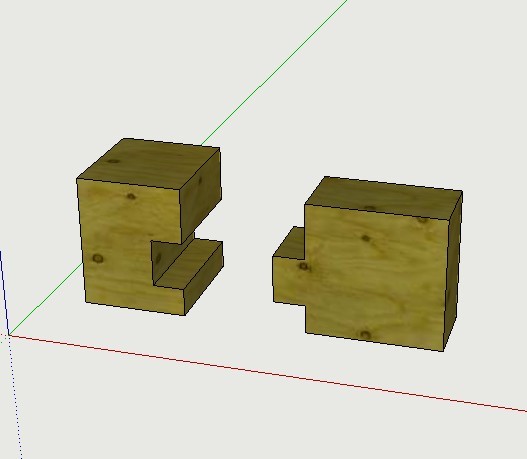
                  Good tool, if the shape of the cut is even more useful。
                  未命名.jpg

                  I come from China, is to learn

                  1 條回覆 最後回覆 回覆 引用 0
                  • T 離線
                    tulacong
                    最後由 編輯

                    oh zeee...thank you

                    1 條回覆 最後回覆 回覆 引用 0
                    • simon le bonS 離線
                      simon le bon
                      最後由 編輯

                      Dear Tig,

                      This is the 101 eme tool links I bookmark coming from you !!!! 🎉 😄

                      Each are useful, some are absolutely unavoidable, the suite tools are always stunning 👍 👍 👍

                      Thank you for this new one +++

                      Simon

                      1 條回覆 最後回覆 回覆 引用 0
                      • kingsiK 離線
                        kingsi
                        最後由 編輯

                        Thanks for the Ruby TIG

                        Noobtastic

                        1 條回覆 最後回覆 回覆 引用 0
                        • bagateloB 離線
                          bagatelo
                          最後由 編輯

                          I see fantastic tool for this in the future. Line to cut solids.

                          While the cat's away, the mice will play

                          1 條回覆 最後回覆 回覆 引用 0
                          • TIGT 離線
                            TIG Moderator
                            最後由 編輯

                            Here's v1.1 http://sketchucation.com/forums/viewtopic.php?p=433732#p433732
                            Now at Point 3 an alternative <Enter> press splits vertically.
                            Also Context-menu if selection suitable.

                            TIG

                            1 條回覆 最後回覆 回覆 引用 0
                            • cottyC 離線
                              cotty
                              最後由 編輯

                              @gilles said:

                              May I suggest to add [ProV8] to [Plugin] so free users are aware of the restriction?

                              +1 👍

                              my SketchUp gallery

                              1 條回覆 最後回覆 回覆 引用 0
                              • K 離線
                                KE6CVH
                                最後由 編輯

                                Hi, I'm getting ready to download and try the awesome plugin but see where recommendations twice have been made to put proV8 on it so people know restrictions. Does that mean it will not work with version 8 free? If it works with free then I'll give it a try immediately for a much needed sketchup task. Thanks, Mike ☀

                                1 條回覆 最後回覆 回覆 引用 0
                                • TIGT 離線
                                  TIG Moderator
                                  最後由 編輯

                                  As it says early on in the tool's download page notes in bold "Note: for Pro >=v.8 only..."
                                  It uses API solids-methods only availed in Pro.
                                  Sorry...

                                  TIG

                                  1 條回覆 最後回覆 回覆 引用 0
                                  • S 離線
                                    smicha
                                    最後由 編輯

                                    TIG,

                                    Splitting removes co-planar edges. Is it possible to add extra option to prevent the plugin from deleting the edges?

                                    Sebastian

                                    BTW. This plugin is just a miracle 😄 Now I cannot work without it.

                                    https://lh3.googleusercontent.com/-AoXjt9ys_Os/UTHF3a5WnMI/AAAAAAAAC70/uHBY-OPLKVU/s853/splittoplane.jpg

                                    1 條回覆 最後回覆 回覆 引用 0
                                    • TIGT 離線
                                      TIG Moderator
                                      最後由 編輯

                                      @Smicha

                                      Unfortunately this tool uses the API's solid-methods, which always remove coplanar-edges from any coplanar-faces sharing a material [even when one is reversed!]: so it's an unavoidable side-effect.
                                      If alternate coplanar-faces have different materials then their coplanar-edges are kept.
                                      But then redrawing a few edges, or using my 'SplitSausage'/'SplitDonut' tools to reinstate the removed coplanar-edges, is done quickly enough...

                                      TIG

                                      1 條回覆 最後回覆 回覆 引用 0
                                      • S 離線
                                        smicha
                                        最後由 編輯

                                        Thanks TIG for reply. I just figured out the proper way of using SplitSausge and this helps a lot.

                                        1 條回覆 最後回覆 回覆 引用 0
                                        • BoxB 離線
                                          Box
                                          最後由 編輯

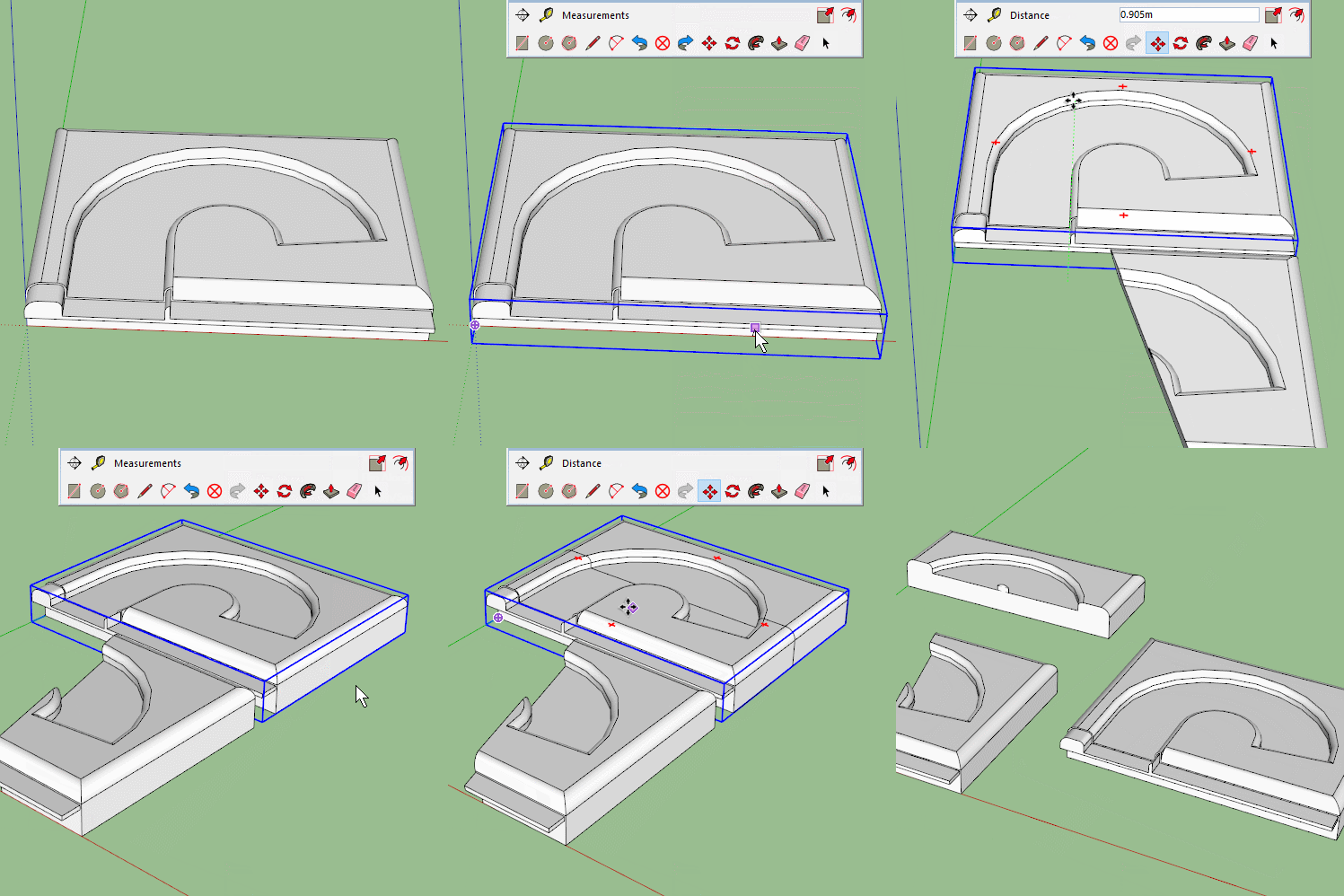
                                          I've noticed an occasional oddity with this Tig, sometimes the split produces one half and a whole.
                                          I'll add the model in case you can see what it is about this component that makes it happen.

                                          Split to plane.gif


                                          Split.skp

                                          1 條回覆 最後回覆 回覆 引用 0
                                          • TIGT 離線
                                            TIG Moderator
                                            最後由 編輯

                                            The problem object has several small facets forming the rounded parts.
                                            I suspect this is the issue.
                                            If a 'solid-tools' operation [done manually or in code] fails because tiny edges don't get made and a face is missed out, then usually it bales out with an error.
                                            It's failing to fail properly !

                                            The way the 'split' tool works is that a copy is made on top of the original instance, then a large 'block' group is made to one side of the defined 'plane' and it is then subtracted from the original; next another large 'block' group is made to the other side of the plane and subtracted from the copy.
                                            If all goes well you should get two solid groups abutting at the defined 'plane'.
                                            In your case, one side fails to be made and the subtract tool bales out leaving one of the instances unchanged, sometimes it will make the other part 'solid', but oddly it doesn't always make it as a 'solid' group on the partially successful side either - try a few tests and check it in Entity Info...
                                            The solid-tool's subtract should fail but it doesn't in this occasional odd case !!

                                            TIG

                                            1 條回覆 最後回覆 回覆 引用 0
                                            • 1
                                            • 2
                                            • 1 / 2
                                            • 第一個貼文
                                              最後的貼文
                                            Buy SketchPlus
                                            Buy SUbD
                                            Buy WrapR
                                            Buy eBook
                                            Buy Modelur
                                            Buy Vertex Tools
                                            Buy SketchCuisine
                                            Buy FormFonts

                                            Advertisement