Fredo Tools download problem
-
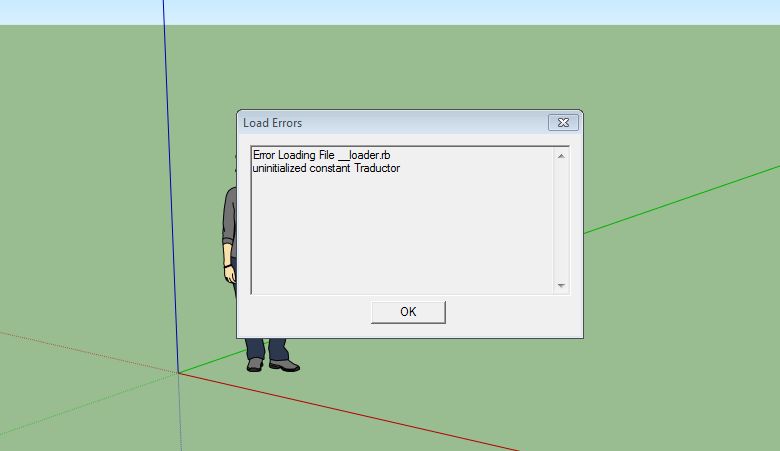
Following Jeff Hammond's Suggestion, I having been trying to download FredoTools. I gleaned that in order to download FredoTools I should first download Libfredo6. following the instructions, I opened the Libfredo6 Zip in my downloads folder, opened it, highlighted the contents and dragged them to my sketchup folder and dropped them into Plugins. When I reopened Sketchup, this is what popped up. Is there a remedy? (I went ahead and downloaded FredoTools and got the same message)
Thanks,
Tim
-
Hi Tim,
Can you show a screen grab of your plugins folders?
-
The 'Libfredo6' zip file [v4.5a is the latest] contains a folder called 'LIBFREDO6_Dir_45' and a file called 'LibFredo6.rb'.
These should go into the Sketchup Plugins folder intact.
Do not move anything out of [or into] the subfolder you've unzipped.
If you have done so you need to do a big tidy up and delete them because it will break things.The same goes for for the FredoTools zip file - put its contents [which in this case is a single folder called 'FREDOTOOLS_Dir_12'], into the Plugins folder - leave its contents intact - do NOT remove/add any files from/to that subfolder either.
-
TIG,
I checked and found I'd somehow put LibFredo6.rb in the LIBFREDO6_Dir_45 folder. I pulled it back into Plugins and now everything works a treat. Thanks for your help.
Tim


Hello! It looks like you're interested in this conversation, but you don't have an account yet.
Getting fed up of having to scroll through the same posts each visit? When you register for an account, you'll always come back to exactly where you were before, and choose to be notified of new replies (either via email, or push notification). You'll also be able to save bookmarks and upvote posts to show your appreciation to other community members.
With your input, this post could be even better 💗
Register Login


Advertisement