Texture export issue
-
What happens if you right click on the material thumbnail and "export texture image"? Does it come as colorized?
-
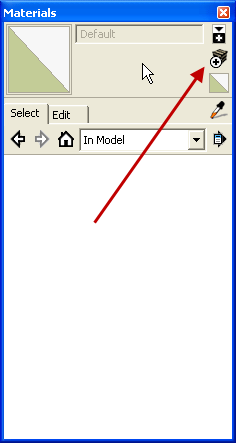
Have you tried using "Create Material" instead?
-
Hi Dave
Yeah that was one of the 1st things I tried. The key problem to be solved is how to in effect flatten the texture (like you would do with filters in a jpeg in photoshop)
-
If you export the 3d model as collada (DAE) you will have a folder with current textures in your model even if modified.
-
@gaieus said:
What happens if you right click on the material thumbnail and "export texture image"? Does it come as colorized?
same problem as before. I am thinking the best way is to render a square with the painted on colour then replace all the sections with the new jPeg
-
@massimo said:
If you export the 3d model as collada (DAE) you will have a folder with current textures in your model even if modified.
Thats where they are being corrupted (reverted back to original) I can only presume that the export does not take into account the colour overlay I have assigned and therefore just ignores it.
Thanks for everyones help by the way

-
Just tried and it's working here.
-
@massimo said:
Just tried and it's working here.
For one second I thought I was going mad. Just check my export folder with textures and it is exactly as I said (original texture without paint)

-
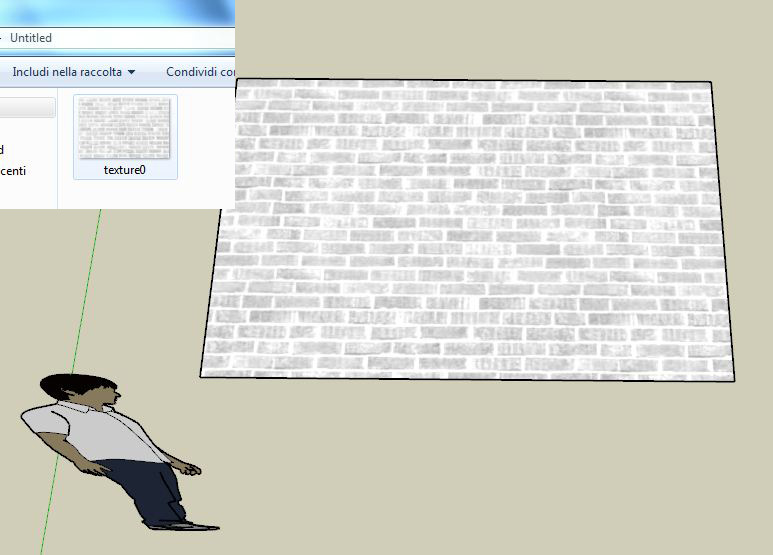
Export and post the material.
If you've created a new material, purge the old one from the In Model library. Then the white version shouldn't even be available during the export.
-
I don't have SU8, but I can assure you that in 7.1 it works fine.
-
@massimo said:
I don't have SU8, but I can assure you that in 7.1 it works fine.
[off:errubjo7]Why is that?[/off:errubjo7]
-
[off:r9dcwdf8]Why I don't have SU8? I don't need to upgrade the pro version and a bit scared about two versions of SU on the same computer (mess)...
 [/off:r9dcwdf8]
 -
[xxl-img:2gykvfeb]http://www.langlidesign.com/images/business/colour_in_sketchup.jpg[/xxl-img:2gykvfeb]
Here is a diagram lol of what is going wrong.
-
I'd just like the material file.

Or maybe you don't really want the help.
-
Kingsi, you are not making this easy. Post that damn material file - or even better, the whole model! We promise we won't sell it!
-
You guys are killing me lol
http://bitshare.com/files/9u7537lg/green-bungalow.rar.html
its a big file so be warned
-
How many times do I have to ask? Just the material file.
I give up. I've wasted too much of my time trying to help you.
-
Hi Dave
here is the material file. I apologise if I seem distracted or useless. Been juggling a lot of stuff today
-
-
@kingsi said:
Bitshare. Wait a minute before downloading, download in about twenty something minutes.
Holy smokes! 100Mb+ What's in there, gold?
Edit: 46 minutes left. I think I go for a walk with [url=https://www.facebook.com/MalnaKutyaPecs:5g5xtknd]the dog[/url:5g5xtknd].
Don't you have a [url=http://db.tt/5TqUN52:5g5xtknd]Dropbox account[/url:5g5xtknd]?








Hello! It looks like you're interested in this conversation, but you don't have an account yet.
Getting fed up of having to scroll through the same posts each visit? When you register for an account, you'll always come back to exactly where you were before, and choose to be notified of new replies (either via email, or push notification). You'll also be able to save bookmarks and upvote posts to show your appreciation to other community members.
With your input, this post could be even better 💗
Register Login


Advertisement