V-Ray Material Editor Chaos
-
Hi Guys,
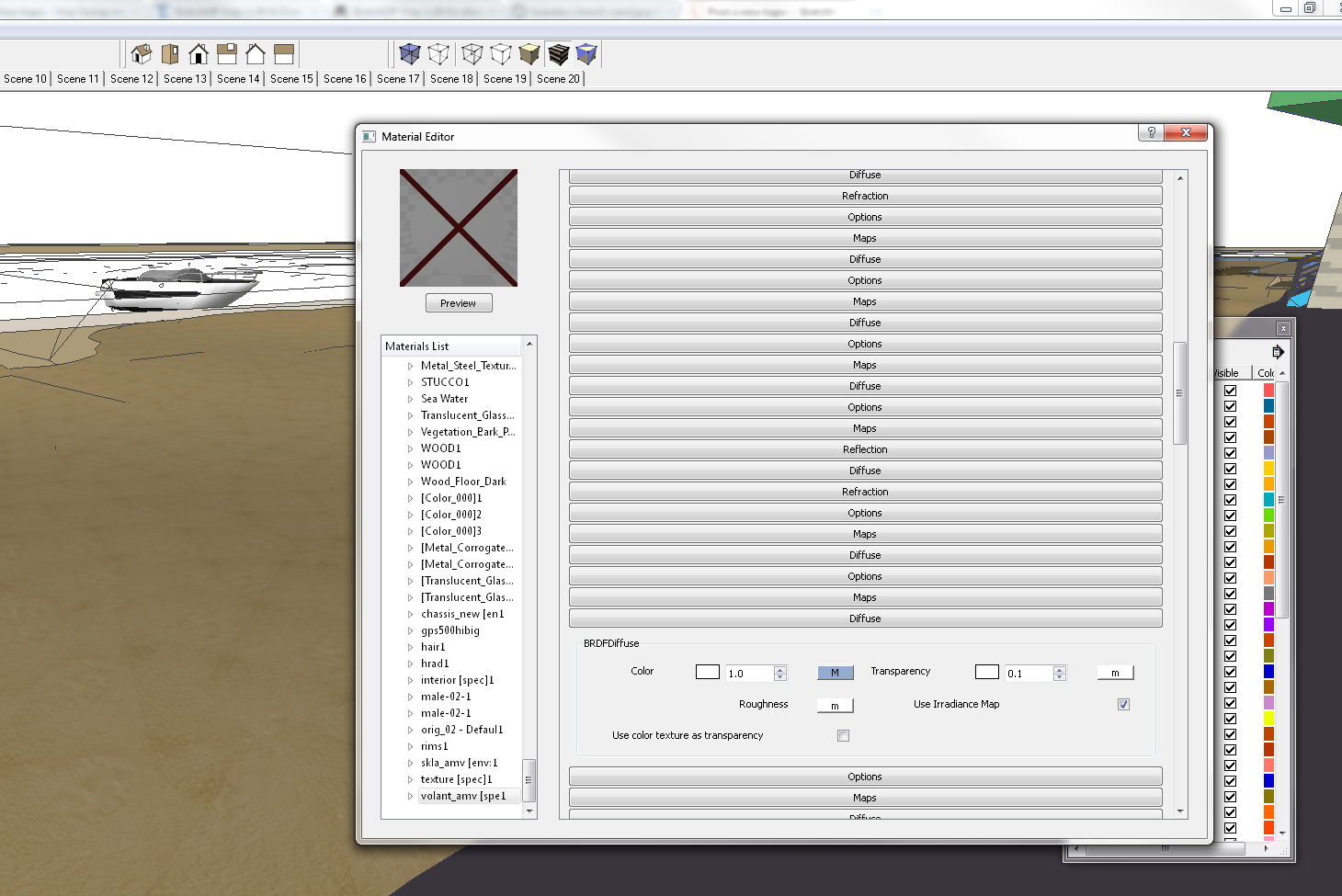
I'm hoping this question gets answered easily tonight, as I'm sure there must be some minor adjustment I need to fix this. V-Ray's material editor's right column (the one with options, map, diffuse, etc.) saves EVERY material information in my model, making it almost impossible to navigate. For instance, were I to click on "cherry wood", and then "glass 3", the maps diffuse options for cherry wood remain. You could see how this would be unnerving when working with 20+ materials. Thanks in advance! I've attached a picture which will show you the chaos.
-
just save and re start.
-
Exactly what version of V-Ray for SketchUp do you use?
-
Restart SU and be aware that all your materials might have reset to the the default. Its a bug. Soon to be resolved in the next release. We hope.
-
The material editor is really pessimo.si may be required to introduce a more immediate ... an archive preview where you can enter your own collections! as well as for example fryrender material editor .... much more practical
-
sorry for my english ... I'm Italian
 ahahahah pessimo=bad


Hello! It looks like you're interested in this conversation, but you don't have an account yet.
Getting fed up of having to scroll through the same posts each visit? When you register for an account, you'll always come back to exactly where you were before, and choose to be notified of new replies (either via email, or push notification). You'll also be able to save bookmarks and upvote posts to show your appreciation to other community members.
With your input, this post could be even better 💗
Register Login


Advertisement