sketchucation logo sketchucation
    • Login
    Oops, your profile's looking a bit empty! To help us tailor your experience, please fill in key details like your SketchUp version, skill level, operating system, and more. Update and save your info on your profile page today!
    Mac User? | Join the Rayscaper Beta for Mac Learn More

    X ray look in LayOut

    Scheduled Pinned Locked Moved LayOut Discussions
    layout
    13 Posts 5 Posters 4.1k Views 5 Watching
    Loading More Posts
    • Oldest to Newest
    • Newest to Oldest
    • Most Votes
    Reply
    • Reply as topic
    Log in to reply
    This topic has been deleted. Only users with topic management privileges can see it.
    • ipsketchpiI
      ipsketchpi
      last edited by

      Hi

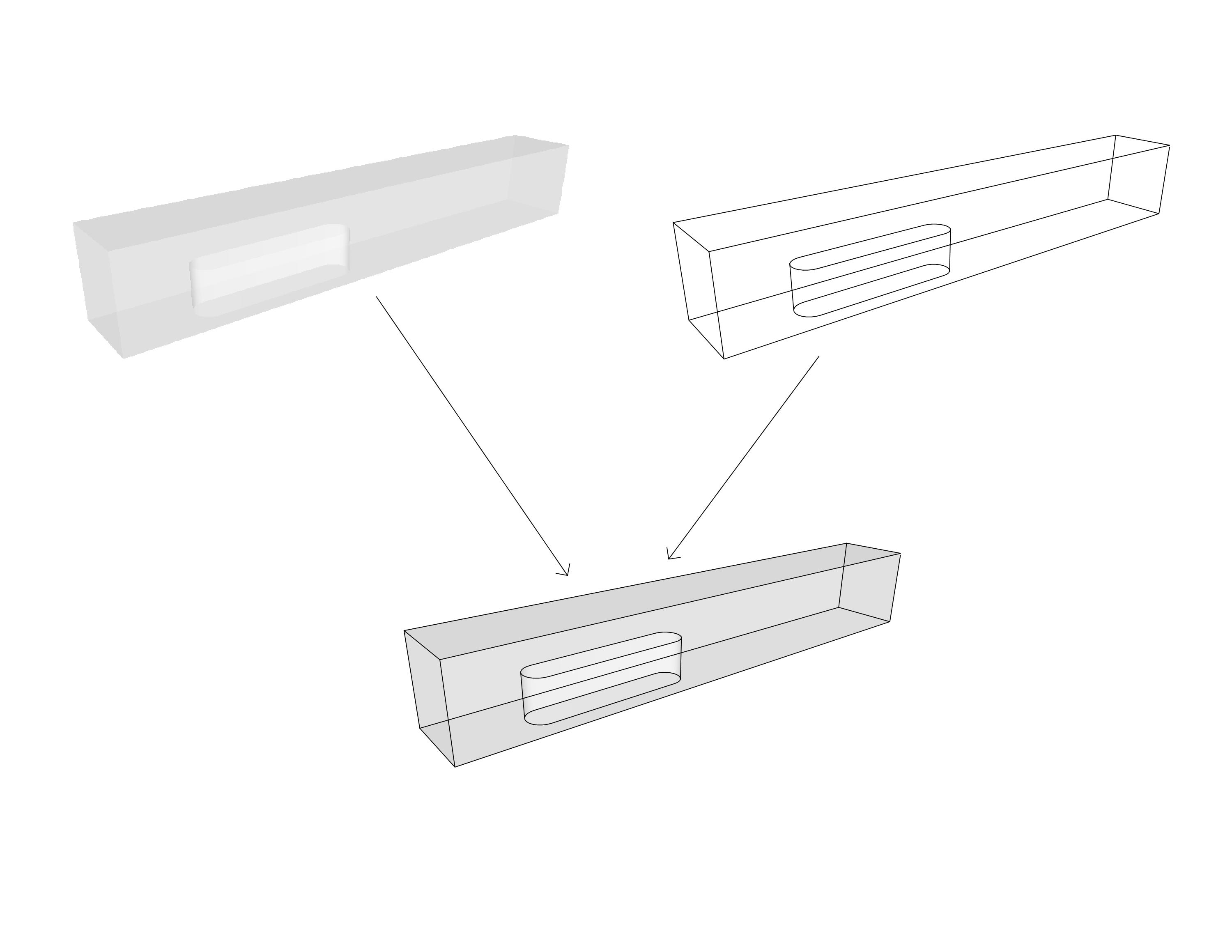
      Does anyone knows how to get X ray look from solid model in Layout and keep it after rendering in Hybrid our vector mode.
      Some desirable sample attached.
      Thank you in advance for help.
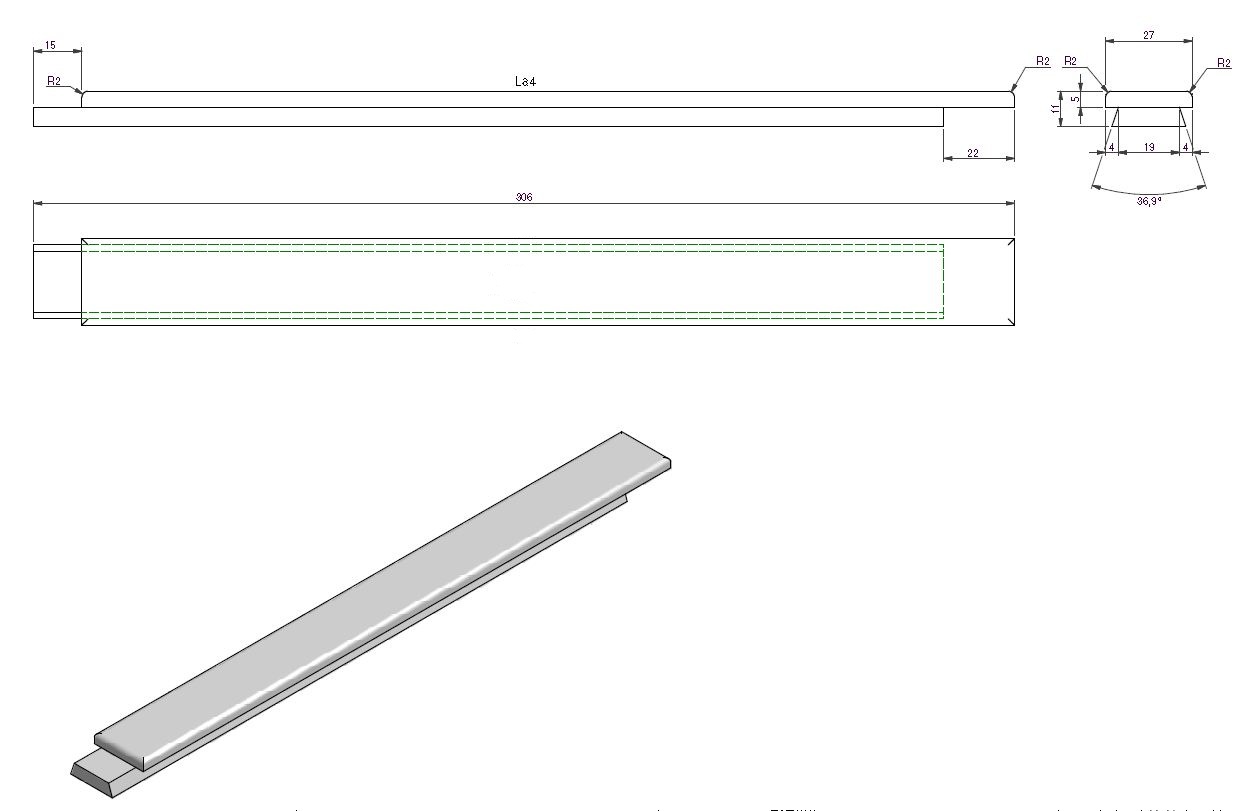

      sample

      /IP

      1 Reply Last reply
      Reply Quote 0
      • TIGT
        TIG Moderator
        last edited by

        Can't you use a mixture of overlaid views in Layout with differing SKP Styles, each showing material, b&w, wireframe, xray, backfaces etc ?

        TIG

        1 Reply Last reply
        Reply Quote 0
        • Dave RD
          Dave R
          last edited by

          TIG's on the right track. He always is, too.
          Xray in LO_1.jpg

          Etaoin Shrdlu

          %

          (THERE'S NO PLACE LIKE)

          G28 X0.0 Y0.0 Z0.0

          M30

          %

          1 Reply Last reply
          Reply Quote 0
          • ipsketchpiI
            ipsketchpi
            last edited by

            Hi.

            Thanks but these is not the same. I know these options. I need the hidden line to appear like dashed line πŸ˜„. Looks like these is a problem in SU.


            sample.jpg

            /IP

            1 Reply Last reply
            Reply Quote 0
            • Dave RD
              Dave R
              last edited by

              You didn't say anything about showing back edges in your original post or the answers you would have received would have been more useful too you. πŸ˜’

              It works for me.
              blockWIP_1.jpg

              Looks like it is not a problem in SU.

              Etaoin Shrdlu

              %

              (THERE'S NO PLACE LIKE)

              G28 X0.0 Y0.0 Z0.0

              M30

              %

              1 Reply Last reply
              Reply Quote 0
              • ipsketchpiI
                ipsketchpi
                last edited by

                ok cool πŸ˜„ (English is not my native language) How did you get that ready? Will it stay in layout after hybrid rendering?

                /IP

                1 Reply Last reply
                Reply Quote 0
                • Dave RD
                  Dave R
                  last edited by

                  I did it exactly like the first example but instead of using X-ray, I used Back Edges for one scene. The other scene is Hidden Line. The Back Edges scene is rendered in Raster. The Hidden Line scene is rendered as Vector. Hybrid doesn't work for this but it isn't needed, either.

                  Please don't assume that because you haven't figured out how to do something, that the program has a fault.

                  Etaoin Shrdlu

                  %

                  (THERE'S NO PLACE LIKE)

                  G28 X0.0 Y0.0 Z0.0

                  M30

                  %

                  1 Reply Last reply
                  Reply Quote 0
                  • ipsketchpiI
                    ipsketchpi
                    last edited by

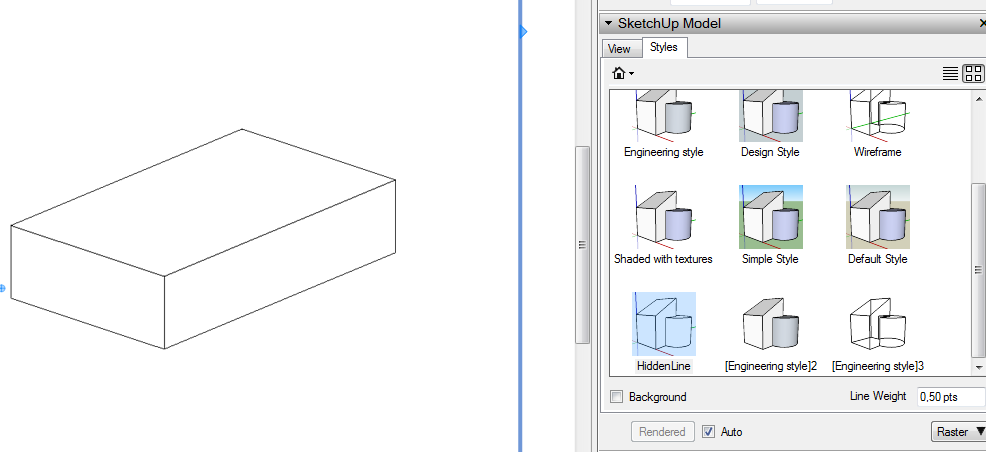
                    hm. not working? Hiden line scene in layout makes it like these? No back edges?

                    p.s.
                    SU is a great tool, I use it every day, I did not mean it is bad, just cant get these back lines working

                    hiden line.PNG

                    /IP

                    1 Reply Last reply
                    Reply Quote 0
                    • gillesG
                      gilles
                      last edited by

                      Go to View/Edges styles/back edges or in Styles/Modify/Edges/back edges.

                      " c'est curieux chez les marins ce besoin de faire des phrases "

                      1 Reply Last reply
                      Reply Quote 0
                      • ipsketchpiI
                        ipsketchpi
                        last edited by

                        ok, thanks, now I see. It works!


                        cool.PNG

                        /IP

                        1 Reply Last reply
                        Reply Quote 0
                        • T
                          timinder
                          last edited by

                          Is there any way to get the hidden lines to display in the following cases?

                          1. On insertion into a Layout doc, in Vertex mode
                          2. On export to a vector graphics file (pdf, eps, DWG/DXF)?

                          I've tried all the things I can think of and I can't get it to work.
                          i.e. In SU, I set up a style with back edges etc. and I can see it fine.
                          Screen Shot 2012-05-02 at 16.32.31.pdf

                          1 Reply Last reply
                          Reply Quote 0
                          • Dave RD
                            Dave R
                            last edited by

                            Vertex mode? Do you mean Vector mode? As has already been discussed, no, they don't show in Vector mode.

                            They will display on insertion into LO in the default Raster mode.

                            I think the thing you have to remember is that the displayed hidden lines aren't vector lines so they won't be available as vector lines

                            Etaoin Shrdlu

                            %

                            (THERE'S NO PLACE LIKE)

                            G28 X0.0 Y0.0 Z0.0

                            M30

                            %

                            1 Reply Last reply
                            Reply Quote 0
                            • T
                              timinder
                              last edited by

                              Vertex, Vector, yes, those πŸ˜„
                              Oh, well that's not great news, I thought I was onto something there. I guess I'll have to revert to my other software.

                              It would be a really good feature to have in future though...

                              1 Reply Last reply
                              Reply Quote 0

                              Hello! It looks like you're interested in this conversation, but you don't have an account yet.

                              Getting fed up of having to scroll through the same posts each visit? When you register for an account, you'll always come back to exactly where you were before, and choose to be notified of new replies (either via email, or push notification). You'll also be able to save bookmarks and upvote posts to show your appreciation to other community members.

                              With your input, this post could be even better πŸ’—

                              Register Login
                              • 1 / 1
                              • First post
                                Last post
                              Buy SketchPlus
                              Buy SUbD
                              Buy WrapR
                              Buy eBook
                              Buy Modelur
                              Buy Vertex Tools
                              Buy SketchCuisine
                              Buy FormFonts

                              Advertisement