Intersect selection problem !
-
I only had a quick look at it (limited web/computer availability right now) but there are some problems in there befor the intersect command happens.
using the first row in your drawing (which I assume is your setup prior to intersecting) -- if you triple click the rectangle (selecting everything except the cylinders) and check the entity info, you'll see there are 8 entities selected when there should only be 5 (the plane and its four edges)
zooming in shows some other lines very close to the plane edges which I think have something to do with the hidden lines etc popping up.
triple click the rectangle (again, select everything except the cylinders) and delete.. draw a new rectangle withouth the three extra lines and run the intersect command one the plane/cylinder.. everything works out ok now and a triple click on the resulting intersection will select the plane and all the cylinders except for the one you have as a group (as expected)
(posted from a phone.. excuses apply where need be )
-
honestly, I've never had this happen on 'good' geometry.
there's something wrong with your plane and it's hard to tell because I'm not sure how you arrived at it. (ie- I'm pretty sure you didn't just draw a rectangle then some cylinders and tried to intersect them)
If you scale up 50x then do a Statistics--> Fix Problems.. you'll get:
The plane equation for CFace (8172) is not valid.
The plane equation for CFace (8182) is not valid.like I said.. I'm not exactly sure what's wrong with the plane but-- there is something 'bad' about it
-
I've seen this happen on perfectly normal geometry. In fact intersecting actually causes the errors in the first place. Using the Fix Problems does correct it but why is SketchUp creating problems in the first place?
I'll go locate that file.....
-
Here's a file to test. 4 holes with 64 entities each and a face with 13 entities.
-
what it think happens is along these lines...
sketchup (and probably all cad apps) have some sort of tolerance in which a plane will actually form... at minuscule amounts, a plane will form and it won't be 100% coplanar. trying to do subsequent operations on this 'imperfect' geometry will cause problems.
do this:
scale ely's rectangle up 5000x (and delete those 3 extra lines.. 2 of them are on the short end nearest the origin and one is on a long side)select the line tool and start it on one of the rectangle's corners.. get it on the blue axis and lock it there with shift key...
now touch on the other 3 corners.. if it were a true plane, that vertical line your trying to draw should always be 0 units... in this case (after scaling up 5000x) you'll see that one of the corners is higher by ~1/8"...
at the smaller scale, the plane was allowed to form as it was inside sketchup's coplanar tolerance.. upon upscaling, you'll see that it's not actually 100% flat..
is this making sense to anyone?

-
Can you explain why in my example intersecting geometry with the model rather than the selection it affects geometry that doesn't actually intersect?
-
@unknownuser said:
Here's a file to test. 4 holes with 64 entities each and a face with 13 entities.
[attachment=0:w1yrphdg]<!-- ia0 -->Error_Sample_Jeff.skp<!-- ia0 -->[/attachment:w1yrphdg]
right.. same thing.
scale the plane up 5000x then delete one of its edges.
redraw the line and you'll see it no longer allows the face to form because at the larger scale, you've gone outside of tolerance and revealed that the plane's edges aren't actually coplanar. -
It's not the scaling I'm talking about here it's the fact that 'Intersect with Model' and 'Seletcion' can still cause issues.
It's a bad example I know but it's something I run into every now and then.
-
@unknownuser said:
Can you explain why in my example intersecting geometry with the model rather than the selection it affects geometry that doesn't actually intersect?
no.. I don't have a clue as to what sketchup has in place for trying to deal with invalid object.. but I do know that your plane, like ely's, is 'bad'
-
@unknownuser said:
It's not the scaling I'm talking about here it's the fact that 'Intersect with Model' and 'Seletcion' can still cause issues.
It's a bad example I know but it's something I run into every now and then.
well scaling only helps reveal the error.. and it shows sketchup's tolerances.
I don't know what that tolerance actually is but basically, you can draw a square in sketchup which has one corner .000001" higher than the other three and a plane will still form.
when you start intersecting and adding new planes (circles in these cases), the unflat plane sometimes needs to break itself up (the new hidden lines) so that all the edges still fall within tolerance and planes are able to form.
I'd upload a sample file for demonstration purposes which would make this clearer but my web is via phone now.. I can download files then transfer to a computer but I don't have the proper app which allows me to do the opposit. sorry
-
expanding a bit on what I said last time..
let's assume sketchup will let a plane form if one corner is 1" higher over a course of 1000'...
when you try to intersect an object which is in the middle of that plane, you'll now have a corner which is 1" higher over 500'... this is now outside of tolerance so a hidden line needs to be formed.. essentially breaking the plane in as many pieces necessary to keep the 1" per 1000' allowable slope.
(again.. that 1" per 1000' is purely for example.. I'm sure the actual tolerance is less than that)
-
and I guess I'll add one other thing...
I think you guys are stuck on 'intersecting is the problem'..
well, let's forget about intersecting for now.. intersecting only reveals the problem but it's not causing it.focus only on the planes (in rich's and ely's drawings)... those are the real problems and both files are showing the same error) [and not surprisingly, react the same way when trying to use it for an intersecting plane ]
take the drawings.. scale them up a thousand times or so.. delete one of the plane's edges then try to redraw that edge.. the plane will not reappear when it obviously should.. this is where you should be focusing you attention as this is Not an intersecting bug..
good luck

[edit] why is the wink emoticon showing up as the super happy guy?
-
@unknownuser said:
It's not the scaling I'm talking about here it's the fact that 'Intersect with Model' and 'Seletcion' can still cause issues.
It's a bad example I know but it's something I run into every now and then.Rich, can you tell where you got that face from? Is it imported? And whenever you run into this "bug", are the faces from import.
In cases like this rather than scaling the entire face in all directions (like Jeff did) I add a single 1mm edge perpendicular to the face. Then I right clcik on the face and select 'Align Axis'. Finally I can scale perpendicular to the face, leaving the perimeter the same size.
Do this with the face in your model. Pick the middle grip and scale upwards by 1000x. You'll see a folded face that when fixed (Model Info > Statistic >Fix Problems) reveals the same hidden geometry that you see after intersecting with the cylinder.Even after just aligning the axes to the face (and without scaling) you can measure differences in the new blue direction. When Z should be zero for all of its endpoints.
So is the face a result from an imported file?
-
@wo3dan said:
So is the face a result from an imported file?
No, it's a small section of a chair seat that was made Artisan.
@Jeff
You nailed it Jeff. My plane had 2 verts off by an immeasurable distance in SketchUp. I never scale by x1000 (normally 100) but when I did I found the bastards. That's is some killer info
As for avoiding it I'm afraid at x1000 Artisan reintroduced the wacky verts.
-
I have worked with some dwg blueprints(and I have used that geometry to intersect and cut some faces), perhaps that was part of my problem[Sketchup asked to fix my model,but I usually know fixing model will mess my model(erasing faces,loosing geometry etc)].
Still this adding hidden lines method happens on regular files too(thanks to Thomas for his cleanup plugin , which serves so well on this matter).Cheers !
Btw this is the project I was working on .
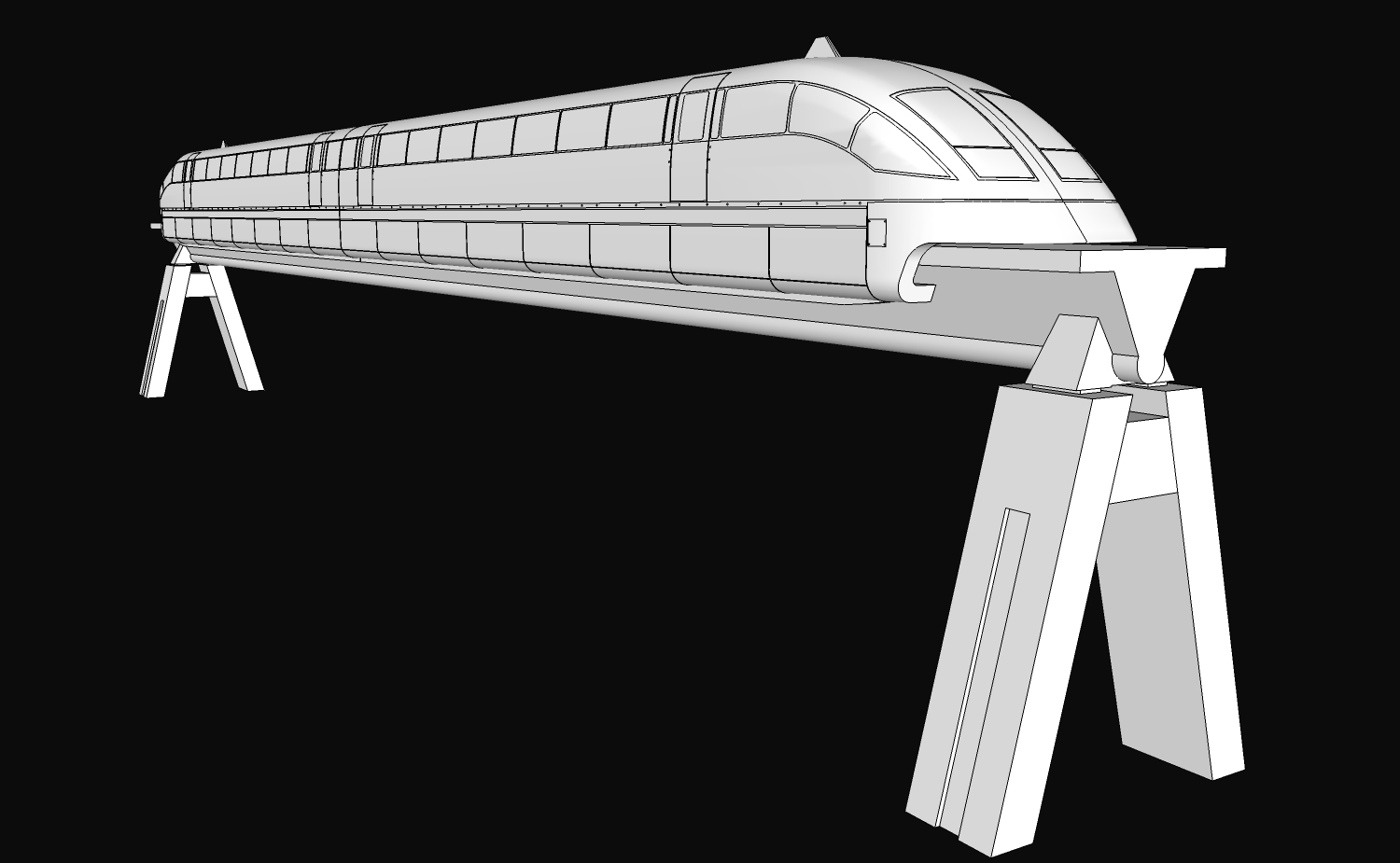
-
Thanks guys !
Jeff , indeed your method worked.And yes there seemed to be some other hidden lines that I was not aware of .
The idea is that this shouldn't happened . This was a special case but there are many others where this happens especially when the geometry is not separated as mine .Yesterday I almost quit on it, but i had to deliver it and I had to pursue it and I finally ended by drawing a series of circles , copy paste them and I used Joint Push Pull(Thanks again Fredo!!) to pull them out !
Have a great one !
-
I've had this problem crop up periodically and it's an enormous pain at times. I figured that the planes were imperfect at some tolerance and I couldn't correct the problem. It doesn't happen all the time, but it happens enough. When it does I try to erase as many of the hidden lines as possible while leaving those that would cause planes to disappear. It's a time consuming pain. I've even erased absolutely everything and started from scratch only to have the hidden lines appear again often enough. Aarrrgh!!!
What I find doubly annoying is cleaning up a model only to find many of the lines reappearing after I saw the model. Undoing Check Validity removes the lines in the model I already erased, but that doesn't solve the issur that those reappearing lines have been saved in the model.






Advertisement