sketchucation logo sketchucation
    • 登入
    Oops, your profile's looking a bit empty! To help us tailor your experience, please fill in key details like your SketchUp version, skill level, operating system, and more. Update and save your info on your profile page today!
    🔌 Smart Spline | Fluid way to handle splines for furniture design and complex structures. Download

    Making tyres in SU

    已排程 已置頂 已鎖定 已移動 Newbie Forum
    sketchup
    65 貼文 11 Posters 4.8k 瀏覽 11 Watching
    正在載入更多貼文
    • 從舊到新
    • 從新到舊
    • 最多點贊
    回覆
    • 在新貼文中回覆
    登入後回覆
    此主題已被刪除。只有擁有主題管理權限的使用者可以查看。
    • GaieusG 離線
      Gaieus
      最後由 編輯

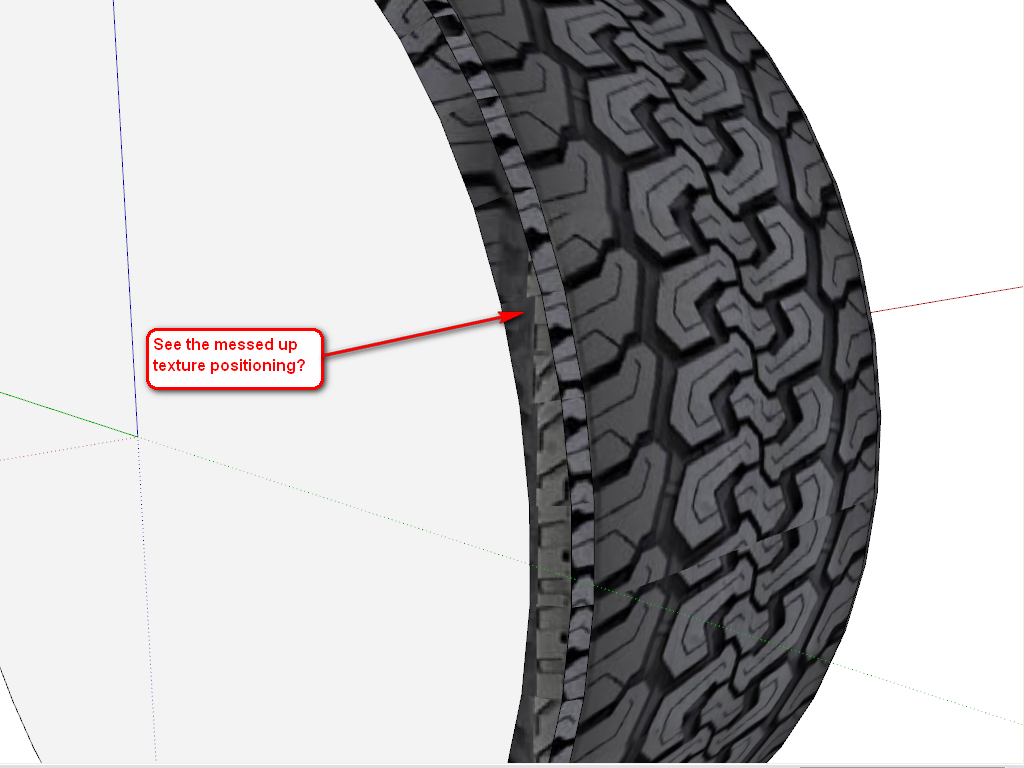
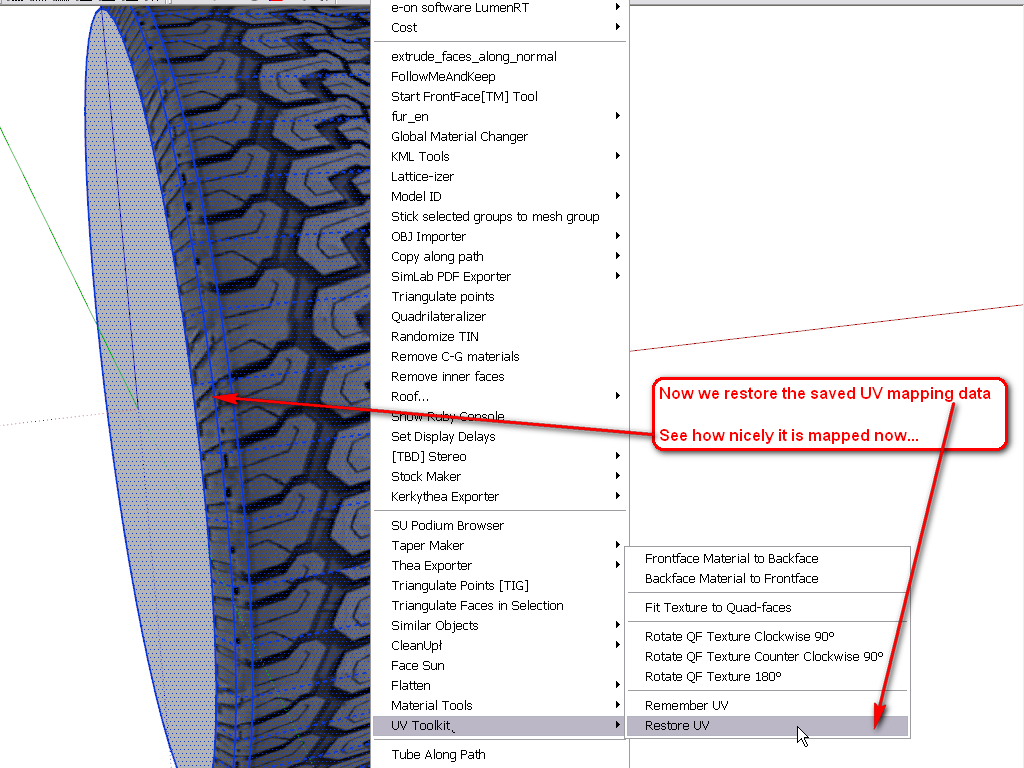
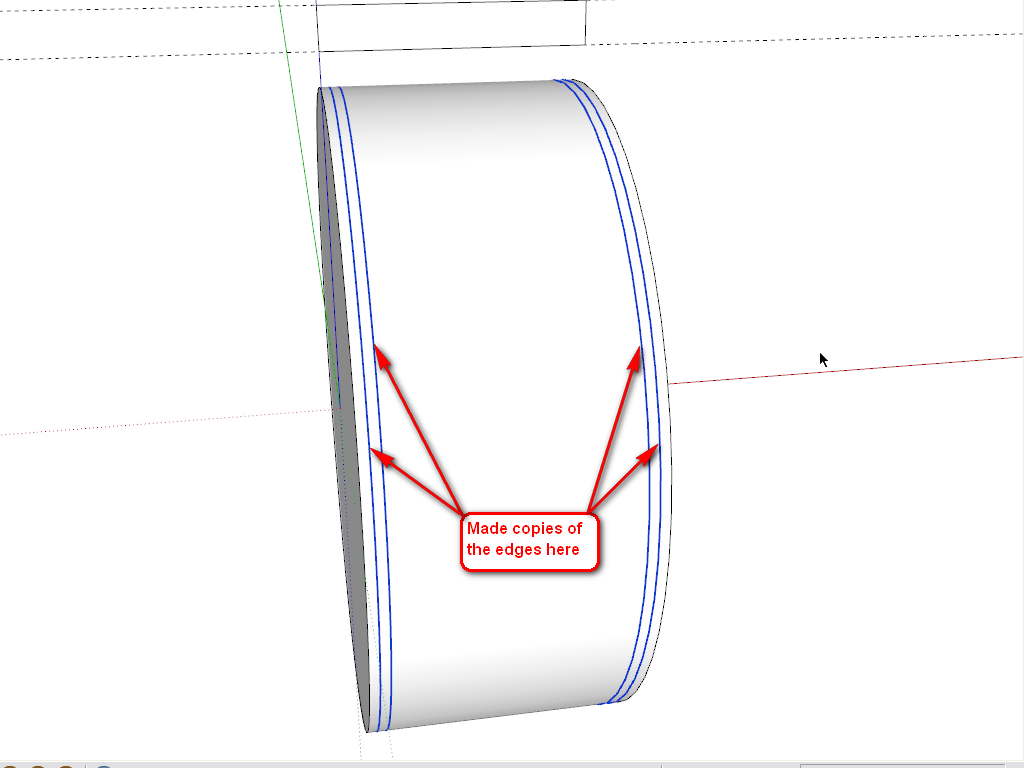
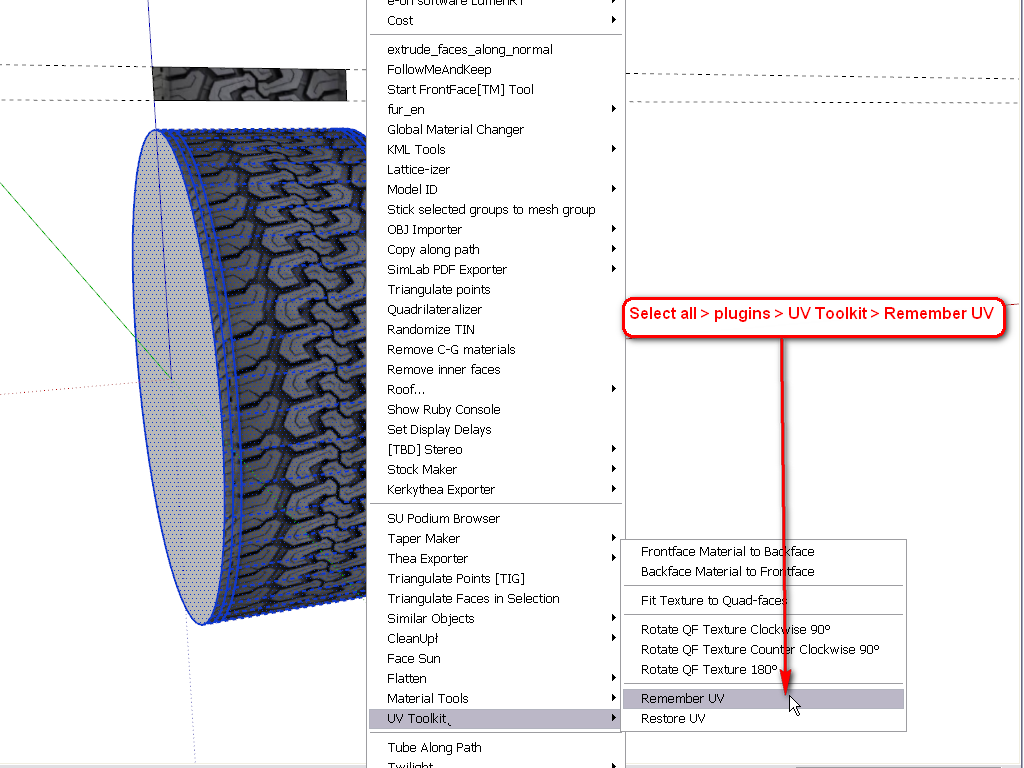
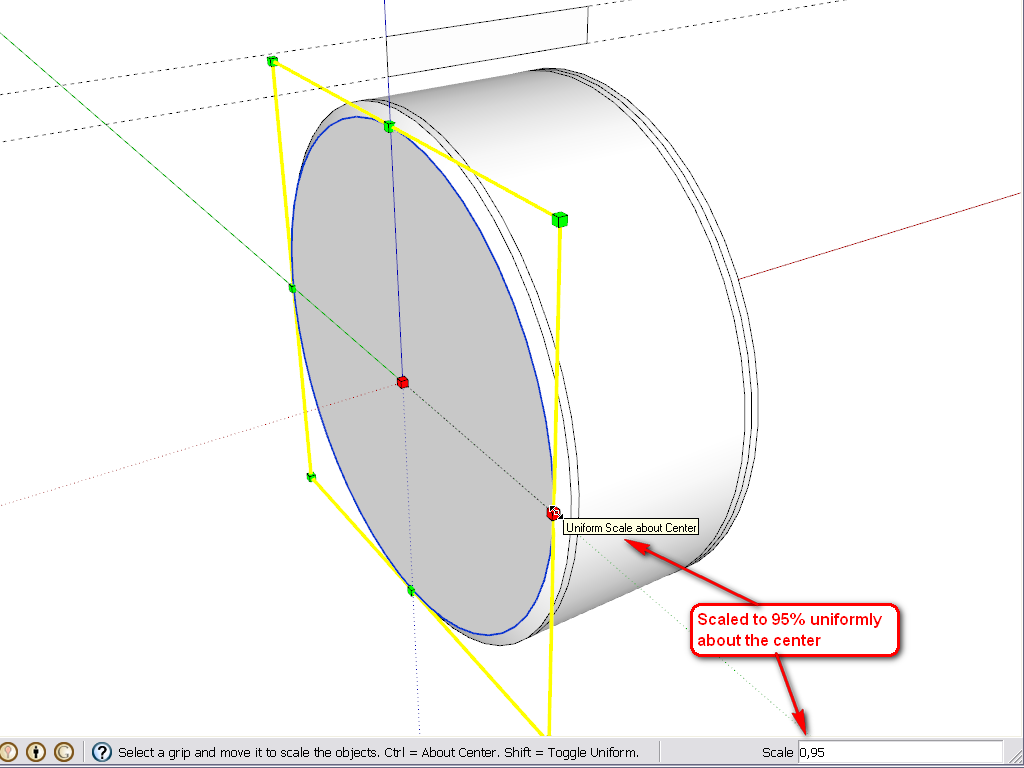
      Well, here are some steps (it could have been done differently, too - but this was the easiest from an already existing shape you made). The plugin I used can be downloaded here (note that some additional plugin is also needed and read the instructions carefully).

      This is the weakest part of SketchUp and if you want to nicely position some texture on a more complex, curved shape than a simple cylinder, you really need plugins.
      1.png


      2.png


      3.png


      4.png


      5.png


      6.png

      Gai...

      1 條回覆 最後回覆 回覆 引用 0
      • L 離線
        lecra
        最後由 編輯

        Gaieus,

        @gaieus said:

        Well, here are some steps (it could have been done differently, too - but this was the easiest from an already existing shape you made). The plugin I used can be downloaded here (note that some additional plugin is also needed and read the instructions carefully).

        This is the weakest part of SketchUp and if you want to nicely position some texture on a more complex, curved shape than a simple cylinder, you really need plugins.
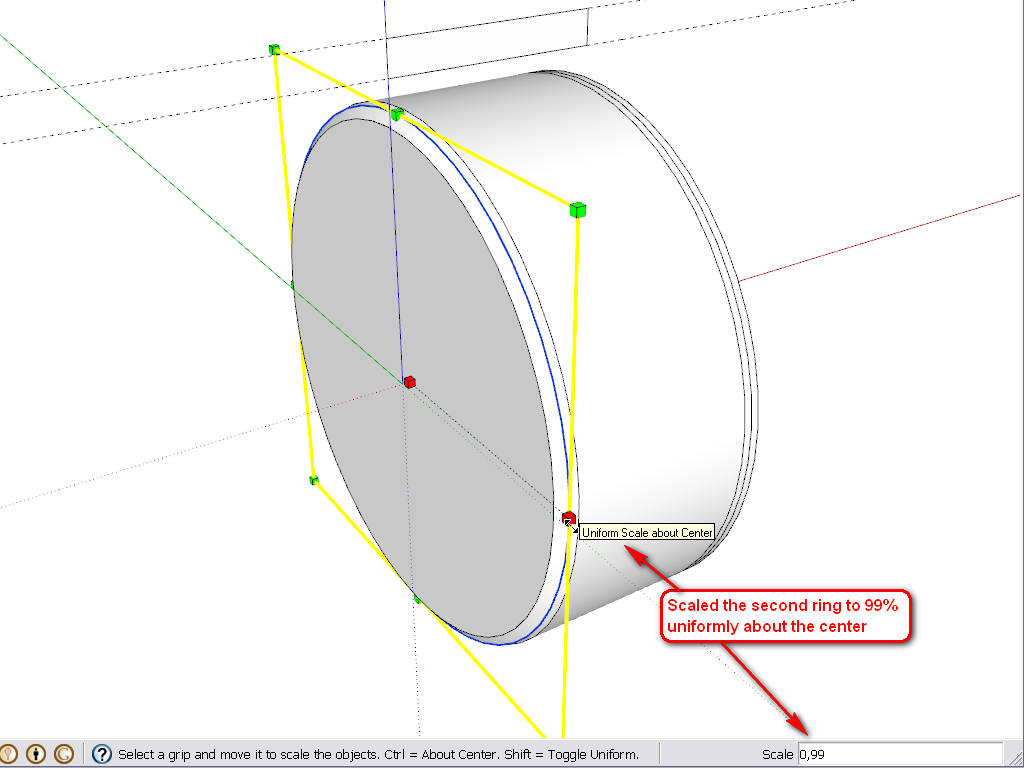
        Damn! I expected there was a plugin in the game! 😮 But I had to sweat some liter, what?

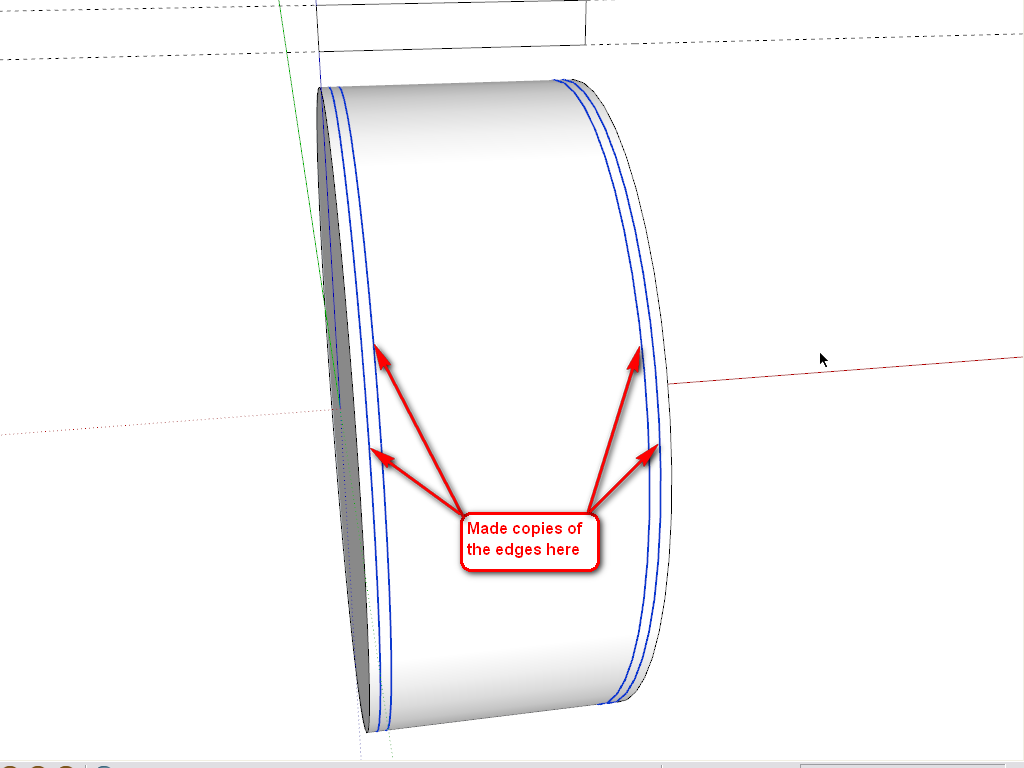
        In order to draw the 4 edges you have drawn, do I need another plugin?
        1.png

        Many thanks for the hints until now Gaieus!

        KR; Lecra

        I'm new to SU but so thirstily to learn all the stuff. Help me fighting against my thirst

        1 條回覆 最後回覆 回覆 引用 0
        • L 離線
          lecra
          最後由 編輯

          Gaieus,

          @gaieus said:

          In order to draw the 4 edges you have drawn, do I need another plugin?
          [attachment=0:1e0zy92x]<!-- ia0 -->1.png<!-- ia0 -->[/attachment:1e0zy92x]

          Many thanks for the hints until now Gaieus!

          Ups. I think I got it. Select the edge and choose the move tool, hit ctrl copy and move the edge. Right?

          KR; Lecra

          I'm new to SU but so thirstily to learn all the stuff. Help me fighting against my thirst

          1 條回覆 最後回覆 回覆 引用 0
          • L 離線
            lecra
            最後由 編輯

            Gilles,

            @gilles said:

            Have a look at this if it can help.
            step by step.

            Merci beaucoup! It's also a way but I have issue with the other side. The right side is not parallel to the left one. Maybe due to the texture.

            KR; Lecra

            I'm new to SU but so thirstily to learn all the stuff. Help me fighting against my thirst

            1 條回覆 最後回覆 回覆 引用 0
            • GaieusG 離線
              Gaieus
              最後由 編輯

              @lecra said:

              Ups. I think I got it. Select the edge and choose the move tool, hit ctrl copy and move the edge. Right?

              Exactly.

              @lecra said:

              Damn! I expected there was a plugin in the game! But I had to sweat some liter, what?

              Well, one really has to learn the basic tools first. In 90% of the cases, the simplest SU tools are enough - and even faster than tinkering with plugins.

              You could have started with this plugin (to simply map your tyre cylindrically):
              http://forums.sketchucation.com/viewtopic.php?t=10404
              or unwrap and texture nicely with this one:
              http://forums.sketchucation.com/viewtopic.php?t=39442
              or here is a very complex one that can do so many other things, too:
              http://forums.sketchucation.com/viewtopic.php?t=36051
              (there is a free version...)

              Gai...

              1 條回覆 最後回覆 回覆 引用 0
              • L 離線
                lecra
                最後由 編輯

                @Gaieus,

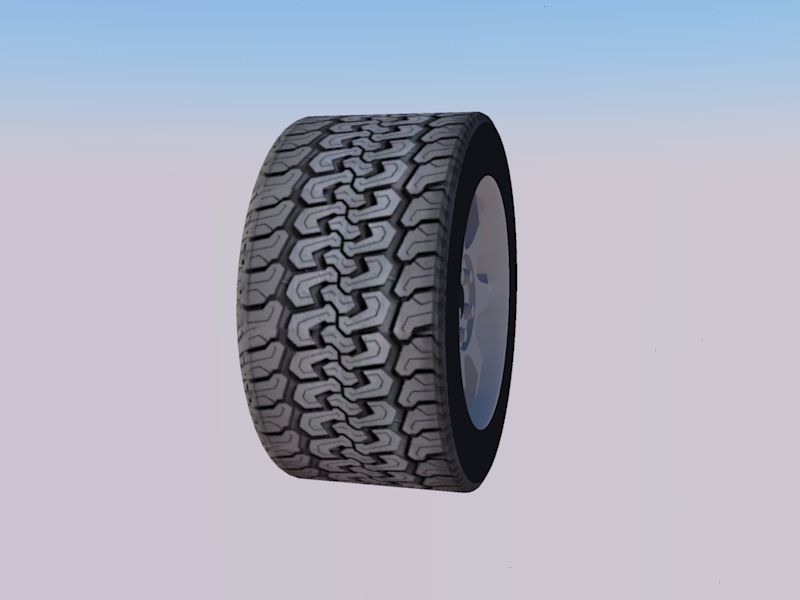
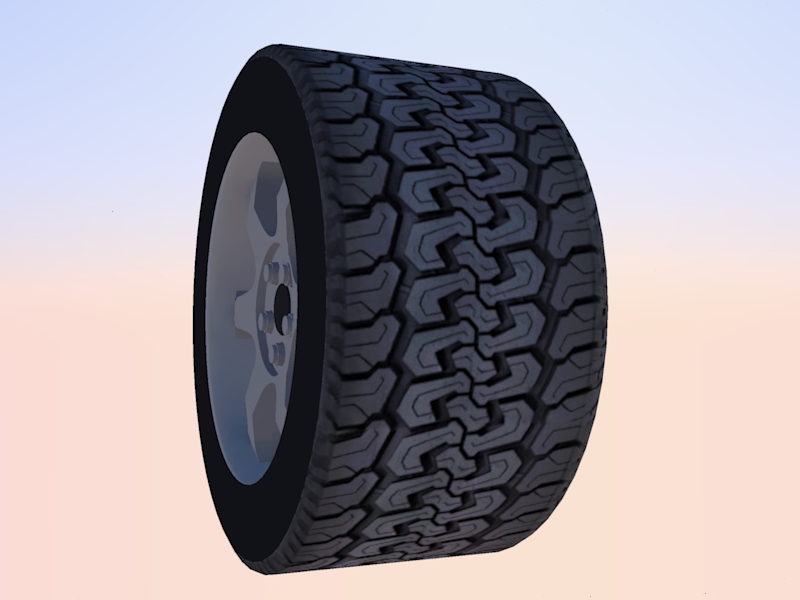
                Many thanks for your support and tutorial. It works like a charme....

                Below you can see the results. I'm no looking for tire treads images for agricultural (farm) vehicles.
                LecraTire _1.jpg

                LecraTire _2.jpg

                Thanks again. Great help.

                KR; Lecra

                I'm new to SU but so thirstily to learn all the stuff. Help me fighting against my thirst

                1 條回覆 最後回覆 回覆 引用 0
                • D 離線
                  driven
                  最後由 編輯

                  Looks good, how big/small is your skp now?
                  john

                  learn from the mistakes of others, you may not live long enough to make them all yourself...

                  1 條回覆 最後回覆 回覆 引用 0
                  • L 離線
                    lecra
                    最後由 編輯

                    Hi driven,

                    @driven said:

                    Looks good, how big/small is your skp now?
                    john

                    Exactly 504 Kb small/big 😄

                    KR; Lecra

                    I'm new to SU but so thirstily to learn all the stuff. Help me fighting against my thirst

                    1 條回覆 最後回覆 回覆 引用 0
                    • GaieusG 離線
                      Gaieus
                      最後由 編輯

                      Good. What are you rendering it with? It looks like Kerkythea. IMO a little (bit more enhanced?) bumpiness would add to it. Of course, eventually there needs to be some environment or a render to look good (even for the reflections as there needs to be something reflected of course)

                      Gai...

                      1 條回覆 最後回覆 回覆 引用 0
                      • GaieusG 離線
                        Gaieus
                        最後由 編輯

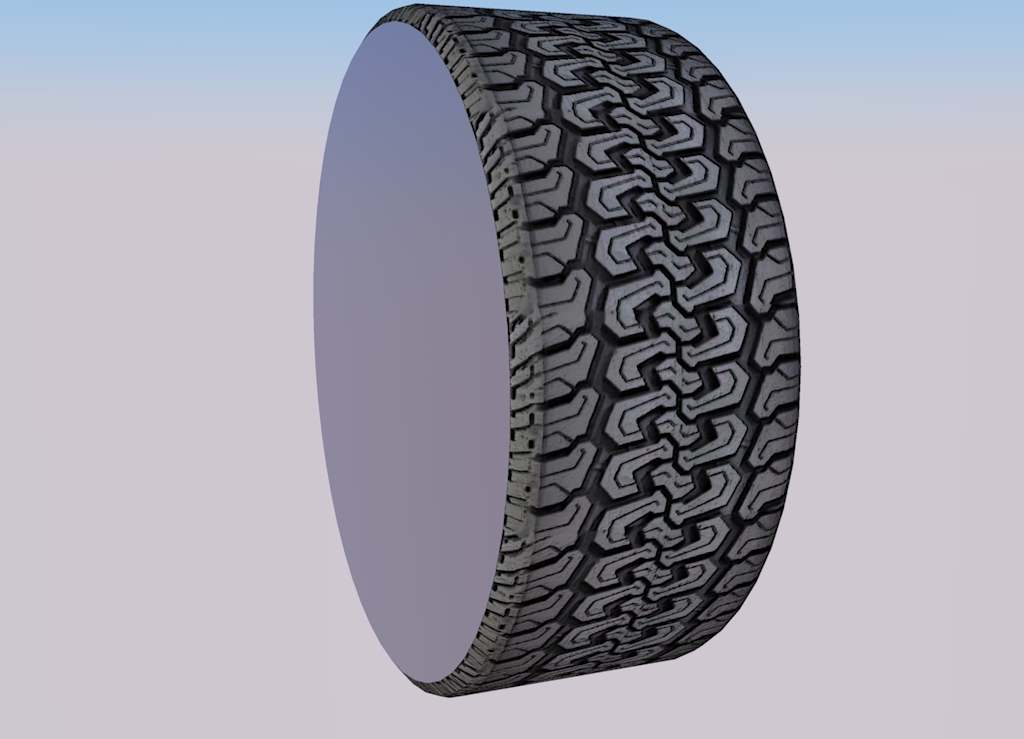
                        Good. What are you rendering it with? It looks like Kerkythea. IMO a little (bit more enhanced?) bumpiness would add to it. Of course, eventually there needs to be some environment for a render to look good (even for the reflections as there needs to be something reflected...)

                        tyre.jpg

                        Gai...

                        1 條回覆 最後回覆 回覆 引用 0
                        • simon le bonS 離線
                          simon le bon
                          最後由 編輯

                          Hi,
                          Definitely a useful thread with great tips and tricks 👍 😉

                          @gaieus said:

                          Good. What are you rendering it with? It looks like Kerkythea. IMO a little (bit more enhanced?) bumpiness would add to it. Of course, eventually there needs to be some environment for a render to look good (even for the reflections as there needs to be something reflected...)

                          my quote:
                          This tutorial Making Bump Maps in SKP from CanonFodder000 on Deviant Art

                          http://fc08.deviantart.net/fs71/f/2010/248/e/9/making_bump_maps_in_skp_by_canonfodder000-d2y3poi.png

                          simon

                          1 條回覆 最後回覆 回覆 引用 0
                          • L 離線
                            lecra
                            最後由 編輯

                            Gaieus,

                            @gaieus said:

                            Good. What are you rendering it with? It looks like Kerkythea.

                            Nope, Twilight. I have to admit, I was just rendering this image with the default settings. I have absolute no experience with rendering. I try to follow your suggestion learning first dominating SU and then to enter in the big world of rendering. I have to admit, that waiting would make me nervous but in my old age I have to be patient as I cannot learn so fast anymore! 🤣

                            KR; Lecra

                            I'm new to SU but so thirstily to learn all the stuff. Help me fighting against my thirst

                            1 條回覆 最後回覆 回覆 引用 0
                            • L 離線
                              lecra
                              最後由 編輯

                              Gaieus,

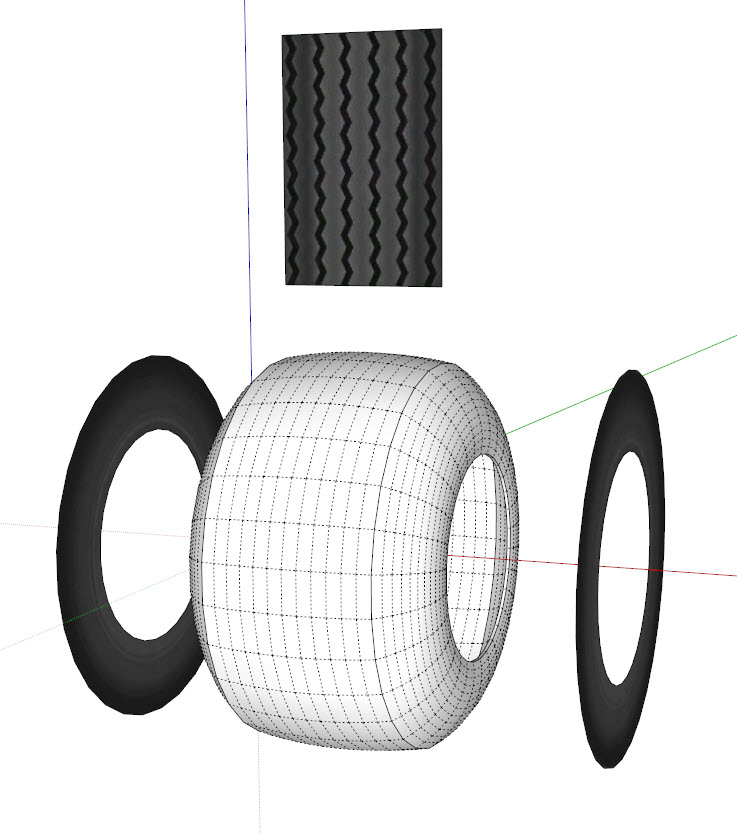
                              Unfortunately I encountered another challenge with my tires! This kind of tires is slightly curved on his tread as well as the sidewall. This means a lot more of hidden geometry 😳
                              In order to understand how I did this tire: I draw the profile with the arc tool and lines, then revolved with the follow-me tool.
                              FlotationTire.jpg

                              I really don't know how to apply the tread texture as well as the sidewall texture to the tire. I suppose that you will again 'do party pieces' taking out one of those wonderful plug-ins 😆
                              Attached my SU file:

                              FlotationTire.skp

                              Any suggestions how to overcome my problem?

                              Many thanks in advance for your great support.

                              KR; Lecra

                              I'm new to SU but so thirstily to learn all the stuff. Help me fighting against my thirst

                              1 條回覆 最後回覆 回覆 引用 0
                              • Alan FraserA 離線
                                Alan Fraser
                                最後由 編輯

                                Unfortunately, you can't use the method I described for mapping onto a rounded face like that. It will only work on a flat cylindrical face. Even in my example, the shoulders of the tread are not correctly mapped, because they are sloping. Fortunately, they are fairly thin, so you don't really notice. If you round the whole face of the tread, the whole system goes out the window.

                                You'd need to use some other more sophisticated mapping software, like Ultimate Unwrap 3D, or perhaps try Thomthom's Quadface Tools plugin.

                                3D Figures
                                Were you required to walk 500 miles? Were you advised to walk 500 more?
                                You could be entitled to compensation. Call the Pro Claimers now!

                                1 條回覆 最後回覆 回覆 引用 0
                                • soloS 離線
                                  solo
                                  最後由 編輯

                                  I did it in sections, used rotate copy.

                                  FlotationTire.png


                                  FlotationTire.skp

                                  http://www.solos-art.com

                                  If you see a toilet in your dreams do not use it.

                                  1 條回覆 最後回覆 回覆 引用 0
                                  • L 離線
                                    lecra
                                    最後由 編輯

                                    @solo,

                                    Great!!! Could you explain me step by step what you did? Have you used UV Toolkit2 for that?

                                    Please, please solo, tell me what you did! 😄

                                    KR; Lecra

                                    I'm new to SU but so thirstily to learn all the stuff. Help me fighting against my thirst

                                    1 條回覆 最後回覆 回覆 引用 0
                                    • L 離線
                                      lecra
                                      最後由 編輯

                                      Alan,

                                      @alan fraser said:

                                      You'd need to use some other more sophisticated mapping software, like Ultimate Unwrap 3D, or perhaps try Thomthom's Quadface Tools plugin.

                                      Thank you for your answer. I had a look to Quadface Tools but as a newbee it is not so easy to apply these tools. I had a look to the movies from thomthom but it sounds for me very strong.

                                      KR; Lecra

                                      I'm new to SU but so thirstily to learn all the stuff. Help me fighting against my thirst

                                      1 條回覆 最後回覆 回覆 引用 0
                                      • soloS 離線
                                        solo
                                        最後由 編輯

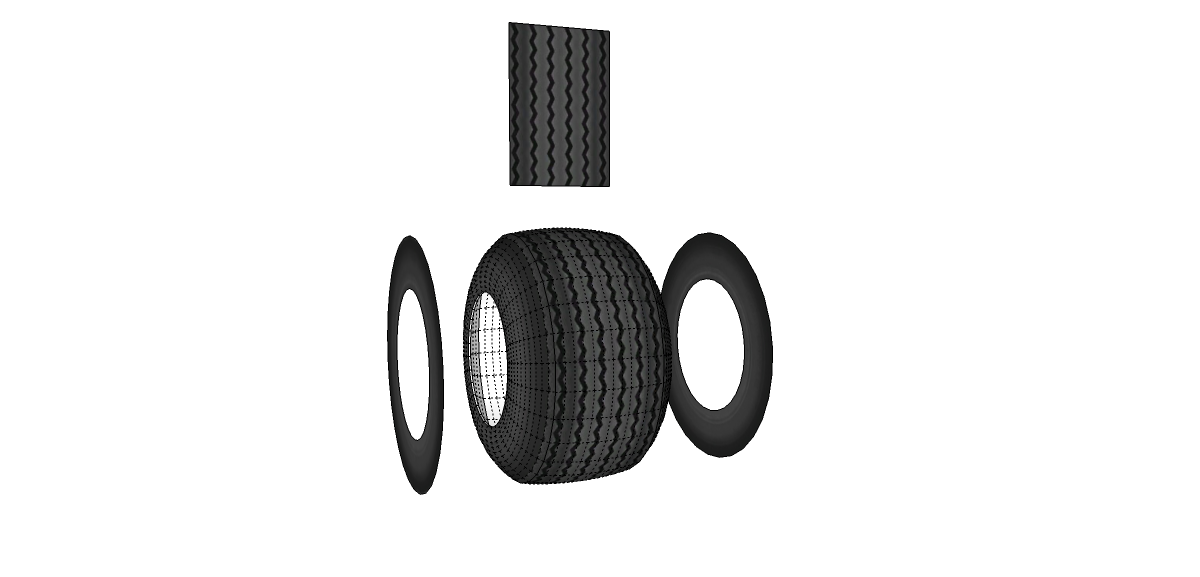
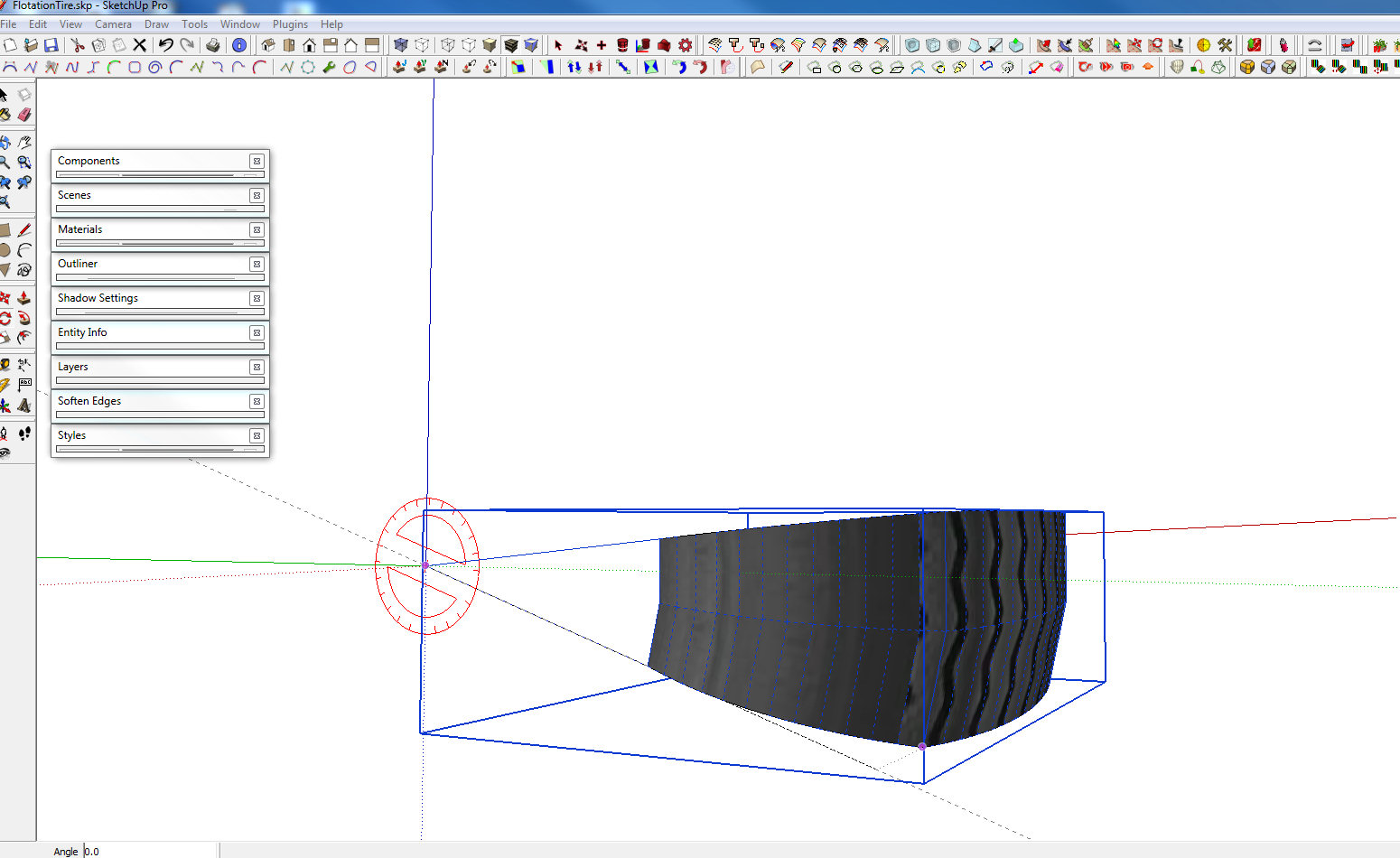
                                        I create a section, then copy rotate, see images.
                                        rotat1.jpg

                                        rotat2.jpg

                                        http://www.solos-art.com

                                        If you see a toilet in your dreams do not use it.

                                        1 條回覆 最後回覆 回覆 引用 0
                                        • L 離線
                                          lecra
                                          最後由 編輯

                                          solo,

                                          @solo said:

                                          I create a section, then copy rotate, see images.
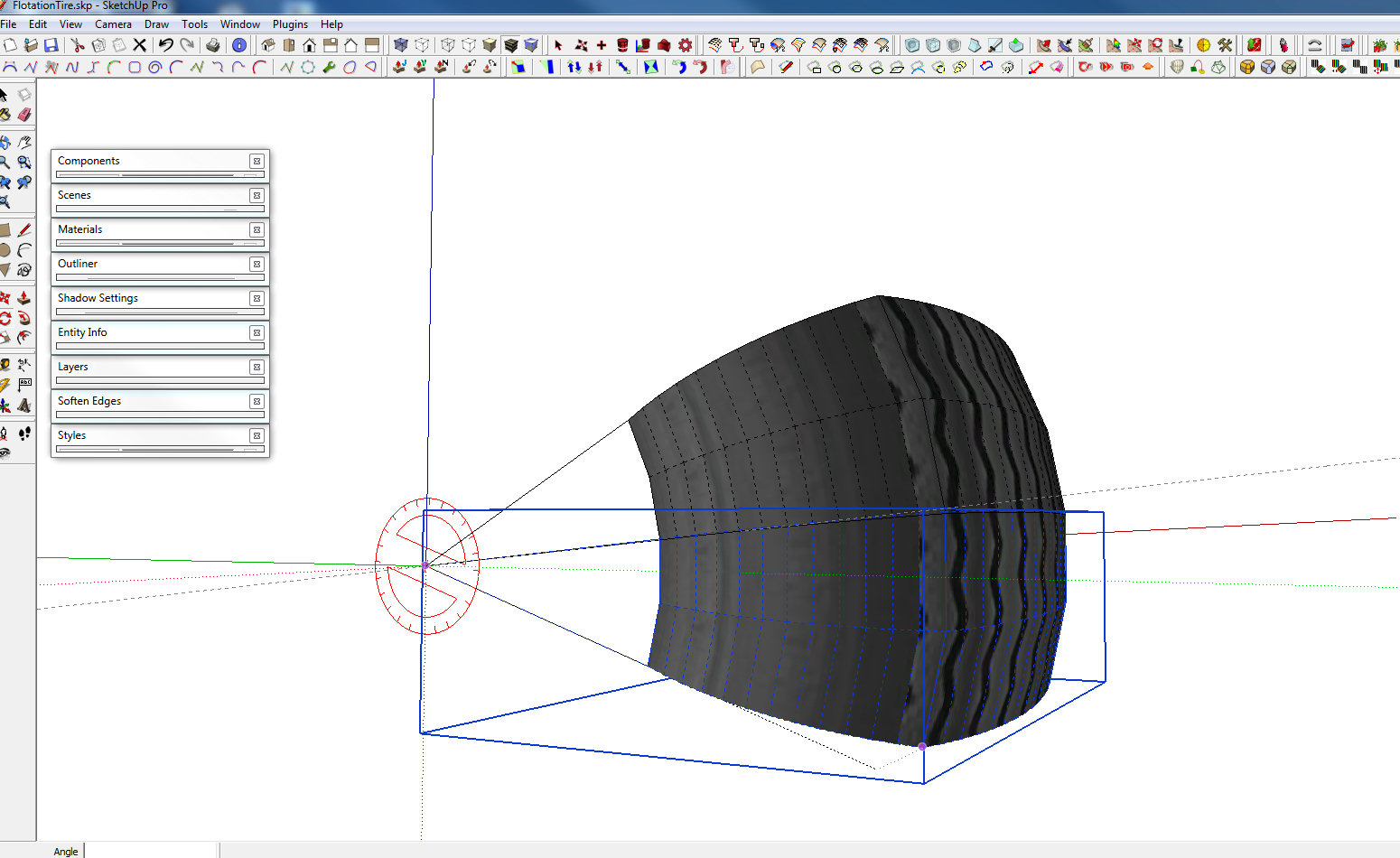
                                          Thank you for your answer. I got it, but I imagine that you have textured the section in the same way as Alan proposed in this thread, right?

                                          KR; Lecra

                                          I'm new to SU but so thirstily to learn all the stuff. Help me fighting against my thirst

                                          1 條回覆 最後回覆 回覆 引用 0
                                          • GaieusG 離線
                                            Gaieus
                                            最後由 編輯

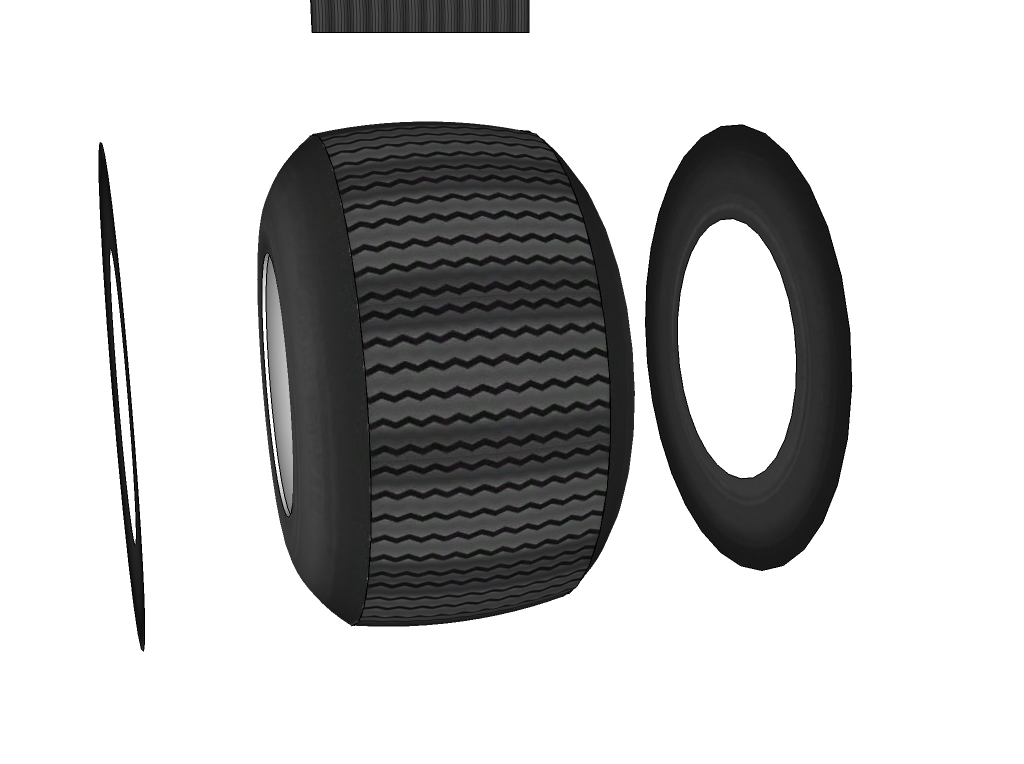
                                            I used UV Tools (not UV Toolit) > cylindrical projection on the middle part and simply projected the sides (I had to scale the sides up by 1.01% as there was a white halo around).

                                            FlotationTire.jpg
                                            FlotationTire.skp

                                            I also used Twilight above (technically speaking, it will result very similar renders as Kerkythea since it uses its engine).


                                            Gai...

                                            1 條回覆 最後回覆 回覆 引用 0
                                            • 1
                                            • 2
                                            • 3
                                            • 4
                                            • 2 / 4
                                            • 第一個貼文
                                              最後的貼文
                                            Buy SketchPlus
                                            Buy SUbD
                                            Buy WrapR
                                            Buy eBook
                                            Buy Modelur
                                            Buy Vertex Tools
                                            Buy SketchCuisine
                                            Buy FormFonts

                                            Advertisement