sketchucation logo sketchucation
    • Login
    Oops, your profile's looking a bit empty! To help us tailor your experience, please fill in key details like your SketchUp version, skill level, operating system, and more. Update and save your info on your profile page today!
    Mac User? | Join the Rayscaper Beta for Mac Learn More

    [Plugin] Simple Plugin Installer

    Scheduled Pinned Locked Moved Plugins
    83 Posts 29 Posters 189.0k Views 29 Watching
    Loading More Posts
    • Oldest to Newest
    • Newest to Oldest
    • Most Votes
    Reply
    • Reply as topic
    Log in to reply
    This topic has been deleted. Only users with topic management privileges can see it.
    • A
      archxcalibur1992
      last edited by

      Thank you guys. Apparently my "check for updates" option in preferences was unchecked.

      And till now i have been using sketchup without ever facing issues so never realized updates have come.

      Thank you ThomThom, I finally managed to get your shell plugin working, it's been really useful.
      I'm glad to have joined this community, has already helped me a lot with my modelling work.
      Looking forward to give some input from my side too πŸ˜„

      On a side note, I'm experiencing issues with sketchup becoming a little slower, i mean its lagging a little after the update, any input on this guys?

      1 Reply Last reply
      Reply Quote 0
      • thomthomT
        thomthom
        last edited by

        Could be that you have run into issues with messed up toolbar registry items. Are you comfortable navigating the registry?

        Thomas Thomassen β€” SketchUp Monkey & Coding addict
        List of my plugins and link to the CookieWare fund

        1 Reply Last reply
        Reply Quote 0
        • A
          archxcalibur1992
          last edited by

          Actually, I have no idea how to edit anything regarding the registry. But then I'm a fast learner.

          Anyways the issue seems to have gone now after i restarted my laptop.

          1 Reply Last reply
          Reply Quote 0
          • architexA
            architex
            last edited by

            sorry mate.

            I am Portuguese. can you tell me were i can find ruby console+ in the preference tab.

            I have SU 8pro installed and it is not there.

            How can i install cleanup3 plugin?

            teach me please.

            1 Reply Last reply
            Reply Quote 0
            • Dave RD
              Dave R
              last edited by

              The Ruby Console is under the Window menu.

              Etaoin Shrdlu

              %

              (THERE'S NO PLACE LIKE)

              G28 X0.0 Y0.0 Z0.0

              M30

              %

              1 Reply Last reply
              Reply Quote 0
              • S
                sketch-gary
                last edited by

                WOW!
                I just installed your installer and I can now load all the .rb scripts that I couldn't before. I'm new to Sketchup and the ruby script thing was crazy - can't load .rb files - now I can.

                Wonderful, thanks so much!

                Gary

                1 Reply Last reply
                Reply Quote 0
                • M
                  mvdberg
                  last edited by

                  Thanks for this great plugin!! It helped me saving a lot of work just when I needed it.
                  Great job!

                  Marlon

                  1 Reply Last reply
                  Reply Quote 0
                  • T
                    TattanDee
                    last edited by

                    My sketchup doesnt have an " install extension" button .. any explanations ?

                    1 Reply Last reply
                    Reply Quote 0
                    • GaieusG
                      Gaieus
                      last edited by

                      Hi Dima,

                      Have you got the latest version of SketchUp 8? This feature was introduced in Maintenance release 2 only.

                      Gai...

                      1 Reply Last reply
                      Reply Quote 0
                      • K
                        kungfu
                        last edited by

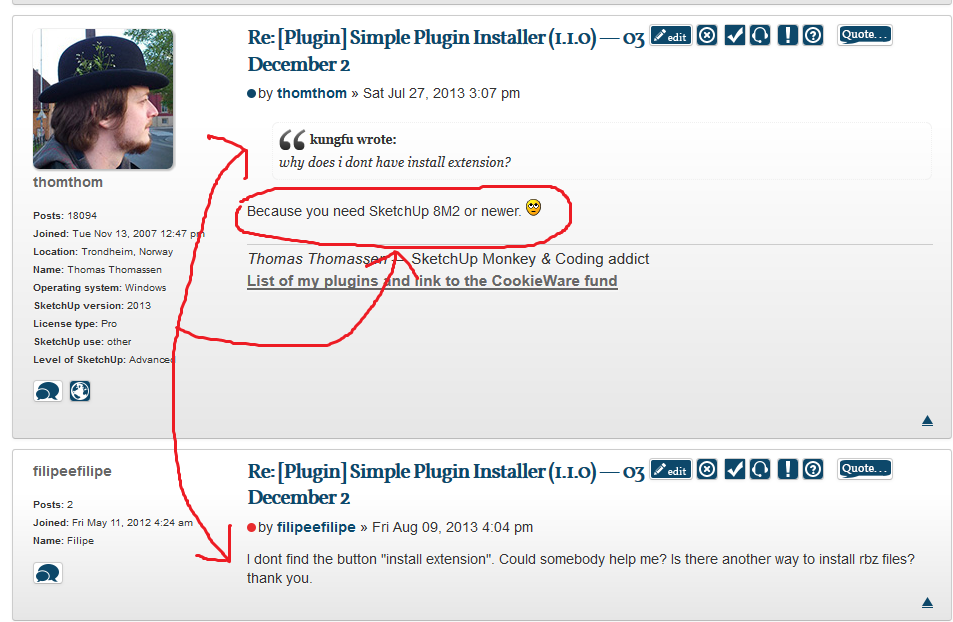
                        why does i dont have install extension?

                        1 Reply Last reply
                        Reply Quote 0
                        • massimoM
                          massimo Moderator
                          last edited by

                          Look at the post above yours.

                          1 Reply Last reply
                          Reply Quote 0
                          • thomthomT
                            thomthom
                            last edited by

                            @kungfu said:

                            why does i dont have install extension?

                            Because you need SketchUp 8M2 or newer. πŸ˜’

                            Thomas Thomassen β€” SketchUp Monkey & Coding addict
                            List of my plugins and link to the CookieWare fund

                            1 Reply Last reply
                            Reply Quote 0
                            • F
                              filipeefilipe
                              last edited by

                              I dont find the button "install extension". Could somebody help me? Is there another way to install rbz files? thank you.

                              1 Reply Last reply
                              Reply Quote 0
                              • massimoM
                                massimo Moderator
                                last edited by

                                Cattura.PNG

                                1 Reply Last reply
                                Reply Quote 0
                                • F
                                  filipeefilipe
                                  last edited by

                                  Massimo, i had seen that post. I've asked if there is another way to instal rbz files. I dont want change my sketchup version. thank you.

                                  1 Reply Last reply
                                  Reply Quote 0
                                  • GaieusG
                                    Gaieus
                                    last edited by

                                    In that case, simply change the *rbz extension to *.zip, open the archive and copy the content into the plugins folder of your SketchUp application.

                                    Gai...

                                    1 Reply Last reply
                                    Reply Quote 0
                                    • F
                                      filipeefilipe
                                      last edited by

                                      It worked! thank you, Gaieus!

                                      1 Reply Last reply
                                      Reply Quote 0
                                      • SKYNET-71S
                                        SKYNET-71
                                        last edited by

                                        Hi to all, i have a problem with sk 8 pro, do not upload it to m2. It's possible a manual installation? How can I use the plugins with the extension rbz without the button "install extensions" or without the Maintenance Release 2? What's the difference between "VERTEX TOOLS v 1.1 and BEZIER SURFACE? What's the best? Thanks for help. Greetings to all.

                                        1 Reply Last reply
                                        Reply Quote 0
                                        • Dave RD
                                          Dave R
                                          last edited by

                                          Why wouldn't you upgrade to at least the last maintenance release of SU8? If you really aren't going to do that, change the .RBZ extension to .ZIP. Then you can extract and manually install the files within. Make sure you maintain the file structure within the downloaded file. Also make sure you read the thread from which you download the file and be sure you get any required supporting files and install them correctly, too.

                                          Etaoin Shrdlu

                                          %

                                          (THERE'S NO PLACE LIKE)

                                          G28 X0.0 Y0.0 Z0.0

                                          M30

                                          %

                                          1 Reply Last reply
                                          Reply Quote 0
                                          • SKYNET-71S
                                            SKYNET-71
                                            last edited by

                                            Hi.I have a problem for installing the "rbz" files. I just updated SU 8 pro, BUT I CAN NOT INSTALL PLUGINS rbz! I followed all the explanations, but without solving the problem. In my System Preferences window, there is no "Ruby Console+" (why?)but in Windows <Ruby Console, yes. The file to be loaded with rbz system preferenes <install extensions or Plugins<Install, must stay in the plugins folder or can stand even in the desktop? Messages SKETCHUP when I install the plugins rbz are ok, Quadface Tools STAY in the System preferences Window but I can not find it in tools / plugins ! Can anyone help me please? Thanks.

                                            SKYNET-71

                                            1 Reply Last reply
                                            Reply Quote 0

                                            Hello! It looks like you're interested in this conversation, but you don't have an account yet.

                                            Getting fed up of having to scroll through the same posts each visit? When you register for an account, you'll always come back to exactly where you were before, and choose to be notified of new replies (either via email, or push notification). You'll also be able to save bookmarks and upvote posts to show your appreciation to other community members.

                                            With your input, this post could be even better πŸ’—

                                            Register Login
                                            • 1
                                            • 2
                                            • 3
                                            • 4
                                            • 5
                                            • 3 / 5
                                            • First post
                                              Last post
                                            Buy SketchPlus
                                            Buy SUbD
                                            Buy WrapR
                                            Buy eBook
                                            Buy Modelur
                                            Buy Vertex Tools
                                            Buy SketchCuisine
                                            Buy FormFonts

                                            Advertisement