[Plugin] FredoTools::ReportLabelArea - v3.2a - 05 Feb 20
-
@caronte01 said:
Hi Fredo,
I downloaded this tool as part of Fredo6 tools pack. Makes Sketchup one of the most useful tools for architectural design. I constantly use it to report areas and update area schedules of projects. I now use sketchup as a 2d tool more and more. Bye autocad!!!
Thanks a lot!!!
Thanks for the comment. If you think there is additional functionality that could be useful, do not hesitate. This is not an area where I am myself familiar.
Fredo
-
Hello, guys.
Finally I've a first post.
Fredo, thanks a lot for your tooling! It really helps!
My question is on exReportArea principle, that I'd like to turn to my needs. I used ReportArea (now ReportLabelArea) for the interior design. It works great. And I just checked this new one.
I'm not a Ruby pro, and maybe you should send me to the Ruby forum section. Now I'd like use SU as a mass-modeling tool, and it seems to me there's no simple plugin to do it (if there is one, please, post a link!). Revit or ArchiCAD methods sometimes are a bit clumsy in mass-modeling. And the cost isn't nice for a such simple task.
What I'd like to get a data structure in csv from SU model is as follows:- group
-- name
-- material area (e.g. 3 mats = 3 area values)
-- layer
-- volume
-- etc
The data structure appears to be an hierarchical one, because I'd like to get the parameters of each group/component from my model. Materials and naming are the core of the way of information mgmt I use within SU.
Almost the same for a Component. Actually if I get a long unformatted list of data, I could sort it in Excel.
Now I have no idea which code pattern to use -could you guide here? Any advices, links? I bought last week a brand-new book by Alex Schreyer, but it didn't help me.
Thanks in advance! - group
-
Just a note of thanks, Fredo, for a typically powerful multifaceted, super-documented and pleasing to behold tool-set. If I could master your tools alone, I would consider that quite a worthwhile accomplishment.
-
@brookefox said:
Just a note of thanks, Fredo, for a typically powerful multifaceted, super-documented and pleasing to behold tool-set. If I could master your tools alone, I would consider that quite a worthwhile accomplishment.
Thanks very much for the encouraging appreciation. This one came from a user request some time ago. It's a little bit complex because there are many options and situations where only the user can decide (like selecting a face, a surface or a component). So I have to leave the options open and provide some documentation.
Fredo
-
Hello everyone,
I was trying to generate my first report on areas from a project I have and I came across this question.
Is it possible to report the area of a face minus the hole cutting component's areas attached to the face?

The entity info window reports them but I didn't find a way to do that on this tool.
Thank you fredo for all the unbelieveable tools... box stretching... perfect!
-
Report on Areas:
trying to "Export CSV" I get the error code: "Error in generation of CSV file: //filename.csv
please help
Helmut Karger -
NEW RELEASE: ReportLabelArea 2.1a - 09 Jul 15
ReportLabelArea 2.1a fixes a problem related to glued components on faces. Now, for glued components in Cut opening mode, the contact area of theopening is deducted from the area of the face.
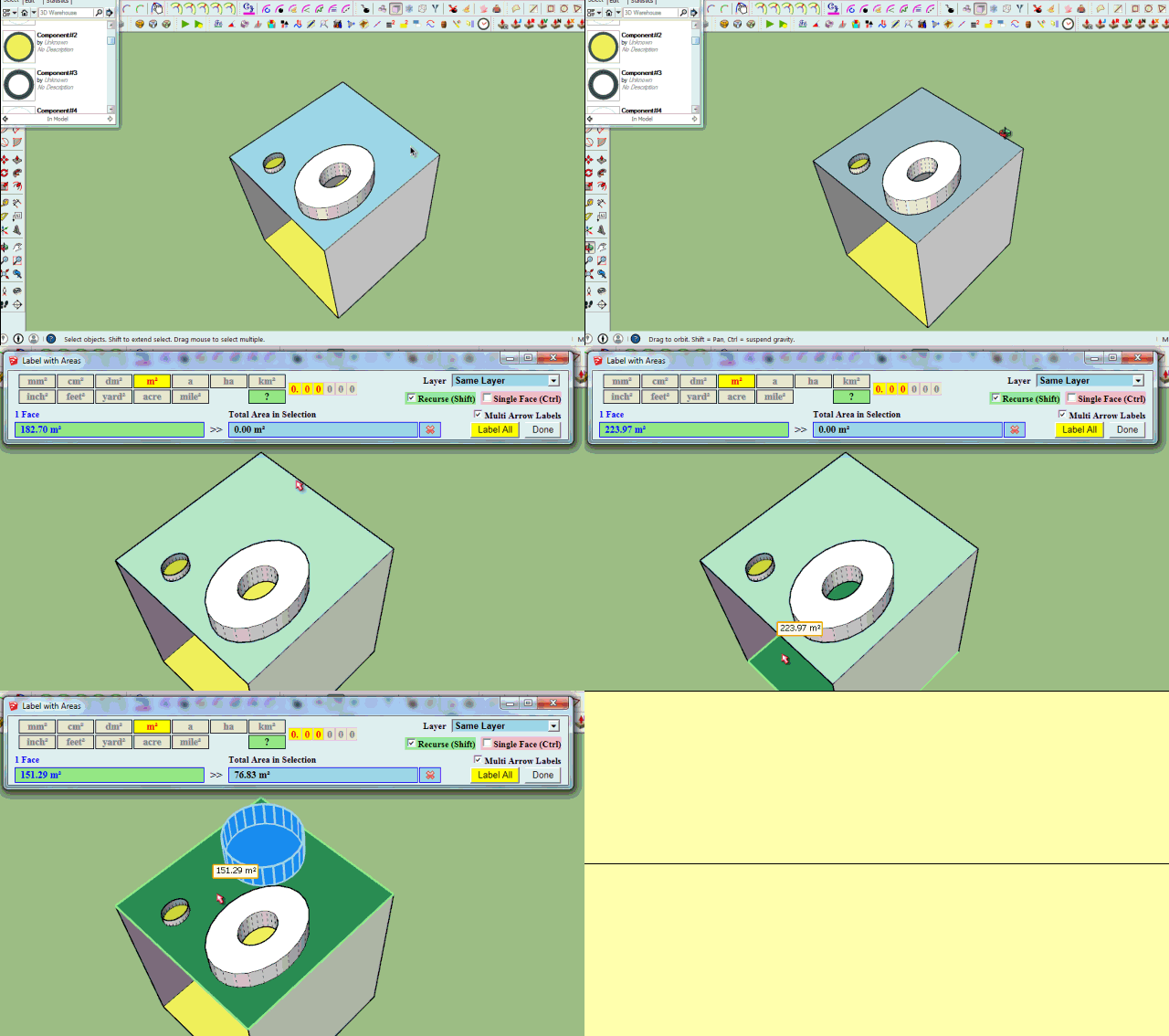
See main post of this thread for more information.
Fredo
-
This update is fantastic Fredo. This issue with glued components was the only thing keeping me from using it! Thank you very much!
-
HI Fredo,
Great tool concept! - this really improves things for those of us who create Site Plans in Sketchup.But I'm having trouble using the Label Areas function.
I have selected a number of faces, and the areas are being reported when I hover over each one, as well as the total area of all faces. However, the area labels (text tags?) are not appearing when I click "Label Areas".
I checked layer visibility. Is there something else I can try?If you can sort this out for me I will give you a nice big donation

Thanks!
-
You need to:
- Click and drag to place the label
- or double-click to have the label appears without lead line
Fredo
-
Dear Fredo,
your tools are fantastic, as you probably know. They are like the knifes from Switzerland.
One small question:
Trying to export an CSV file, I get a message: "Error in generation of CSV file".
Any idea ?Best
Carotis -
Hello,
i would be really happy to use this pludin in SU 2017 - but was not working
Error Loading File Fredo6_FredoTools.rb
Error: #<LoadError: cannot load such file -- Fredo6_!LibFredo6.rb>
C:/Program Files/SketchUp/SketchUp 2017/Tools/RubyStdLib/rubygems/core_ext/kernel_require.rb:54:inrequire' C:/Program Files/SketchUp/SketchUp 2017/Tools/RubyStdLib/rubygems/core_ext/kernel_require.rb:54:inrequire'
C:/Users/Richie/AppData/Roaming/SketchUp/SketchUp 2017/SketchUp/Plugins/Fredo6_FredoTools.rb:25:in `<top (required)>'either i was trying SU 2013 - plugin was installed, but Report on Area (which i need) was not working
((
so i tried it on SU8 ...but there i couldnt even find the way how to instal plugin (!!)oh i am just poor unhappy user
-
naah ... it works ! in SU2017 ..
but why did not developer wrote for fredoTools plugin the necessity to install also FredLib where the error window show-up ???thank you for these plugins
-
NEW RELEASE: ReportLabelArea 3.0a - 16 Oct 19
ReportLabelArea 3.0a introduces a new view and report, called Outliner, based on a hierarchical tree of groups and components in the selection or the whole model. This also work for the export to Excel.
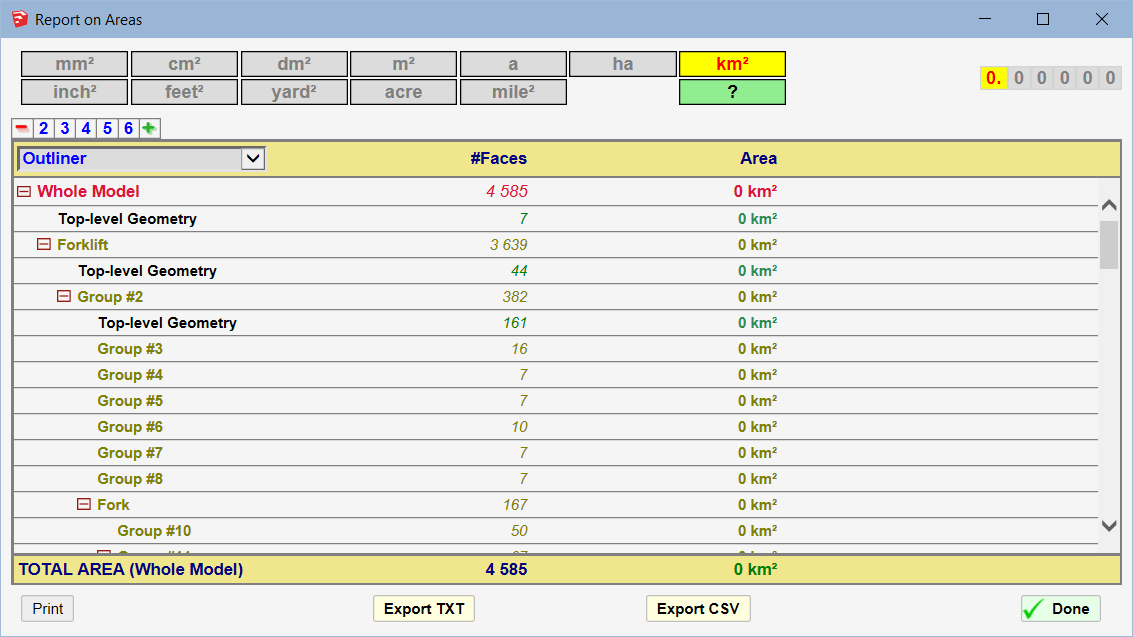
See main post of this thread for more information.
Fredo
-
NEW RELEASE: ReportLabelArea 3.1e - 02 Nov 19
ReportLabelArea 3.1e introduces a more interactive flow,
- Refresh button.
- More options for export
- Other cosmetic adjustments and bug fixing.
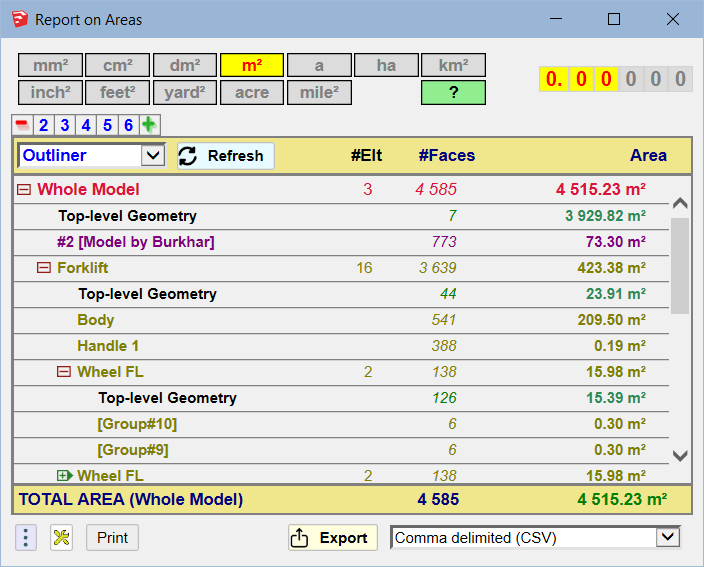
It is available as of FredoTools v3.7a.
See FredoTools plugin home page for Download.
See also main post of this thread for User Discussion.
Fredo
-
NEW RELEASE: ReportLabelArea 3.2a - 05 Feb 20
ReportLabelArea 3.2a introduces an evolution in the reporting by material. It takes into account the material of the container objects, which are automatically assigned to faces which have no material defined.
It is available as of FredoTools v3.8b and also requires LibFredo6 v9.5e or above.
See FredoTools plugin home page for Download.
See also main post of this thread for User Discussion.
Fredo
-
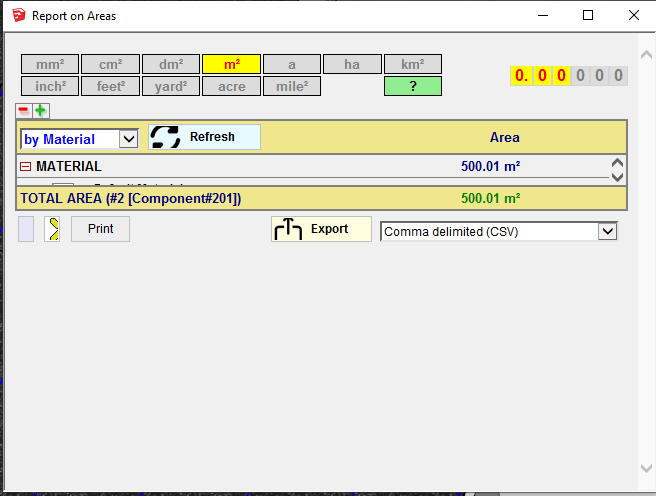 I have a problem with the latest version where the HTML table is collapsed.
I can only read the 1x line at the time. (See screenshot)
The only option is to export the report as a CSV in order to be able to read it. -
There is no screenshot attached...
But can you resize the dialog window ?
-
@fredo6 said:
There is no screenshot attached...
But can you resize the dialog window ?
Yes, I can resize the window but the table stays collapsed.
-
I don't even know if you are on Windows or Mac, which version of Sketchup.
A screenshot would also help.







Advertisement