sketchucation logo sketchucation
    • 登入
    Oops, your profile's looking a bit empty! To help us tailor your experience, please fill in key details like your SketchUp version, skill level, operating system, and more. Update and save your info on your profile page today!
    🔌 Smart Spline | Fluid way to handle splines for furniture design and complex structures. Download

    [Plugin] QuadFaceTools

    已排程 已置頂 已鎖定 已移動 Plugins
    673 貼文 116 Posters 544.8k 瀏覽 116 Watching
    正在載入更多貼文
    • 從舊到新
    • 從新到舊
    • 最多點贊
    回覆
    • 在新貼文中回覆
    登入後回覆
    此主題已被刪除。只有擁有主題管理權限的使用者可以查看。
    • thomthomT 離線
      thomthom
      最後由 編輯

      That's a pesky bug I've not been able to squash yet: https://bitbucket.org/thomthom/tt-library-2/issues/18/tt-settings-with-length-cause-errors

      Try this in the Ruby Console as a workaround:

      
      TT;;Plugins;;QuadFaceTools.settings[;uv_u_scale] = 1.0
      TT;;Plugins;;QuadFaceTools.settings[;uv_v_scale] = 1.0


      Thomas Thomassen — SketchUp Monkey & Coding addict
      List of my plugins and link to the CookieWare fund

      1 條回覆 最後回覆 回覆 引用 0
      • tuna1957T 離線
        tuna1957
        最後由 編輯

        👍 👍

        1 條回覆 最後回覆 回覆 引用 0
        • thomthomT 離線
          thomthom
          最後由 編輯

          I'll try to find a fix that doesn't break other extensions. The challenge with this is that is happening inside of TT_Lib2 - which is shared my most of my other extensions. 😕

          Thomas Thomassen — SketchUp Monkey & Coding addict
          List of my plugins and link to the CookieWare fund

          1 條回覆 最後回覆 回覆 引用 0
          • thomthomT 離線
            thomthom
            最後由 編輯

            Hi everyone

            I have uploaded a new version of QFT - 0.10.0. It doesn't have new end-user features, but I implemented the error handler which Solid Inspector, SUbD and Vertex Tools already use. This means that if you run into Ruby errors you will get a dialog that let you submit it back to me.

            Please upgrade and make sure you hit submit when you run into errors. I'm trying to map out the various bugs in the extension. "Got to catch them all!" 😛

            Thomas Thomassen — SketchUp Monkey & Coding addict
            List of my plugins and link to the CookieWare fund

            1 條回覆 最後回覆 回覆 引用 0
            • plot-parisP 離線
              plot-paris
              最後由 編輯

              Hey guys,

              I run into this problem quite often, where I model a shape, making sure, every surface is a quad.

              But when I use SUbD to subdivide, it looks wrong.

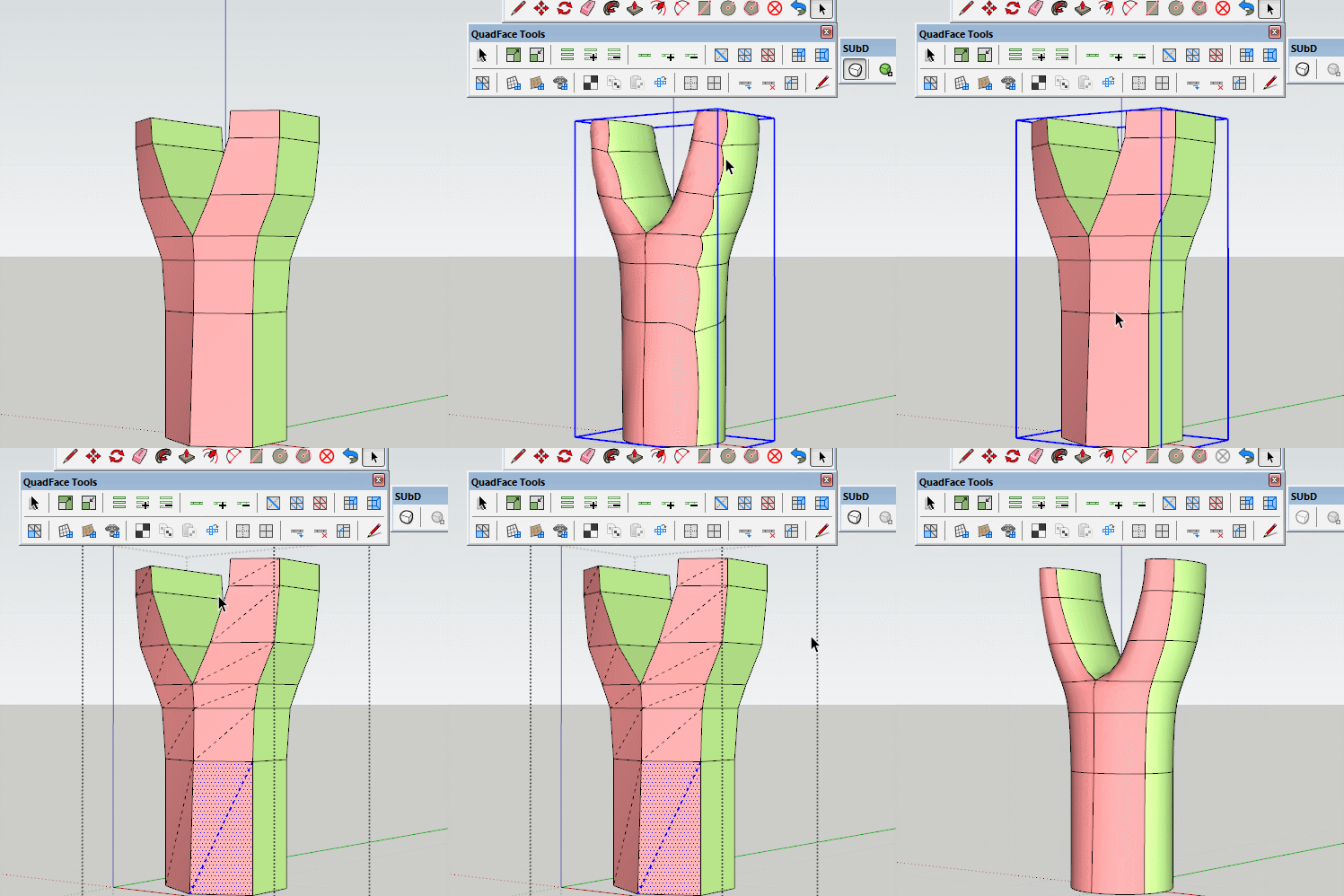
              When I then use the "Flip Triangulation Tool" of QuadFaceTools, I can see that some faces (marked red in the model below) are not being recognized as quads.

              Does any one know how this happens? And more importantly, how to fix it?

              Cheers,
              Jakob

              QuadProblem_v01.skp

              1 條回覆 最後回覆 回覆 引用 0
              • BoxB 離線
                Box
                最後由 編輯

                Sometimes you just need to tell it to make quads.

                Tri.gif

                1 條回覆 最後回覆 回覆 引用 0
                • plot-parisP 離線
                  plot-paris
                  最後由 編輯

                  haha, I could have sworn I tried that. But obviously I didn't. 😳

                  Thanks a lot

                  1 條回覆 最後回覆 回覆 引用 0
                  • thomthomT 離線
                    thomthom
                    最後由 編輯

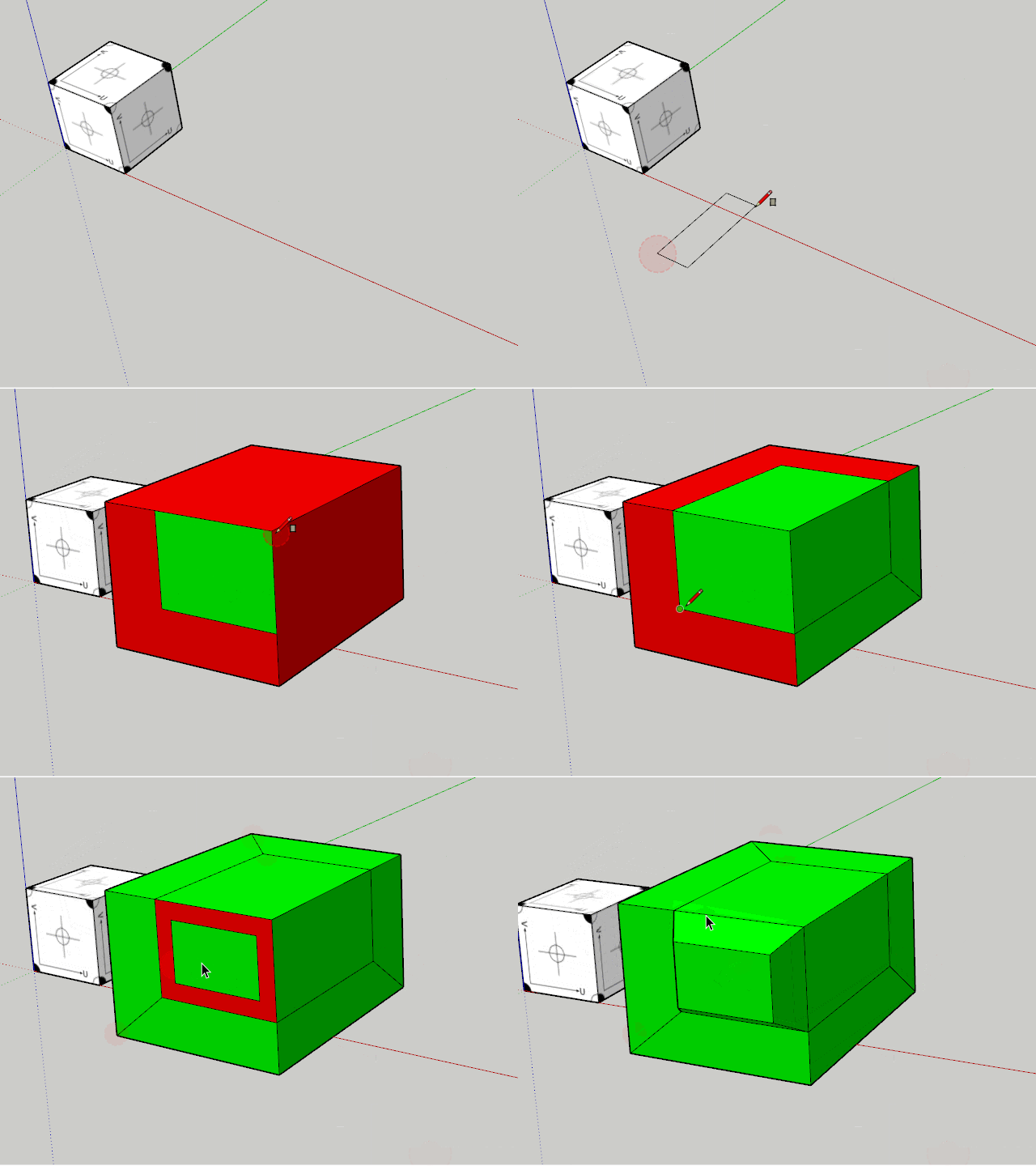
                    That reminds me - I had this idea for a function that would automatically color the faces as you modelled. I added an issue to track this: https://bitbucket.org/thomthom/quadface-tools/issues/98/live-quad-validation

                    Thomas Thomassen — SketchUp Monkey & Coding addict
                    List of my plugins and link to the CookieWare fund

                    1 條回覆 最後回覆 回覆 引用 0
                    • thomthomT 離線
                      thomthom
                      最後由 編輯

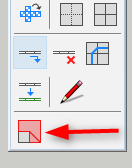
                      Just need an icon...


                      QFT-LiveAnalysis.gif

                      Thomas Thomassen — SketchUp Monkey & Coding addict
                      List of my plugins and link to the CookieWare fund

                      1 條回覆 最後回覆 回覆 引用 0
                      • thomthomT 離線
                        thomthom
                        最後由 編輯

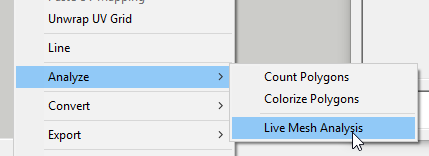
                        Version 0.11.0 is out.

                        2016-08-01_23h07_36.png

                        2016-08-01_23h08_26.png

                        Thomas Thomassen — SketchUp Monkey & Coding addict
                        List of my plugins and link to the CookieWare fund

                        1 條回覆 最後回覆 回覆 引用 0
                        • N 離線
                          numerobis
                          最後由 編輯

                          😎 👍

                          1 條回覆 最後回覆 回覆 引用 0
                          • cottyC 離線
                            cotty
                            最後由 編輯

                            👍 and 👍

                            my SketchUp gallery

                            1 條回覆 最後回覆 回覆 引用 0
                            • pbacotP 離線
                              pbacot
                              最後由 編輯

                              Nice!

                              MacOSX MojaveSketchUp Pro v19 Twilight v2 Thea v3 PowerCADD

                              1 條回覆 最後回覆 回覆 引用 0
                              • ithilI 離線
                                ithil
                                最後由 編輯

                                Very cool!!!
                                Thank you! 👍

                                1 條回覆 最後回覆 回覆 引用 0
                                • plot-parisP 離線
                                  plot-paris
                                  最後由 編輯

                                  Working nicely! Very valuable tool for quick and clean quad face modelling.

                                  Could you make it so, that the green / red color is removed when disabling Live Mesh Analysis?
                                  That would show clearly, if the system is switched on or off.

                                  1 條回覆 最後回覆 回覆 引用 0
                                  • thomthomT 離線
                                    thomthom
                                    最後由 編輯

                                    @plot-paris said:

                                    Could you make it so, that the green / red color is removed when disabling Live Mesh Analysis?
                                    That would show clearly, if the system is switched on or off.

                                    hm... yea, that's not a bad idea. All though - it would remove the materials completely. It would not restore any materials that might previously been there as it's not being tracked and isn't easily trackable either.

                                    Logged in issue tracker: https://bitbucket.org/thomthom/quadface-tools/issues/100/remove-analysis-material-after-toggling-it

                                    Thomas Thomassen — SketchUp Monkey & Coding addict
                                    List of my plugins and link to the CookieWare fund

                                    1 條回覆 最後回覆 回覆 引用 0
                                    • C 離線
                                      Carto
                                      最後由 編輯

                                      Hello ThomThom,

                                      I'm currently attempting to size a UV texture using the UV Mapping tool with standard measurements (i.e inches 12", 12") but the value is ignored when typed. Did I type the values correctly or miss something else? Thanks.

                                      Regards

                                      1 條回覆 最後回覆 回覆 引用 0
                                      • thomthomT 離線
                                        thomthom
                                        最後由 編輯

                                        Hm... can you share a sample model? Maybe it's related to model units or something. (which version of QFT do you have?)

                                        Thomas Thomassen — SketchUp Monkey & Coding addict
                                        List of my plugins and link to the CookieWare fund

                                        1 條回覆 最後回覆 回覆 引用 0
                                        • C 離線
                                          Carto
                                          最後由 編輯

                                          Hello ThomThom,

                                          See attached model. I have the latest version 0.11.0


                                          UV_Example.skp

                                          1 條回覆 最後回覆 回覆 引用 0
                                          • thomthomT 離線
                                            thomthom
                                            最後由 編輯

                                            Oh, I see now. The input is accepting input as relative scale - not model units. The input currently represent how many times the texture tiles across the X and Y UV axes.


                                            Thomas Thomassen — SketchUp Monkey & Coding addict
                                            List of my plugins and link to the CookieWare fund

                                            1 條回覆 最後回覆 回覆 引用 0
                                            • 1
                                            • 2
                                            • 30
                                            • 31
                                            • 32
                                            • 33
                                            • 34
                                            • 34 / 34
                                            • 第一個貼文
                                              最後的貼文
                                            Buy SketchPlus
                                            Buy SUbD
                                            Buy WrapR
                                            Buy eBook
                                            Buy Modelur
                                            Buy Vertex Tools
                                            Buy SketchCuisine
                                            Buy FormFonts

                                            Advertisement