sketchucation logo sketchucation
    • 登入
    Oops, your profile's looking a bit empty! To help us tailor your experience, please fill in key details like your SketchUp version, skill level, operating system, and more. Update and save your info on your profile page today!
    🔌 Smart Spline | Fluid way to handle splines for furniture design and complex structures. Download

    [Plugin] QuadFaceTools

    已排程 已置頂 已鎖定 已移動 Plugins
    673 貼文 116 Posters 544.7k 瀏覽 116 Watching
    正在載入更多貼文
    • 從舊到新
    • 從新到舊
    • 最多點贊
    回覆
    • 在新貼文中回覆
    登入後回覆
    此主題已被刪除。只有擁有主題管理權限的使用者可以查看。
    • thomthomT 離線
      thomthom
      最後由 編輯

      @jo-ke said:

      Is there any chance to convert it?

      No - poles are a topological feature: http://blenderartists.org/forum/showthread.php?93651-Poles-and-Loops&p=849794&viewfull=1#post849794

      I'll add to the Select Tool an option to highlight poles so one can easily find them.

      Thomas Thomassen — SketchUp Monkey & Coding addict
      List of my plugins and link to the CookieWare fund

      1 條回覆 最後回覆 回覆 引用 0
      • jo-keJ 離線
        jo-ke
        最後由 編輯

        Ahhh. I see what the problem is. Thank you for you help.

        http://www.zz7.de

        1 條回覆 最後回覆 回覆 引用 0
        • thomthomT 離線
          thomthom
          最後由 編輯

          I started on adding the poles UI for the Select Tool - here's your model:
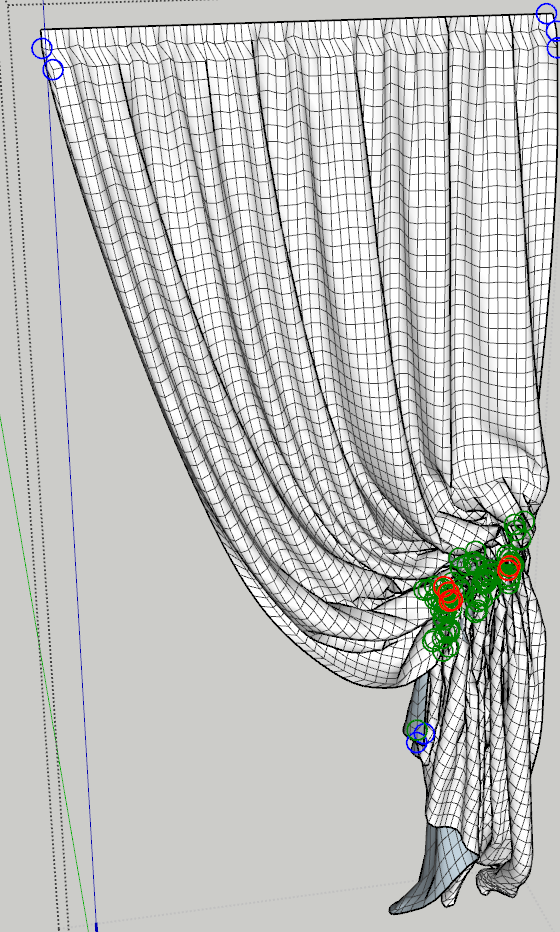
          Poles.png

          Green: 5 Poles ( E poles )
          Blue: 3 Poles ( N Poles )
          Red: More than 5 poles

          As you see - the folded up area got quite a few E poles.

          How did you make the mesh?

          Thomas Thomassen — SketchUp Monkey & Coding addict
          List of my plugins and link to the CookieWare fund

          1 條回覆 最後回覆 回覆 引用 0
          • jo-keJ 離線
            jo-ke
            最後由 編輯

            Oh thank you.

            The mesh was imported as a 3ds model

            As I remember, it should have been this one:

            http://www.archibase.net/download/c45794ef.html

            http://www.zz7.de

            1 條回覆 最後回覆 回覆 引用 0
            • thomthomT 離線
              thomthom
              最後由 編輯

              @jo-ke said:

              The mesh was imported as a 3ds model

              Did you then use the Convert Triangulated Mesh to Quads function in QuadFace? It's still a bit unreliable - produce some undesired results in some cases. 😞

              Thomas Thomassen — SketchUp Monkey & Coding addict
              List of my plugins and link to the CookieWare fund

              1 條回覆 最後回覆 回覆 引用 0
              • McGyverM 離線
                McGyver
                最後由 編輯

                I just wanted to say that when I said "I updated the the plugin. For Me there seems to be no change." I meant I still had the same results and there was nothing visually different happening on the screen... not that I thought nothing was changed in the plugin, I'm sorry if that sounded bad, that is not what I meant. I am highly appreciative of all the hard work you put into this plugin and the fact that you are kind enough to share it with so many people. The work you and all the other Ruby creators do is truly amazing.

                As you suggested I right clicked "Use material size" and..... IT WORKS! It scales properly and I can Flip U and V scale, it shows the U V grid... everything appears to function properly!

                I hope I did not miss something and I was not just bothering you with some sort of wild goose chase, having you try and figure out what was wrong when there was nothing wrong at all... If I missed something I'm sorry... I watched the video several times and read through the thread twice before I made that first post... anyway thanks again for this plugin and all the help!
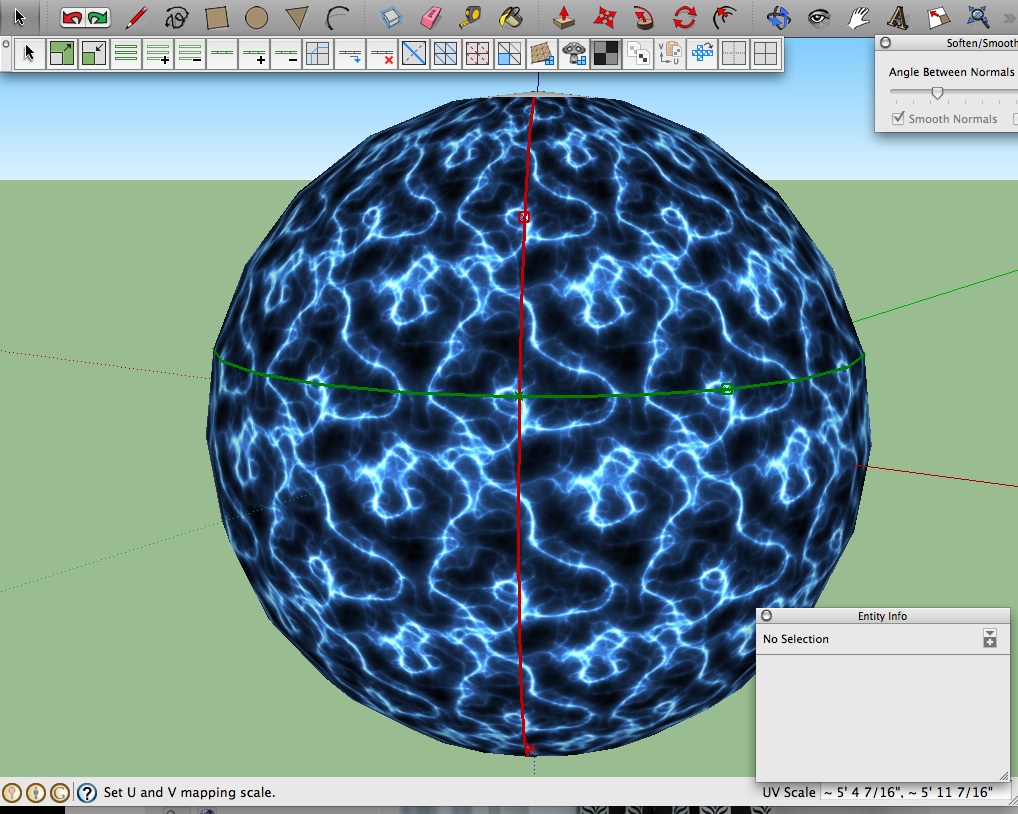

                It works!!

                Visit My ShareCG Freebie Gallery

                1 條回覆 最後回覆 回覆 引用 0
                • thomthomT 離線
                  thomthom
                  最後由 編輯

                  @unknownuser said:

                  As you suggested I right clicked "Use material size" and..... IT WORKS! It scales properly and I can Flip U and V scale, it shows the U V grid... everything appears to function properly!

                  It might be that the old version triggered a bug and caused it to store some invalid values. If you run into this again let me know as I need to dig more into this.

                  Thanks for posting back with such detailed information - it really helps.

                  It is on my to-do list to make a better manual for this tool. I just have a hard time finding spare time to do so at the moment. 😞

                  Thomas Thomassen — SketchUp Monkey & Coding addict
                  List of my plugins and link to the CookieWare fund

                  1 條回覆 最後回覆 回覆 引用 0
                  • jo-keJ 離線
                    jo-ke
                    最後由 編輯

                    @thomthom said:

                    @jo-ke said:

                    The mesh was imported as a 3ds model

                    Did you then use the Convert Triangulated Mesh to Quads function in QuadFace? It's still a bit unreliable - produce some undesired results in some cases. 😞

                    Yes I did. It worked well so far but the texturing wasn't as I expected it.

                    http://www.zz7.de

                    1 條回覆 最後回覆 回覆 引用 0
                    • Alan FraserA 離線
                      Alan Fraser
                      最後由 編輯

                      Great set of tools TT...but I appear to be the only one having this problem (unless I've completely missed something). I cannot get the VCB to talk to the HUD in any way whatsoever. When I attempt to edit Connect Edges, the HUD remains firmly on 1 and 0 whatever I type into Measurements. I have the latest version of TTLib installed.

                      3D Figures
                      Were you required to walk 500 miles? Were you advised to walk 500 more?
                      You could be entitled to compensation. Call the Pro Claimers now!

                      1 條回覆 最後回覆 回覆 引用 0
                      • thomthomT 離線
                        thomthom
                        最後由 編輯

                        @alan fraser said:

                        Great set of tools TT...but I appear to be the only one having this problem (unless I've completely missed something). I cannot get the VCB to talk to the HUD in any way whatsoever. When I attempt to edit Connect Edges, the HUD remains firmly on 1 and 0 whatever I type into Measurements. I have the latest version of TTLib installed.

                        The HUD doesn't update until you hit Return/Enter. The HUD is merely there so you can pick what kind of input the VCB control.

                        Thomas Thomassen — SketchUp Monkey & Coding addict
                        List of my plugins and link to the CookieWare fund

                        1 條回覆 最後回覆 回覆 引用 0
                        • Alan FraserA 離線
                          Alan Fraser
                          最後由 編輯

                          Ah! Thanks for that; I assumed that Enter would activate the settings on the HUD...same as clicking the tick. Another Duhh! moment. 😄

                          3D Figures
                          Were you required to walk 500 miles? Were you advised to walk 500 more?
                          You could be entitled to compensation. Call the Pro Claimers now!

                          1 條回覆 最後回覆 回覆 引用 0
                          • thomthomT 離線
                            thomthom
                            最後由 編輯

                            It's not ideal in the way it works. I'm looking to improve it.

                            Thomas Thomassen — SketchUp Monkey & Coding addict
                            List of my plugins and link to the CookieWare fund

                            1 條回覆 最後回覆 回覆 引用 0
                            • jo-keJ 離線
                              jo-ke
                              最後由 編輯

                              I'm using this great plugin frequnetly. But in this case I have a problem:

                              I've tried to convert the mesh to quads. but the result ist still strange.

                              I wasn't able to texture this easy mesh properly.
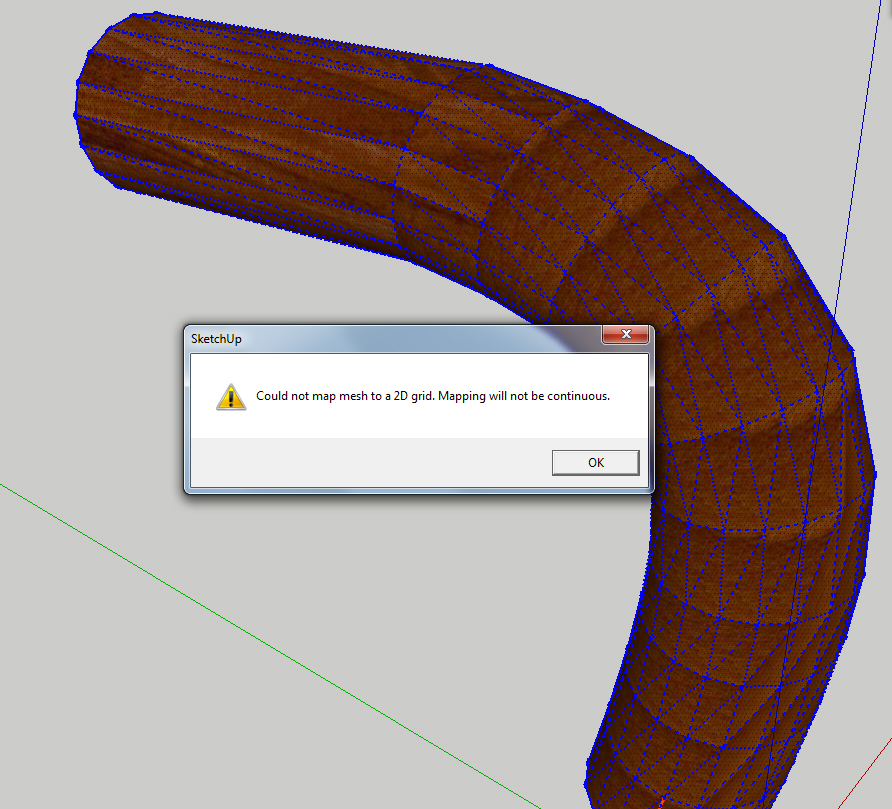

                              griff.jpg


                              griff.skp

                              http://www.zz7.de

                              1 條回覆 最後回覆 回覆 引用 0
                              • thomthomT 離線
                                thomthom
                                最後由 編輯

                                @jo-ke said:

                                I've tried to convert the mesh to quads. but the result ist still strange.

                                Yes, Convert to Quads does have it's issues and flaws atm. In which case you need to correct it.

                                Another matter was that it seemed to have been made with an older version - I had to use the "Sandbox Quads to QuadFace Quads" to upgrade the mesh to work with QT 0.6. But as the mesh was irregular I was not able to map it eiter - as mentioned earlier, it needs to be cleaned up.

                                How did you create the geometry btw? Was it triangulated originally?

                                Thomas Thomassen — SketchUp Monkey & Coding addict
                                List of my plugins and link to the CookieWare fund

                                1 條回覆 最後回覆 回覆 引用 0
                                • jo-keJ 離線
                                  jo-ke
                                  最後由 編輯

                                  originally it was a max file, then converted into su8, then saved as su7

                                  the texture should look like this...

                                  tricky thing, these many kinds of meshes....
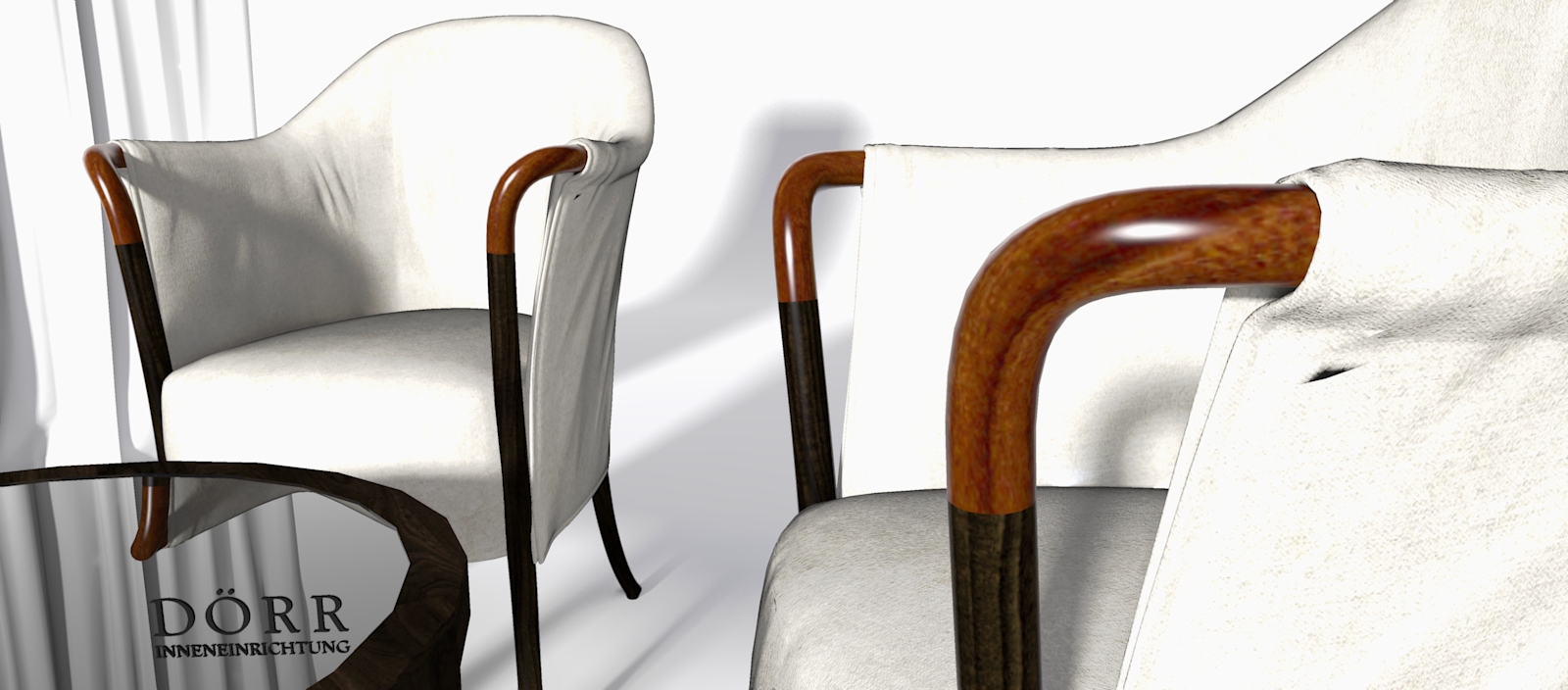

                                  giorgetti-render010.jpg

                                  http://www.zz7.de

                                  1 條回覆 最後回覆 回覆 引用 0
                                  • L 離線
                                    lapx
                                    最後由 編輯

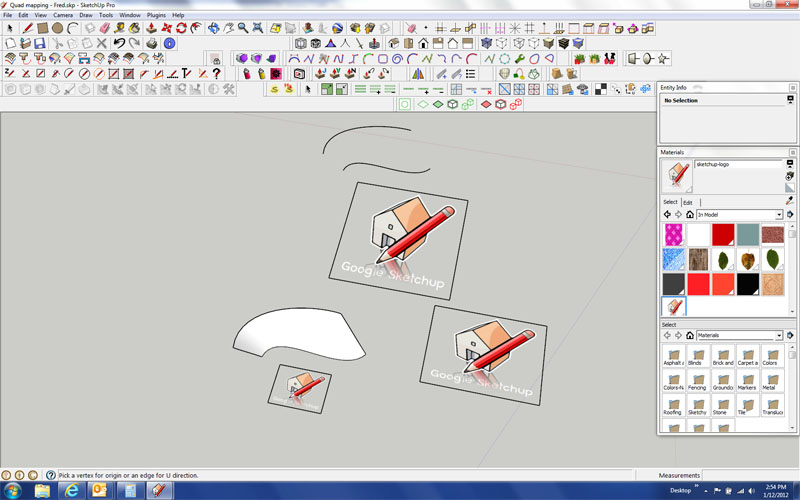
                                    I cant get the copy paste method to work for other surface other than flat rectangle shape.
                                    The UV will not select edges on the curved surface. Any hints to what the problem may be?

                                    Thanks Tom!


                                    uv.jpg

                                    1 條回覆 最後回覆 回覆 引用 0
                                    • thomthomT 離線
                                      thomthom
                                      最後由 編輯

                                      @lapx said:

                                      The UV will not select edges on the curved surface.

                                      Is the meshes build from quad faces?
                                      Do you have a sample model?

                                      From your screenshot I'm not understanding what you copy from... I see a unmapped curved surface, but no mapped surface, other than the squares...

                                      Thomas Thomassen — SketchUp Monkey & Coding addict
                                      List of my plugins and link to the CookieWare fund

                                      1 條回覆 最後回覆 回覆 引用 0
                                      • L 離線
                                        lapx
                                        最後由 編輯

                                        I used the same model Fredo provided in previous reply.
                                        oh, and I copied from the largest square.

                                        Thanks Tom

                                        1 條回覆 最後回覆 回覆 引用 0
                                        • thomthomT 離線
                                          thomthom
                                          最後由 編輯

                                          @lapx said:

                                          I used the same model Fredo provided in previous reply.
                                          oh, and I copied from the largest square.

                                          Thanks Tom

                                          Got a link? I don't have overview of this threa

                                          Thomas Thomassen — SketchUp Monkey & Coding addict
                                          List of my plugins and link to the CookieWare fund

                                          1 條回覆 最後回覆 回覆 引用 0
                                          • L 離線
                                            lapx
                                            最後由 編輯

                                            It's at the bottom of this thread...
                                            http://forums.sketchucation.com/viewtopic.php?f=323&t=39442&start=75

                                            1 條回覆 最後回覆 回覆 引用 0
                                            • 1
                                            • 2
                                            • 20
                                            • 21
                                            • 22
                                            • 23
                                            • 24
                                            • 33
                                            • 34
                                            • 22 / 34
                                            • 第一個貼文
                                              最後的貼文
                                            Buy SketchPlus
                                            Buy SUbD
                                            Buy WrapR
                                            Buy eBook
                                            Buy Modelur
                                            Buy Vertex Tools
                                            Buy SketchCuisine
                                            Buy FormFonts

                                            Advertisement