Need a way to create contours from gps data
-
It seems that the board will only allow one attachment. I'm zipping the other files from the first post.
-
I find it kind of "interesting" that you pay for a work - obviously with the intention to use that data - and they only provide images and such. Here is a plugin called "kml tools" however, you can try this to import geometry:
http://forums.sketchucation.com/viewtopic.php?t=38009
This is a "predecessor" of the above plugin - it actually says it can do what you need:
http://forums.sketchucation.com/viewtopic.php?t=36210 -
You might also find GPSBabel useful for converting between different formats:
http://www.gpsbabel.org/ -
Thank you for the tip Gaieus & bjornkn.
I have no part with the agreement of the owner and the surveyor. I was plugged in the middle of the survey schedule to "watch and learn". And they are expecting a bit much from half a day of watching the guy walk around the parcel of land with his gps device.

Anyway I spent the day tinkering with ArcGIS 9 and was able to create a surface that is quite far from the surface that they have included in the cd. I will just poke around with this and hopefully if I can't get anywhere, they will send me to the firm for training.

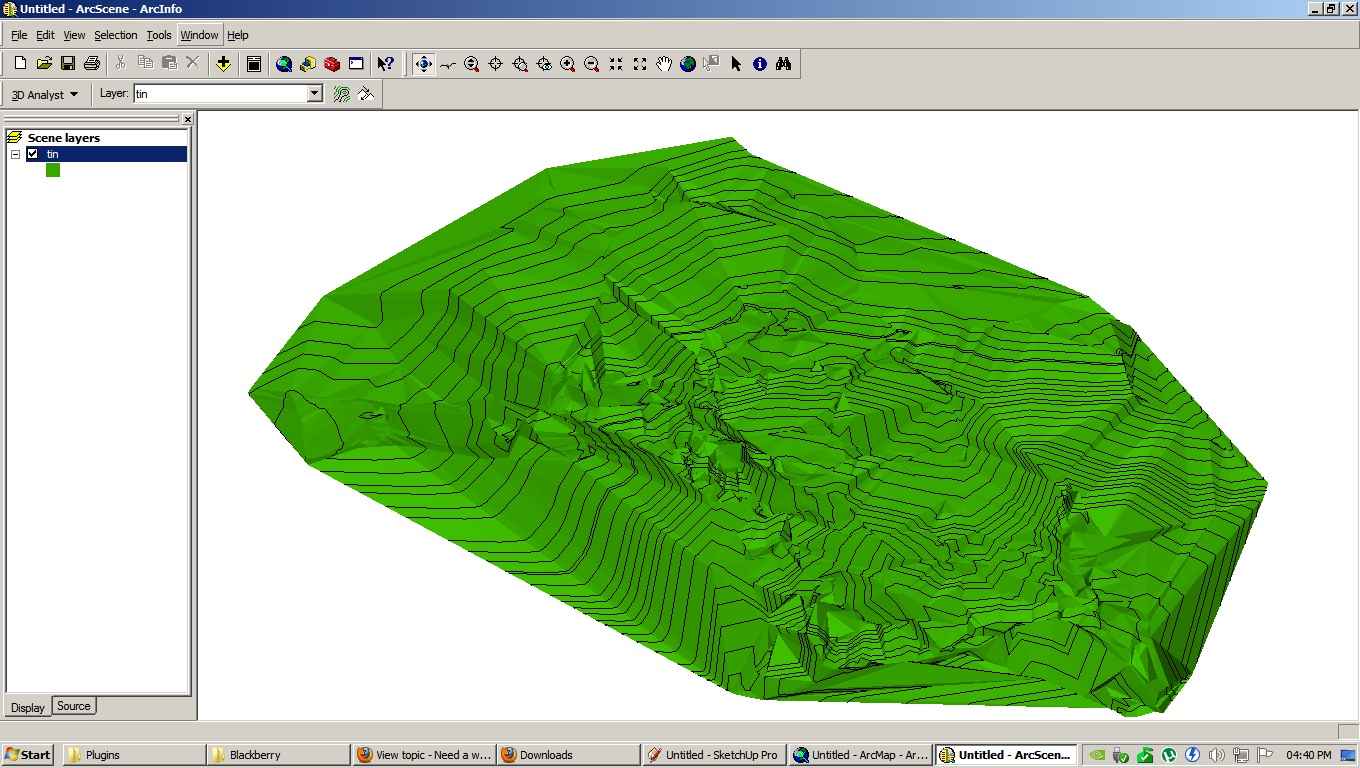
I tried the kml plugin but it just outputs nothing to import. I might be doing something wrong and maybe it is because of this line: "SketchUp's current capabilities of KMZ do not go beyond Collada models", and I have no idea what that means either.
-
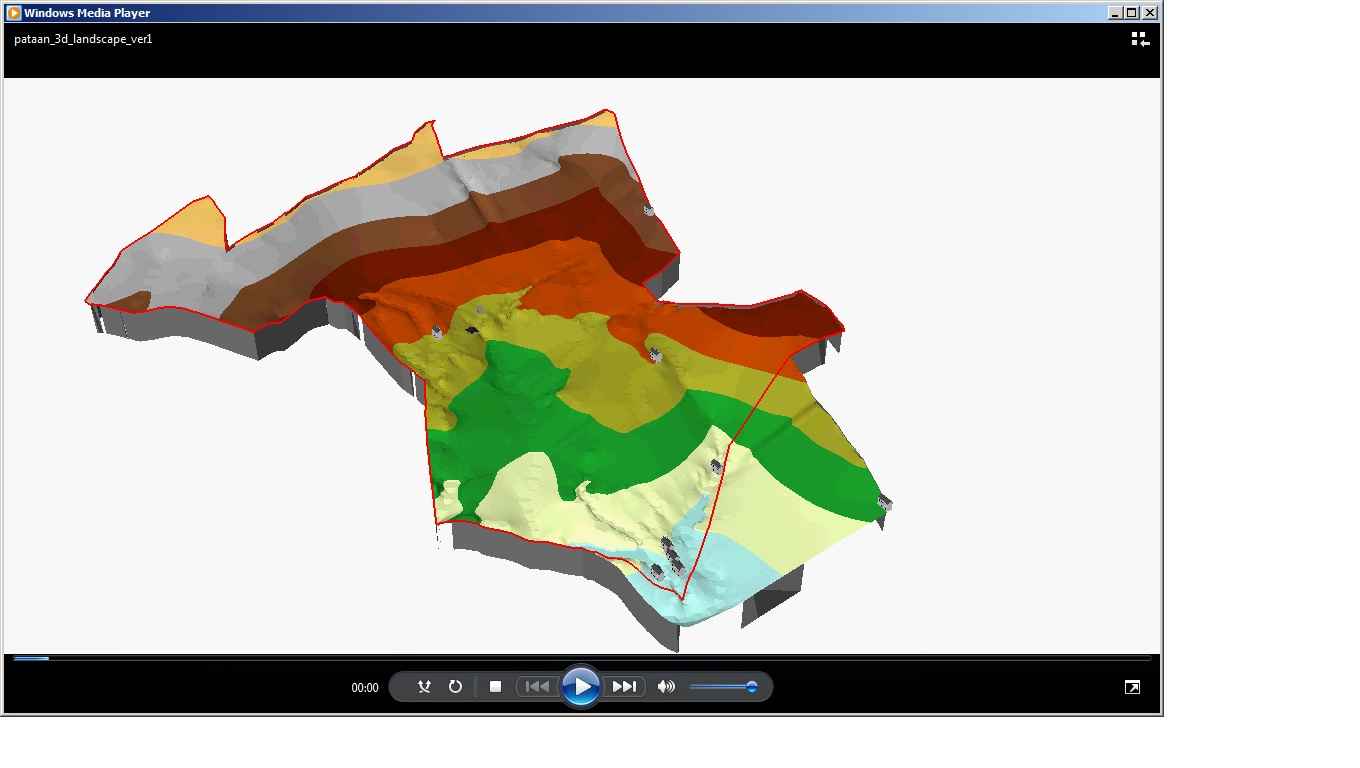
This is a screen shot of the avi movie that they have included in the cd:
-
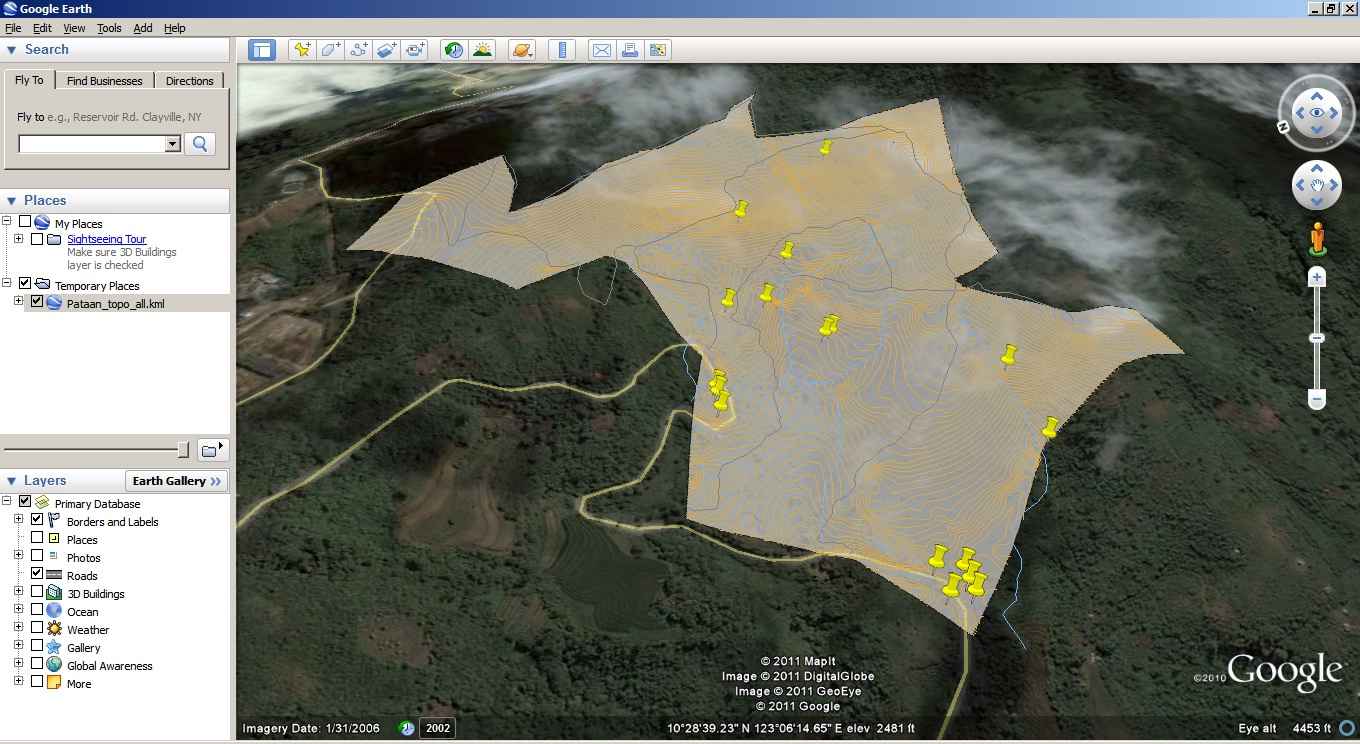
This is going to be developed into a resort in the future. No actual schedule for it, more like being cooked in the backburner in low fire.
-
Once you have got the data as some sort of 'points-cloud' they are several tools to turn that into a surface mesh.
Once you have that my ContourMaker.rb tool will add grouped contours over the surface... -
Thanks Tig, I already downloaded lots of your plugins and I am excited with the actual laying out of roads and putting the proposed huts/cottages than the actual generation of the surface in which I have no idea on how to proceed...
Basically I think that i have to extract the data from the kml for the lot boundary, then I have to extract and plot out the gps points + elevation as point cloud and then map out the surface. I will try to do them next week since it is already late here and I am suffering from GIS burnout. It is tough to do something when you have zero knowledge about it.

Thank you all for the reply.
-
Here's a mesh file and what went into making it - scale/dims etc are probably to pot... BUT you can fix that...
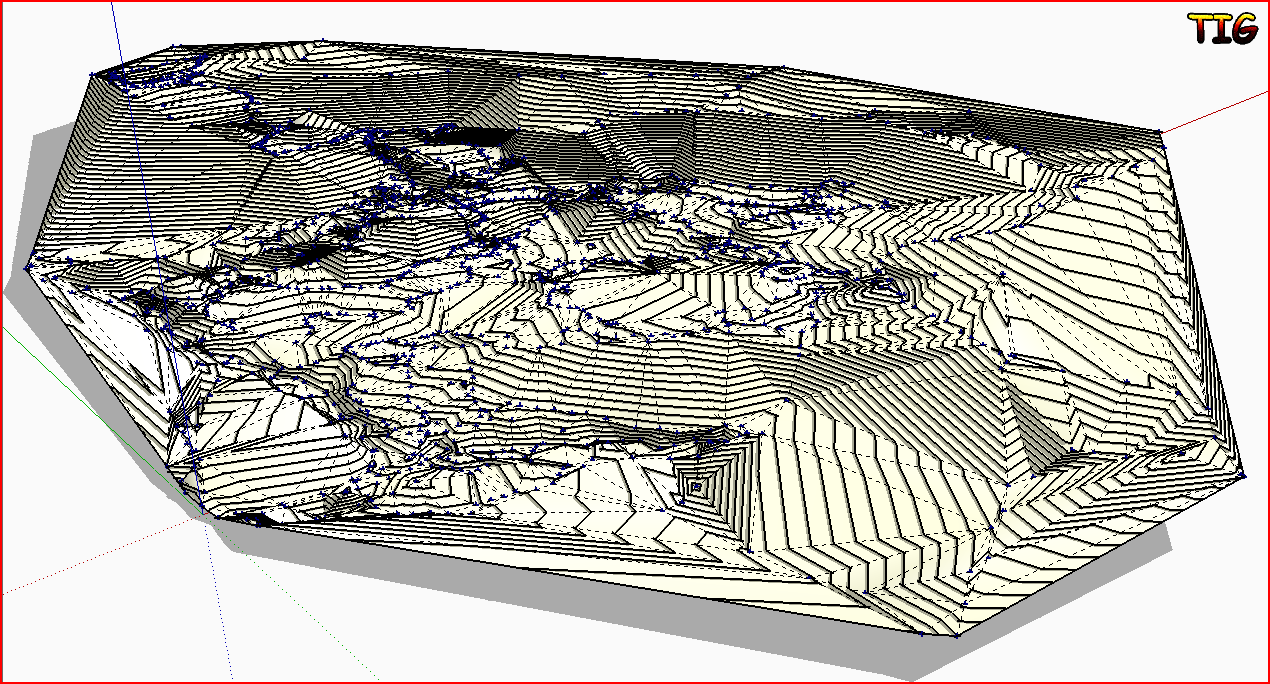 pataan_waypointsMESHED.zipFirst I opened the gtm file with GPStrackmaker[free] and saved it in various 'readable' formats [in the zip]. The GoogleEarth kml file was the easiest.
[As it turned out the eneormous [??] 'original' kml file that was provided in the thread a bit late[r] would probably have been even easier and contains more data...]
http://forums.sketchucation.com/viewtopic.php?p=335779#p335779 Arelieus's KMLtools should import a kml file but it fails [?] with both versions!
So I parsed it into its lines of "longitude,latitude,altitude" using Ruby's split on '<coordinates>', then split'<' etc. Then read those lines in and parsed again and used 'pt=model.latlong_point([lon,lat])' on the first two and added the third as a 'pt.z=elv' to that point, then wrote that point data out to a CSV file.
Used Didier's tool to import the points cloud. Edited out a few points that were way off in altitude and Triangulated the rest to make a mesh. Used my ContourMaker to add '1m' contours.
I suggest you redo the geometry making steps using the CSV and set units/scale etc to suit better...
I only did a quick bodge to show it could be done, somehow
-
Amazing Tig!
Not bad to have guy like you around. Really! -
Tig, you are simply amazing!
Ruby scripting is way beyond me right now, but I really appreciate the effort you have exerted on this project. There is a big gap from the gathering data from the GPS unit to importing it to SketchUp but you showed us a way. I will try to redo it and learn as much as possible from it.
I also appreciate your mentioning of the workflow on how you approached it.
Thank you very much!
-
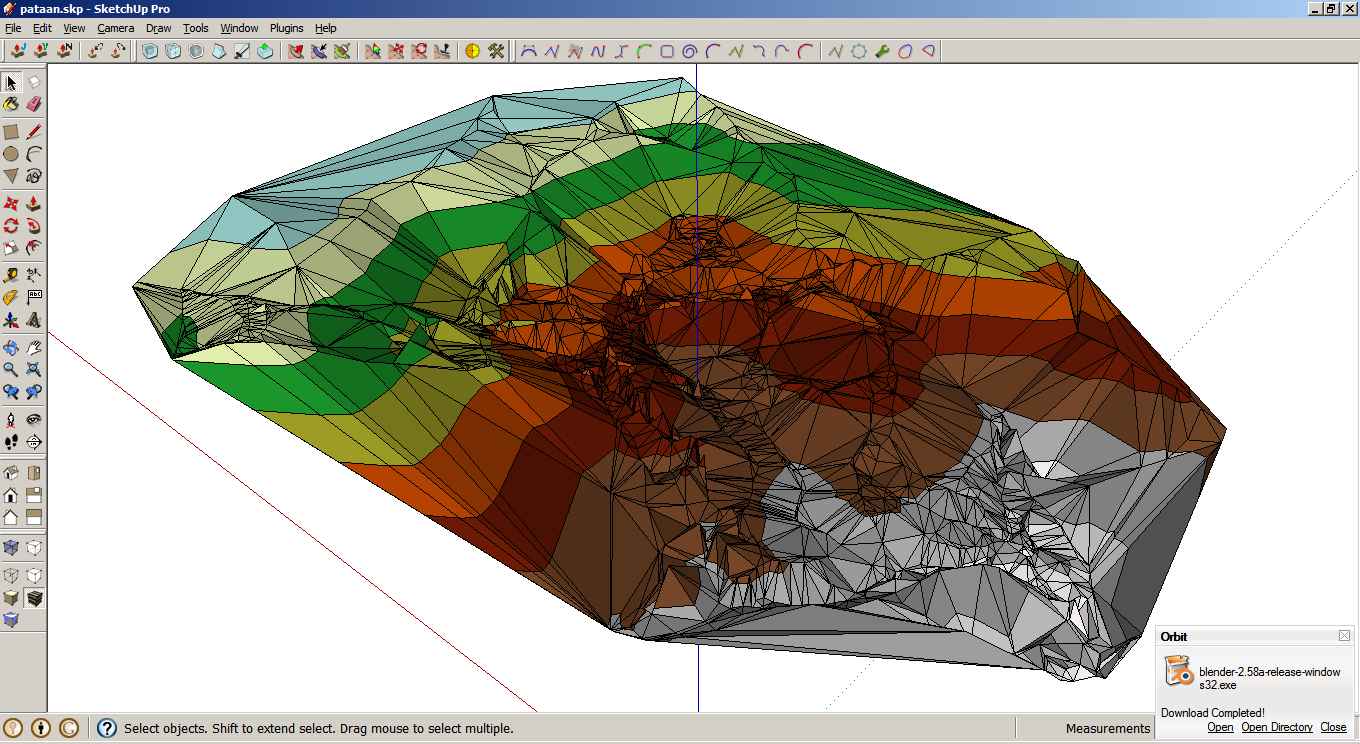
Call it dumb luck, but I came across this post:
http://groups.google.com/group/Sketchup-Pro/browse_thread/thread/ca7d0ba921af4611Then I tried opening ArcScene, selected the tin surface, then added the face elevation with graduated color ramp from the symbology properties, and exported it in 3d vrml (.wrl). I then imported it in Blender 3d and exported it as collada (.dae). I don't know much about Blender 3d and I can't figure out how to display the imported data but just the same, I when I imported it to SketchUp, the surface was there together with the colors.

Not as clean as the surveyor's version, but it is almost there.


Hello! It looks like you're interested in this conversation, but you don't have an account yet.
Getting fed up of having to scroll through the same posts each visit? When you register for an account, you'll always come back to exactly where you were before, and choose to be notified of new replies (either via email, or push notification). You'll also be able to save bookmarks and upvote posts to show your appreciation to other community members.
With your input, this post could be even better 💗
Register Login


Advertisement