sketchucation logo sketchucation
    • Login
    Oops, your profile's looking a bit empty! To help us tailor your experience, please fill in key details like your SketchUp version, skill level, operating system, and more. Update and save your info on your profile page today!
    Mac User? | Join the Rayscaper Beta for Mac Learn More

    Where is Susan?

    Scheduled Pinned Locked Moved SketchUp Discussions
    sketchup
    22 Posts 7 Posters 8.3k Views 7 Watching
    Loading More Posts
    • Oldest to Newest
    • Newest to Oldest
    • Most Votes
    Reply
    • Reply as topic
    Log in to reply
    This topic has been deleted. Only users with topic management privileges can see it.
    • jeff hammondJ
      jeff hammond
      last edited by

      @unknownuser said:

      C:\Program Files\Google\Google SketchUp 8\Components\Components Sampler

      damn.. what a rip-off..
      i guess window sketchup actually IS superior to the mac version 😄
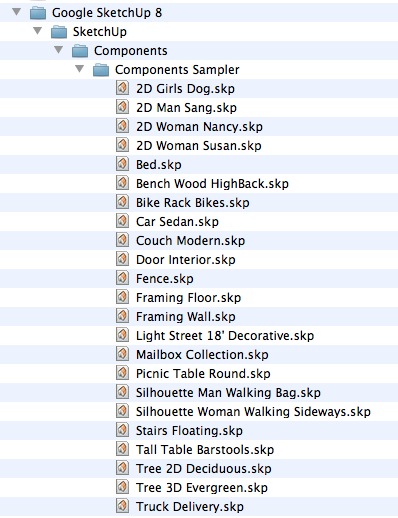
      whereISsusan.jpg

      [edit]
      hahaha.. holy s
      she's right there in the screenshot!
      i'm blind.
      (2D Woman Susan.skp)

      dotdotdot

      1 Reply Last reply
      Reply Quote 0
      • Rich O BrienR
        Rich O Brien Moderator
        last edited by

        @unknownuser said:

        i'm blind

        Yes you are. Next time you're in a shop buying a laptop open your eyes and get a PC.

        Download the free D'oh Book for SketchUp 📖

        1 Reply Last reply
        Reply Quote 0
        • jeff hammondJ
          jeff hammond
          last edited by

          @unknownuser said:

          @unknownuser said:

          i'm blind

          Yes you are. Next time you're in a shop buying a laptop open your eyes and get a PC.

          haha. ok

          dotdotdot

          1 Reply Last reply
          Reply Quote 0
          • charly2008C
            charly2008
            last edited by

            Thanks for your comments,

            I asked this question because I somehow managed to eliminate Sang at the start in Sketchup 7 and i would like to do the same in Sketchup 8.

            Charly

            He who makes no mistakes, makes nothing

            1 Reply Last reply
            Reply Quote 0
            • Rich O BrienR
              Rich O Brien Moderator
              last edited by

              Why not just delete Susan from your template then overwrite that template? No need to remove her completely from system to that.

              Download the free D'oh Book for SketchUp 📖

              1 Reply Last reply
              Reply Quote 0
              • GaieusG
                Gaieus
                last edited by

                And even if you remove from the system, she will remain in your template.

                Gai...

                1 Reply Last reply
                Reply Quote 0
                • GaieusG
                  Gaieus
                  last edited by

                  @unknownuser said:

                  In a new SketchUp window, delete Sang/Susan/Bryce/Csaba and then click File > Save As Template.

                  Also do not forget to purge unused components before saving as a template.

                  Gai...

                  1 Reply Last reply
                  Reply Quote 0
                  • S
                    SketchUpNoobie
                    last edited by

                    @charly2008 said:

                    I asked this question because I somehow managed to eliminate Sang at the start in Sketchup 7 and i would like to do the same in Sketchup 8.

                    In a new SketchUp window, delete Sang/Susan/Bryce/Csaba and then click File > Save As Template. Give it a name and set it as your default template. You can also use this method to change your default view when you open SketchUp. Just orbit/pan/zoom around to your desired default view and save the template again.

                    Hope I was clear. 😕

                    Edit: Rich beat me but I'll leave this up in case you're not sure how to do it.

                    --

                    SketchUpNoobie: the complete noob in all things SketchUp.

                    1 Reply Last reply
                    Reply Quote 0
                    • S
                      SketchUpNoobie
                      last edited by

                      @gaieus said:

                      @unknownuser said:

                      In a new SketchUp window, delete Sang/Susan/Bryce/Csaba and then click File > Save As Template.

                      Also do not forget to purge unused components before saving as a template.

                      😮 I never thought of that! Thanks! 😄

                      --

                      SketchUpNoobie: the complete noob in all things SketchUp.

                      1 Reply Last reply
                      Reply Quote 0
                      • Rich O BrienR
                        Rich O Brien Moderator
                        last edited by

                        @unknownuser said:

                        delete Sang/Susan/Bryce/Csaba

                        Csaba?

                        I've no little angry lunatic in my SU?

                        Download the free D'oh Book for SketchUp 📖

                        1 Reply Last reply
                        Reply Quote 0
                        • thomthomT
                          thomthom
                          last edited by

                          @unknownuser said:

                          I've no little angry lunatic in my SU?

                          Sure you do - what did you think was causing BugSplats... 😒

                          Thomas Thomassen — SketchUp Monkey & Coding addict
                          List of my plugins and link to the CookieWare fund

                          1 Reply Last reply
                          Reply Quote 0
                          • charly2008C
                            charly2008
                            last edited by

                            Thanks Rich,

                            it Is so simple. I saved my workspace as a template without Susan, problem solved. Sorry Susan.

                            Charly

                            He who makes no mistakes, makes nothing

                            1 Reply Last reply
                            Reply Quote 0
                            • Rich O BrienR
                              Rich O Brien Moderator
                              last edited by

                              No worries Charly and no offence to Susan but I don't like it loading either. Although having Csaba loading would be a novelty.

                              Pete, if you read this we need a 2D of that Green Csaba you posted months back 👍

                              Download the free D'oh Book for SketchUp 📖

                              1 Reply Last reply
                              Reply Quote 0
                              • charly2008C
                                charly2008
                                last edited by

                                But I've found a replacement.


                                2011-06-23_172010.jpg

                                He who makes no mistakes, makes nothing

                                1 Reply Last reply
                                Reply Quote 0
                                • GaieusG
                                  Gaieus
                                  last edited by

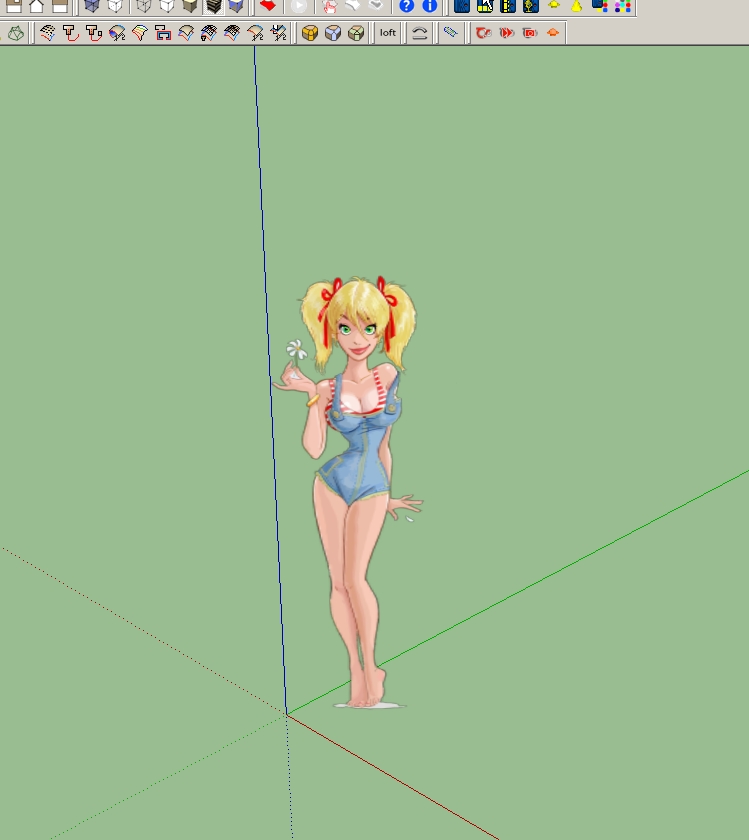
                                  Ah well, I doubt Susan would have posed like that for modelling...

                                  Gai...

                                  1 Reply Last reply
                                  Reply Quote 0
                                  • charly2008C
                                    charly2008
                                    last edited by

                                    Hi Gaieus,

                                    You're right, I doubt that too.

                                    2011-06-23_181610.jpg

                                    He who makes no mistakes, makes nothing

                                    1 Reply Last reply
                                    Reply Quote 0
                                    • jeff hammondJ
                                      jeff hammond
                                      last edited by

                                      @gaieus said:

                                      Also do not forget to purge unused components before saving as a template.

                                      likewise, purging will rid the template of all her colors so you'll be able to start off with a blank slate of materials..

                                      dotdotdot

                                      1 Reply Last reply
                                      Reply Quote 0
                                      • S
                                        SketchUpNoobie
                                        last edited by

                                        @unknownuser said:

                                        @gaieus said:

                                        Also do not forget to purge unused components before saving as a template.

                                        likewise, purging will rid the template of all her colors so you'll be able to start off with a blank slate of materials..

                                        😲 😮 That's were all those were coming from! Man, I feel so dumb right now. 😒

                                        --

                                        SketchUpNoobie: the complete noob in all things SketchUp.

                                        1 Reply Last reply
                                        Reply Quote 0

                                        Hello! It looks like you're interested in this conversation, but you don't have an account yet.

                                        Getting fed up of having to scroll through the same posts each visit? When you register for an account, you'll always come back to exactly where you were before, and choose to be notified of new replies (either via email, or push notification). You'll also be able to save bookmarks and upvote posts to show your appreciation to other community members.

                                        With your input, this post could be even better 💗

                                        Register Login
                                        • 1
                                        • 2
                                        • 1 / 2
                                        • First post
                                          Last post
                                        Buy SketchPlus
                                        Buy SUbD
                                        Buy WrapR
                                        Buy eBook
                                        Buy Modelur
                                        Buy Vertex Tools
                                        Buy SketchCuisine
                                        Buy FormFonts

                                        Advertisement