Match color on screen outside of SketchUp?
-
Hmmm......Guess I should test my assumptions before answering.:(
Perhaps because of the kind of work I do, I am never in full screen with any application.
-
@jim said:
Yeah, but you need to cleverly resize and move all the windows in order to do that; but it does work even if it's inconvenient.
Well, my window is cleverly resized thank to a plugin called custom toolbars... I have an exactly 4:3 window (also a 16:9 one) for the work area of SU. I am the happiest person. Thanks a bunch for the plugin, Jim!

-
I think it's a bug in the tool, in afterthought. Using Alt-Tab should not cancel the tool as it does currently.
-
I have a color picker freeware thingy on my PC that I use for picking colors outside the SU window. I just minimize SU and use the color picker. You have to make a note of the RGB values and enter them manually but it isn't that difficult to do. I don't recall the exact name but it something like HexColor Finder.
-
Here's the link: http://www.tucows.com/preview/240092
-
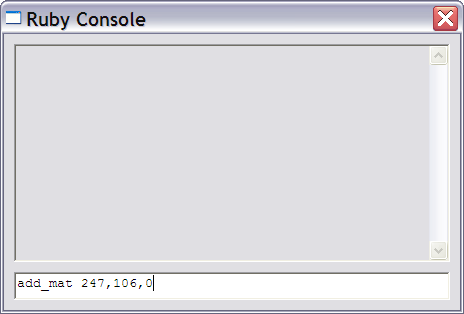
Ya know that got me thinking. I use FastStone Capture which can copy the picked values to the Clipboard - so there could be a simple function to add the material where the color values could be pasted into the Ruby Console. Such as..
-
I use ColorPix (http://www.colorschemer.com/colorpix_info.php) and SnagIt
-
@jim said:
Ya know that got me thinking. I use FastStone Capture which can copy the picked values to the Clipboard - so there could be a simple function to add the material where the color values could be pasted into the Ruby Console. Such as..
[attachment=0:3mw55dxe]<!-- ia0 -->1097.png<!-- ia0 -->[/attachment:3mw55dxe]
How about taking it one step further: click on a screen color from a photo or whatever and the plugin automatically makes a texture. Think of the steps thatwould save!
-
@bob james said:
How about taking it one step further: click on a screen color from a photo or whatever and the plugin automatically makes a texture. Think of the steps that would save!
That's exacty what I've been thinking about, but can't see a good way to get the picked color into SketchUp. I suppose a shortcut which activates a input box which then accepts the pasted values from the clipboard would be OK?
-
I can do that with a Mac, using the magnifier glass in the paint tool. But how true it is, I don't know. For one thing you are picking only a pixel and the first image may have a field of a gradient or different color pixels. It certainly doesn't always look exactly the same once I splash it on Sang's shirt, but that can be an effect of SU shading.
-
@pbacot said:
For one thing you are picking only a pixel and the first image may have a field of a gradient or different color pixels.
On a PC you make a new texture, use the eyedropper that picks up the pixel color from an on-screen picture, give it a name and now you have a new texture/color. That's what the simple version of the ColorMaker plugin (precursor to TextureMaker
 ) would do automatically.
If the texture is more than a single color here's what I do:
- Take a snapshot of a square of it with Snagit
- Import the snapshot as a texture and make it a unique texture
- Scale it
- Apply it
This works, unless, of course, the texture is not tileable (like a gradient).
Ideally the TextureMaker plugin would be able do this in addition to single-color textures (in my dreams)
-
This freeware http://www.linxexplorer.com/colorpicker.html lets you pick colors off any screen pixel...






Hello! It looks like you're interested in this conversation, but you don't have an account yet.
Getting fed up of having to scroll through the same posts each visit? When you register for an account, you'll always come back to exactly where you were before, and choose to be notified of new replies (either via email, or push notification). You'll also be able to save bookmarks and upvote posts to show your appreciation to other community members.
With your input, this post could be even better 💗
Register Login


Advertisement