sketchucation logo sketchucation
    • 登入
    Oops, your profile's looking a bit empty! To help us tailor your experience, please fill in key details like your SketchUp version, skill level, operating system, and more. Update and save your info on your profile page today!
    🔌 Smart Spline | Fluid way to handle splines for furniture design and complex structures. Download

    [Plugin] Sketchup Ivy

    已排程 已置頂 已鎖定 已移動 Plugins
    732 貼文 172 Posters 315.5k 瀏覽 172 Watching
    正在載入更多貼文
    • 從舊到新
    • 從新到舊
    • 最多點贊
    回覆
    • 在新貼文中回覆
    登入後回覆
    此主題已被刪除。只有擁有主題管理權限的使用者可以查看。
    • C 離線
      carmelo
      最後由 編輯

      tanks for reply.
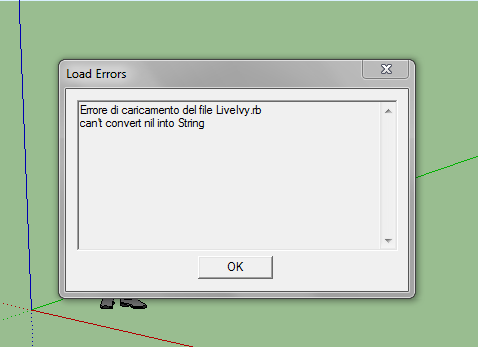
      there is another problem:

      Errore di caricamento del file LiveIvy.rb
      can't convert nil into String

      😞

      1 條回覆 最後回覆 回覆 引用 0
      • TIGT 離線
        TIG Moderator
        最後由 編輯

        Have you done ALL of the fixes that I suggested?
        The error message is incomplete.
        Can you post the full message...
        Hai fatto TUTTE le correzioni che ho suggerito?
        Il messaggio di errore è incompleto.
        Puoi inviare il messaggio completo...

        It may be that that you have to enter values into all dialog boxes - even if '0'...
        Può essere che che è necessario inserire i valori in tutte le finestre di dialogo - anche se '0'...

        TIG

        1 條回覆 最後回覆 回覆 引用 0
        • C 離線
          carmelo
          最後由 編輯

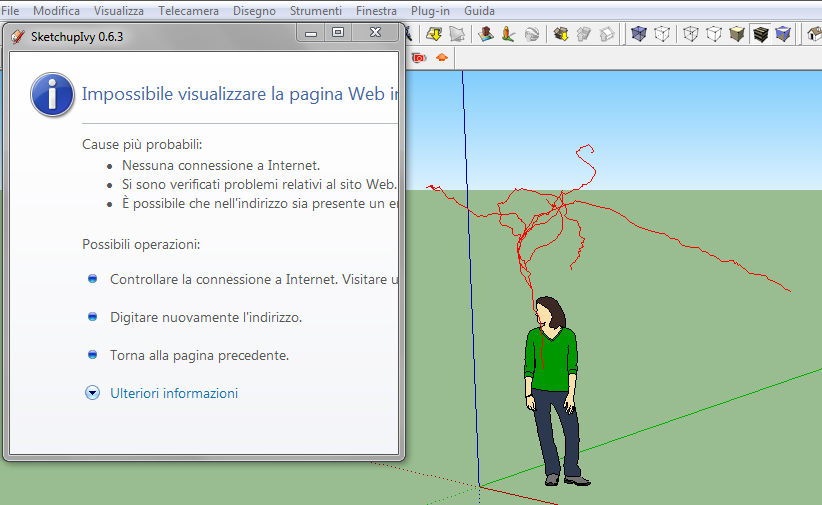
          yes, I followed your instructions. The attached images show the folders located.
          The error message comes up when the program starts.
          Also, when I start the script, the window does not shows me any command.
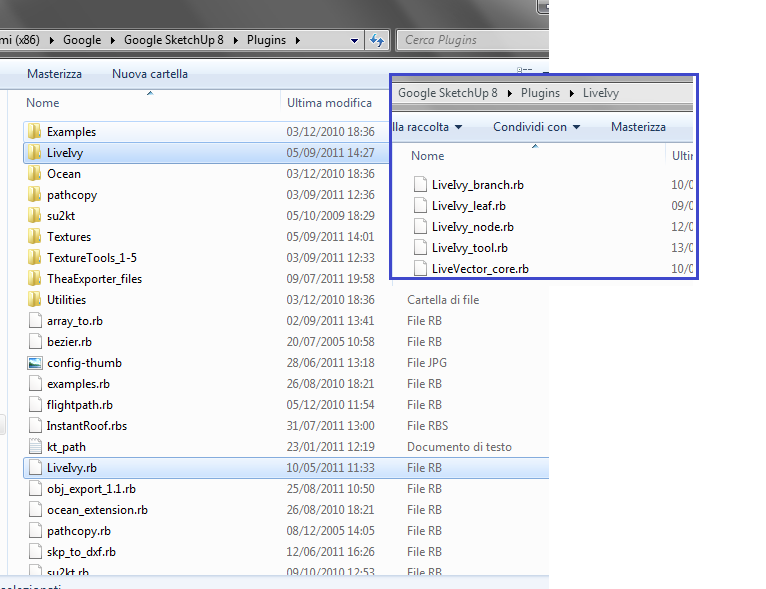

          Cattura.PNG


          Cattura2.PNG


          Cattura3.PNG

          1 條回覆 最後回覆 回覆 引用 0
          • TIGT 離線
            TIG Moderator
            最後由 編輯

            Please open the file LiveIvy.rb with 'Notepad.exe' and see what it says.
            It should have these lines

            require "LiveIvy/LiveVector_core"
            require "LiveIvy/LiveIvy_branch"
            require "LiveIvy/LiveIvy_node"
            require "LiveIvy/LiveIvy_leaf"
            require "LiveIvy/LiveIvy_tool"
            

            If not the the file is corrupted 😕
            Si prega di aprire il file LiveIvy.rb con 'Notepad.exe' e vedere cosa dice.... Dovrebbe avere queste linee...
            Se non il il file è danneggiato

            You could type/copy+paste the five ' require...' lines into the Ruby Console in turn and see if the tool then works.
            Si potrebbe digitare/copia+incolla il cinque ' require...' linee in Console Ruby, a sua volta e vedere se lo strumento funziona allora.

            TIG

            1 條回覆 最後回覆 回覆 引用 0
            • C 離線
              carmelo
              最後由 編輯

              Now it works.
              Wrong with the folders...sorry 😄
              thank you very much 😉
              carmelo

              1 條回覆 最後回覆 回覆 引用 0
              • TIGT 離線
                TIG Moderator
                最後由 編輯

                Hooray! [Evviva!] 😄

                TIG

                1 條回覆 最後回覆 回覆 引用 0
                • charly2008C 離線
                  charly2008
                  最後由 編輯

                  Hi,

                  A nice tool, it works beautifully, thanks. What I still do not understand is, how can you change the twigs and leaves. Would someone kindly explain this for example with the Wisteria Bloom from Adam (Eartmover). Thanks in advance.

                  Charly

                  He who makes no mistakes, makes nothing

                  1 條回覆 最後回覆 回覆 引用 0
                  • P 離線
                    pibuz
                    最後由 編輯

                    Sorry guys, when I start SketchUp with the plugin correctly installed I get an error message: "Error Loading File LiveIvy.rb Can't insert empty component." Then, sketchup starts with no problems but the plugin works oddly: multiple clicks often do not produce an incremental growth, and similar...

                    How can I fix this? Sorry to bother...

                    WEB (ita) - https://filipposcarso.wixsite.com/ordinentropico

                    1 條回覆 最後回覆 回覆 引用 0
                    • TIGT 離線
                      TIG Moderator
                      最後由 編輯

                      😕
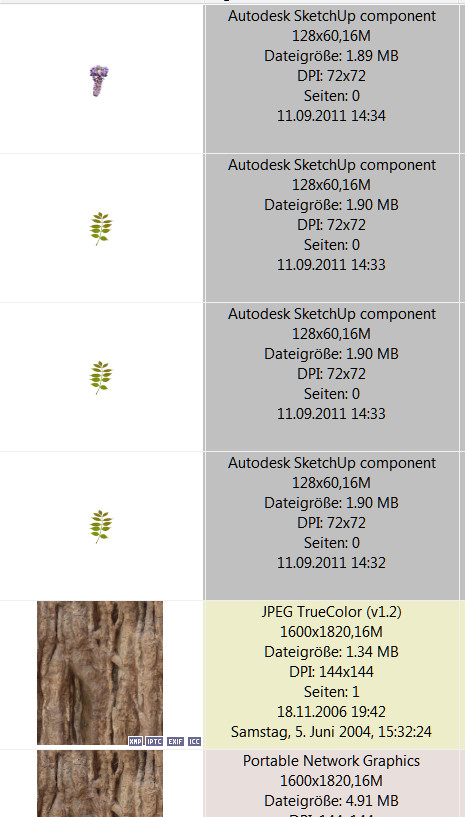
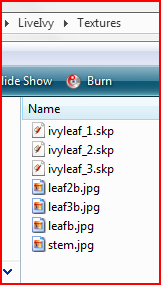
                      In the Textures subfolder within the Plugins folder you should have various files like this Capture.PNG
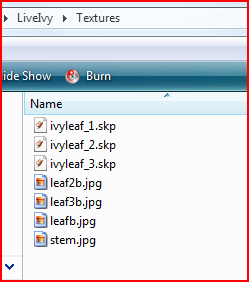
                      Check that the .skp files exist and that they each contain something!

                      TIG

                      1 條回覆 最後回覆 回覆 引用 0
                      • bigstickB 離線
                        bigstick
                        最後由 編輯

                        Mmf - not working on Mac Lion with SU8...

                        I have the latest version of SU Ivy, the files are in the right place, the menu is there, the dialog pops up and works fine.
                        It's the clicking and drawing that doesn't seem to be working.

                        1 條回覆 最後回覆 回覆 引用 0
                        • TIGT 離線
                          TIG Moderator
                          最後由 編輯

                          Are there any error messages in Ruby Console as you do this ? 😕

                          TIG

                          1 條回覆 最後回覆 回覆 引用 0
                          • charly2008C 離線
                            charly2008
                            最後由 編輯

                            Hi,

                            I have exchanged the ivy files through the Wisteria files. The generation of Wisteria leaves works, but in the bush still appears ivy leaves. What do i wrong? I am grateful for any information.

                            Charly
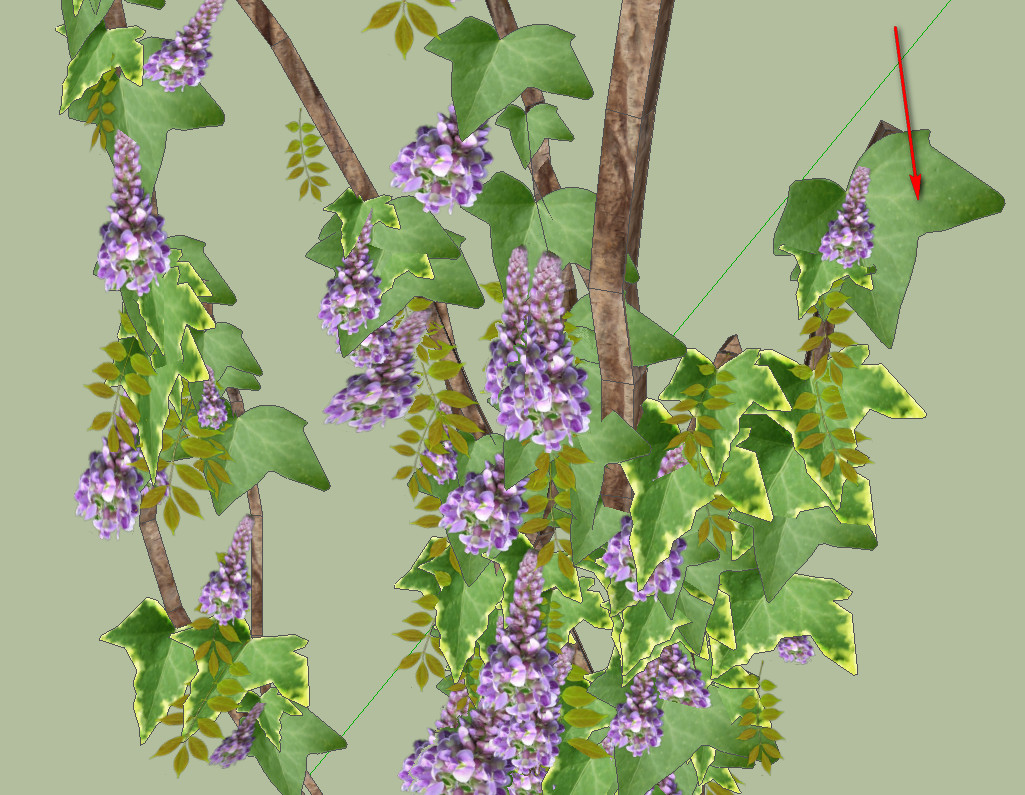

                            2011-09-11_163946.jpg


                            2011-09-11_163835.jpg

                            He who makes no mistakes, makes nothing

                            1 條回覆 最後回覆 回覆 引用 0
                            • bigstickB 離線
                              bigstick
                              最後由 編輯

                              TIG - there is no output at all in the Ruby console.

                              This is how my installation looks:-

                              \Library\Application Support\Google SketchUp 8\SketchUp\plugins\LiveIvy.rb

                              \Library\Application Support\Google SketchUp 8\SketchUp\plugins\LiveIvy\gui
                              \Library\Application Support\Google SketchUp 8\SketchUp\plugins\LiveIvy\Textures
                              \Library\Application Support\Google SketchUp 8\SketchUp\plugins\LiveIvy\LiveIvy_branch.rb
                              \Library\Application Support\Google SketchUp 8\SketchUp\plugins\LiveIvy\LiveIvy_leaf.rb
                              \Library\Application Support\Google SketchUp 8\SketchUp\plugins\LiveIvy\LiveIvy_node.rb
                              \Library\Application Support\Google SketchUp 8\SketchUp\plugins\LiveIvy\LiveIvy_tool.rb
                              \Library\Application Support\Google SketchUp 8\SketchUp\plugins\LiveIvy\LiveVector_core.rb

                              The GUI works, but the growing ivy doesn't. When I start to grow the ivy, I have the usual snap cursor. Is this what I'm supposed to see? Does this have a special cursor or some kind of visual indicator as to where to start the growth from?

                              Am I missing something basic?

                              1 條回覆 最後回覆 回覆 引用 0
                              • TIGT 離線
                                TIG Moderator
                                最後由 編輯

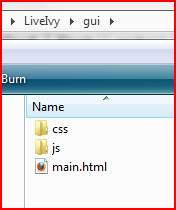
                                The ../Textures/ file should also contain this?Capture.PNG and the ../gui/ folder this?Capture1.PNG

                                TIG

                                1 條回覆 最後回覆 回覆 引用 0
                                • bigstickB 離線
                                  bigstick
                                  最後由 編輯

                                  Yes, those are all present. Should have confirmed this at the time - sorry!

                                  1 條回覆 最後回覆 回覆 引用 0
                                  • TIGT 離線
                                    TIG Moderator
                                    最後由 編輯

                                    I suggest you revisit earlier posts in the thread and see what the optimum settings are for the dialog...

                                    TIG

                                    1 條回覆 最後回覆 回覆 引用 0
                                    • X 離線
                                      xavier benoit
                                      最後由 編輯

                                      hello ....i tried your plugins but i don't have leaf only branch....the version is 0.6.3

                                      1 條回覆 最後回覆 回覆 引用 0
                                      • Z 離線
                                        zhuhuai
                                        最後由 編輯

                                        Hi,
                                        i can finish off the ivy by shift-click, its still in creating ivy mode and i cant finish it.when i close the small window, my ivy gone. anyone got any idea wats that about?? thanks!

                                        1 條回覆 最後回覆 回覆 引用 0
                                        • Z 離線
                                          zhuhuai
                                          最後由 編輯

                                          i have problem with shift + click on SU 6,error msg as below:

                                          wrong number of arguments(2 for 1)>
                                          C:/Program Files/Google/Google SketchUp 6/Plugins/LiveIvy/LiveIvy_tool.rb:233:in start_operation' C:/Program Files/Google/Google SketchUp 6/Plugins/LiveIvy/LiveIvy_tool.rb:233:in birth_stem'
                                          C:/Program Files/Google/Google SketchUp 6/Plugins/LiveIvy/LiveIvy_tool.rb:223:in birth' C:/Program Files/Google/Google SketchUp 6/Plugins/LiveIvy/LiveIvy_tool.rb:98:in onLButtonDown'
                                          C:/Program Files/Google/Google SketchUp 6/Plugins/LiveIvy/LiveIvy_tool.rb:233

                                          anyone got solution?

                                          1 條回覆 最後回覆 回覆 引用 0
                                          • TIGT 離線
                                            TIG Moderator
                                            最後由 編輯

                                            After v6 model.start_operation('name') can have additional arguments
                                            e.g. model.start_operation('name',true) - which now means it doesn't try to regen the screen and slow things down unnecessarily.
                                            However, v7/8 tools that use this improvement then run the risk of crashing v6 as it's not then compatible code.
                                            Most authors add a trap to allow backward compatibility - this author hasn't!
                                            The way to fix it for your v6 installation is this.
                                            Open the file displaying the error - helpfully shown in the error message C:/Program Files/Google/Google SketchUp 6/Plugins/LiveIvy/LiveIvy_tool.rb using a plain text-editor like Notepad or Notepad++ [NOT a wordprocessor].
                                            Make a backup copy if you expect to mess up!
                                            Find the lines saying
                                            Sketchup.active_model.start_operation "BuildIvy", true
                                            and change it to read
                                            Sketchup.active_model.start_operation "BuildIvy"
                                            and because it occurs twice, also find
                                            Sketchup.active_model.start_operation "BuildLeaves", true
                                            and change that to read
                                            Sketchup.active_model.start_operation "BuildLeaves"
                                            Save the file and restart/retry...
                                            It should then work with v6.
                                            If you have v7/8 use the unedited version because it'll be faster...

                                            TIG

                                            1 條回覆 最後回覆 回覆 引用 0
                                            • 1
                                            • 2
                                            • 30
                                            • 31
                                            • 32
                                            • 33
                                            • 34
                                            • 35
                                            • 36
                                            • 37
                                            • 32 / 37
                                            • 第一個貼文
                                              最後的貼文
                                            Buy SketchPlus
                                            Buy SUbD
                                            Buy WrapR
                                            Buy eBook
                                            Buy Modelur
                                            Buy Vertex Tools
                                            Buy SketchCuisine
                                            Buy FormFonts

                                            Advertisement