sketchucation logo sketchucation
    • Login
    Oops, your profile's looking a bit empty! To help us tailor your experience, please fill in key details like your SketchUp version, skill level, operating system, and more. Update and save your info on your profile page today!
    Mac User? | Join the Rayscaper Beta for Mac Learn More

    [Plugin] Sketchup Ivy

    Scheduled Pinned Locked Moved Plugins
    732 Posts 172 Posters 511.3k Views 172 Watching
    Loading More Posts
    • Oldest to Newest
    • Newest to Oldest
    • Most Votes
    Reply
    • Reply as topic
    Log in to reply
    This topic has been deleted. Only users with topic management privileges can see it.
    • P
      Pierreden
      last edited by

      @thomthom said:

      @pierreden said:

      @Gaieus: Of course. But is it possible to attach a rar file directly to the post?

      Yes - under the textbox when you write a post there is an "Upload attachment" tab where you can upload files.

      Hehe, sorry about that. Latskap.

      1 Reply Last reply
      Reply Quote 0
      • GaieusG
        Gaieus
        last edited by

        And I have just checked; the extension "rar" is also allowed (I thought maybe that's the problem).

        Gai...

        1 Reply Last reply
        Reply Quote 0
        • S
          Sergio Morera
          last edited by

          Thank you for your generosity. I look forward to give it a try πŸ‘

          1 Reply Last reply
          Reply Quote 0
          • Didier BurD
            Didier Bur
            last edited by

            Hi,

            Very interesting. Two remarks/questions: lots of branches have their faces reversed. Do you think this will be fixed in a future release ?
            Do I have to play with the parameters to make it 'grow', as it seems to 'fall' more than to climb ?
            Regards,
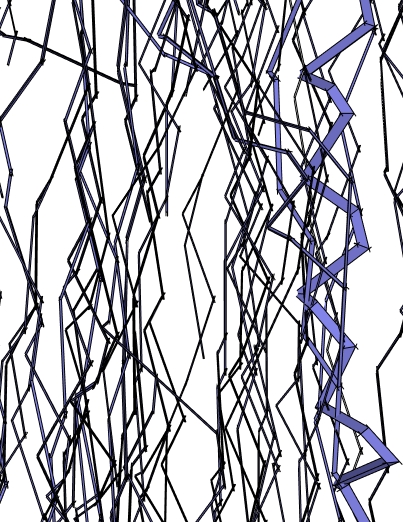
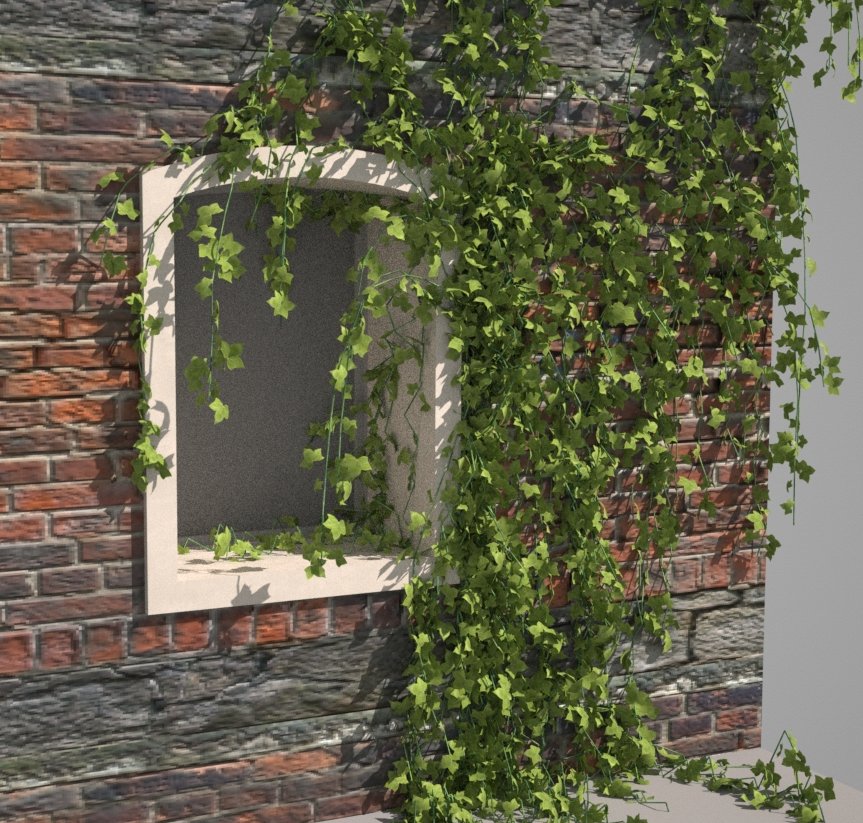
            ivy.jpg

            DB

            1 Reply Last reply
            Reply Quote 0
            • OxerO
              Oxer
              last edited by

              Hi,
              A very interesting plugin, i have used Ivy Generator by Thomas Luft but it's better if you can make ivy into Sketchup directly.
              I use Mac and the plugin don't works on OSX, i hope that you can solved this problem.
              Bye and congratulations for this promising plugin. πŸ‘

              This is a unfinished old project, i would like make this into SU directly.
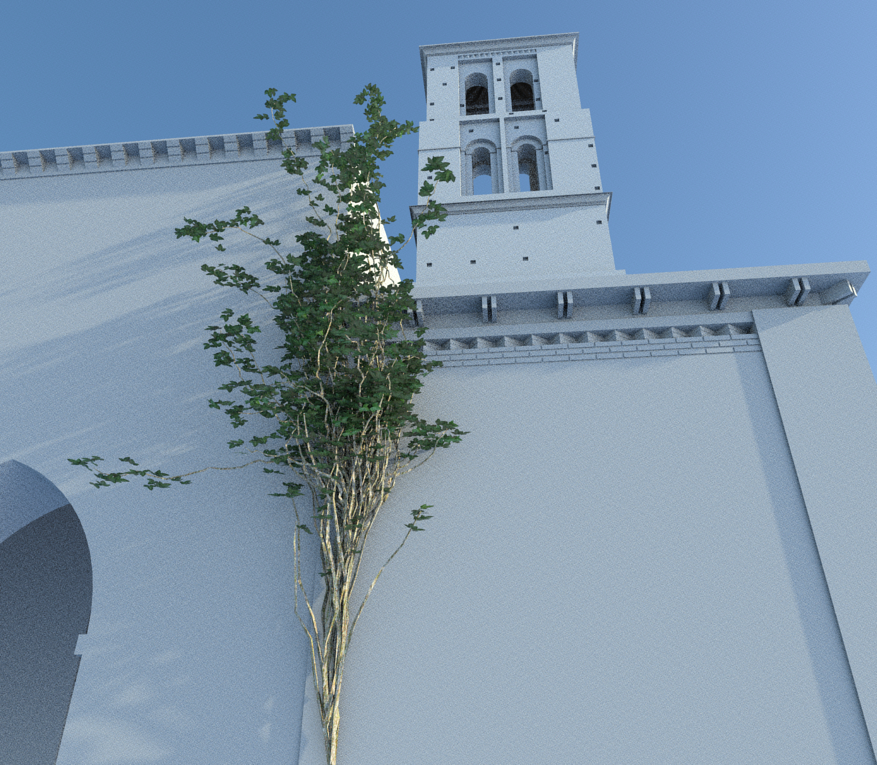
              ivy created with Ivy Generator (Thomas Luft)

              "The result is the end what is important is the process" by Oxer
              http://www.oxervision.blogspot.com/

              1 Reply Last reply
              Reply Quote 0
              • R
                robert111
                last edited by

                can anyone make tuto for this nice plugin plzzzzzzzzzzz

                thanks robert

                1 Reply Last reply
                Reply Quote 0
                • A
                  andre51
                  last edited by

                  Great plugin! Thanks a lot

                  ivy.jpg

                  1 Reply Last reply
                  Reply Quote 0
                  • P
                    Pierreden
                    last edited by

                    @didier bur said:

                    Hi,

                    Very interesting. Two remarks/questions: lots of branches have their faces reversed. Do you think this will be fixed in a future release ?
                    Do I have to play with the parameters to make it 'grow', as it seems to 'fall' more than to climb ?
                    Regards,

                    I think both off these issues have been fixed in the v.0.1 release πŸ˜‰

                    @Oxer:
                    I can take a look at it. If you could PM me the error output in the ruby console it would be of great help! ("windows" > "Ruby console" inside sketchup and then try to make a new Ivy with this window open and copy the error message)

                    1 Reply Last reply
                    Reply Quote 0
                    • OxerO
                      Oxer
                      last edited by

                      I probe the plugin again and don't works, the Console window appears blank and happens nothing.
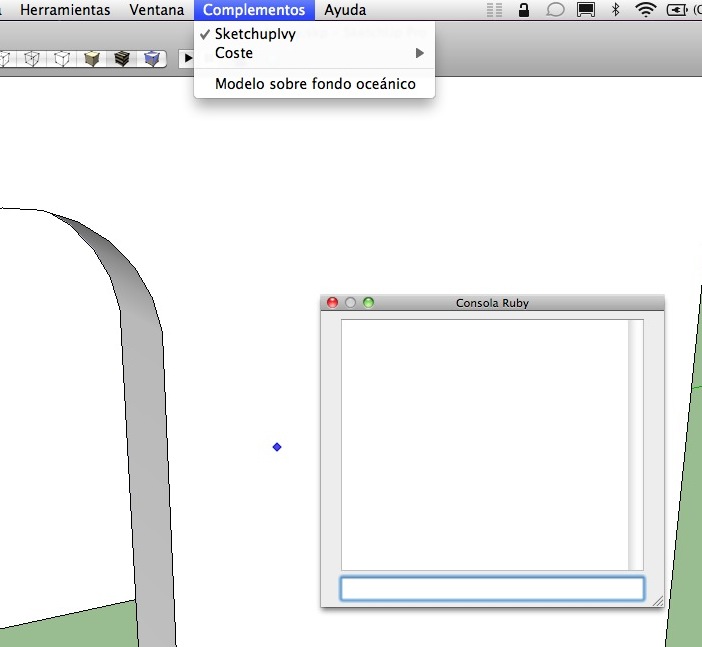
                      Console window

                      Sorry Pierreden but i would like help you more, if there are another mac users please comment about the use of the plugin on Mac OSX.

                      "The result is the end what is important is the process" by Oxer
                      http://www.oxervision.blogspot.com/

                      1 Reply Last reply
                      Reply Quote 0
                      • Alan FraserA
                        Alan Fraser
                        last edited by

                        Some great improvements there...and pretty easy to customise (I doubled the float length). One issue I have on my system is that when the progress meter hits 100% I still can't see the red latent growth path. It's only visible from certain very specific angles, so I have to keep constantly orbiting to a new position to see where it's up to. I have the latest graphic drivers. It's no biggee, but I thought I'd mention it.

                        3D Figures
                        Were you required to walk 500 miles? Were you advised to walk 500 more?
                        You could be entitled to compensation. Call the Pro Claimers now!

                        1 Reply Last reply
                        Reply Quote 0
                        • N
                          notareal
                          last edited by

                          Interesting project. I am sure that this has more potent than just to grow a ivy. πŸ‘

                          Welcome to try Thea Render, Thea support | kerkythea.net -team member

                          1 Reply Last reply
                          Reply Quote 0
                          • thomthomT
                            thomthom
                            last edited by

                            @alan fraser said:

                            Some great improvements there...and pretty easy to customise (I doubled the float length). One issue I have on my system is that when the progress meter hits 100% I still can't see the red latent growth path. It's only visible from certain very specific angles, so I have to keep constantly orbiting to a new position to see where it's up to. I have the latest graphic drivers. It's no biggee, but I thought I'd mention it.

                            That's probably because the tool doesn't implement the Tool.get_extent method: http://code.google.com/apis/sketchup/docs/ourdoc/tool.html#getExtents

                            @Pierreden: Beware that adding methods into the base classes risk running into conflicts with other plugins. It's the same as adding methods to the root namespace - everything is shared. Method names such as .to_v, .to_p, .all_faces could potentially be used by other plugins authors.
                            Even though it looks nicer to extend the base classes there always is a risk of clashes. I always advice people to void it just to be on the safe side.

                            Thomas Thomassen β€” SketchUp Monkey & Coding addict
                            List of my plugins and link to the CookieWare fund

                            1 Reply Last reply
                            Reply Quote 0
                            • L
                              Lobster
                              last edited by

                              Hi,

                              Looks really interesting but I too have a problem on a Mac OSX 10.6.6. Sketchup 8.

                              There is no output in the console window showing fault after choosing/ticking in the plugin list and clicking on a surface.

                              The extraction of the .rar seemed fine and i have the folder and .rb file in the correct directory. I presume that the files remain in the Sketchupivy folder?

                              Regards

                              Sam

                              1 Reply Last reply
                              Reply Quote 0
                              • TIGT
                                TIG Moderator
                                last edited by

                                Lobster
                                You should a file called si.rb that is in Plugins and a folder called SketchupIvy containing other files, that folder also goes into Plugins.
                                If your .rar extractor has put these inside another folder then move the .rb and folder into the Plugins folder.

                                TIG

                                1 Reply Last reply
                                Reply Quote 0
                                • L
                                  Lobster
                                  last edited by

                                  Hi Tig,

                                  Thanks for the clarification. My path is correct. I have the Sketchupivy folder and the .rb file in the plug ins folder.

                                  Regards

                                  Sam

                                  1 Reply Last reply
                                  Reply Quote 0
                                  • P
                                    Pierreden
                                    last edited by

                                    @lobster said:

                                    Hi Tig,

                                    Thanks for the clarification. My path is correct. I have the Sketchupivy folder and the .rb file in the plug ins folder.

                                    Regards

                                    Sam

                                    I have little experience with mac, but try to replace the tool.rb in the "SketchupIvy" folder with the attached one. Might work πŸ˜•


                                    tool.rb

                                    1 Reply Last reply
                                    Reply Quote 0
                                    • TIGT
                                      TIG Moderator
                                      last edited by

                                      Copy/paste this into your Ruby Console Sketchup.find_support_file("Plugins")
                                      It will give you the correct location for Plugins on your MAC.
                                      Both the si.rb and tool's folder should be in this folder...

                                      TIG

                                      1 Reply Last reply
                                      Reply Quote 0
                                      • P
                                        Pierreden
                                        last edited by

                                        @thomthom said:

                                        @alan fraser said:

                                        Some great improvements there...and pretty easy to customise (I doubled the float length). One issue I have on my system is that when the progress meter hits 100% I still can't see the red latent growth path. It's only visible from certain very specific angles, so I have to keep constantly orbiting to a new position to see where it's up to. I have the latest graphic drivers. It's no biggee, but I thought I'd mention it.

                                        That's probably because the tool doesn't implement the Tool.get_extent method: http://code.google.com/apis/sketchup/docs/ourdoc/tool.html#getExtents

                                        @Pierreden: Beware that adding methods into the base classes risk running into conflicts with other plugins. It's the same as adding methods to the root namespace - everything is shared. Method names such as .to_v, .to_p, .all_faces could potentially be used by other plugins authors.
                                        Even though it looks nicer to extend the base classes there always is a risk of clashes. I always advice people to void it just to be on the safe side.

                                        Yeah. Im aware of this but do this mostly because my experiments and tests never leave my computer/Sketchup. Will do something about this soon.

                                        1 Reply Last reply
                                        Reply Quote 0
                                        • Dave RD
                                          Dave R
                                          last edited by

                                          It is an interesting plugin. Thank you. Like Alan, I don't see the red latent growth path. Most of the time orbiting doesn't help. Also, even with branching probability set to .99 I don't get any branches. If I have units set to Fractional as I normally do I get the following in the console.

                                          %(#FF0000)[nil
                                          Error: #<NoMethodError: undefined method []' for nil:NilClass> C:/Program Files/Google/Google SketchUp 8/Plugins/SketchupIvy/tool.rb:43:in onLButtonDown'
                                          C:/Program Files/Google/Google SketchUp 8/Plugins/SketchupIvy/tool.rb:43]

                                          Etaoin Shrdlu

                                          %

                                          (THERE'S NO PLACE LIKE)

                                          G28 X0.0 Y0.0 Z0.0

                                          M30

                                          %

                                          1 Reply Last reply
                                          Reply Quote 0
                                          • TIGT
                                            TIG Moderator
                                            last edited by

                                            To ensure that all of the model is included in the current drawn view within the Tool's class you have this method

                                            def getExtents
                                                bbox=Sketchup.active_model.bounds
                                                bbox.add(@ip.position)if @ip and @ip.valid?
                                                return bbox
                                            end
                                            

                                            assuming that @ip is your input point etc

                                            TIG

                                            1 Reply Last reply
                                            Reply Quote 0

                                            Hello! It looks like you're interested in this conversation, but you don't have an account yet.

                                            Getting fed up of having to scroll through the same posts each visit? When you register for an account, you'll always come back to exactly where you were before, and choose to be notified of new replies (either via email, or push notification). You'll also be able to save bookmarks and upvote posts to show your appreciation to other community members.

                                            With your input, this post could be even better πŸ’—

                                            Register Login
                                            • 1
                                            • 2
                                            • 28
                                            • 29
                                            • 30
                                            • 31
                                            • 32
                                            • 36
                                            • 37
                                            • 30 / 37
                                            • First post
                                              Last post
                                            Buy SketchPlus
                                            Buy SUbD
                                            Buy WrapR
                                            Buy eBook
                                            Buy Modelur
                                            Buy Vertex Tools
                                            Buy SketchCuisine
                                            Buy FormFonts

                                            Advertisement