sketchucation logo sketchucation
    • Login
    Oops, your profile's looking a bit empty! To help us tailor your experience, please fill in key details like your SketchUp version, skill level, operating system, and more. Update and save your info on your profile page today!
    ⚠️ Important | Libfredo 15.6b introduces important bugfixes for Fredo's Extensions Update

    Very basic help

    Scheduled Pinned Locked Moved Newbie Forum
    sketchup
    13 Posts 4 Posters 634 Views 4 Watching
    Loading More Posts
    • Oldest to Newest
    • Newest to Oldest
    • Most Votes
    Reply
    • Reply as topic
    Log in to reply
    This topic has been deleted. Only users with topic management privileges can see it.
    • O Offline
      oslocadiz
      last edited by

      Here it is : ) It' connected to a line.


      ex---1.skp

      1 Reply Last reply Reply Quote 0
      • GaieusG Offline
        Gaieus
        last edited by

        Would it be something like this?


        ex---1.skp

        Gai...

        1 Reply Last reply Reply Quote 0
        • Dave RD Offline
          Dave R
          last edited by

          Or like this?

          If it's what I did, I copied the curves up to the top of the higher "wall" and then connected the vertices with the curve at the bottom (I exploded your curve group, too.) I used the Line tool from Tools on surface to create the sloped line between the tops of the end walls but it could be done by drawing in a plane and intersecting it with the curved surface. In either case, then just delete the face above the sloped line. I repeated that for the outside curve and then manually connected vertices to skin over the roof. As Csaba said, it could all be done with plugins, too.


          ex---1.skp

          Etaoin Shrdlu

          %

          (THERE'S NO PLACE LIKE)

          G28 X0.0 Y0.0 Z0.0

          M30

          %

          1 Reply Last reply Reply Quote 0
          • GaieusG Offline
            Gaieus
            last edited by

            Yes, that can also be... 😒

            Gai...

            1 Reply Last reply Reply Quote 0
            • O Offline
              oslocadiz
              last edited by

              Yes like you did Dave. Will try to do it on the other ones.

              Thank you for your help.

              1 Reply Last reply Reply Quote 0
              • Dave RD Offline
                Dave R
                last edited by

                Any time.

                Etaoin Shrdlu

                %

                (THERE'S NO PLACE LIKE)

                G28 X0.0 Y0.0 Z0.0

                M30

                %

                1 Reply Last reply Reply Quote 0
                • O Offline
                  oslocadiz
                  last edited by

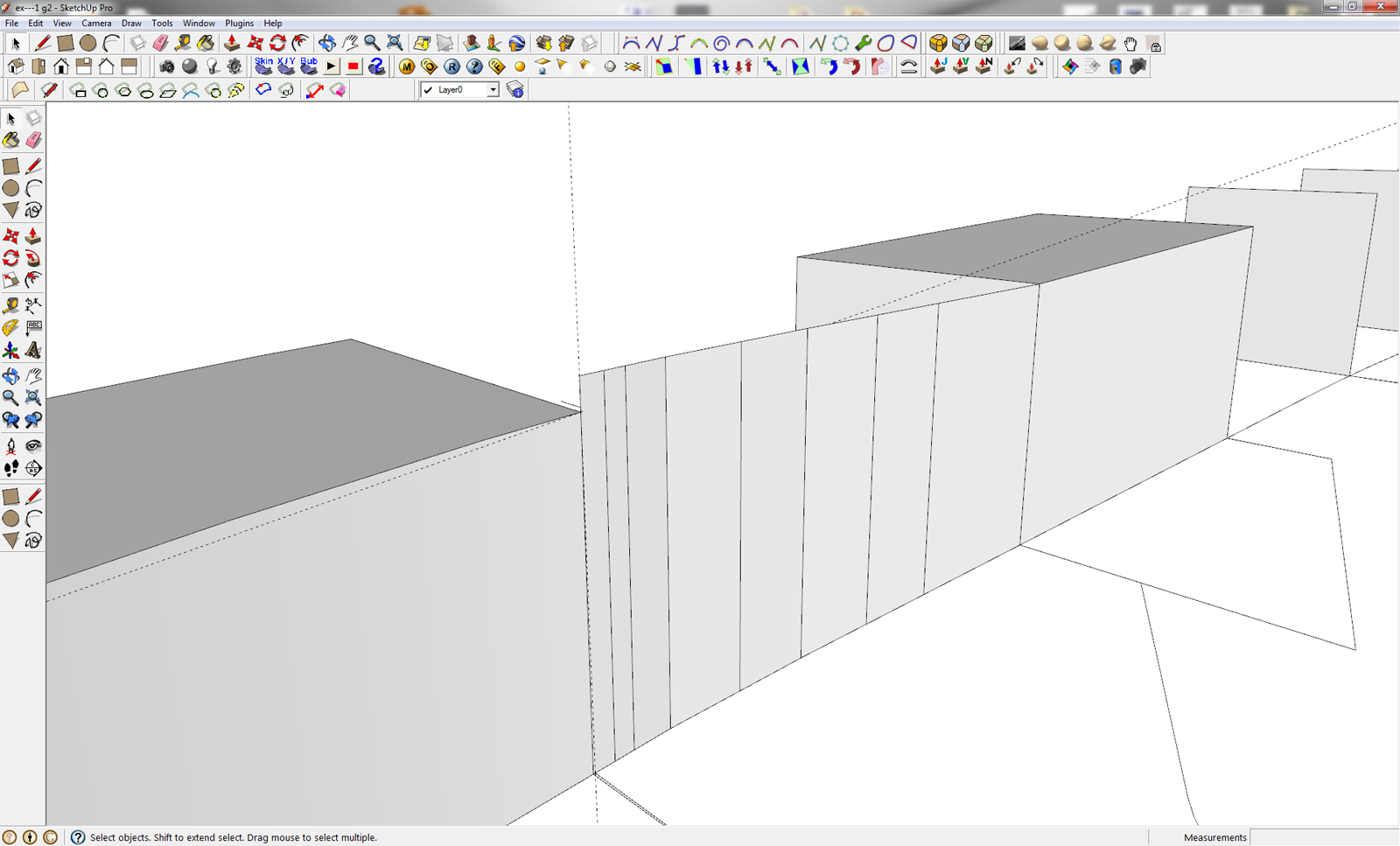
                  I had a little problem understanding the second part of your explanation: how do you make the slope line a long the surface. I tried to make a line but because of the gap to the surface I can't trim it.

                  I used the Line tool from Tools on surface to create the sloped line between the tops of the end walls but it could be done by drawing in a plane and intersecting it with the curved surface.

                  Step by step will I learn this gem of a program!!

                  ex. p2.jpg

                  1 Reply Last reply Reply Quote 0
                  • O Offline
                    oslocadiz
                    last edited by

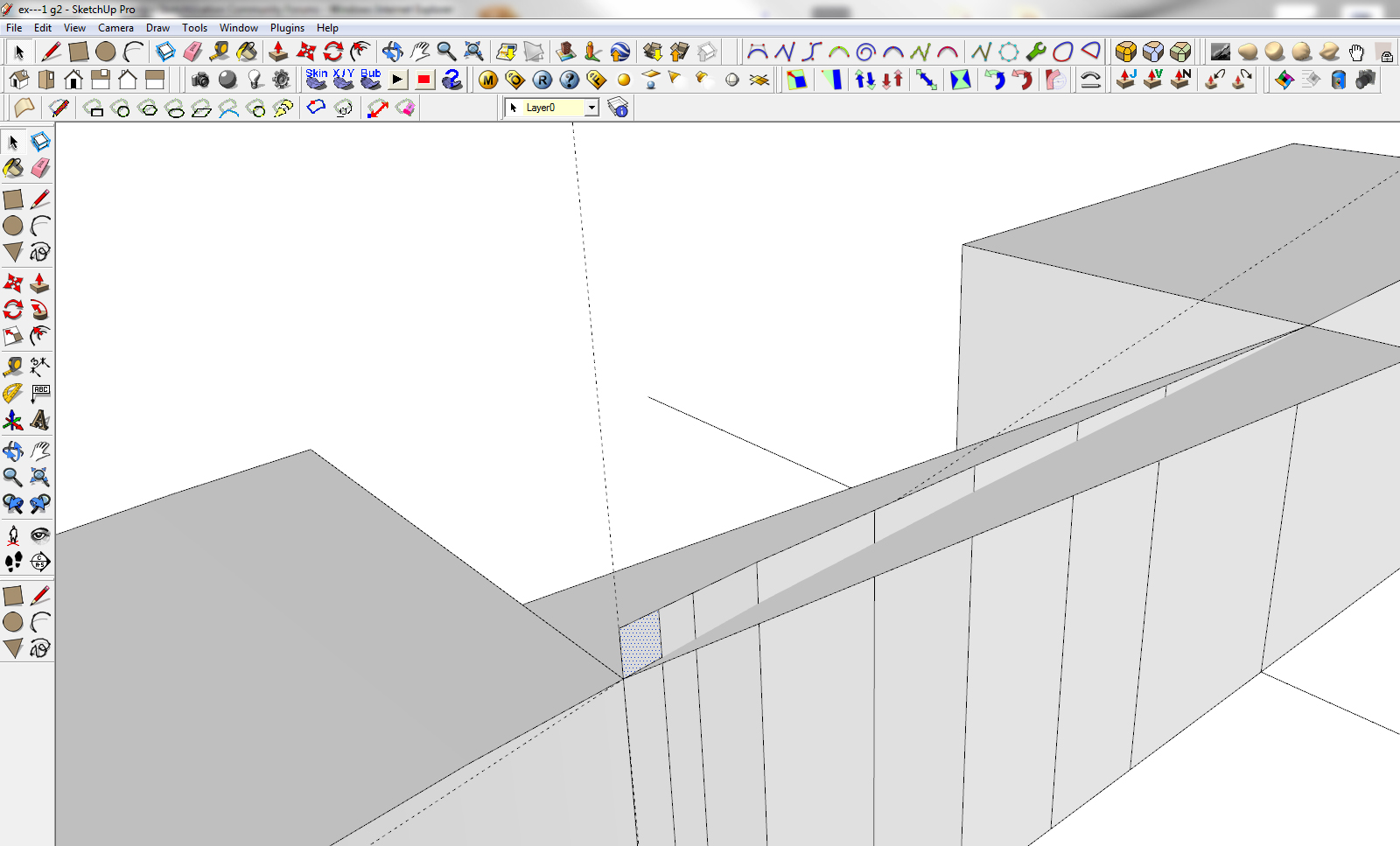
                    OK I got it!! : )

                    Sorry...It's the end of my workday and my brain is not being very imaginative.

                    Thanks again

                    ex p.3.jpg

                    1 Reply Last reply Reply Quote 0
                    • Dave RD Offline
                      Dave R
                      last edited by

                      The plane as you show does it nicely. The other thing I referred to is a plugin called Tools on Surface which lets you just draw the line between corners.

                      Maybe it's time for you to take a rest. 😉

                      Etaoin Shrdlu

                      %

                      (THERE'S NO PLACE LIKE)

                      G28 X0.0 Y0.0 Z0.0

                      M30

                      %

                      1 Reply Last reply Reply Quote 0
                      • mitcorbM Offline
                        mitcorb
                        last edited by

                        While looking at your images, it reminded me of something I am doing at home. I needed to project some geometry normal to the curved surfaces to sort of reflect a spherical effect. I used Chris Fullmer's 3 lines tool. You can use the normal selection, specify/correct the desired length by interacting with the VCB, and a line will be drawn normal to a face or a vertex. You can then draw from point to point on the endpoints of the normals.

                        I take the slow, deliberate approach in my aimless wandering.

                        1 Reply Last reply Reply Quote 0
                        • O Offline
                          oslocadiz
                          last edited by

                          Great advice... There nobody left in my office so it's really about time to head back home-> where SU is all about fun 👍

                          I will first learn it the hard way and come back for plugin advice...but it's written down in my list for wanted plugin.

                          Have a nice day/evening

                          1 Reply Last reply Reply Quote 0
                          • 1 / 1
                          • First post
                            Last post
                          Buy SketchPlus
                          Buy SUbD
                          Buy WrapR
                          Buy eBook
                          Buy Modelur
                          Buy Vertex Tools
                          Buy SketchCuisine
                          Buy FormFonts

                          Advertisement

