Very basic help
-
Hi,
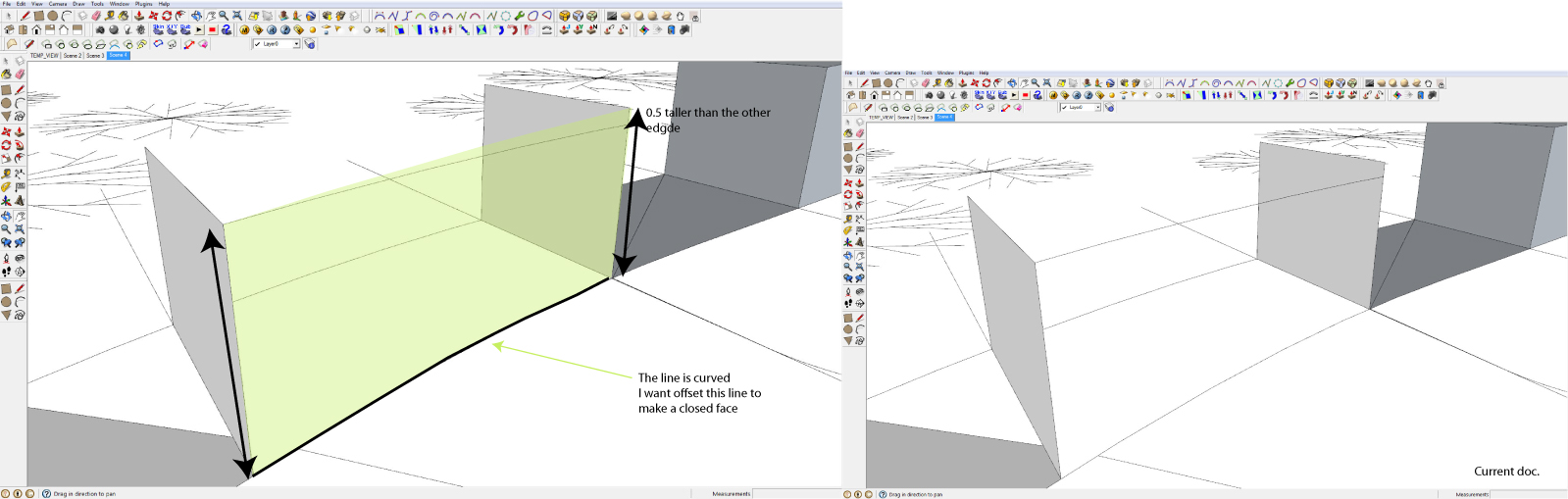
I have a curve line that I want to offset to make a closed face. My problem is that the form has two different heights that makes this difficult. I tried to use the rotate tool but it didn't work very well. Anyone with a great advice? The picture explains the problem much better : )
Thank for your help!
-
Is that different height connected with a straight line or another curve?
You could just Move/Copy the face and then connect the endpoints. (There are plugins of course...)
Any chance to share thatpart of the model? (I see there are other things in there...)
-
-
-
Or like this?
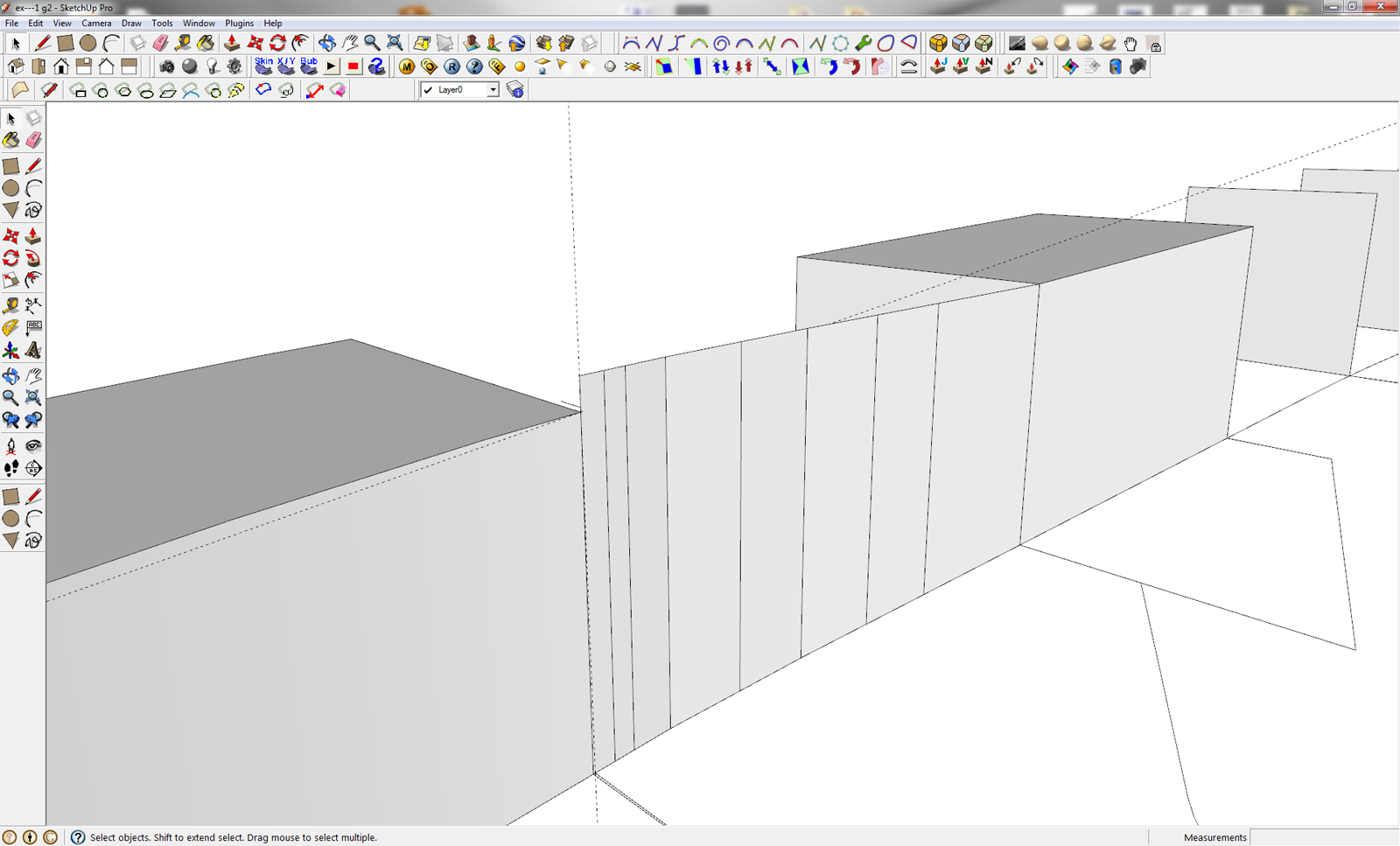
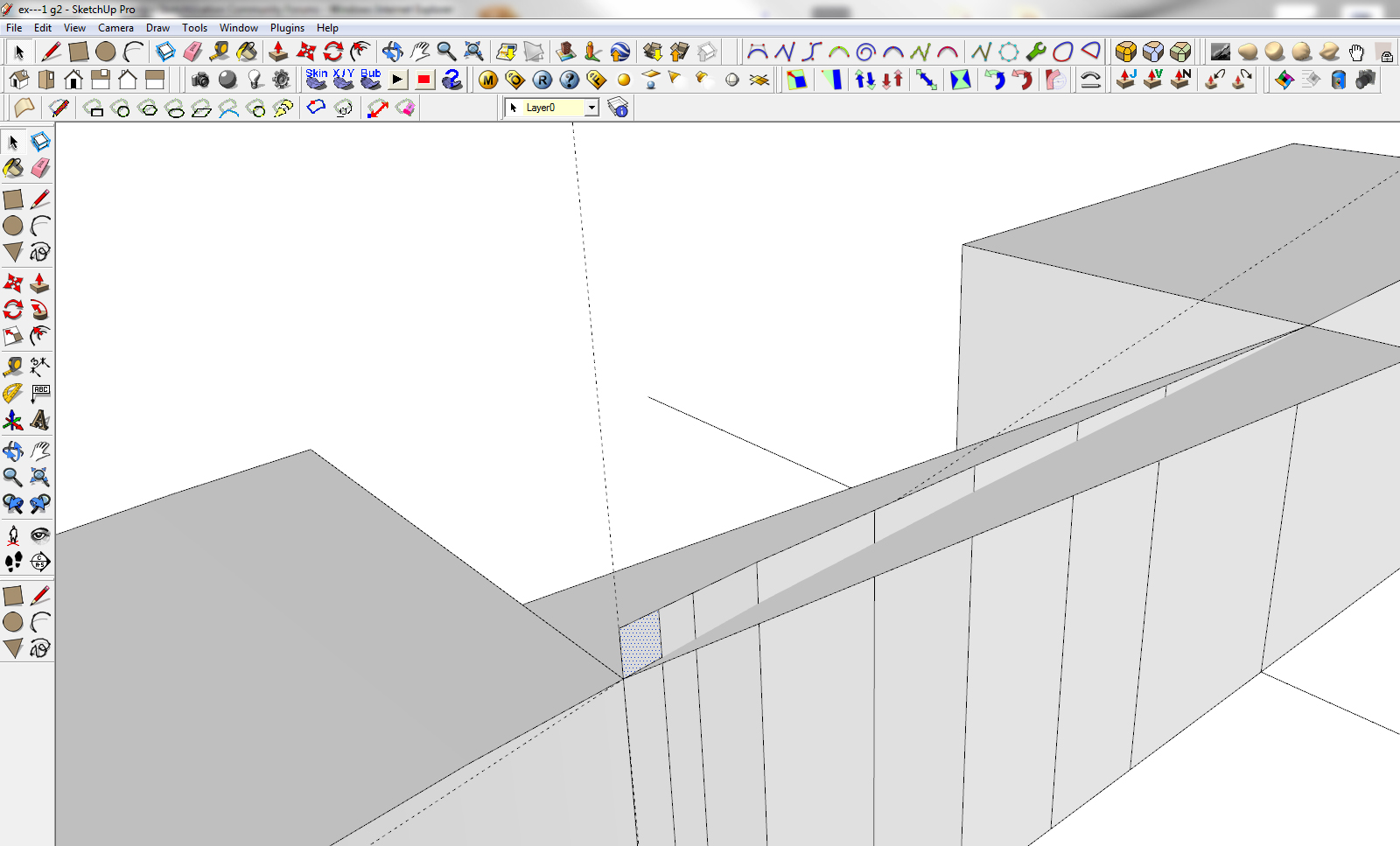
If it's what I did, I copied the curves up to the top of the higher "wall" and then connected the vertices with the curve at the bottom (I exploded your curve group, too.) I used the Line tool from Tools on surface to create the sloped line between the tops of the end walls but it could be done by drawing in a plane and intersecting it with the curved surface. In either case, then just delete the face above the sloped line. I repeated that for the outside curve and then manually connected vertices to skin over the roof. As Csaba said, it could all be done with plugins, too.
-
Yes, that can also be...

-
Yes like you did Dave. Will try to do it on the other ones.
Thank you for your help.
-
Any time.
-
I had a little problem understanding the second part of your explanation: how do you make the slope line a long the surface. I tried to make a line but because of the gap to the surface I can't trim it.
I used the Line tool from Tools on surface to create the sloped line between the tops of the end walls but it could be done by drawing in a plane and intersecting it with the curved surface.
Step by step will I learn this gem of a program!!
-
OK I got it!! : )
Sorry...It's the end of my workday and my brain is not being very imaginative.
Thanks again
-
The plane as you show does it nicely. The other thing I referred to is a plugin called Tools on Surface which lets you just draw the line between corners.
Maybe it's time for you to take a rest.

-
While looking at your images, it reminded me of something I am doing at home. I needed to project some geometry normal to the curved surfaces to sort of reflect a spherical effect. I used Chris Fullmer's 3 lines tool. You can use the normal selection, specify/correct the desired length by interacting with the VCB, and a line will be drawn normal to a face or a vertex. You can then draw from point to point on the endpoints of the normals.
-
Great advice... There nobody left in my office so it's really about time to head back home-> where SU is all about fun

I will first learn it the hard way and come back for plugin advice...but it's written down in my list for wanted plugin.
Have a nice day/evening



Hello! It looks like you're interested in this conversation, but you don't have an account yet.
Getting fed up of having to scroll through the same posts each visit? When you register for an account, you'll always come back to exactly where you were before, and choose to be notified of new replies (either via email, or push notification). You'll also be able to save bookmarks and upvote posts to show your appreciation to other community members.
With your input, this post could be even better 💗
Register Login


Advertisement