Model "looks" solid but Sketchup says otherwise?
-
Hello there!
I'm a bit new to Sketchup, however I have been toying around with it.
My question is that my model "looks solid" , however when I try to use the Solid tools (such as Intersect, Trim, etc), it says it cannot be done as one of the things I'm trying to intersect it with is not a solid. It also does not tell me the volume.
I have used the Solid Inspector tool, and see red/yellow lines, yet deleting the red and yellow lines ruins the model.
I will use the finished model with Ponoko for 3D printing, hence the need for it to be "solid".
Any help?

The model I have made is attached to this post. But, please ignore the small little shape (that one DOES have a volume, however.)
-
Your model is 'quite small' with may small facets...
Both SUp and OpenGL have a limitation on very small [and very large] facet sizes.
They can 'exist' when scaled down later... BUT they cannot be 'made' initially.
Anything with a side <~0.1mm will fail.
I suspect that that the form you made has a tiny hole in it, so it's not reported as solid!
Try remaking it x10 or x100 bigger and then scaling it down to suit - hopefully, it will then keep its facets and be regarded as 'solid'............ -
I had a look at your model. In this case I think the problem lies with the edge between the rim structure and the body. See in the green rectangle. If you pull the large flat face back a few mm, I think you'll find it becomes solid. You'll have to delete some interior faces that will be created around that rim, too.

Of course this thing wouldn't work in reality as currently drawn. That rim wouldn't be attached to the rest.
-
Dave is right.
Volumes meeting at a common edge are not regarded as 'solid'.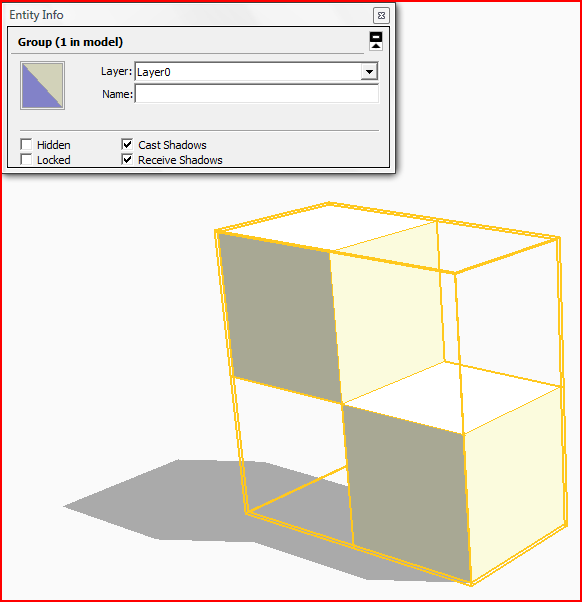
Volumes that are separate are 'solid'.
Volumes that overlap and share a common 'internal' face are not regarded as 'solid'.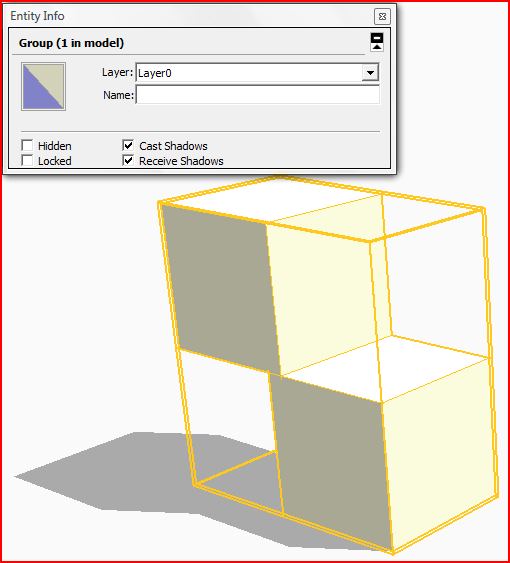
Volumes that overlap but have no internal faces [here they were removed] are 'solid'.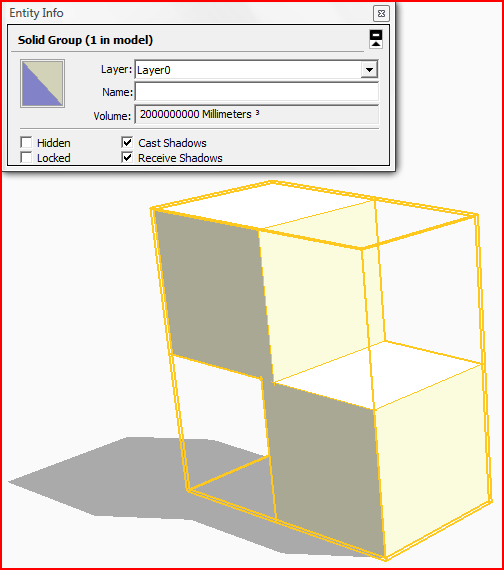


Hello! It looks like you're interested in this conversation, but you don't have an account yet.
Getting fed up of having to scroll through the same posts each visit? When you register for an account, you'll always come back to exactly where you were before, and choose to be notified of new replies (either via email, or push notification). You'll also be able to save bookmarks and upvote posts to show your appreciation to other community members.
With your input, this post could be even better 💗
Register Login


Advertisement