Problems doing a curve
-
@gumleguf said:
Tig > Tried following your instructions and ended up with this. It looks correct except that when I use EEbyVector to extrude it backwards by 50mm my model gets "sliced up". I finished and also pasted the back to it and reversed it, but when smoothing the model the "slices" remains:
[attachment=1:1bxp6nwa]<!-- ia1 -->gbl324234.JPG<!-- ia1 -->[/attachment:1bxp6nwa]
[attachment=0:1bxp6nwa]<!-- ia0 -->JamoR909_clone_6_EEbyVector_1.skp<!-- ia0 -->[/attachment:1bxp6nwa]NOT quite the expected result... but not irredeemable...
Select a face with the correct orientation and right-click 'Orient' to get them all facing the same way... then select all and Smooth till it looks like you want... -
TIG > Am I not following your instructions?
I tried selecting a face, right-clicked and selected "Orient Faces", but it seems to me that it only made some other faces reverse?
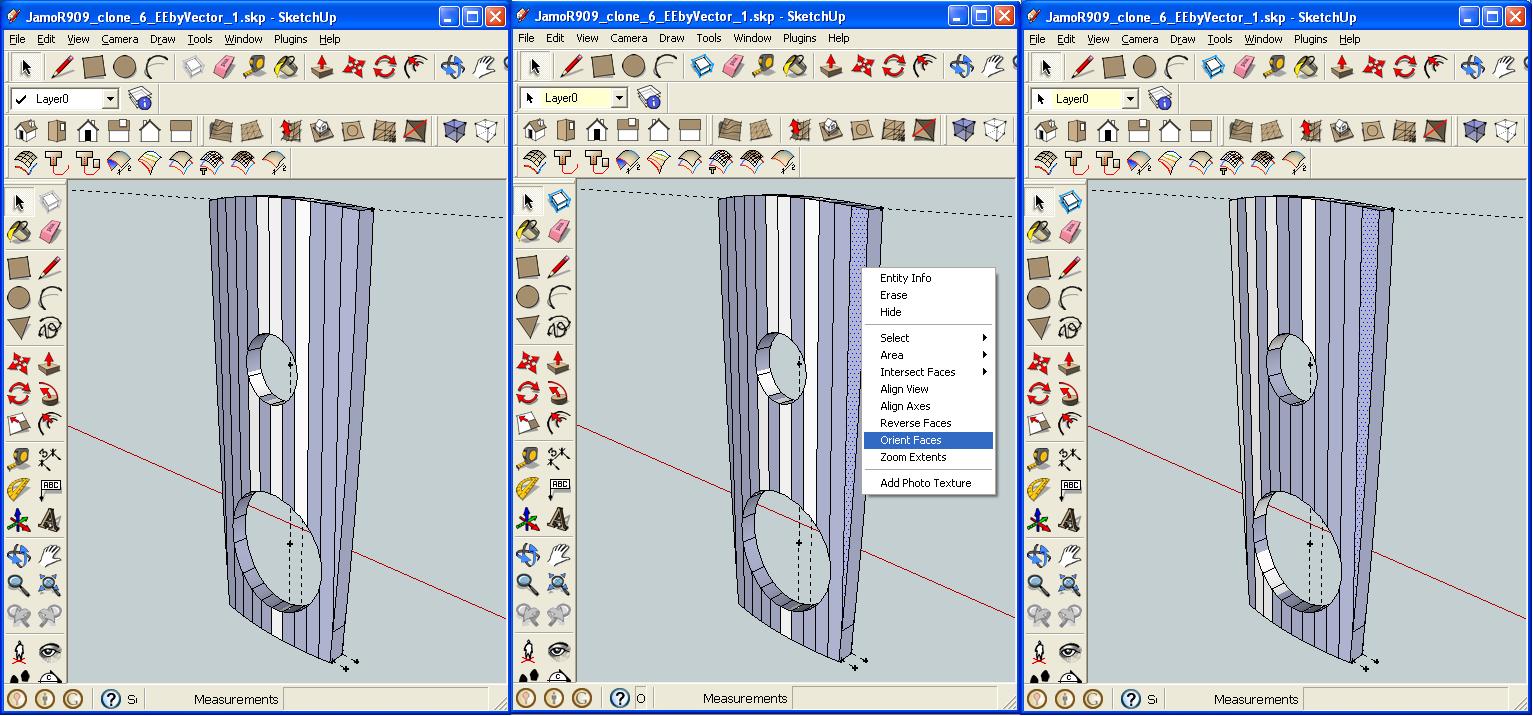
-
I think I have it!
You are making internal faces so can never successfully get orient faces to work as there are always some wrong!
I think this is because you are extruding ALL Edges as you have View > Hidden Geometry ON and are working on the Smoothed ones as well.
Switch View > Hidden Geometry OFF, then Select the Surface and its Edges [then Shift+Ctrl to deselect the Surface]...
EEbyVector on the Edges back 50mm.
At that point you shouls have all of the 'sides' made without a 'back'.
Copy the front as the back as explained before and reverse it...

-
I think you're right.
Does this look correct (I think it does, but what do I know...
 )?
)? -
Good!
Now all you need to do is select the front Surface, right-click and Orient - all faces will be correct.
To 'smooth' the edges you don't want around the top edge, Select all [treble-click surface] and right-click Smooth...Done

-
This is too cool.
Thanks all. You are the best.

Hello! It looks like you're interested in this conversation, but you don't have an account yet.
Getting fed up of having to scroll through the same posts each visit? When you register for an account, you'll always come back to exactly where you were before, and choose to be notified of new replies (either via email, or push notification). You'll also be able to save bookmarks and upvote posts to show your appreciation to other community members.
With your input, this post could be even better 💗
Register Login


Advertisement