[Plugin] OBJexporter v3.0 20130131
-
hello.thank goodness for clever people
-
Works perfectly for me, thankyou so much for this plug-in!
-
I use this plugin a lot. Thank you tig so much. The only other solution is to use SU pro just for the obj exporter.
Colada with all the tricks isn't that good.
I use to export obj to lot of apps.
But:
What is happening, and lot of apps confirm it is that this plugin exports double vertices.
Impossible to handle them in zbrush or 3dcoat or elsewhere as it is.
What I do is to import in blender / edit mode / delete doubles.Or for a perfect export:
I use the remove inner faces plugin first of all.
Export to blender / remove doubles / recalculate normals outside. (for this last one, inner faces or better non-manifolds shouldn't exist)Textures? Let's forget it, actually I don't need them as going for UV decent mapping.
So a question, why double vertices? Is it a double faces SU textures-related problem? Is it possible to have a check to avoid them?
-
My guess is that the vertices are not welded.
Which means that the faces are not attached to each other(big problem in Z-brush).. It is probably not a bug (like having doublettes of vertices), but rather that each face need it's own vertices.
For ex 2 faces on a cube will share vertexpositions, but not being welded.Haven't used this OBJ.exporter. But, I am using Octaine-exporter and havent seen any issues regarding that. Wonder if thoose 2 plugins use the same alogaritm?
-
@jolran said:
My guess is that the vertices are not welded.
Which means that the faces are not attached to each other(big problem in Z-brush).. It is probably not a bug (like having doublettes of vertices), but rather that each face need it's own vertices.
For ex 2 faces on a cube will share vertexpositions, but not being welded.Haven't used this OBJ.exporter. But, I am using Octaine-exporter and havent seen any issues regarding that. Wonder if thoose 2 plugins use the same alogaritm?
They do use the same algorithms - I wrote both of them
-
@unknownuser said:
My guess is that the vertices are not welded.
Exactly. I checked it. When removing double vertices in blender they become welded.
Here a simple skp and the exported tt.obj, a welded in blender obj and a converted to quads one.Same not welded issue is happening to collada exports too (1.4)
For compatibility with zbrush, use these parameters under import palette.
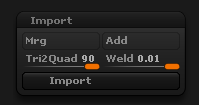
My wish could be this:
Close holes (make mess waterproof) / Remove innerfaces(non manifolds) / weld vertices / export obj
No SU textures / UVs.
I can do this manually of course.
-
@unknownuser said:
They do use the same algorithms - I wrote both of them
Yeah I know. And if I may add, Octaine render export works very well.
At least for my needs. Used it all week without any issues.@unknownuser said:
For compatibility with zbrush, use these parameters under import palette.
Thanks!
 I haven't had any need to use Z-brush for a while but this will come in handy.
@unknownuser said:
weld vertices
Sketchup API is a bit restrictive regarding handling of vertices. There is no weld-option of what I can think of. Which means one would have to restructure the whole code to fix a thing like that. I think there was a weld-plugin at smustard if I'm not misstaken.
I would not mind having some code for welding vertices myself -
@jolran
Just use blender. No need lo learn anything. Just import the obj/edit mode/[W key]/delete double vertices. exit edit mode and export. This will weld all vertices automatically. It's also useful to convert objs to 3ds for nice SU import.
To eliminate non manifolds/inner faces is more difficult. The ruby plugin works in most cases. -
Here's v1.7 http://forums.sketchucation.com/viewtopic.php?p=294844#p294844
Material images with no filetype now auto-revert to PNG [possible with Google Earth Snapshots etc].
[This betters Pro OBJ-exporter which fails in this case]
Tolerance for deciding if there is a distorted texture relaxed. -
TIG, thank you again.
-
@michaliszissiou said:
@jolran
Just use blender.Or Meshlab. http://meshlab.sourceforge.net/ I use this a lot to post process exported .obj files and it works very well. Works on cleaning up manifolds and inner faces as well. Very powerful application. Free too ...
Cheers
-
Great work! I have been looking for something similar for a long time.
-
It works well in most cases. However there seems to be some problem with flipped (mirrored) objects. Half of the object will be black, maybe due to incorrect normals. Try this model http://sketchup.google.com/3dwarehouse/details?mid=dd9ece07d4bc696c2bafe808edd44356&prevstart=0 and you'll see how.
-
Indeed the SKP is made from two mirrored halves as component-instances.
Somehow one mirrored version seems to flip the exported faces.
The SKP does have some issues with faces reverse - like the windows - but even with those fixed it messes up...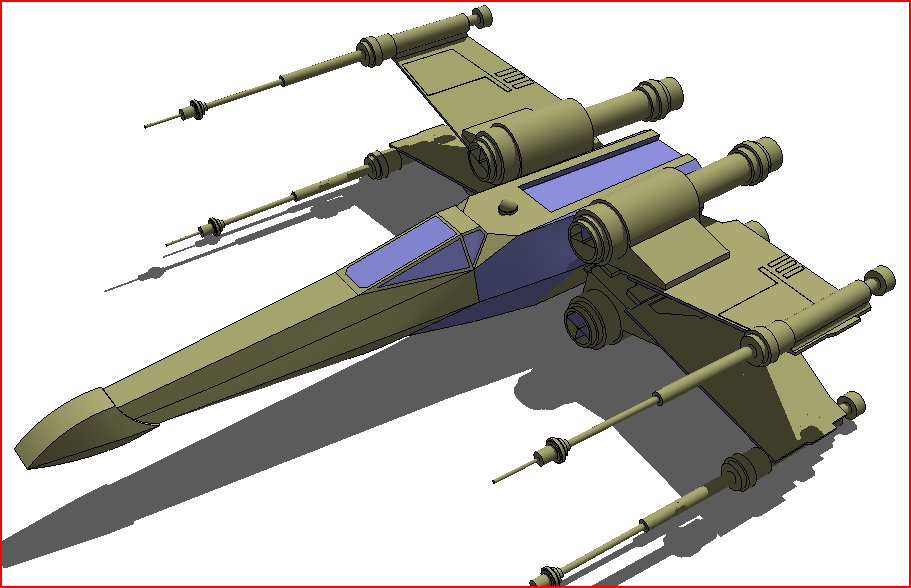
If you explode the parts and export it's all OK...
I'll investigate - an instance's transformation SHOULD be properly transferred to any exported faces, obviously it's failing here...
However, note this... if I export the OBJ to Octane [that should be using the very same OBJexporter algorithms and code (I wrote both!)] then it renders OK with the two parts intact OR exploded.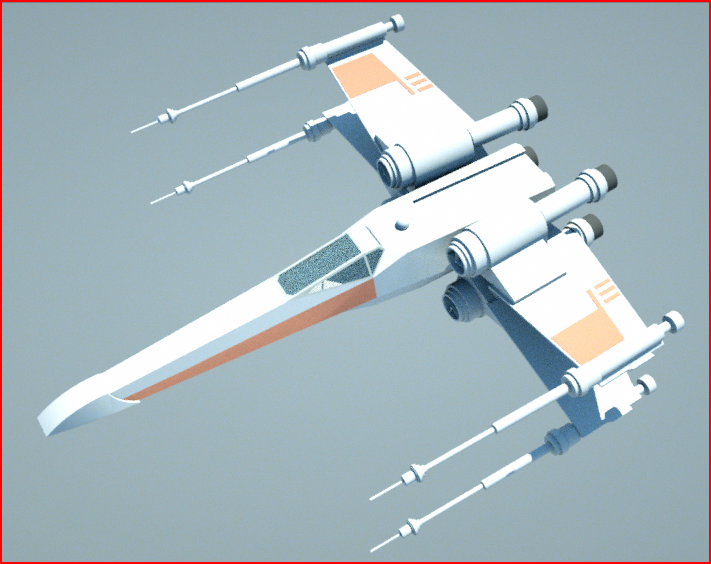
Only when it's reimported into a SKP does it mess up... However, the Octane OBJ reimported into a SKP displays no flipped face issues either because the materials are on the backs of one half! - just weirder and weirder...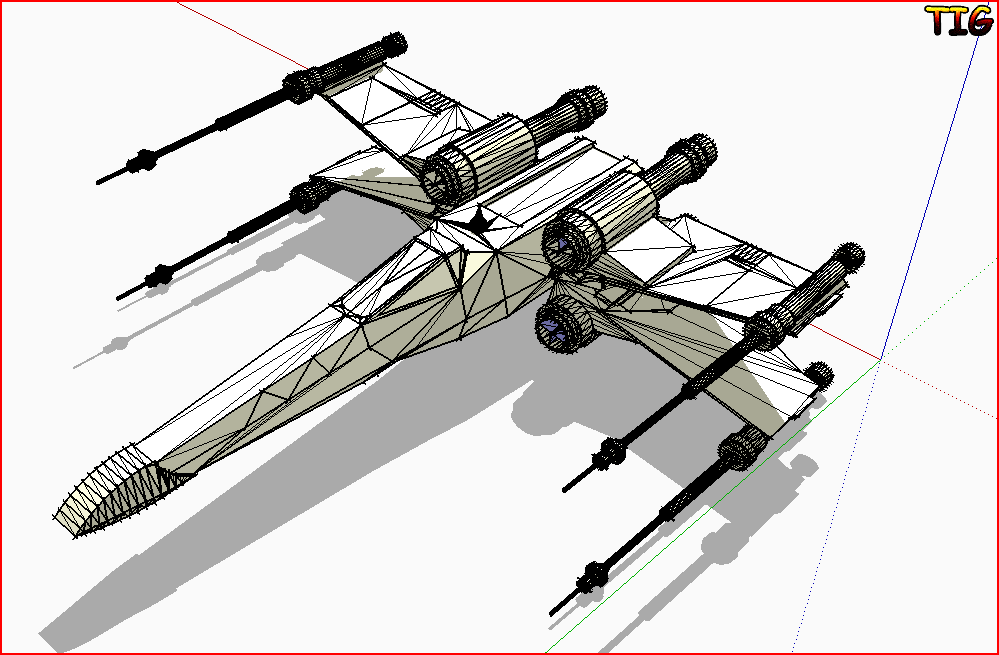
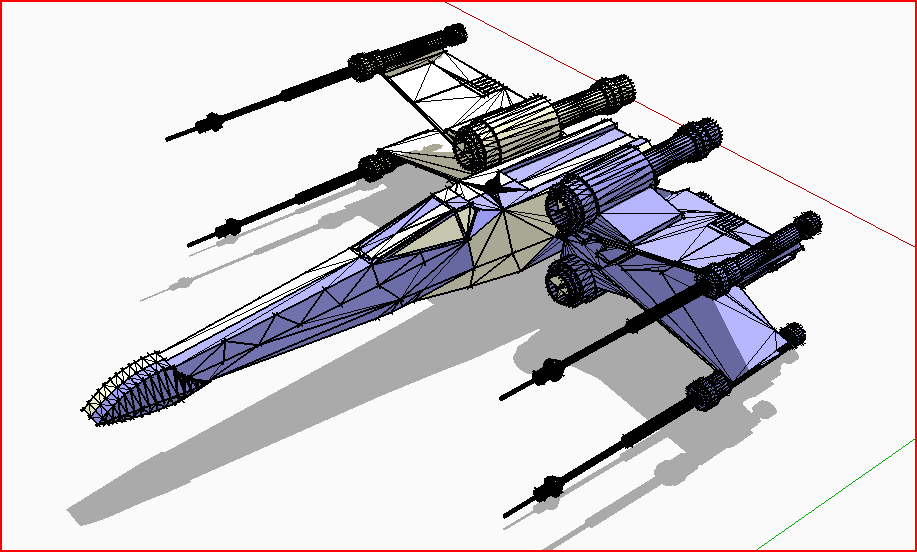
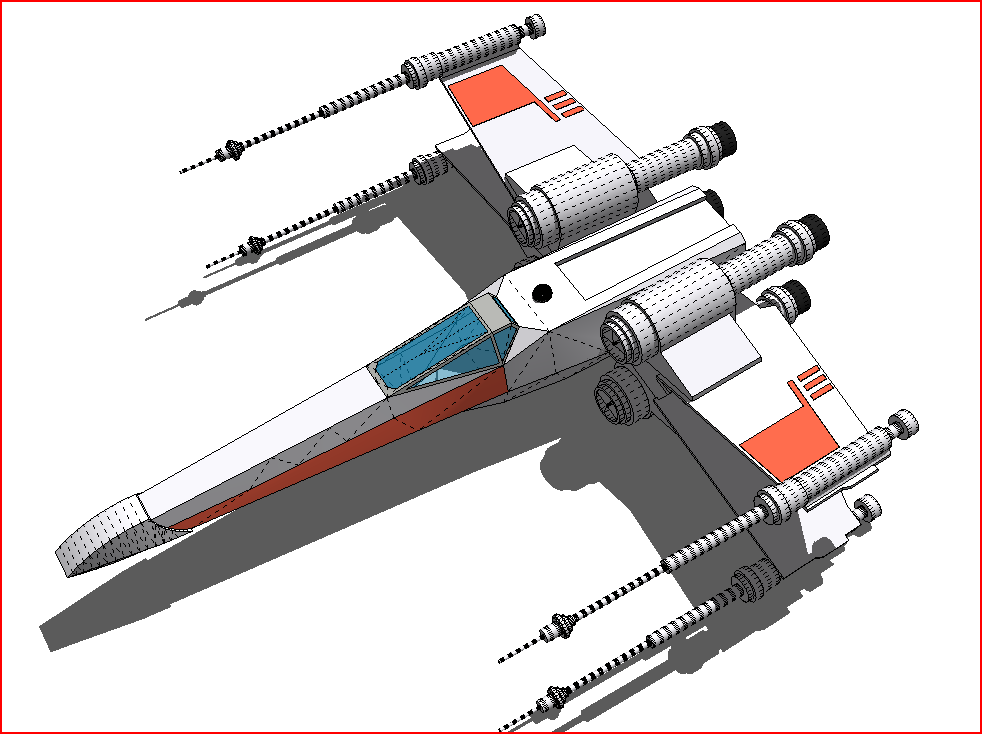
-
I am really thankful to your kind and timely response. Similar problems are found with several models downloaded from the warehouse. At this moment I'll try to explode them before exporting, as instructed. So keep up your excellent work!
-
I have found that if a component is 'flipped' the triangulated face loops in the OBJ are returned clockwise rather than counterclockwise, while the vertex normals remain correct.
Some apps like Octane [and even my olde OBJimporter] ignore this issue and import it as expected, BUT others like the Fluid-OBJimporter and some other MeshLab type app's baulk at this and make the face 'reversed' with the material on its 'back' so you see 'black' ...
...
I need to think of a way to see if an instance is mirrored and then reverse the order of the face's vertices to be ccw...

-
Here's v1.8 http://forums.sketchucation.com/viewtopic.php?p=294844#p294844
Fixed the recently reported issues with flipped-instance having reversed face vertices.
Now any mirrored/flipped instances should have their exported faces' vertices correctly ordered [ccwise]...
Although it's probably safest to explode any mirrored instances if you can, as some apps might still be flaky...
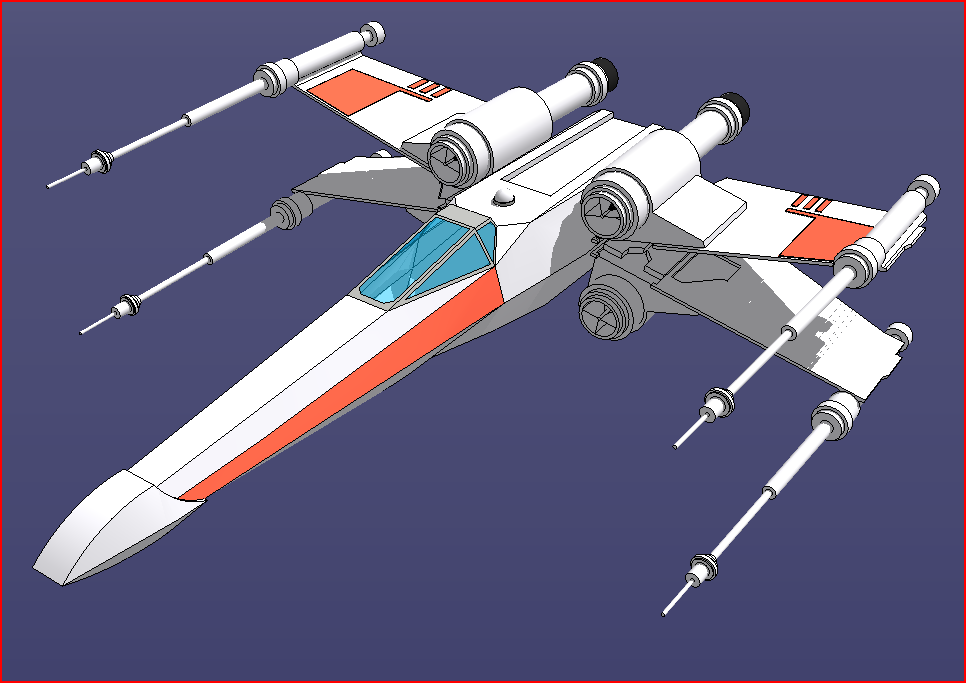
![Renderer OBJexport [with mirroring correction]](/uploads/imported_attachments/MAjW_CaptureO.PNG "Renderer OBJexport [with mirroring correction]")
-
NOTE: After further testing v1.8 also has issues... so stick with v1.7 till another update is ready !

-
Is it possible to do this internally within the plugin, to explode and then undo explosion after exporting, as an quick & dirty fix
Hopefully doing so might also fix some other potential tricky issues. -
Here's v1.9 http://forums.sketchucation.com/viewtopic.php?p=294844#p294844
Completely has been recoded.
Issues with mirrored-instance's faces being reversed is now fully fixed.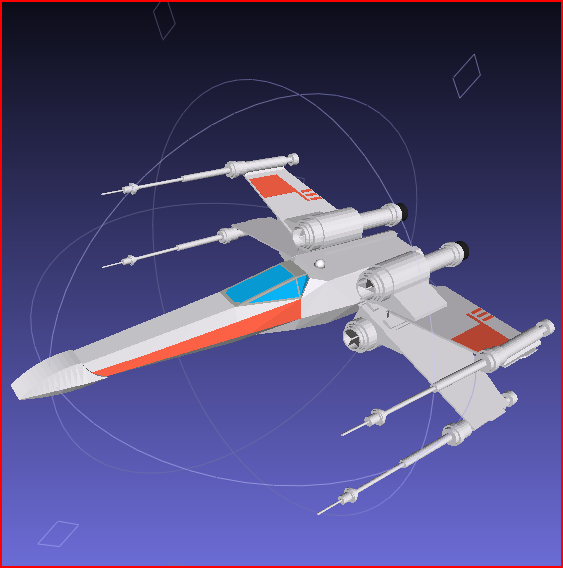






Advertisement