sketchucation logo sketchucation
    • 登入
    Oops, your profile's looking a bit empty! To help us tailor your experience, please fill in key details like your SketchUp version, skill level, operating system, and more. Update and save your info on your profile page today!
    🔌 Smart Spline | Fluid way to handle splines for furniture design and complex structures. Download

    [Plugin] ImageTrimmer

    已排程 已置頂 已鎖定 已移動 Plugins
    364 貼文 58 Posters 255.9k 瀏覽 58 Watching
    正在載入更多貼文
    • 從舊到新
    • 從新到舊
    • 最多點贊
    回覆
    • 在新貼文中回覆
    登入後回覆
    此主題已被刪除。只有擁有主題管理權限的使用者可以查看。
    • P 離線
      PickyBiker
      最後由 編輯

      Sorry about the missing png file... Here it is
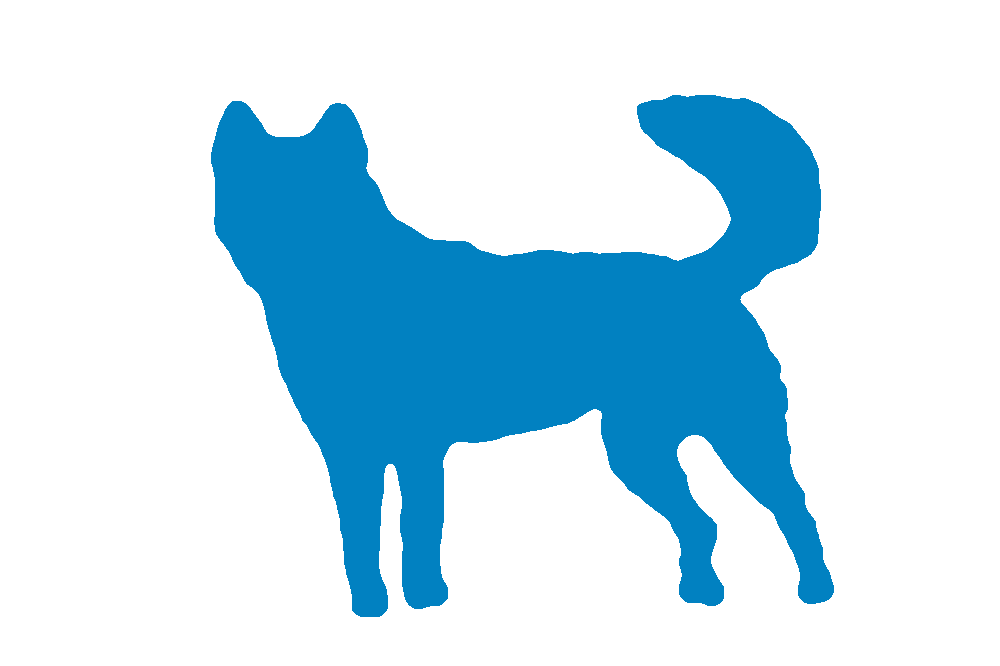

      ajax.png

      1 條回覆 最後回覆 回覆 引用 0
      • TIGT 離線
        TIG Moderator
        最後由 編輯

        Do you have th latest version installed [ http://sketchucation.com/pluginstore?pln=SKMtools v20140207 ]

        Your PNG works fine for me - see the screenshot - so I suspect something is adrift in the way the .jar files get processed...
        See the earlier comment about the file-type association etc...

        Do you get a folder made with the SKP that includes various files ?
        If so zip it and post it...

        PS TIP:
        Auto-Crop the PNG image to remove the redundant transparent pixels - it'll speed up the processing, because every pixel gets inspected, and all of the extra transparent ones get ignored anyway !
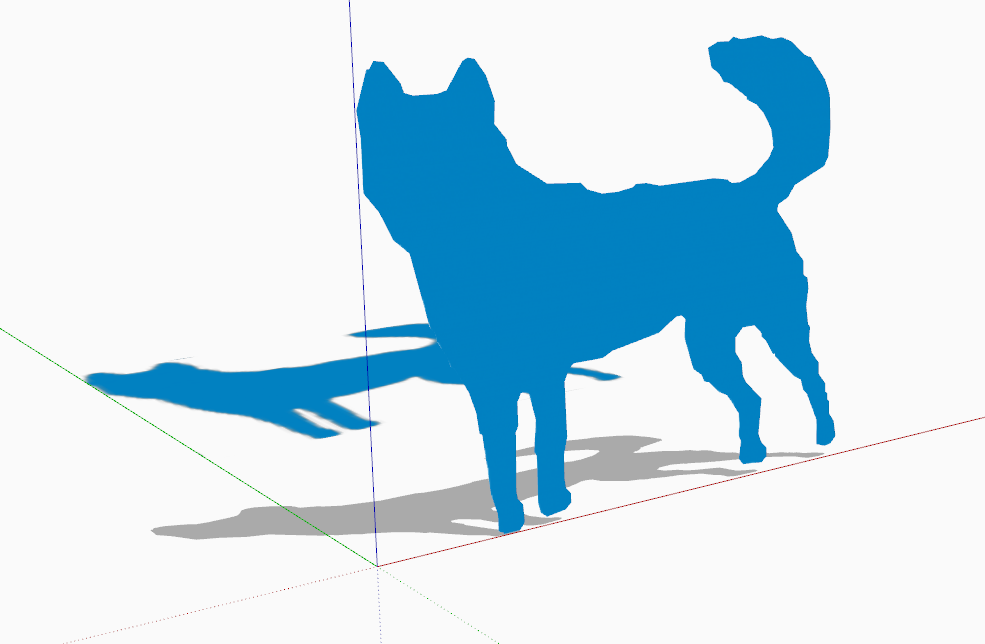

        Capture.PNG

        TIG

        1 條回覆 最後回覆 回覆 引用 0
        • D 離線
          davecoopstl
          最後由 編輯

          Can someone please explain to me how to use TIG's Image Trimmer (part of his SKMtools package)?

          I'd love to be able to quickly and easily trim my PNG files, so they cast shadows correctly.

          TIG, I'd love some advice.

          Thanks.
          Dave.

          1 條回覆 最後回覆 回覆 引用 0
          • pbacotP 離線
            pbacot
            最後由 編輯

            there's a good explanation here: http://sketchucation.com/forums/viewtopic.php?t=33445

            MacOSX MojaveSketchUp Pro v19 Twilight v2 Thea v3 PowerCADD

            1 條回覆 最後回覆 回覆 引用 0
            • TIGT 離線
              TIG Moderator
              最後由 編輯

              @dave

              I have merged your post with the base thread.
              Pointless in splitting...

              If you read the initial instructions and resultant clarifications that are listed here, then it should suffice.

              Précis:

              Ensure Java is enabled.

              Ensure JAR files are NOT associated with another app - some compression tools might unexpectedly hijack that file extension. They always need to be set up as small executables, associated with Java.

              Make a PNG file with transparent pixels, which you want to remove later.
              Any pixels with even a slight transparency will be removed, so flatten the image and then re-add an alpha-layer and delete the 'background' pixels you want to lose.
              Also crop the image as tightly as possible - every pixel will be considered, so it's pointless having hundreds of transparent pixels surrounding what you want to keep - it just extends the processing time...
              Run the tool and it should make what you want after a minute or so.
              The finalizing dialogs are self-explanatory...
              The 'smoothing' defaulting at 2.0 is usually sufficient to resolve jagged 'pixelated' edges in the final 'cutout'...

              TIG

              1 條回覆 最後回覆 回覆 引用 0
              • D 離線
                davecoopstl
                最後由 編輯

                TIG, I got it working. I think I know what was wrong: My PNG file was almost 28 Megabytes!

                I reduced the resolution from 300 to 100, cropped it tight, and the file went down to about 1 Meg.

                Image Trimmer worked like a charm!

                Thanks for the advice.
                Dave.

                1 條回覆 最後回覆 回覆 引用 0
                • A 離線
                  AGiam9
                  最後由 編輯

                  Hi TIG,

                  I'm having some trouble getting the image trimmer to work on the below logo. I'm not all that familiar with programming and have tried to follow previous advice given in this forum but it is likely I am missing something. When I use the trimmer it starts loading and then suddenly stops and nothing happens. According to the guide on how to use this means there are no useable transparent pixels but I do not think that should be the case. I created two different versions of the PNG file, one with the logo as transparent and one with the logo filled with the outside transparent. From my understanding, the first one should work. So far I have troubleshooted by ensuring the EdgeDetector.jar file is executed by Java (it was not when I started, had to set it up). Not sure what the next step may be or if it is just the file. Can you please advise?


                  File to be trimmed

                  1 條回覆 最後回覆 回覆 引用 0
                  • Dave RD 離線
                    Dave R
                    最後由 編輯

                    If you look closely at the PNG, you'll see there is a huge number of pixels to work through for creating the edges. You might just need to wait longer. SketchUp will show (Not Responding) in the title bar while it is processing. Maybe go for a walk or eat a meal or something.

                    Do you know what fonts were used? It might make sense to use 3D text instead of Image Trimmer if you can get those fonts.

                    Etaoin Shrdlu

                    %

                    (THERE'S NO PLACE LIKE)

                    G28 X0.0 Y0.0 Z0.0

                    M30

                    %

                    1 條回覆 最後回覆 回覆 引用 0
                    • Dave RD 離線
                      Dave R
                      最後由 編輯

                      With patience and a walk of the dog...
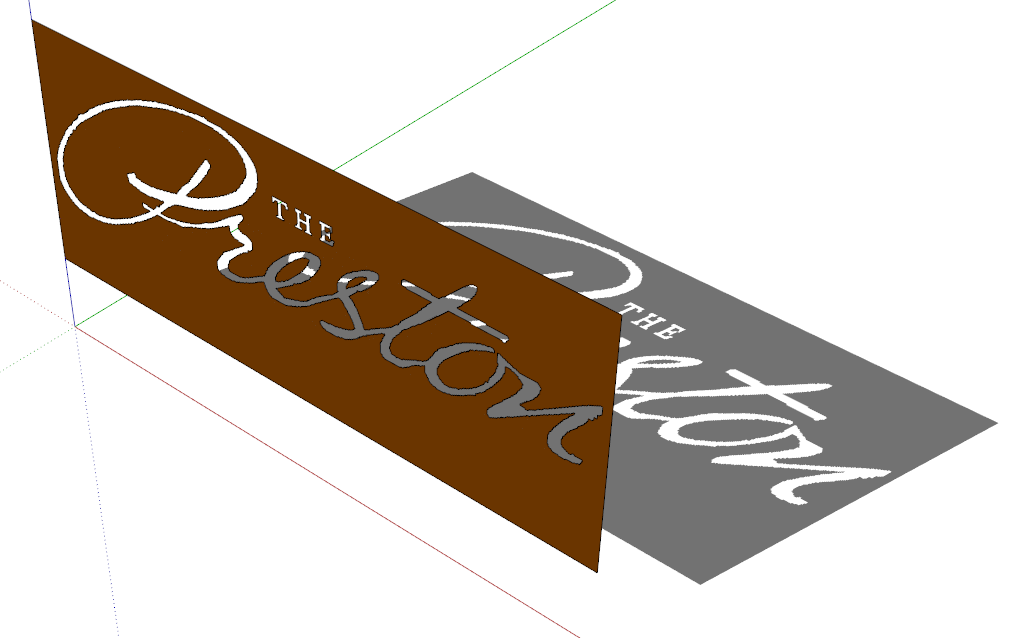
                      Screenshot - 7_12_2017 , 10_14_05 AM.png
                      I used 0 for the simplification factor.

                      Etaoin Shrdlu

                      %

                      (THERE'S NO PLACE LIKE)

                      G28 X0.0 Y0.0 Z0.0

                      M30

                      %

                      1 條回覆 最後回覆 回覆 引用 0
                      • TIGT 離線
                        TIG Moderator
                        最後由 編輯

                        It's just been reported that ImageTrimmer is broken with SketchUp v2019.2
                        There seems to be a 'reversion' in SketchUp's core code and now an Image's face's material can no longer be referenced for use in the rest of the model.
                        However, ImageTrimmer still works fine in all earlier versions of SketchUp.
                        Once v2019 is debugged it might work again - if not I might have to invent a workaround 😒

                        It'll also impact on all of the related SKM tools involving Images' materials 😲

                        TIG

                        1 條回覆 最後回覆 回覆 引用 0
                        • TIGT 離線
                          TIG Moderator
                          最後由 編輯

                          Here's an updated version of SKMtools.
                          It fixes the glitch found with ImageTrimmer, introduced with SketchUp's v2019.2 new API restrictions on directly using the material from an Image in the model's entities.
                          There was already a SKMtools method to make a new material from an Image [leaving the Image intact], and add that material to the model's materials; this is now utilized to copy the Image's material into the model for reuse on the trimmed-component's faces...
                          https://sketchucation.com/pluginstore?pln=SKMtools

                          TIG

                          1 條回覆 最後回覆 回覆 引用 0
                          • Dave RD 離線
                            Dave R
                            最後由 編輯

                            Excellent! It works in 2019 now. Thank you!

                            Etaoin Shrdlu

                            %

                            (THERE'S NO PLACE LIKE)

                            G28 X0.0 Y0.0 Z0.0

                            M30

                            %

                            1 條回覆 最後回覆 回覆 引用 0
                            • pbacotP 離線
                              pbacot
                              最後由 編輯

                              Thank you!

                              MacOSX MojaveSketchUp Pro v19 Twilight v2 Thea v3 PowerCADD

                              1 條回覆 最後回覆 回覆 引用 0
                              • A 離線
                                alphamagnus
                                最後由 編輯

                                well, 9 years after this was released , i'm trying to use it on Sketchup 2017, which doesn't seem to have the folders to copy the files to 😕

                                1 條回覆 最後回覆 回覆 引用 0
                                • TIGT 離線
                                  TIG Moderator
                                  最後由 編輯

                                  It makes the required folder inside the model's folder ?
                                  Have you looked there ?
                                  [That's why you need a 'saved' model to process, so the temp-folder can be made...]

                                  Are there any error messages ?
                                  Run it with the Ruby Console open to see...
                                  The folder is made to contain the temporary files needed during processing.
                                  At the end you are offered the choice to delete the files/folder, so if you do that you won't find anything !

                                  The trimmed image is inside the model, so you rarely need to look into this temp-folder anyway ??

                                  If you have not set up the PNG image properly then it might not have any transparent pixels and trim to look like it did originally, or conversely if all pixels have some transparency you get an empty result.

                                  Also remember that JAR files used in the processing have to be associated with Java and not hijacked by any compression-app...

                                  There's lots of advice in the main thread...

                                  It works in all current versions of SketchUp...

                                  TIG

                                  1 條回覆 最後回覆 回覆 引用 0
                                  • R 離線
                                    rclubb
                                    最後由 編輯

                                    I'm trying this plugin out on a pretty complex png. It appears to be running, going on about 3 hours now. Should I give up or do you think it's still going?

                                    Sketchup 2019.2
                                    late 2015 iMac (macOS Mojave 10.14.6)
                                    4GHz 4-core i7 processor
                                    32 GB 1867 DDR3 RAM
                                    AMD Radeon R9 M390 2 GB


                                    image is proprietary.

                                    1 條回覆 最後回覆 回覆 引用 0
                                    • TIGT 離線
                                      TIG Moderator
                                      最後由 編輯

                                      Are the white pixels transparent ?
                                      Are the other colored pixels 100% solid ?
                                      Why no aggressively crop the PNG so that it's tight to what you want to keep - otherwise thousands of pixels get analyzed and throw away anyway !

                                      It shouldn't take more that 5mins...
                                      How big is that PNG ??

                                      TIG

                                      1 條回覆 最後回覆 回覆 引用 0
                                      • R 離線
                                        rclubb
                                        最後由 編輯

                                        So, I tried to cut the transparent space down and now I get a error message:
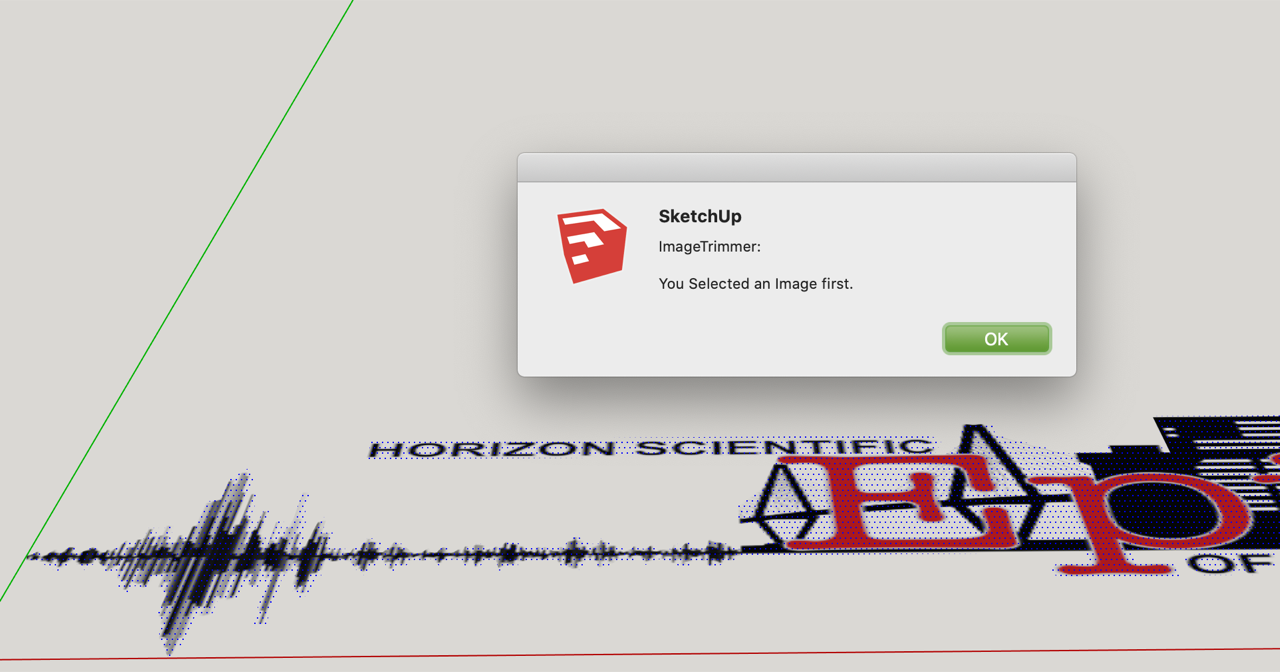

                                        Screen Shot 2019-10-18 at 4.17.38 PM copy-Resized.png

                                        1 條回覆 最後回覆 回覆 引用 0
                                        • R 離線
                                          rclubb
                                          最後由 編輯

                                          the white areas are all transparent. it is rectangle cropped as tight as possible.

                                          1 條回覆 最後回覆 回覆 引用 0
                                          • TIGT 離線
                                            TIG Moderator
                                            最後由 編輯

                                            I downloaded your original PNG and it trimmed just fine in a minute or two...
                                            However, the result is rubbish, because many of the colored pixels also have some transparency, also get trimmed !
                                            A simple PNG edit to flatten and reassign a transparent layer to just the white 'surround' gives a better result...
                                            However, given the relatively small size and resolution of the PNG the small areas - like the text - it still gives a pretty poor result...
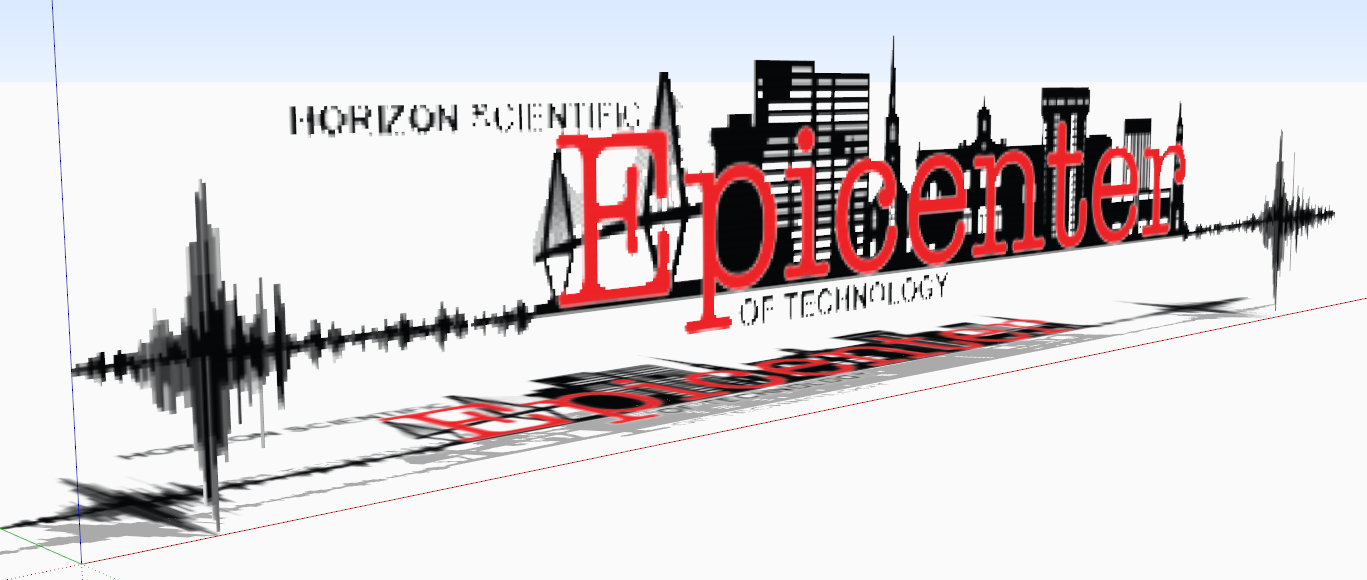
                                            Capture.PNG

                                            From the screenshot you posted it looks like that's actually NOT an Image ?
                                            You have a selected face ??
                                            Did you adjust the PNG and get that result from ImageTrimmer ???
                                            I some ways it's better that mine ! As it keeps the text etc unaffected...

                                            Initially did you import it as an Image ? rather than a Texture...

                                            Also I can't see the advantage of trimming this PNG into a Component ??
                                            What's you end use plan ?
                                            Perhaps it'd be more useful as an imported Image overlaid onto your model ?

                                            TIG

                                            1 條回覆 最後回覆 回覆 引用 0
                                            • 1
                                            • 2
                                            • 10
                                            • 11
                                            • 12
                                            • 13
                                            • 14
                                            • 18
                                            • 19
                                            • 12 / 19
                                            • 第一個貼文
                                              最後的貼文
                                            Buy SketchPlus
                                            Buy SUbD
                                            Buy WrapR
                                            Buy eBook
                                            Buy Modelur
                                            Buy Vertex Tools
                                            Buy SketchCuisine
                                            Buy FormFonts

                                            Advertisement
