sketchucation logo sketchucation
    • 登入
    Oops, your profile's looking a bit empty! To help us tailor your experience, please fill in key details like your SketchUp version, skill level, operating system, and more. Update and save your info on your profile page today!
    🔌 Smart Spline | Fluid way to handle splines for furniture design and complex structures. Download

    [Plugin] Bitmap To Mesh

    已排程 已置頂 已鎖定 已移動 Plugins
    264 貼文 75 Posters 433.6k 瀏覽 75 Watching
    正在載入更多貼文
    • 從舊到新
    • 從新到舊
    • 最多點贊
    回覆
    • 在新貼文中回覆
    登入後回覆
    此主題已被刪除。只有擁有主題管理權限的使用者可以查看。
    • TIGT 離線
      TIG Moderator
      最後由 編輯

      What's inside the TT_Lib2 folder ?
      When you say, 'It does not work...', what do you mean ?
      For example...
      Are there no menu items visible ? [see my recent post for detail of these]
      Or do the menu items seem to do nothing ?
      Are there are error messages displayed in the Window > Ruby Console when you run it ?
      If you type [or copy+paste] this
      TT::Plugins::BitmapToMesh.bitmap_to_mesh_tool()

      • <enter> in the Ruby Console what happens ?
        It it works recheck the menu items I mentioned... 😒

      TIG

      1 條回覆 最後回覆 回覆 引用 0
      • M 離線
        marcomartim
        最後由 編輯

        Test File (bimap)
        quadrado.bmp

        http://img26.imageshack.us/img26/8451/quadradoi.png

        1 條回覆 最後回覆 回覆 引用 0
        • M 離線
          marcomartim
          最後由 編輯

          @tig said:

          That folder us called TT_Lib2 and it goes into the Plugins folder. It should contain lots of files and some subfolders inside it after the extraction, just as they are in the zip file when you view its contents... 😕

          I know the plugin and its installation.; Used often
          Everything is correct, the files are all present, but for some reason does not work.

          tested with various BMP 100x100 pixels.

          It does not work, nothing happens.

          1 條回覆 最後回覆 回覆 引用 0
          • M 離線
            marcomartim
            最後由 編輯

            @tig said:

            If you type [or copy+paste] this
            TT::Plugins::BitmapToMesh.bitmap_to_mesh_tool()

            • <enter> in the Ruby Console what happens ?:

            He opens the window to call the bimap,
            made the selection BMP + enter​​,
            window appears after the figure:

            http://img840.imageshack.us/img840/882/erro2d.jpg

            1 條回覆 最後回覆 回覆 引用 0
            • TIGT 離線
              TIG Moderator
              最後由 編輯

              I can see a problem 💭 - accented-characters in file-paths can cause problems in some Ruby functions - like File reading and checking.
              When you moved the bitmap file to C:/quadrado.bmp it worked because there were no accents in the path, BUT Usu**á**rio [your name!] has the accent in the path to the file on your Desktop!
              Try renaming your account to Usu**a**rio and it should then work!
              So the lesson is avoid accented-characters in folder-names and file-names that might be needed in Ruby code...
              😒

              TIG

              1 條回覆 最後回覆 回覆 引用 0
              • M 離線
                marcomartim
                最後由 編輯

                @tig said:

                I can see a problem 💭 - accented-characters in file-paths can cause problems in some Ruby functions - like File reading and checking.
                When you moved the bitmap file to C:/quadrado.bmp it worked because there were no accents in the path, BUT Usu**á**rio [your name!] has the accent in the path to the file on your Desktop!
                Try renaming your account to Usu**a**rio and it should then work!
                So the lesson is avoid accented-characters in folder-names and file-names that might be needed in Ruby code...
                😒

                These folder names are standard Windows version in Portuguese, rename it can cause problems in other software

                Probably, other users have the same problem and without discovering the cause, leave this excellent plugin, at least if they read these posts will know why.

                Thank you, hugs ...

                1 條回覆 最後回覆 回覆 引用 0
                • M 離線
                  marcomartim
                  最後由 編輯

                  I discovered what may be causing the problem

                  I put the file "quadrado.bmp" at the root of 😄 / / and it worked.

                  Thus probably a plugin or library has problems with Win7 versions in other languages (not find the BMP)

                  http://img202.imageshack.us/img202/9007/workedg.jpg

                  Thanks for the help

                  1 條回覆 最後回覆 回覆 引用 0
                  • TIGT 離線
                    TIG Moderator
                    最後由 編輯

                    You misunderstood me...

                    The user-folder path is always
                    C:/Users/**THE_USERS_NAME**/
                    'Usuário' [=='User'] is the default user-name in Portuguese.
                    BUT if it were me it would become
                    C:/Users/**TIG**/Desktop/quadrado.bmp
                    So for you the account ought to be something like
                    C:/Users/**MARCO**/Desktop/quadrado.bmp
                    or
                    C:/Users/**MARCOMARTIM**/Desktop/quadrado.bmp
                    Why would you use 'User' as your account name - it's supposed to be personalized !

                    You are NOT renaming a standard path - it's meant to be customized.

                    All I'm saying is avoid accented letters in the folder path / file names 😒

                    TIG

                    1 條回覆 最後回覆 回覆 引用 0
                    • M 離線
                      marcomartim
                      最後由 編輯

                      @tig said:

                      You misunderstood me...

                      Ok!
                      What you said makes sense.
                      This laptop is new and has already come configured as the manufacturer, will change the user name.
                      Thanks for everything ...

                      1 條回覆 最後回覆 回覆 引用 0
                      • thomthomT 離線
                        thomthom
                        最後由 編輯

                        Ah yes. It's an annoying limitation of the Ruby version that comes with SU under Windows. No way to work around it.

                        I'll see to that I add some error checking and give the user feedback when reading the files fail.

                        Thomas Thomassen — SketchUp Monkey & Coding addict
                        List of my plugins and link to the CookieWare fund

                        1 條回覆 最後回覆 回覆 引用 0
                        • G 離線
                          gr8fzy1
                          最後由 編輯

                          I can't even seem to get the plugin to show up for me! I have both the ruby and the TT Lib folder in my plugins folder, but when I start Sketchup it won't show in the plugins pull down menu. (I'm using Sketchup 8 Pro. My OS is Vista Basic)
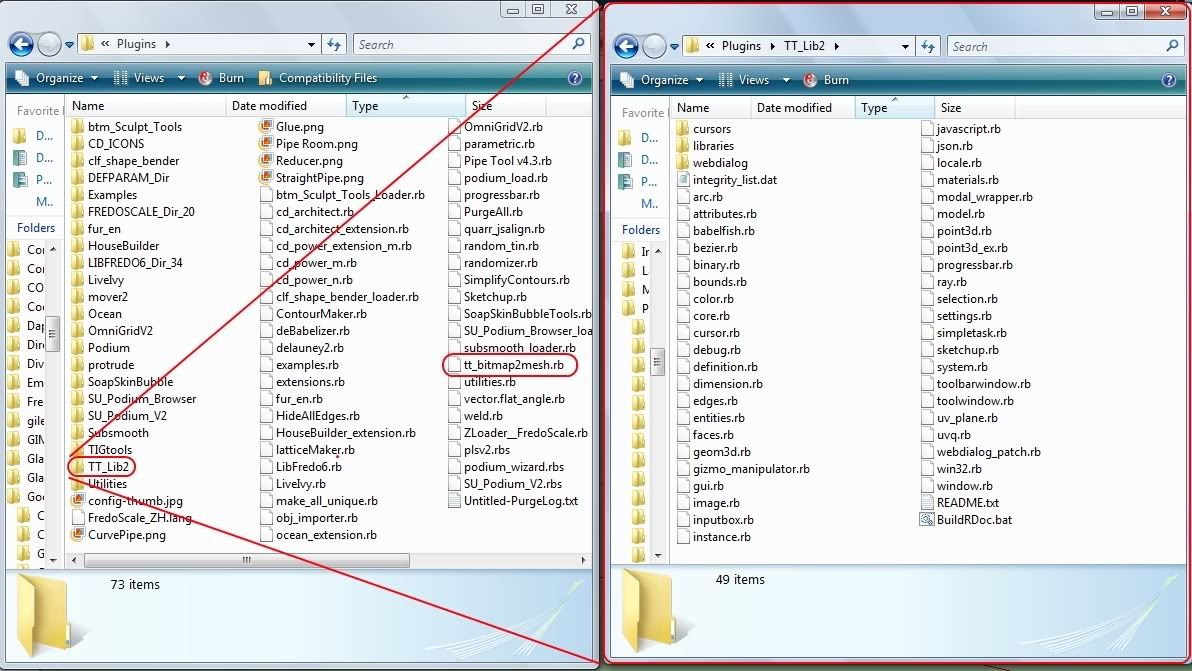
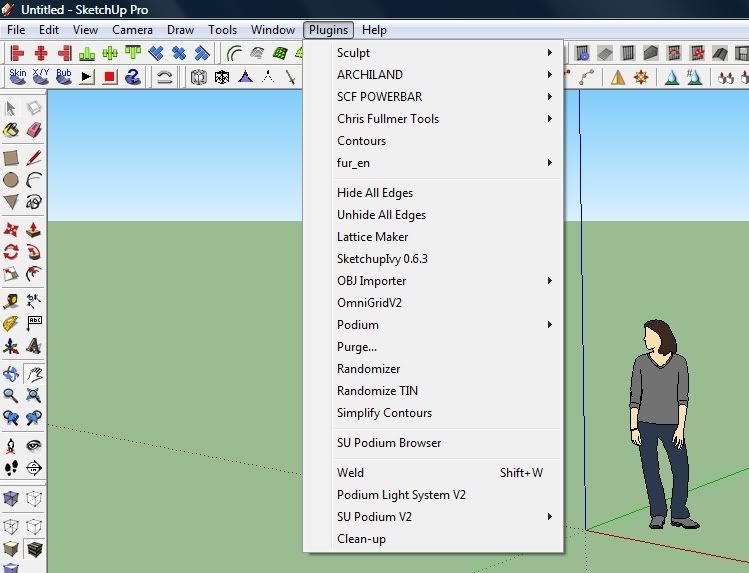
                          http://i44.photobucket.com/albums/f42/gr8fzy1/TTBitmapproblem.jpg

                          http://i44.photobucket.com/albums/f42/gr8fzy1/TTBitmapproblem2.jpg

                          1 條回覆 最後回覆 回覆 引用 0
                          • david_hD 離線
                            david_h
                            最後由 編輯

                            I had the same problem.

                            Look in the DRAW menu. "Mesh to Bitmap"

                            If I make it look easy...It is probably easy

                            1 條回覆 最後回覆 回覆 引用 0
                            • TIGT 離線
                              TIG Moderator
                              最後由 編輯

                              If it's not under the 'Draw' menu look here - you probably have limited permissions to Plugins and haven't really installed them...
                              Look in the linked 'Compatibility Files' folder and move them across - it's Vista being over cautious again!!
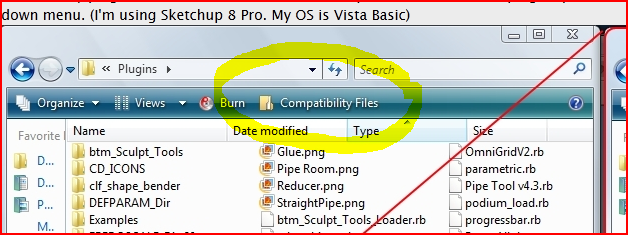
                              Capture.PNG

                              TIG

                              1 條回覆 最後回覆 回覆 引用 0
                              • thomthomT 離線
                                thomthom
                                最後由 編輯

                                It is worth having a look at the description of the plugin, espesially whrn you have problems.

                                Thomas Thomassen — SketchUp Monkey & Coding addict
                                List of my plugins and link to the CookieWare fund

                                1 條回覆 最後回覆 回覆 引用 0
                                • G 離線
                                  gr8fzy1
                                  最後由 編輯

                                  @tig said:

                                  If it's not under the 'Draw' menu look here - you probably have limited permissions to Plugins and haven't really installed them...
                                  Look in the linked 'Compatibility Files' folder and move them across - it's Vista being over cautious again!!

                                  I clicked on compatibility files, and these are the only ones listed. TT Bitmap to Mesh isn't included.
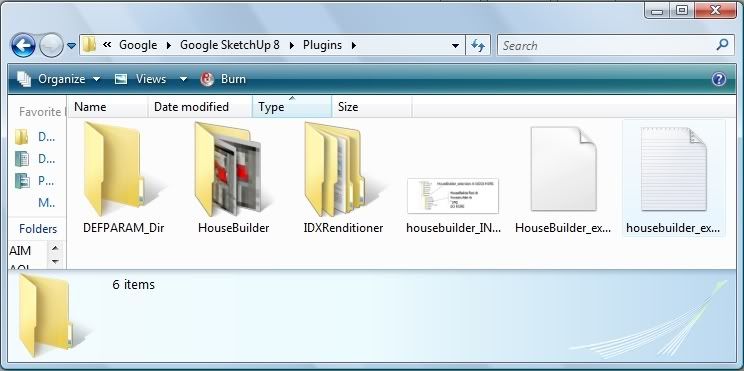
                                  http://i44.photobucket.com/albums/f42/gr8fzy1/TTBitmapProblem3.jpg

                                  @unknownuser said:

                                  I had the same problem.

                                  Look in the DRAW menu. "Mesh to Bitmap"

                                  I just looked in the DRAW menu, and found something called "Mesh from Heightmap"
                                  Is this something included in sketchup, or is it the same as "Mesh to Bitmap"? I've never used the Draw pulldown before so I don't know what's usually there.

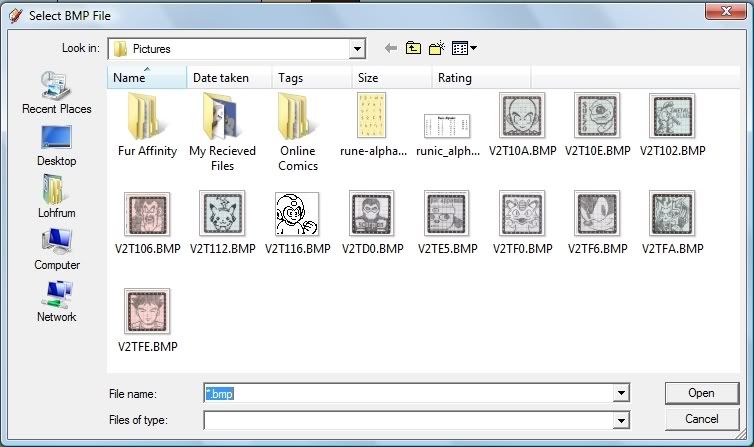
                                  Clicking on "Mesh from Heightmap" seems to do the same thing as the TT ruby, right down to the red scaling box and asking me to input a depth measurement. So I THINK it might be the same thing...
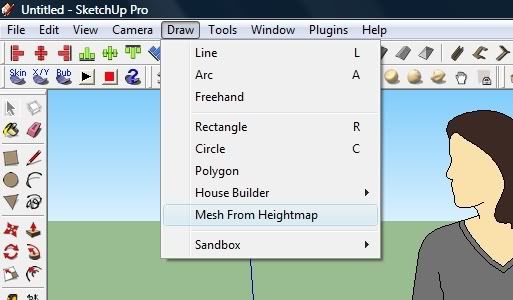
                                  http://i44.photobucket.com/albums/f42/gr8fzy1/TTBitmapProblem4.jpg

                                  http://i44.photobucket.com/albums/f42/gr8fzy1/TTBitmapProblem5.jpg

                                  http://i44.photobucket.com/albums/f42/gr8fzy1/TTBitmapProblem6.jpg

                                  http://i44.photobucket.com/albums/f42/gr8fzy1/TTBitmapProblem7.jpg

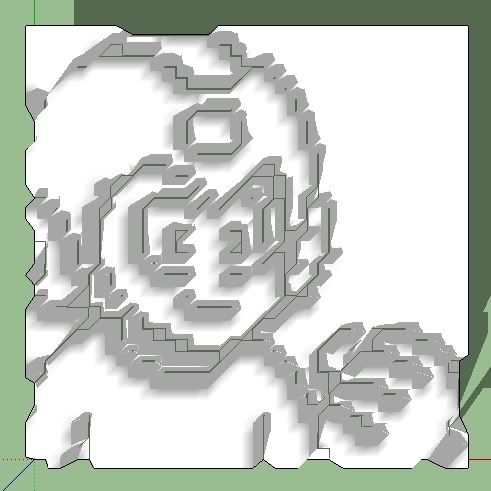
                                  It's megaman!

                                  http://i44.photobucket.com/albums/f42/gr8fzy1/TTBitmapProblem8.jpg

                                  1 條回覆 最後回覆 回覆 引用 0
                                  • Rich O BrienR 離線
                                    Rich O Brien Moderator
                                    最後由 編輯

                                    Did you read the first post of this thread? It instructs the user to access this 'mesh from height map' in the 'draw' menu.

                                    Download the free D'oh Book for SketchUp 📖

                                    1 條回覆 最後回覆 回覆 引用 0
                                    • G 離線
                                      gr8fzy1
                                      最後由 編輯

                                      @unknownuser said:

                                      Did you read the first post of this thread? It instructs the user to access this 'mesh from height map' in the 'draw' menu.

                                      I did, but since I don't have my own internet connection I can only read so many pages in the 60 minutes of internet time I get at the public library. And combine that with having to fill out online applications for work and checking my email, I last read page one about 2 weeks ago. Please forgive me...

                                      1 條回覆 最後回覆 回覆 引用 0
                                      • thomthomT 離線
                                        thomthom
                                        最後由 編輯

                                        @gr8fzy1 said:

                                        @unknownuser said:

                                        Did you read the first post of this thread? It instructs the user to access this 'mesh from height map' in the 'draw' menu.

                                        I did, but since I don't have my own internet connection I can only read so many pages in the 60 minutes of internet time I get at the public library. And combine that with having to fill out online applications for work and checking my email, I last read page one about 2 weeks ago. Please forgive me...

                                        No need to read all the other posts, but the first post - the one that describes the plugin.

                                        Thomas Thomassen — SketchUp Monkey & Coding addict
                                        List of my plugins and link to the CookieWare fund

                                        1 條回覆 最後回覆 回覆 引用 0
                                        • G 離線
                                          gr8fzy1
                                          最後由 編輯

                                          @thomthom said:

                                          No need to read all the other posts, but the first post - the one that describes the plugin.

                                          But I also read all the other posts in case problems are noticed and discussed, that way I won't be calling attention to a problem that has already been fixed, or at least see if anyone else is having the same problem I'm having. Which I failed on both counts. Oh well, At least I know my problem was a non issue. Thanks.

                                          1 條回覆 最後回覆 回覆 引用 0
                                          • G 離線
                                            gidominik
                                            最後由 編輯

                                            Hi Thomthom, Just wondering, I installed the plugin to the plugin folder, but it didn't show the cursor, or when I right click the bitmap it didn't show the selection of bitmap to mesh.Any suggestion?? 😳

                                            1 條回覆 最後回覆 回覆 引用 0
                                            • 1
                                            • 2
                                            • 6
                                            • 7
                                            • 8
                                            • 9
                                            • 10
                                            • 13
                                            • 14
                                            • 8 / 14
                                            • 第一個貼文
                                              最後的貼文
                                            Buy SketchPlus
                                            Buy SUbD
                                            Buy WrapR
                                            Buy eBook
                                            Buy Modelur
                                            Buy Vertex Tools
                                            Buy SketchCuisine
                                            Buy FormFonts

                                            Advertisement