Transparent objects receiving shadow
-
Hi,
It seems once opcity less than 100%, the object will not recieve shadow anymore...
I am kind wondering is that possilbe to have transparent object receiving shadow?
If any plugin or script able to achieve this?(without go into render process would be best.)Thank you so much

-
Hi Kelly,
Normally materials with less than 70% do not receive (or cast) shadows in SU. If you do not get this value, try to set your transparency settings in your Style dialog > In model > Edit > Face styles to medium or nicer if it is set to faster.
-
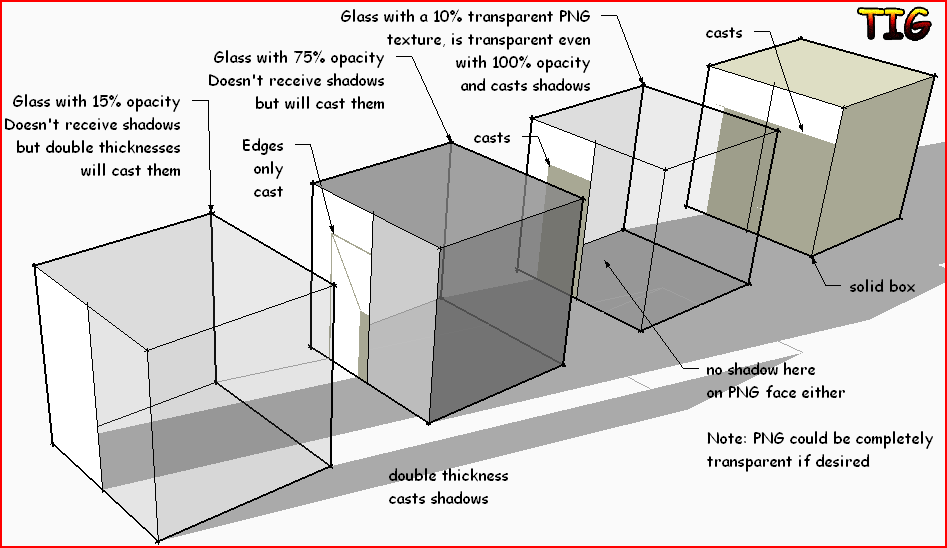
Another trick is to make a transparent PNG and use that as a material texture - then even with its opacity=100% it will remain transparent and cast shadows [unless you remove those properties from an object]... However, like a 'transparent' material it will still not receive shadows. It can be as transparent as you like*** but with opacity at 100% and it will always cast shadows...
 ***Here's a skm that is completely transparent - you can edit it's PNG material to say 10% opacity to look more like the example I showed... TransparentDummy.skm
-
Thanks you guys.
It seems for transparent objects to receive shadow is still hard. (I actually trying to have glass receive shadowsof the bojects in the front).
And Gaiwus, I think 70% is for "casting" shadow, right? Not "receiving" shadow. Looks like when opcaity less than 95%(which still not quite transprent), object will not receive shadows.
Thank again!
-
Unfortunately all transparent materials [irrespective of their opacity settings] AND all materials using a transparent png texture [again irrespective of the image's opacity settings] will not receive shadows!

I can't see a simple way to 'fake' it either
-
I had this problem and I managed to fake it by tracing around the shadows while in monochrome and adjusting that section of the face to a slightly different shade of transparent material.
It's not perfect, as the "shadows" don't move, but it helped me represent what I wanted for an image. -
@tig said:
Another trick is to make a transparent PNG and use that as a material texture - then even with its opacity=100% it will remain transparent and cast shadows [unless you remove those properties from an object]... However, like a 'transparent' material it will still not receive shadows. It can be as transparent as you like*** but with opacity at 100% and it will always cast shadows...[attachment=2:3iq83owp]<!-- ia2 -->TransparencyStudy.PNG<!-- ia2 -->[/attachment:3iq83owp] ***Here's a skm that is completely transparent - you can edit it's PNG material to say 10% opacity to look more like the example I showed... [attachment=1:3iq83owp]<!-- ia1 -->TransparentDummy.skm<!-- ia1 -->[/attachment:3iq83owp]
TIG:
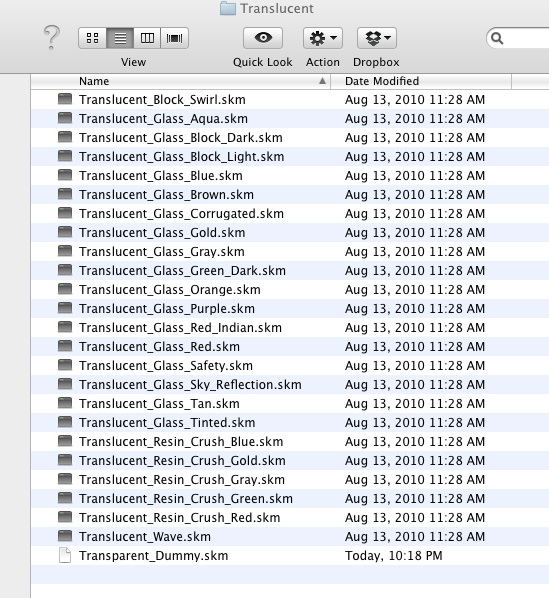
I downloaded your Transparent_Dummy.skm file from an older post and have placed it where I believe it should reside, however, you can see the file icon appears extremely different than the others located there? The file/image does not appear as an option select in the material browser.
Is the file corrupt?
Thanks.
-
The skm file is not corrupted. I just downloaded it now and put it in the Translucent folder. It shows in my Materials browser.
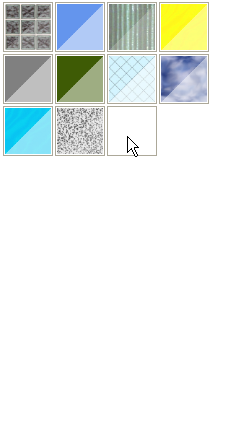
It's under the cursor in this screen grab.I repeated it on my Mac with 10.6.8 and it worked fine there, too. The thumbnail is difficult to see on the Mac because it has no color and no border but it is there.
Is it possible you just aren't seeing the thumbnail? Did you restart SketchUp after installing it?
-
The same way this model is "hacked" with a transprent png material (and hidden lines) for some shadow study example: http://sketchup.google.com/3dwarehouse/details?mid=779b98e58f0afd42cb6ac4bba1570c24&prevstart=0
Load the model straight in SU and see if it works for you.
-
Isn't the original question to receive shadows, not create them? Does that apply to the 3dwh example?
-
Well, the original question ws 2+ years ago. Who knows what the current issue is?
-
I was just answering Stephen's question.





Hello! It looks like you're interested in this conversation, but you don't have an account yet.
Getting fed up of having to scroll through the same posts each visit? When you register for an account, you'll always come back to exactly where you were before, and choose to be notified of new replies (either via email, or push notification). You'll also be able to save bookmarks and upvote posts to show your appreciation to other community members.
With your input, this post could be even better 💗
Register Login


Advertisement