[Plugin][$] Curviloft 2.0a - 31 Mar 24 (Loft & Skinning)


-
hi! your plugs are really more than better and usefull
 many THANX!
 -
Here's a video showing the issue:
Took down the link to conserve bandwidth
Best,
Jason. -
Just installed Curviloft into my SU8 and am excited as all hell about the possibilities!
One question: I need to apply a directional material (wood grain) to the new surface. It applies the pattern to each individual facet, sometimes in the wrong direction. How do I change the pattern direction on a Curviloft surface?
Okay another question: what exactly is the Sketchup structure of a curviloft surface? Can I explode it?
Thanks!...and good job on the plugin!
-
It comes in as a group and yes, you can explode it. Turn on hidden geometry (View menu) to se the structure.
As for texturing it, you need to apply the texture to the surface itself (groups with curved geometry cannot be textured from outside without the texture being applied chaotically). Even on the surface, most probably you need to turn on hidden geometry, apply the texture on one facet; position it then sample and apply on the other facets. Depending on the complexity of the shape, it may take a while - or you can use some UV mapping tool for it.
-
By the way, I normally fixed this issue of coplanar contours on the horizontal plane in Curviloft 1.1.
This was signaled by Pilou with a workaround by Diego-Rodriguez
Fredo
-
thank goodluck
-
Fredo,
I don't know if this has already been discussed, but there seems to be an issue with "loft junctions following two paths". I create a shape using bezier curves and then convert them to polyline dividers. The script does a really nice job making the overall shape, the problem is along the seam where the profiles meet. It may be due to a mismatch in the number of segments in the edges from one side to the other, but Curviloft creates extra faces that are "folded" into the geometry and are essentially invisible until one goes in and starts moving verts around. The cause a visible seam to show up when shaded smooth. The only solution I know of is to go through and find each face and reconnect/rebuild each edge and face to remove them. Any suggestions on how to better avoid this extra work? Is it as bug or simply an issue with my modeling?
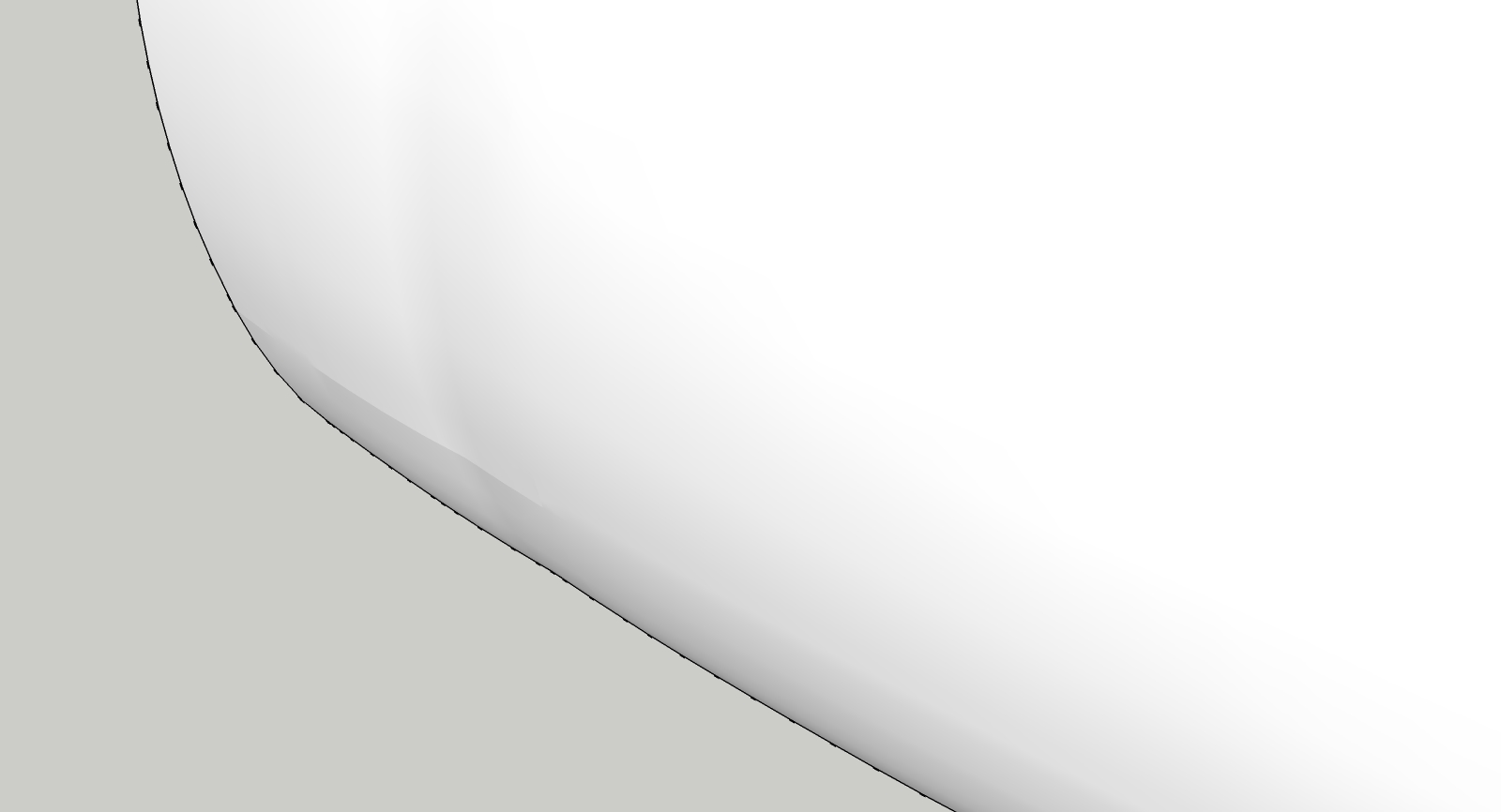
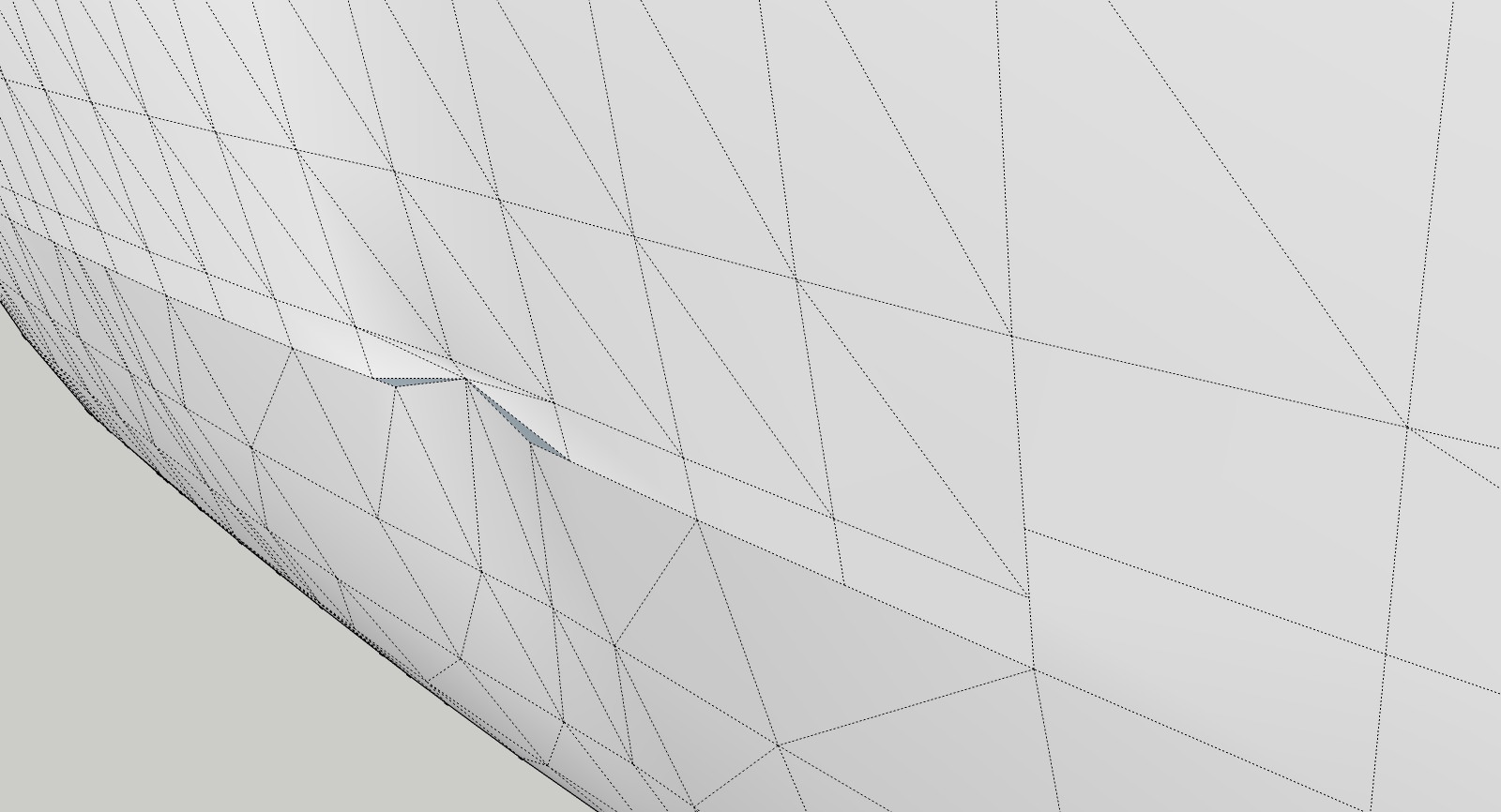
Thanks for all your hard work!
-
@escapeartist said:
Fredo,
I don't know if this has already been discussed, but there seems to be an issue with "loft junctions following two paths". I create a shape using bezier curves and then convert them to polyline dividers. The script does a really nice job making the overall shape, the problem is along the seam where the profiles meet. It may be due to a mismatch in the number of segments in the edges from one side to the other, but Curviloft creates extra faces that are "folded" into the geometry and are essentially invisible until one goes in and starts moving verts around. The cause a visible seam to show up when shaded smooth. The only solution I know of is to go through and find each face and reconnect/rebuild each edge and face to remove them. Any suggestions on how to better avoid this extra work? Is it as bug or simply an issue with my modeling?
Would have the model so that I can have a look.
This seems strange, but Curviloft algorithms have some shortcuts for performance reasons which may explain a few issues like this one.Thanks
Fredo
-
@EscapeArtist:
That second image looks like rather than "extra" reversed faces, you have pulled the mesh somewhat inside out because additional edges need to be placed. The additional edges would be placed only in order to get additional vertices. Adding edges will avoid seam ripping which is what appears to be happening here.
I am just saying this from my experience with detail "knitting" on meshes.
Of course, I am probably wrong.. again -
@mitcorb said:
@EscapeArtist:
That second image looks like rather than "extra" reversed faces, you have pulled the mesh somewhat inside out because additional edges need to be placed. The additional edges would be placed only in order to get additional vertices. Adding edges will avoid seam ripping which is what appears to be happening here.
I am just saying this from my experience with detail "knitting" on meshes.
Of course, I am probably wrong.. againThe model is as-is Curviloft output, the pulling was done in order to reveal the extra edges and faces. The face isn't visible until the vert is pulled out of alignment because the edges are so close together as to appear to be a single edge. I did re-stitch the seam and it looks OK but for the slight ripple created by my inability to precisely match the desired curvature by hand.
Fredo, the model and curves are attached.
-
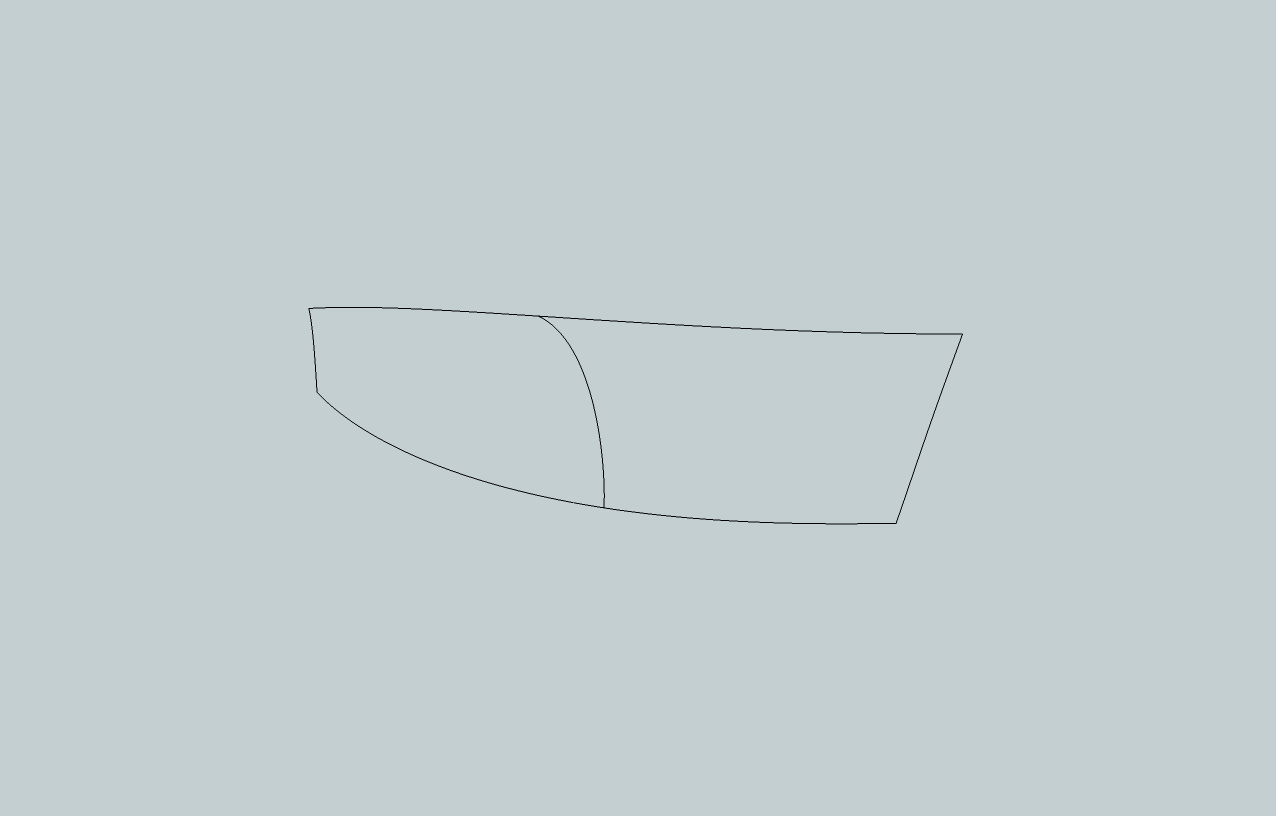
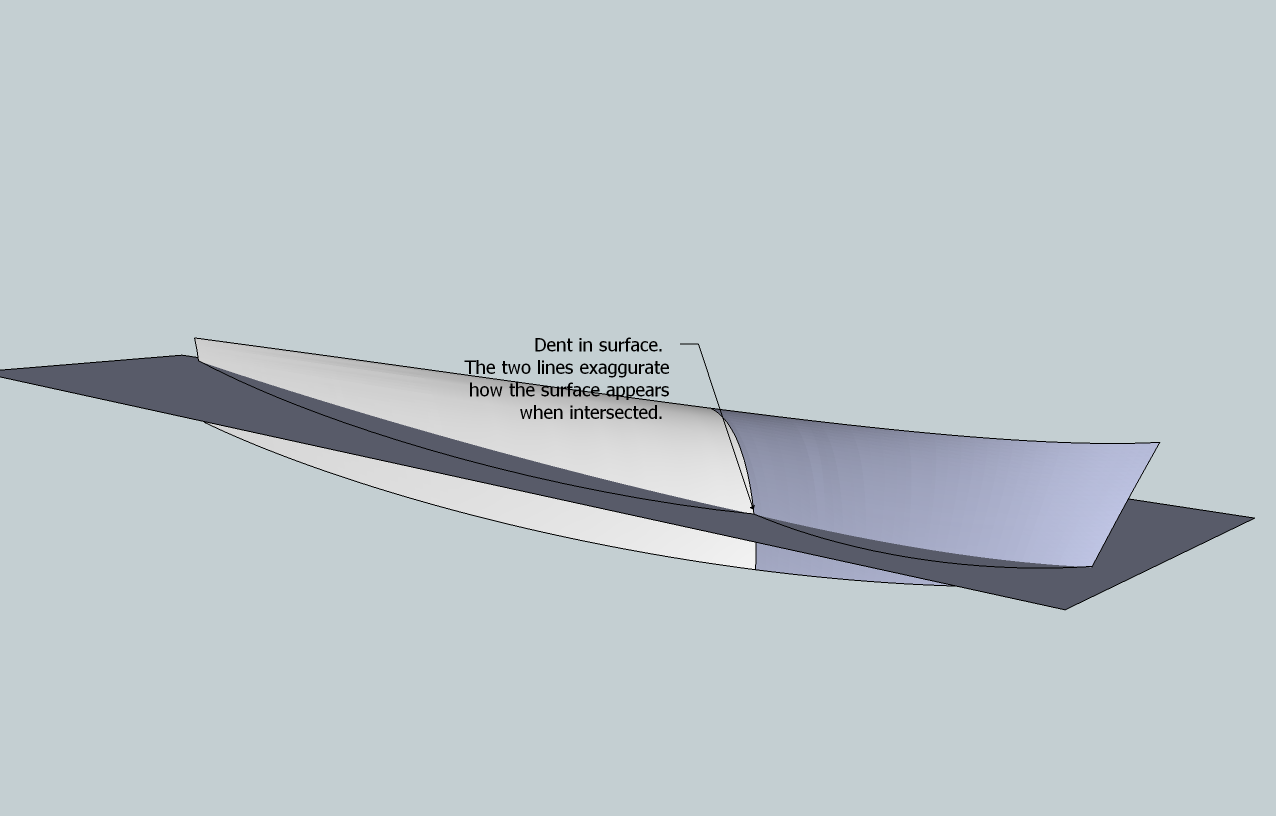
Dear Fredo6. I use curviloft extensively (for boat design purposes) and am very grateful for it. But there is an issue that I would like to address: When making hull sides for boats, I create two compound curves. You can see it in the attached images. The upper line is the deck- line, the lower one is the so- called chine. The left side is where the transom is, the right side is the stem. In the middle, there is a line that defines a flare in the bow- sections of the boat. Ideally, Curviloft would create a smooth panel from these lines, but no matter how I do it (skinning, path or lofting), Curviloft seems to do it in a different way than expected, the result being a dented surface.
For example, if I selected the middle line first or last, I would expect a different outcome then when it is selected subsequently from left to right or vice versa. Curviloft seems to think of it like two surfaces instead of one, just like the colors indicate. Occasionally the color is the same for the whole panel, but it still appears to be dented.
I may be asking too much of Curviloft, but if there is a way that I have not detected yet, then I would appreciate that.
PS I have installed latest (January 2011) versions of Curviloft and Libfredo
Best regards Teo
-
Hi All
Been using this for only a few days and its great
Now i'm trying some more tricky shapes with odd results
On a simple shape i click on each line and it comes up 1,2,3,4 and skins
Then sometimes I click and it comes up 1 with an orange line, next line 1 again and orange and so on. When I click the green tick all the lines turn purple
Does this mean its too much for CL?
Thanks -
@deanlegg said:
Hi All
Been using this for only a few days and its great
Now i'm trying some more tricky shapes with odd results
On a simple shape i click on each line and it comes up 1,2,3,4 and skins
Then sometimes I click and it comes up 1 with an orange line, next line 1 again and orange and so on. When I click the green tick all the lines turn purple
Does this mean its too much for CL?
ThanksWhen contours are contiguous, you need to click in the empty space to separate them. Otherwise all portions are taken as part of the same contour.
When contour are not contiguous, then the 'separator' is not necessary.Fredo
-
I have to say this is one of the Coolest PlugIns I have seen for SketchUp!
BRAVO Fredo6 !
I am using CurviLoft 1.1, Loft along Path, and I am creating some geometry that is amazing. It took several tries to get the exact geometry I envisioned. I'll keep working with the Tool.
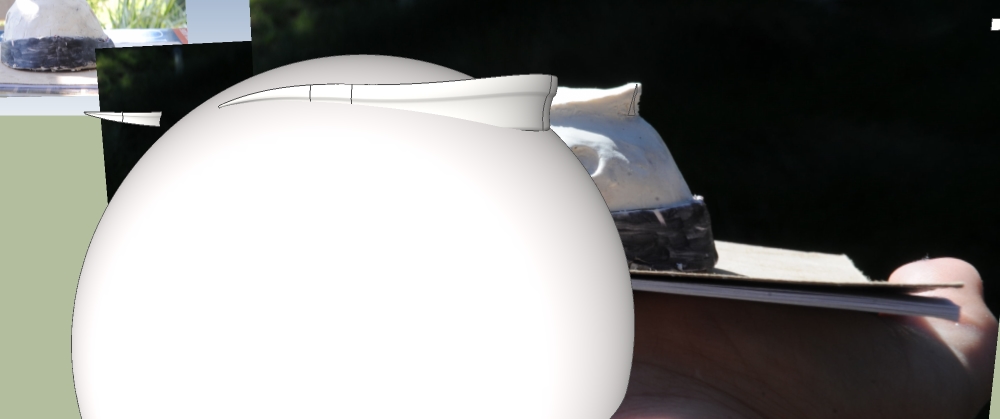
One Problem I am having is when I use the INTERSECT with Model tool to intersect the Fin Top I created with Curviloft with the Dome Shape I created using sketchup followme tool, the Shape I created with Curviloft gets weird (after intersect with selected), and adds extra Lines and distorted geometry. I need to trim the Shape, and then Hide lines, but the geometry gets funky using the intersect process in SketchUp. How do I only select the countor Lines on the END of organic geometry w/o selecting the entire mesh face? I would like to HIDE the Lines/etc. Do I need to use "Tools on Surface" in order to work with created shapes in Curviloft? I'll be painting it soon as well.
Basically, I Need to Trim a Shape!I am really digging this Organic Modeling Tool for SketchUp Fredo6
Thanks - Andrew Telker
http://twitter.com/AndrewTelker


-
I really need this plug in!!!!
thanks!!!!! -
That's really help me alot.
but how come i cannot install it in my skp?! -
@on2wong said:
That's really help me alot.
but how come i cannot install it in my skp?!Read [and understand] the instructions on the download page about what needs downloading [including the Lib stuff that you have to get separately], and then ensure that you put everything in the correct place[s], then activate the tool's Extension and Toolbar etc... Using it's the easy part

-
escape artist
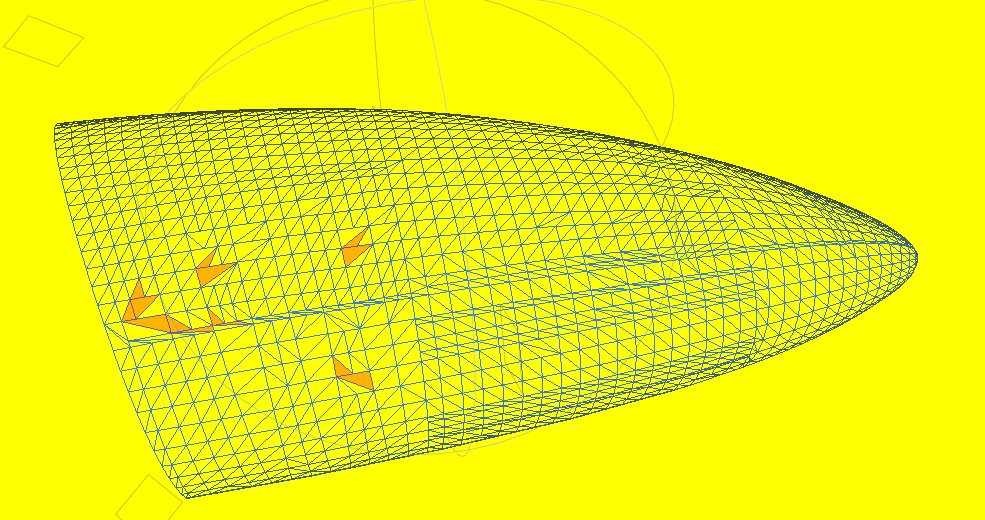
Any chance to get the above example loaded to the 3 d ware house so it can be open in SU7.Other wise I have to go dfx and then Su7. Getting these results and would like to see if the conversion is causing problems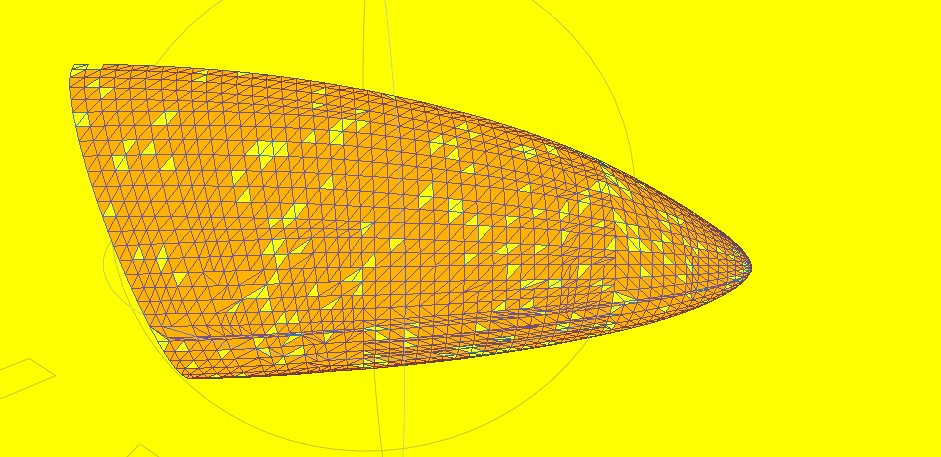
-
mac1
I've just made EscapeArtist's example.skp into v7 - try downloading it again from the same post... http://forums.sketchucation.com/viewtopic.php?p=309006#p309006
-
@tig said:
mac1
I've just made EscapeArtist's example.skp into v7 - try downloading it again from the same post... http://forums.sketchucation.com/viewtopic.php?p=309006#p309006
Thanks.









Advertisement