sketchucation logo sketchucation
    • 登入
    Oops, your profile's looking a bit empty! To help us tailor your experience, please fill in key details like your SketchUp version, skill level, operating system, and more. Update and save your info on your profile page today!
    🔌 Smart Spline | Fluid way to handle splines for furniture design and complex structures. Download

    [Plugin][$] Curviloft 2.0a - 31 Mar 24 (Loft & Skinning)


    已排程 已置頂 已鎖定 已移動 Plugins
    1.3k 貼文 299 Posters 2.5m 瀏覽 297 Watching
    正在載入更多貼文
    • 從舊到新
    • 從新到舊
    • 最多點贊
    回覆
    • 在新貼文中回覆
    登入後回覆
    此主題已被刪除。只有擁有主題管理權限的使用者可以查看。
    • fredo6F 離線
      fredo6
      最後由 編輯

      Jeff,

      Thanks for this comprehensive explanation.

      Actually, I did cover the case in the initial version of Curviloft where I had 2 Bezier methods. The Method 2 was for using the contour planes to detremine tangency at boundaries of junction. I dropped it when introducing the Orthogonal methods.

      I will reinstate the method 2 in a next release. I should also try to make the orthogonal methods work properly in case of S-Curves.

      In the mean time here is the result of this Bezier method 2
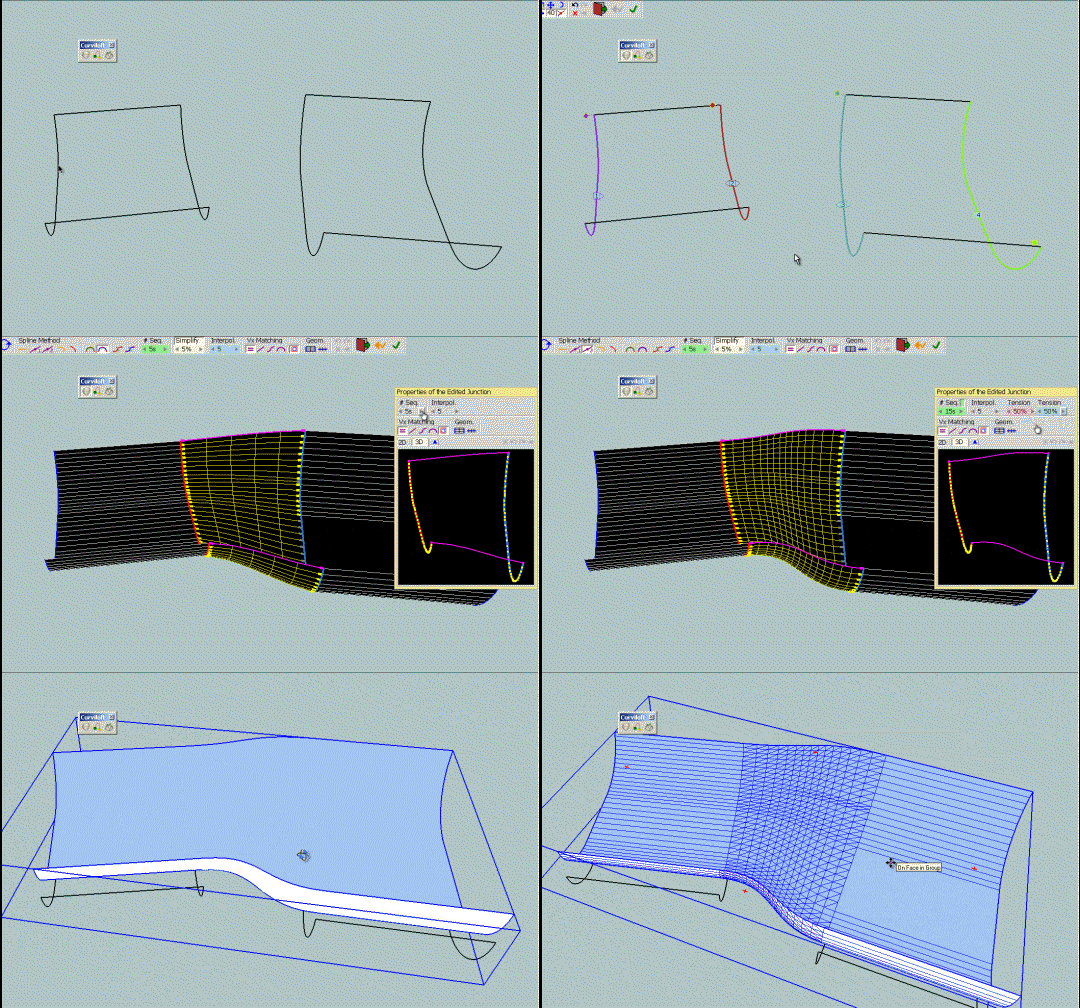
      JHCurviloft3 - Fredo - Bezier Method 2.gif
      JH_curviloft3 - Fredo - Bezier method 2.skp

      Fredo

      PS: I can't make a new release of Curviloft immediately, as I am working on the Loft Along module. If you wish to test in the meanwhile, you can drop the two attached files in the CURVILOFT_Dir_10 folder
      CurviloftPalette.rb
      CurviloftSpline.rb

      1 條回覆 最後回覆 回覆 引用 0
      • charly2008C 離線
        charly2008
        最後由 編輯

        Hi Fredo,

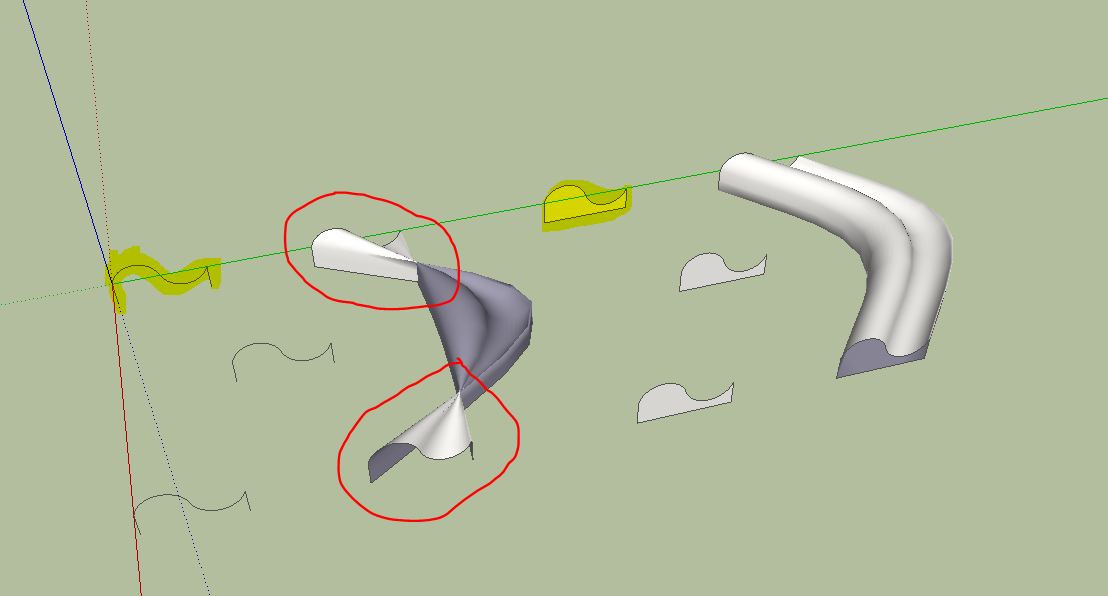
        I have found one small error. If I use a single edge, the ends are twisted. At the same profile as a face all is right.

        Charly

        Unbenannt.JPG

        He who makes no mistakes, makes nothing

        1 條回覆 最後回覆 回覆 引用 0
        • fredo6F 離線
          fredo6
          最後由 編輯

          @charly2008 said:

          Hi Fredo,

          I have found one small error. If I use a single edge, the ends are twisted. At the same profile as a face all is right.

          Charly

          Charly,

          There are plenty of errors in Loft. I am currently trying to consolidate fixes for a next release. This one will be fixed, I hope.

          Can you post the model.

          Fredo

          1 條回覆 最後回覆 回覆 引用 0
          • charly2008C 離線
            charly2008
            最後由 編輯

            Hi Fredo,

            I know that it is impossible to find any errors, but still it is a great tool. I admire you, which you can write so wonderful Ruby Scripts.

            Charly

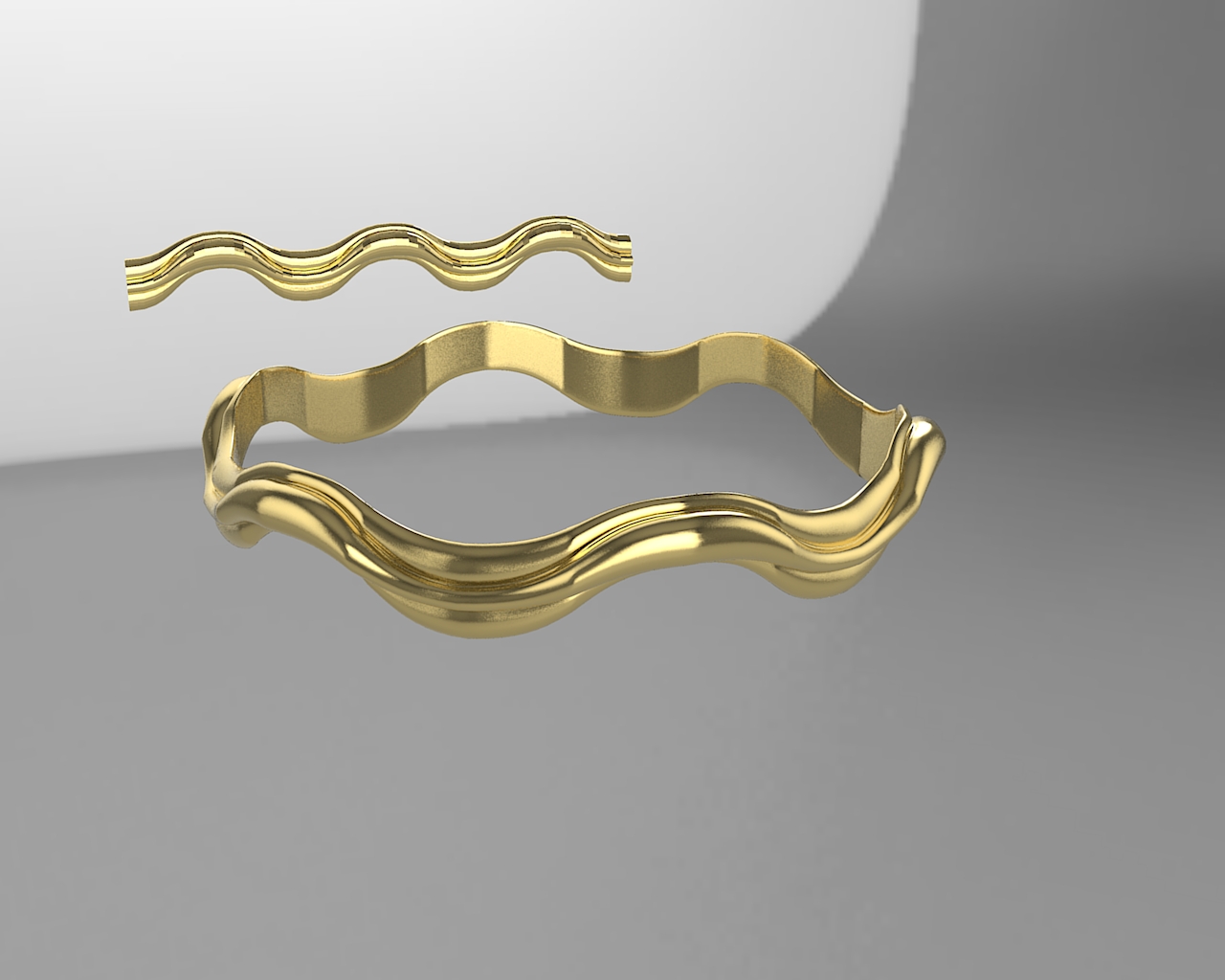
            Image below: Curviloft and Shape Bender.

            Curvi.skp


            Curvi.jpg

            He who makes no mistakes, makes nothing

            1 條回覆 最後回覆 回覆 引用 0
            • mariochaM 離線
              mariocha
              最後由 編輯

              @charly2008 said:

              Hi Fredo,
              I know that it is impossible to find any errors, ...

              I guess you mean "impossible not to find any errors" 😄

              %(#008000)[Mario C.
              Every rule has exceptions, but some.]

              1 條回覆 最後回覆 回覆 引用 0
              • charly2008C 離線
                charly2008
                最後由 編輯

                Hi Mariocha,

                I think both expressions are right. Now it's a mathematical Question. Theoretically, all bugs can be found. This would require all possible geometric cases are tried with the tool. The problem is to find all the possibilities and the time needed for it. Therefore, it is impossible not to find a bug. This problem is found with any software.

                Charly

                He who makes no mistakes, makes nothing

                1 條回覆 最後回覆 回覆 引用 0
                • jeff hammondJ 離線
                  jeff hammond
                  最後由 編輯

                  wow Fredo, the method2 drawing looks excellent!
                  i'll give it a try myself a little later in the day.

                  dotdotdot

                  1 條回覆 最後回覆 回覆 引用 0
                  • thomthomT 離線
                    thomthom
                    最後由 編輯

                    Mighty impressive stuff Fredo.
                    I hope you get some donations for this!

                    Thomas Thomassen — SketchUp Monkey & Coding addict
                    List of my plugins and link to the CookieWare fund

                    1 條回覆 最後回覆 回覆 引用 0
                    • jeff hammondJ 離線
                      jeff hammond
                      最後由 編輯

                      @thomthom said:

                      Mighty impressive stuff Fredo.
                      I hope you get some donations for this!

                      agree!
                      Tools-> Fredo6 Collection-> Curviloft-> Donation...

                      hit it up boys and girls 💚

                      dotdotdot

                      1 條回覆 最後回覆 回覆 引用 0
                      • fredo6F 離線
                        fredo6
                        最後由 編輯

                        @charly2008 said:

                        Hi Fredo,

                        I know that it is impossible to find any errors, but still it is a great tool. I admire you, which you can write so wonderful Ruby Scripts.

                        Charly

                        Image below: Curviloft and Shape Bender.

                        Thanks the model. Actually, I had fixed the error already in my own version.

                        Let me also tell you that your golden frises are quite nice looking. I am not sure I would be able to do the same myself with Curviloft!

                        Finally, I think it is in practiceimpossible to find all errors, but more surely, it impossible to fix them all.

                        Fredo

                        1 條回覆 最後回覆 回覆 引用 0
                        • jeff hammondJ 離線
                          jeff hammond
                          最後由 編輯

                          Fredo, i have to admit.. i'm beyond excited!!

                          bezier method 2 is exactly what i was talking about.. very impressive! [which has me wondering.. how many other little ruby experiments do you have laying around on your hard drives 😄]
                          please include that method in subsequent curviloft releases.

                          dotdotdot

                          1 條回覆 最後回覆 回覆 引用 0
                          • mariochaM 離線
                            mariocha
                            最後由 編輯

                            @unknownuser said:

                            J... If you wish to test in the meanwhile, you can drop the two attached files in the CURVILOFT_Dir_10 folder
                            [attachment=1:35q6ko6g]<!-- ia1 -->CurviloftPalette.rb<!-- ia1 -->[/attachment:35q6ko6g]
                            [attachment=0:35q6ko6g]<!-- ia0 -->CurviloftSpline.rb<!-- ia0 -->[/attachment:35q6ko6g]

                            Some feedback; the "new" CurviLoftSpline.rb seems to go in an endless loop here. No result.
                            Tried the previous one, works ok.

                            %(#008000)[Mario C.
                            Every rule has exceptions, but some.]

                            1 條回覆 最後回覆 回覆 引用 0
                            • jeff hammondJ 離線
                              jeff hammond
                              最後由 編輯

                              @mariocha said:

                              Some feedback; the "new" CurviLoftSpline.rb seems to go in an endless loop here. No result.
                              Tried the previous one, works ok.

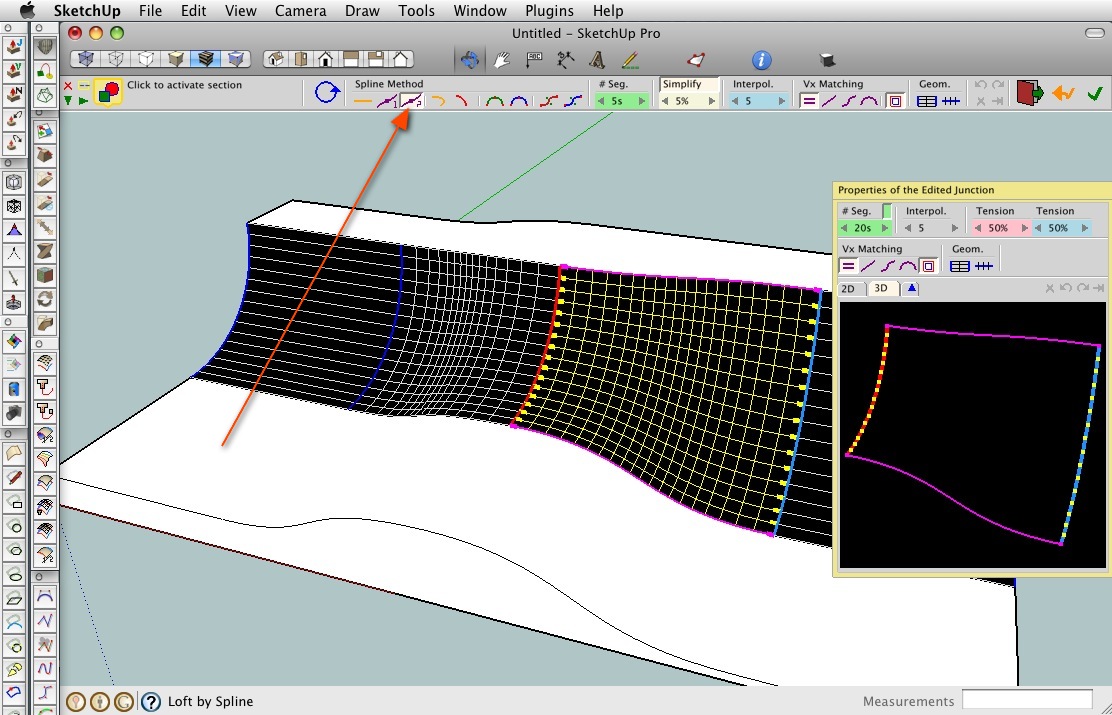
                              the newly added method is the one with the arrow pointing to it in this screenshot.. i dunno, i'm not experiencing any looping with it.. maybe upload a .skp showing the problem?
                              screen 3.jpg

                              dotdotdot

                              1 條回覆 最後回覆 回覆 引用 0
                              • thomthomT 離線
                                thomthom
                                最後由 編輯

                                Jeff, how do you dock Ruby toolbar buttons to the main toolbar in OSX SU? When I looked at it on my Mac I thought I only had the native buttons available...
                                ❓

                                Thomas Thomassen — SketchUp Monkey & Coding addict
                                List of my plugins and link to the CookieWare fund

                                1 條回覆 最後回覆 回覆 引用 0
                                • jeff hammondJ 離線
                                  jeff hammond
                                  最後由 編輯

                                  @thomthom said:

                                  Jeff, how do you dock Ruby toolbar buttons to the main toolbar in OSX SU? When I looked at it on my Mac I thought I only had the native buttons available...
                                  ❓

                                  right click on an empty space of the toolbar then choose 'customize toolbar'.. all of your icons will be available and can be placed up there individually.. (this goes for all osx apps btw)

                                  one thing to note when doing this in sketchup:
                                  when you quit sketchup, your custom toolbar will be saved however, when you relaunch, only the native google icons will be up there.. ⌘N (File-> New) will give you a new window and your custom layout with 3rd party plugin icons will appear..
                                  i think it's something to do with when the icons are initialized.. the google ones happen during launch prior to the window being shown whereas the plugins folder is accessed later during launch ?

                                  [edit - i should note as well that google's sandbox tools exhibit the same behavior at the 3rd party plugins so it's not as if they have a certain snip of code allowing them to be accessed earlier.. it's the standard google toolset, views, render style etc.. that will remain upon a fresh launch..

                                  also, if you want to remove icons from the toolbar during customization, just drag them off the toolbar and drop them anywhere else on screen.. they'll poof]

                                  edit2 - oh, here's a post from last year where i made a video showing the customization process:
                                  http://forums.sketchucation.com/viewtopic.php?p=162762#p162762

                                  dotdotdot

                                  1 條回覆 最後回覆 回覆 引用 0
                                  • mariochaM 離線
                                    mariocha
                                    最後由 編輯

                                    And Jeff, deserve a THANKS.

                                    %(#008000)[Mario C.
                                    Every rule has exceptions, but some.]

                                    1 條回覆 最後回覆 回覆 引用 0
                                    • charly2008C 離線
                                      charly2008
                                      最後由 編輯

                                      Hi Fredo,

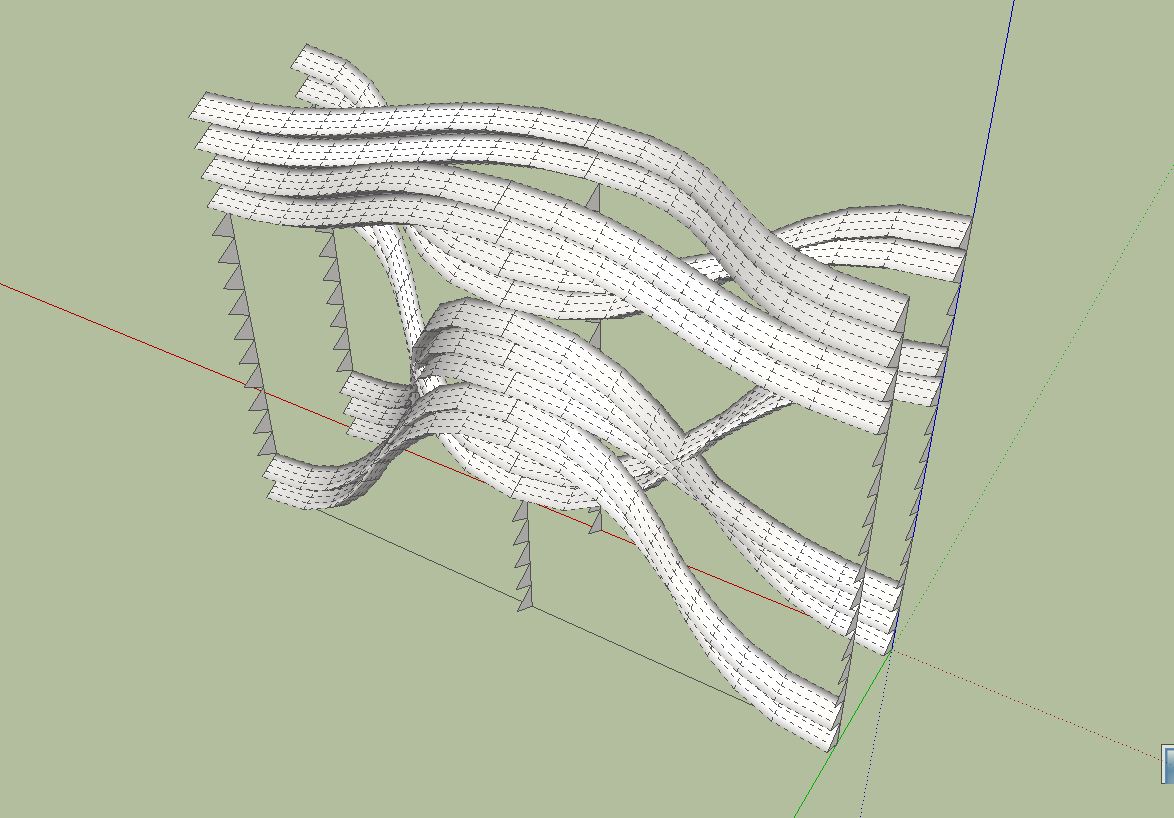
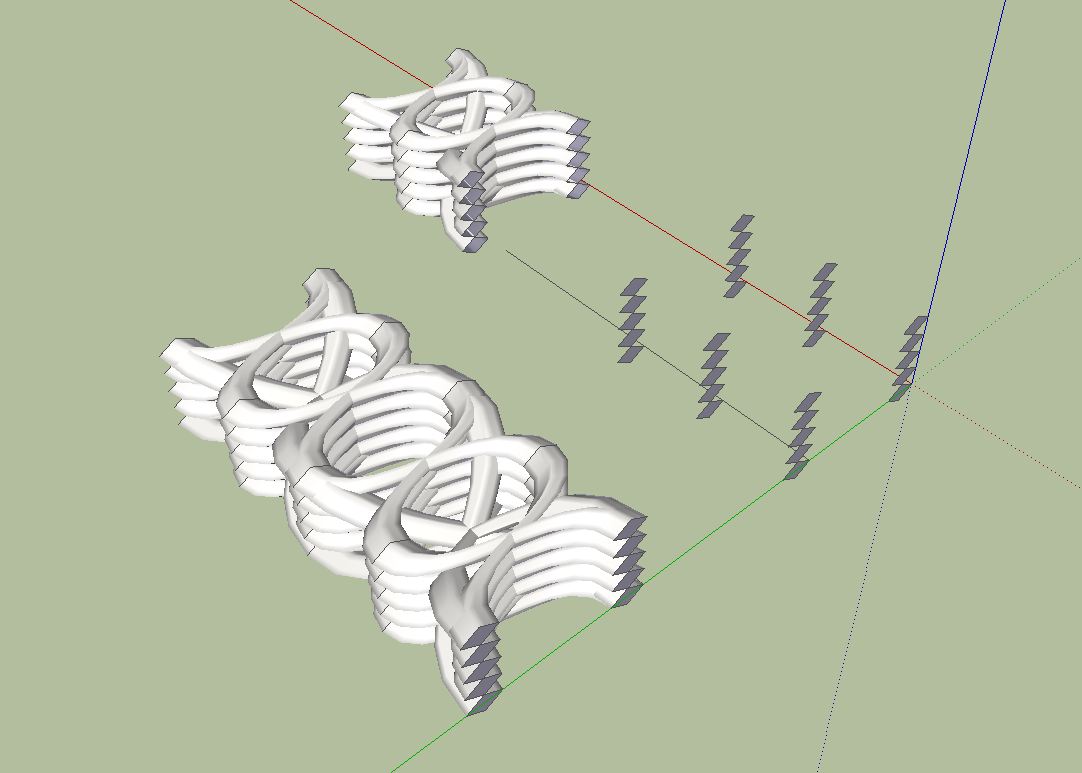
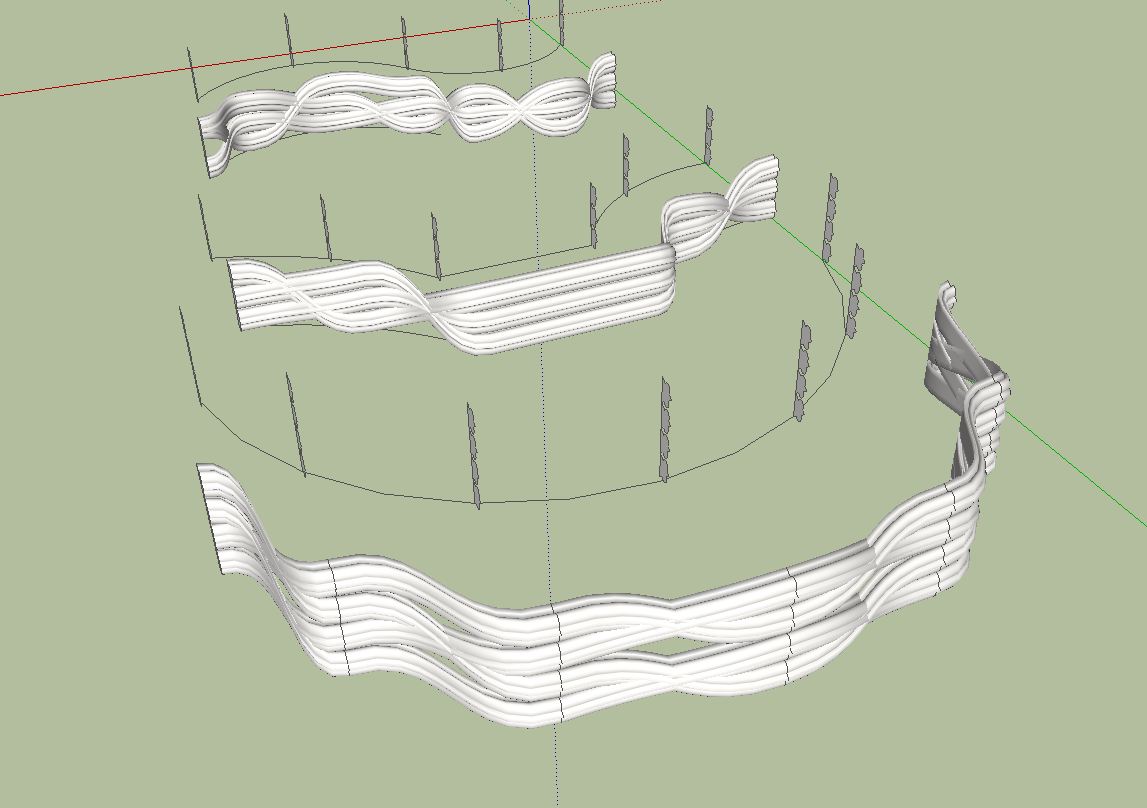
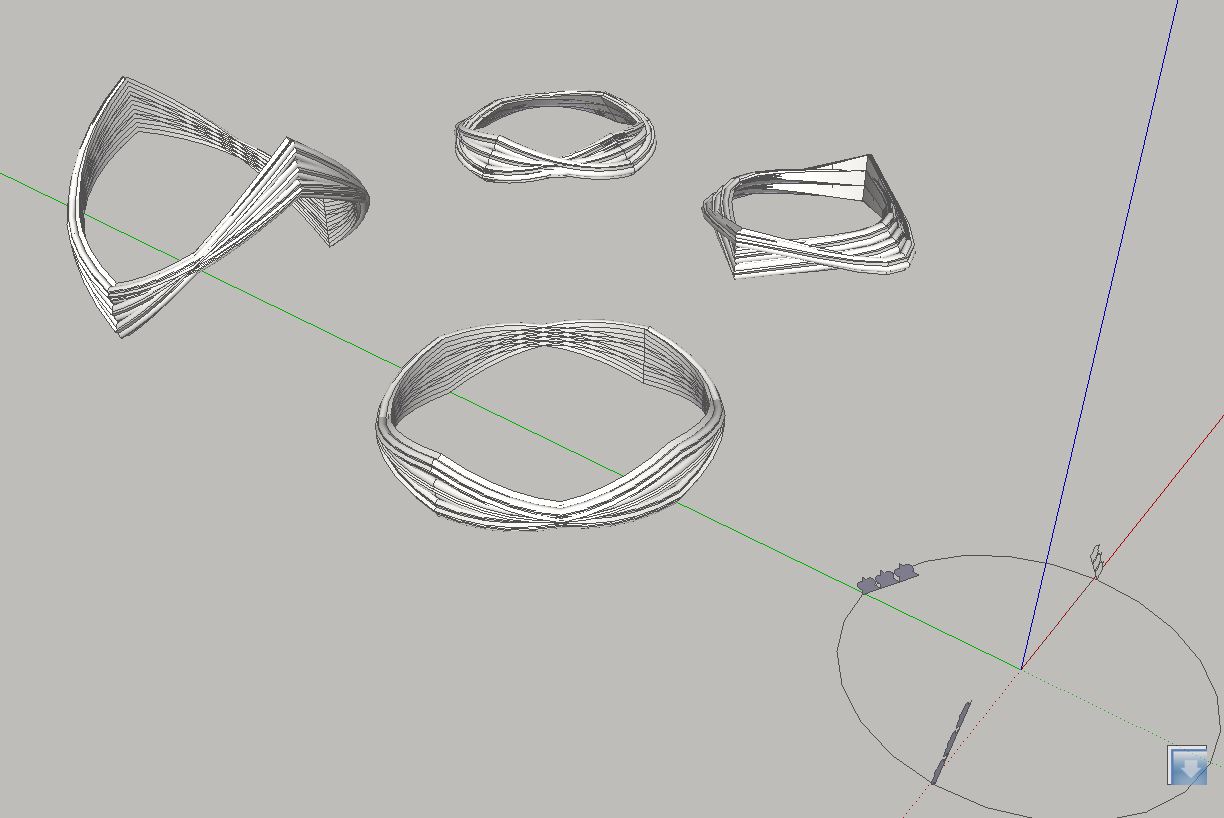
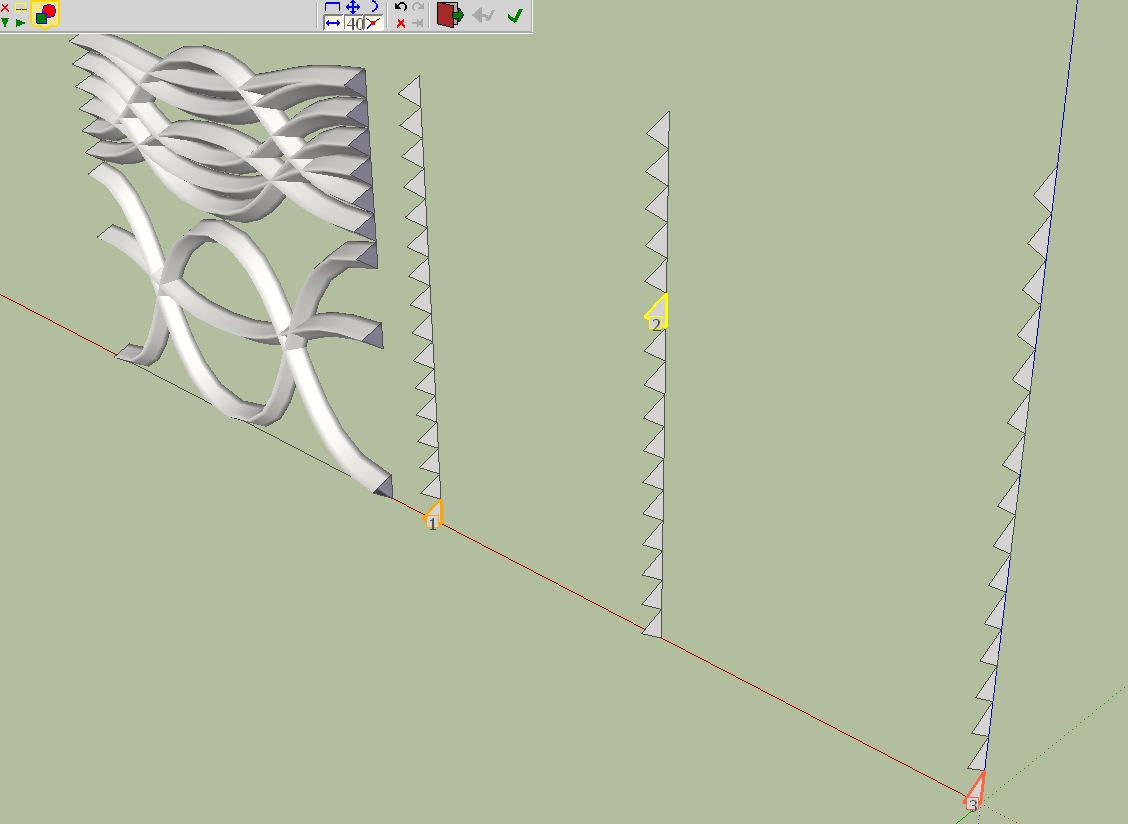
                                      Anyone can do that, it is very easy. Draw any profile you want, make it a group and copy it several times as shown in the picture below. A further possibility is to move the profiles horizontally or vertically. So you can then try all possible combinations with Curviloft. The imagination knows no boundaries. The possibilities are endless.

                                      Charly

                                      Unbenannt.JPG


                                      Untitled.skp


                                      Unbenannt.JPG


                                      Unbenannt.JPG


                                      Unbenannt.JPG


                                      Untitled.skp


                                      Unbenannt.JPG


                                      Unbenannt1.JPG

                                      He who makes no mistakes, makes nothing

                                      1 條回覆 最後回覆 回覆 引用 0
                                      • mariochaM 離線
                                        mariocha
                                        最後由 編輯

                                        @charly2008 said:

                                        ...Anyone can do that, it is very easy. ...The possibilities are endless.

                                        Hey thanks a lot for the tip Charlie.
                                        I still got to figure out how you achieve such a nice interior surface thought.

                                        %(#008000)[Mario C.
                                        Every rule has exceptions, but some.]

                                        1 條回覆 最後回覆 回覆 引用 0
                                        • fredo6F 離線
                                          fredo6
                                          最後由 編輯

                                          @mariocha said:

                                          Some feedback; the "new" CurviLoftSpline.rb seems to go in an endless loop here. No result.
                                          Tried the previous one, works ok.

                                          Does it happen with a specific model or all models?
                                          Which tool do you use?

                                          Fredo

                                          1 條回覆 最後回覆 回覆 引用 0
                                          • mariochaM 離線
                                            mariocha
                                            最後由 編輯

                                            @unknownuser said:

                                            Does it happen with a specific model or all models?
                                            Which tool do you use?
                                            Fredo

                                            Let me investigate a little more, I did not put enough time on it yet to be specific.
                                            Maybe tomorrow in the plane to Basecamp.
                                            I'll keep you in touch.

                                            %(#008000)[Mario C.
                                            Every rule has exceptions, but some.]

                                            1 條回覆 最後回覆 回覆 引用 0
                                            • 1
                                            • 2
                                            • 3
                                            • 4
                                            • 5
                                            • 65
                                            • 66
                                            • 1 / 66
                                            • 第一個貼文
                                              最後的貼文
                                            Buy SketchPlus
                                            Buy SUbD
                                            Buy WrapR
                                            Buy eBook
                                            Buy Modelur
                                            Buy Vertex Tools
                                            Buy SketchCuisine
                                            Buy FormFonts

                                            Advertisement