sketchucation logo sketchucation
    • 登入
    Oops, your profile's looking a bit empty! To help us tailor your experience, please fill in key details like your SketchUp version, skill level, operating system, and more. Update and save your info on your profile page today!
    🔌 Smart Spline | Fluid way to handle splines for furniture design and complex structures. Download

    [Plugin][$] Curviloft 2.0a - 31 Mar 24 (Loft & Skinning)


    已排程 已置頂 已鎖定 已移動 Plugins
    1.3k 貼文 299 Posters 2.5m 瀏覽 297 Watching
    正在載入更多貼文
    • 從舊到新
    • 從新到舊
    • 最多點贊
    回覆
    • 在新貼文中回覆
    登入後回覆
    此主題已被刪除。只有擁有主題管理權限的使用者可以查看。
    • brookefoxB 離線
      brookefox
      最後由 編輯

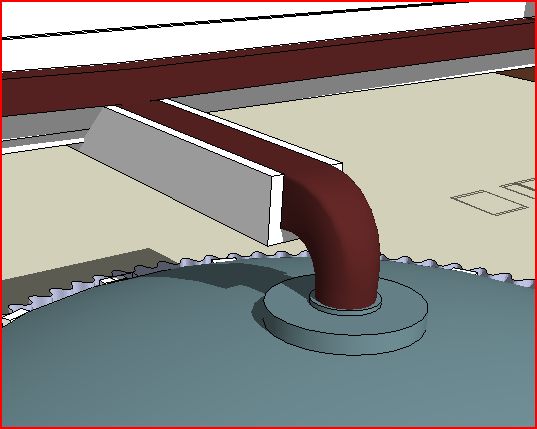
      Here's a modest working use of the tool, much as exampled: to create a square to round transition, in this case for building gutter work.

      I hope folks will post more.
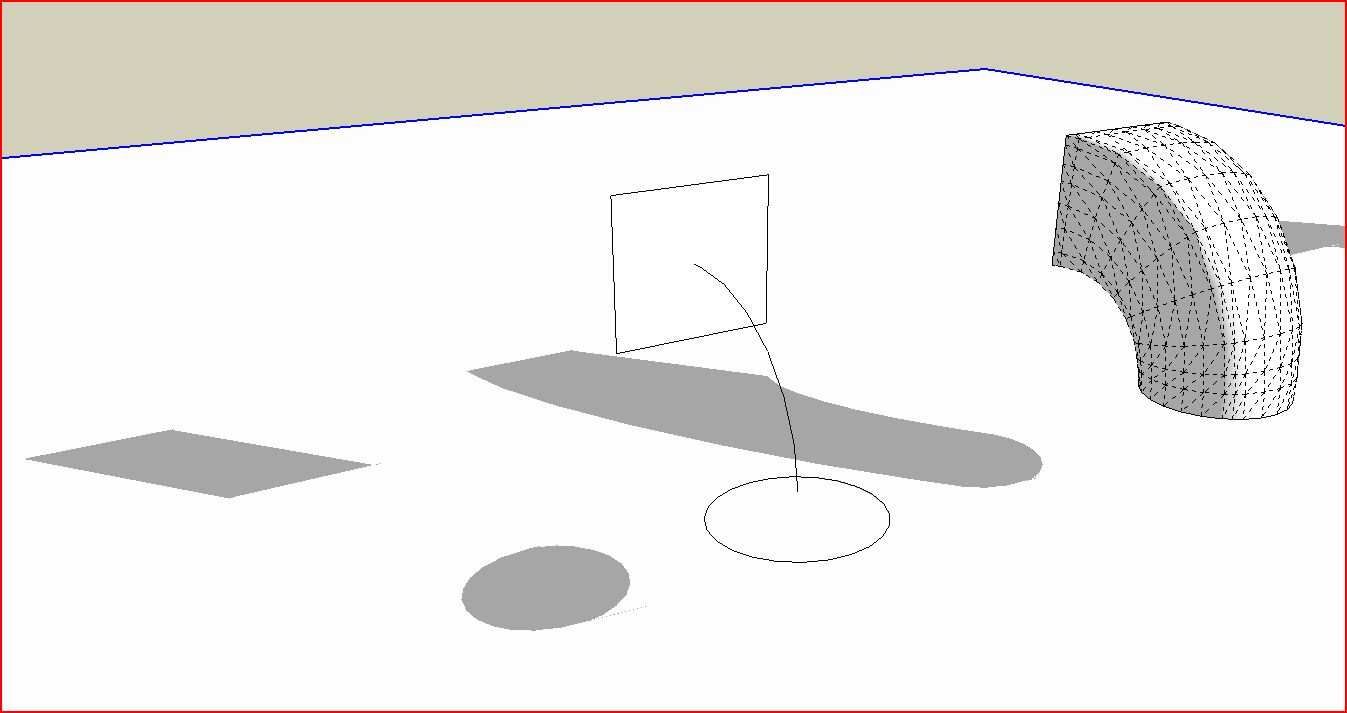

      scupper transition via CurviLoft-1.JPG


      scupper transition via CurviLoft-in place.JPG

      ~ Brooke

      1 條回覆 最後回覆 回覆 引用 0
      • fredo6F 離線
        fredo6
        最後由 編輯

        @oxer said:

        Hi Fredo6,

        The plugin is fantastic, i'm modeling a XIV Century Church and it has a lot of organic details, your plugin will help me to finish it.
        I know that the plugin is a beta phase but i find a conflict with other plugin 'set.rb' requested for svg.rb (to import svg files to sketchup), it's a minor problem for me but i say it for inform to other users if they find that the plugin does not work and they have installed this plugin. (I work on Mac)

        Thanks for all your plugins!! 👍

        Bye!

        Where can I find this plugin svg and set.rb? I'd like to see where the conflict comes from.

        Fredo

        1 條回覆 最後回覆 回覆 引用 0
        • JClementsJ 離線
          JClements
          最後由 編輯

          Fredo:

          Is there a possibility that coplanar surfaces would be created with Curviloft?

          John | Illustrator | Beaverton, Oregon

          1 條回覆 最後回覆 回覆 引用 0
          • fredo6F 離線
            fredo6
            最後由 編輯

            @jclements said:

            Fredo:

            Is there a possibility that coplanar surfaces would be created with Curviloft?

            Do you have an example?

            Fredo

            1 條回覆 最後回覆 回覆 引用 0
            • J 離線
              Joarek
              最後由 編輯

              Simply amazing. Great work Fredo!

              1 條回覆 最後回覆 回覆 引用 0
              • A 離線
                arjunmax09
                最後由 編輯

                WHOA........▐▀ ▄ █ ▌ ▐ ▀ ▄ █▌ ▐░ ▒ ▀ ▄ █▌ ▐░ ▒ ▀ ▄ █▌ ▐░ ▒ ..WHOAAAAAAAAAA!!!!▂▃▅▆▂▃▅▆▂▃▅▆▂▃▅▆▂▃▅▆▂▃▅▆ FREDO.........YOU ARE ******* ٌ۩ﺴ ﺴ۩ٌ ٌ۩ﺴ ﺴ۩ٌ AMAZING..ٌ۩ﺴ ﺴ۩ٌ ٌ۩ﺴ ﺴ۩ٌ .PARDON MY LANGUAGE..BUT THIS PLUGIN IS REALLY OUT OF THE WORLD....HOLY______!!!!!!! MAN !!...You're not an ordinary human fredo....you have some calculators or electronic chips planted in your body...looking at your plugins ..it seems as if you're some cyborg or ....i don't know ..I don't have words to describe your talent...you rock▀ ▄ █ ▌ ▐▀ ▄ █ ▌ ▐ ▀ ▄ █▌ ▐░ ▒ ▀ ▄ █▌ ▐░ ▒ ▀ ▄ █▌ ▐░ ▒ 😄

                when you fail at something....you haven't really failed...you've found one way the thing will not work out

                1 條回覆 最後回覆 回覆 引用 0
                • J 離線
                  Jim
                  最後由 編輯

                  @unknownuser said:

                  @oxer said:

                  Hi Fredo6,

                  The plugin is fantastic, i'm modeling a XIV Century Church and it has a lot of organic details, your plugin will help me to finish it.
                  I know that the plugin is a beta phase but i find a conflict with other plugin 'set.rb' requested for svg.rb (to import svg files to sketchup), it's a minor problem for me but i say it for inform to other users if they find that the plugin does not work and they have installed this plugin. (I work on Mac)

                  Thanks for all your plugins!! 👍

                  Bye!

                  Where can I find this plugin svg and set.rb? I'd like to see where the conflict comes from.

                  Fredo

                  Fredo, it probably came from this thread:

                  http://forums.sketchucation.com/viewtopic.php?f=180&t=13475&p=99818#p99542

                  That was an old attempt at include rexml in the plugins folder, but rexml required a set.rb from the ruby language installation which is in direct conflict with the built-in Set class.

                  Hi

                  1 條回覆 最後回覆 回覆 引用 0
                  • thomthomT 離線
                    thomthom
                    最後由 編輯

                    Yea, the Set class is one that does differ in SU from the native. Not exactly sure what the differences are - wish it was documented.

                    Thomas Thomassen — SketchUp Monkey & Coding addict
                    List of my plugins and link to the CookieWare fund

                    1 條回覆 最後回覆 回覆 引用 0
                    • fredo6F 離線
                      fredo6
                      最後由 編輯

                      @thomthom said:

                      Yea, the Set class is one that does differ in SU from the native. Not exactly sure what the differences are - wish it was documented.

                      And using Sketchup::Set instead generates a lot of warning messages.

                      Anyway, I found a way to do without the Set class.

                      Fredo

                      1 條回覆 最後回覆 回覆 引用 0
                      • D 離線
                        d12dozr
                        最後由 編輯

                        Karl, that's very neat, thanks for sharing 🎉

                        3D Printing with SketchUp Book
                        http://goo.gl/f7ooYh

                        1 條回覆 最後回覆 回覆 引用 0
                        • charly2008C 離線
                          charly2008
                          最後由 編輯

                          Hi to All,

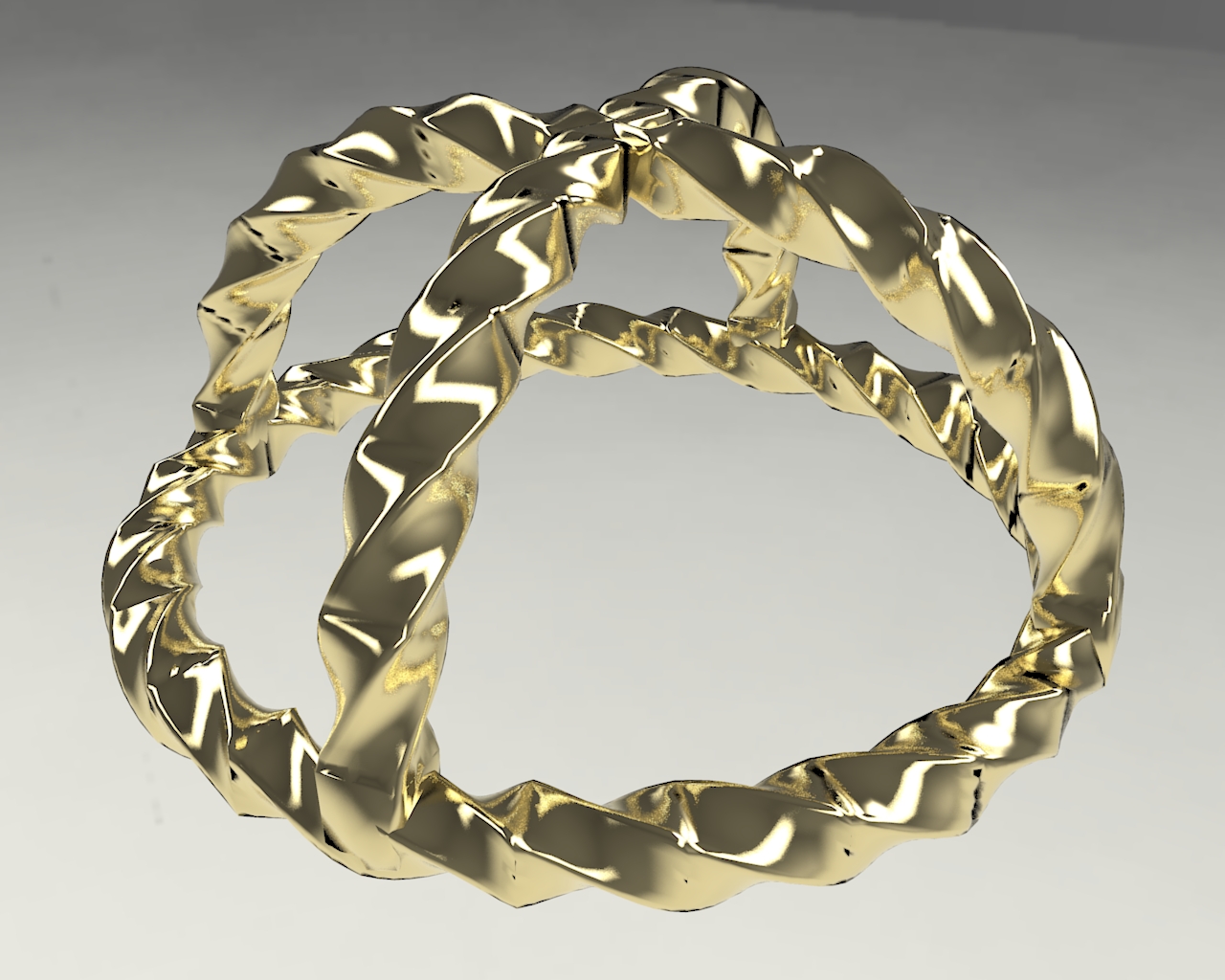
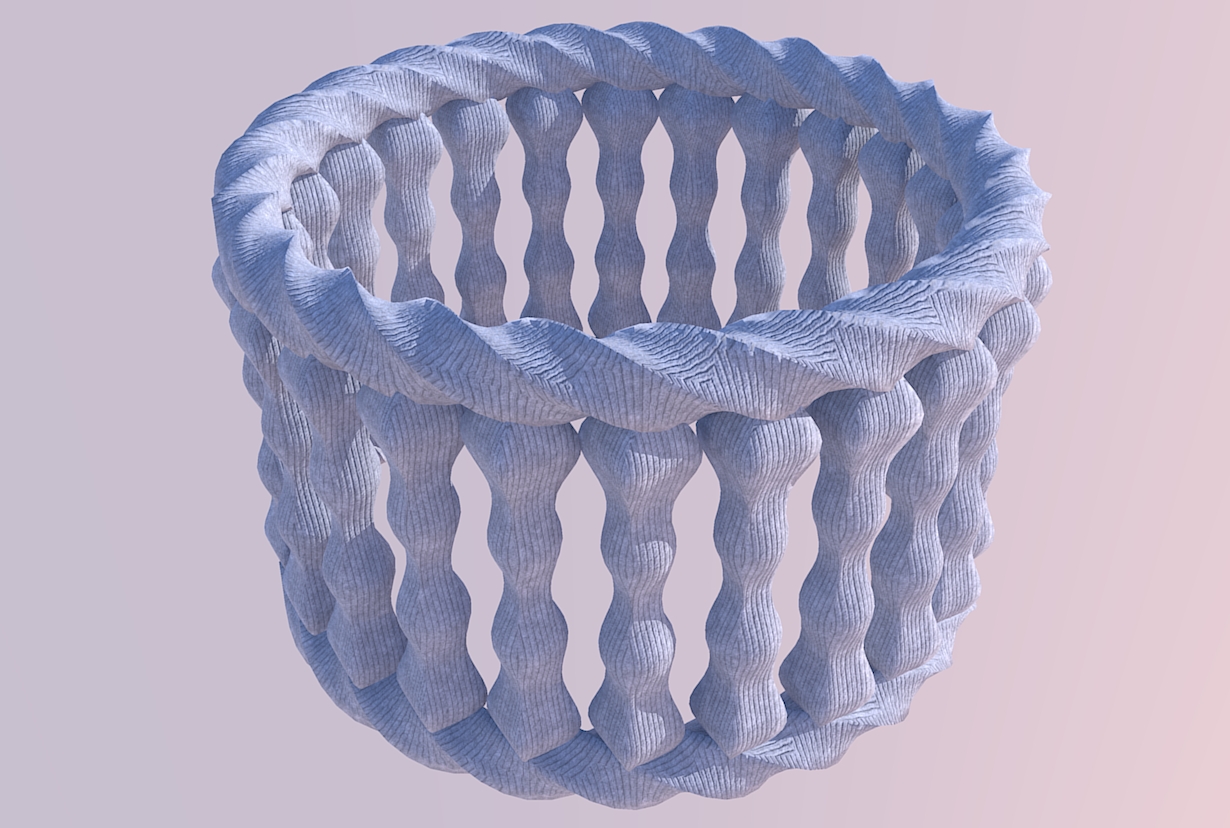
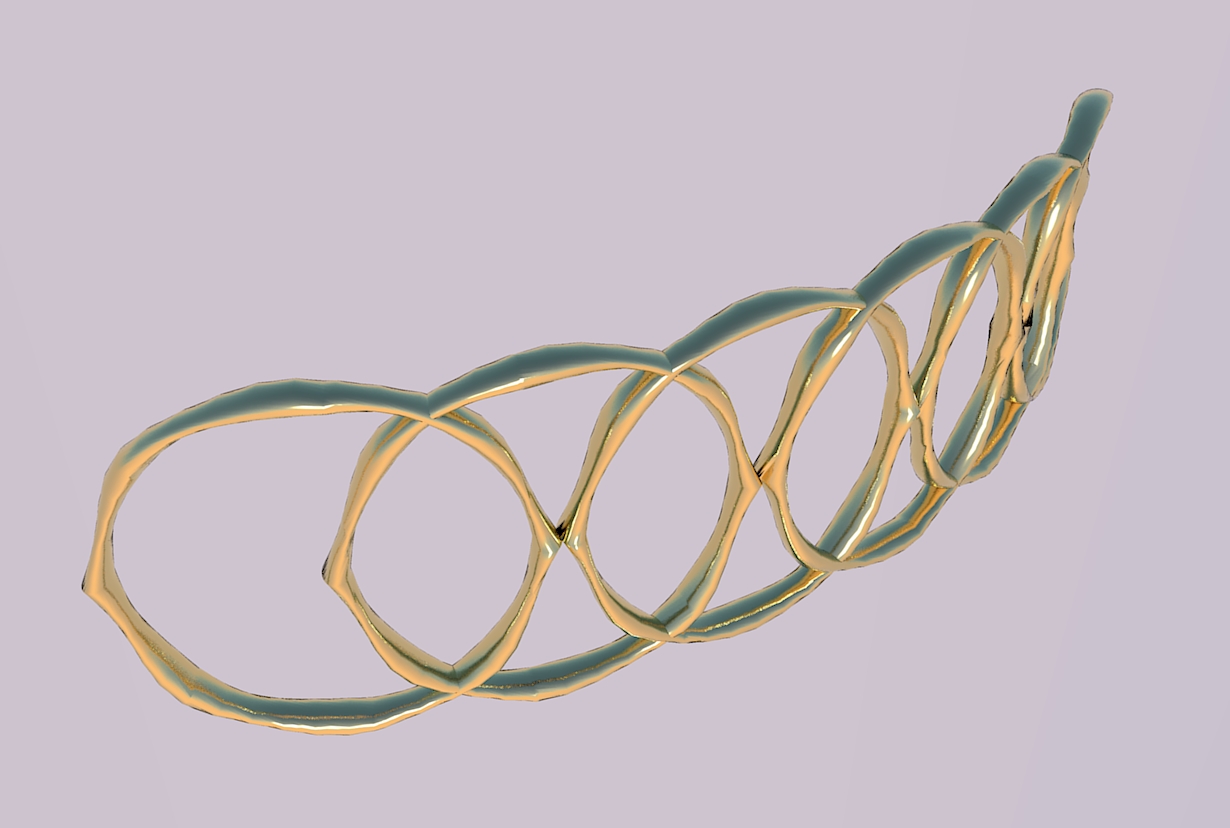
                          three experiments with Curviloft and Perpendicular Square. Please show your ideas for what is possible with Curviloft. It's just fun to try out new ideas.

                          Karl
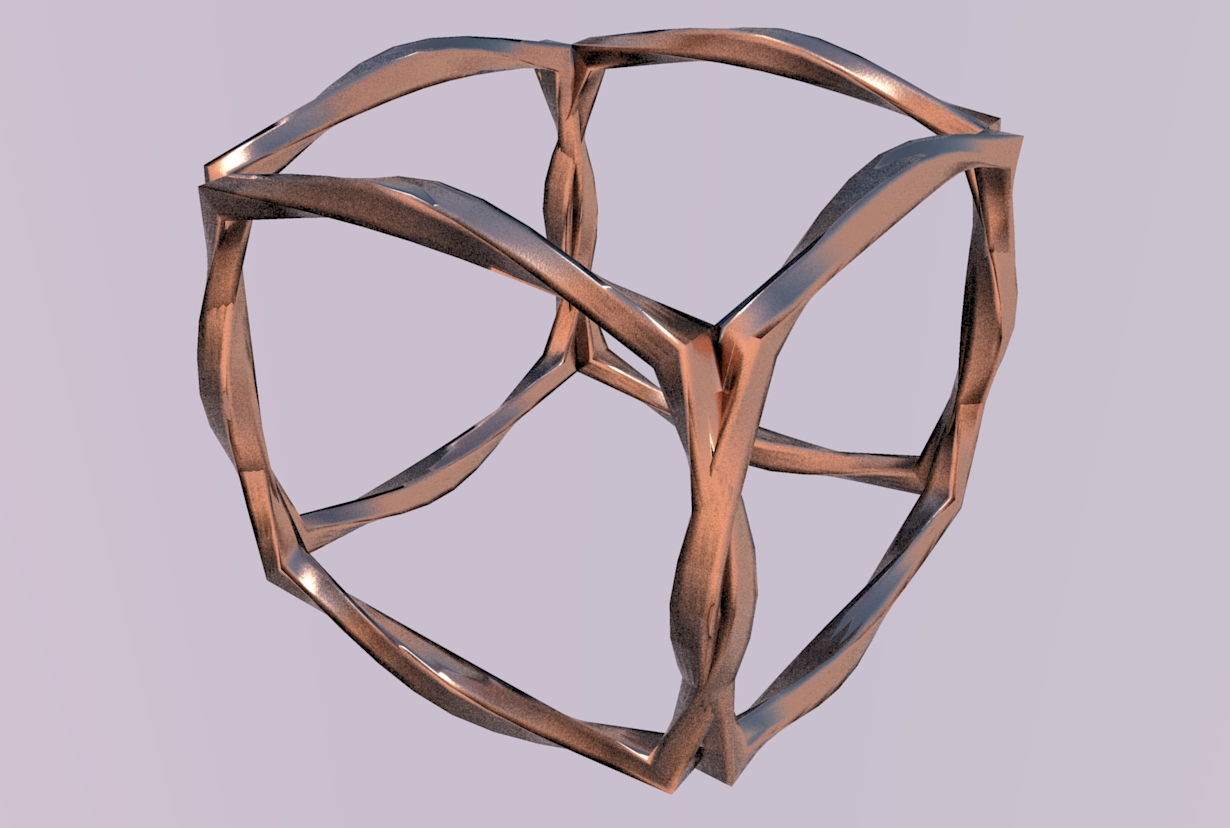

                          Unbenannt.JPG


                          Unbenannt2.JPG


                          Unbenannt3.JPG


                          Unbenannt7.JPG


                          Unbenannt8.JPG

                          He who makes no mistakes, makes nothing

                          1 條回覆 最後回覆 回覆 引用 0
                          • A 離線
                            alangood
                            最後由 編輯

                            Hi Fredo,

                            Please excuse me with my newbie question.

                            I am trying to get your Curviloft plugin to work on my mac (OS X 10.6.3) in SU7. (Maybe it's working already, but I don't know how to access its functions.) I've only used SU about 100 hours over two years. But as I'm starting to design, manufacture and install concrete ping pong tables, SU is proving more and more useful!

                            I'm dying to create curved surfaces, so am grateful for what appears to be an ideal plugin.

                            I downloaded these plug ins: Driving Directions, Ruby Console, Curviloft, and others. I installed the .rb files on min Library/App Support/SU7. I restarted SU.

                            I saw that DD and RC added themselves to the top pull down menus. DD created a floating tool bar. But I couldn't find CL. I deleted all the plug ins from Library/App Support/SU7, and from Library/Internet PlugIns. I still see RC and DD in the pull down menus. I don't mind them there, but my goal is to start to use CL.

                            Do you have any suggestions? Next I'll try trashing SU and reinstalling it.

                            thanks,

                            Alan

                            Alan Good
                            President
                            hengetables.com

                            1 條回覆 最後回覆 回覆 引用 0
                            • fredo6F 離線
                              fredo6
                              最後由 編輯

                              @alangood said:

                              Do you have any suggestions? Next I'll try trashing SU and reinstalling it.

                              I don't think you need to reinstall SU.
                              Rather, check the footprint (2 files, 2 subfolders) which is indicated in the main post where you downloaded from (http://forums.sketchucation.com/viewtopic.php?f=323&t=28586#p248195).

                              If needed, unzip in a neutral directory and then move the two files and folders to the SU Plugins folder, which on Mac should normally be:
                              Macintosh HD/Library/Application Support/Google SketchUp 7/SketchUp/plugins

                              Fredo

                              1 條回覆 最後回覆 回覆 引用 0
                              • fredo6F 離線
                                fredo6
                                最後由 編輯

                                Although Sweep is not supported (i.e. loft along two rails), you can in some situations simulate it via the Skinning function.
                                Here the model posted previously by Diego, where you can generate the sweep shape by half.
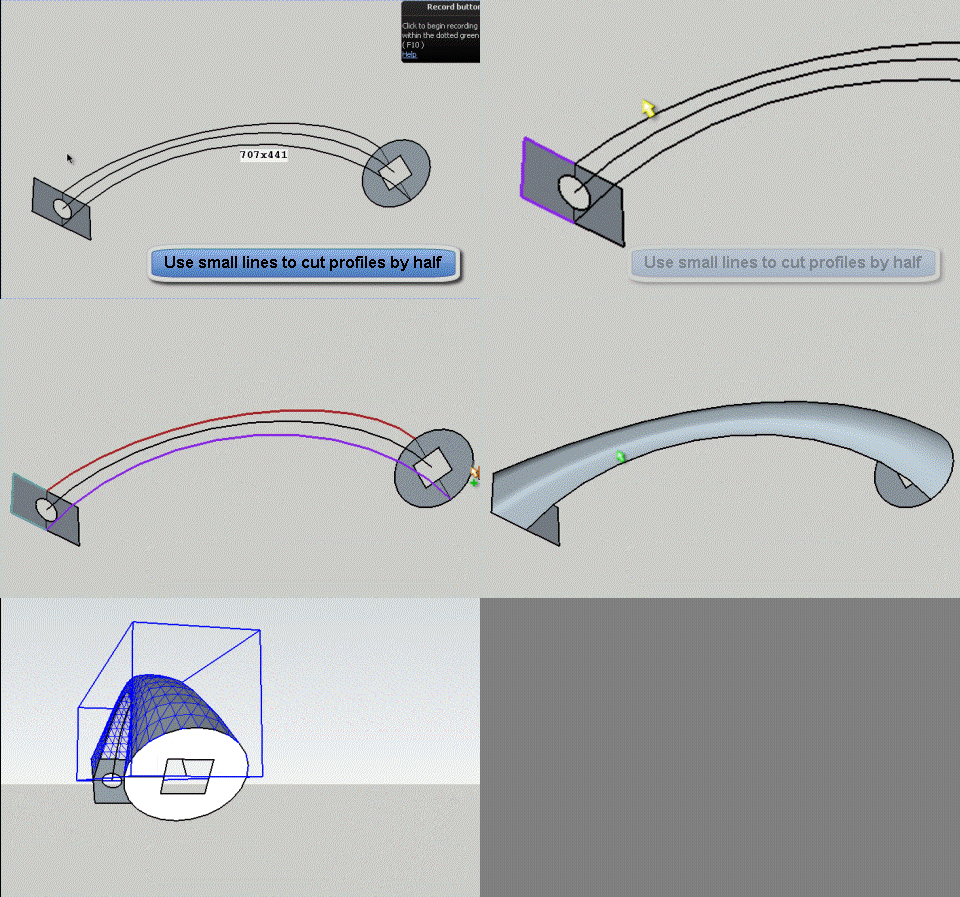
                                Sweep by Half skinning.gif

                                Fredo

                                1 條回覆 最後回覆 回覆 引用 0
                                • X 離線
                                  xrok1
                                  最後由 編輯

                                  AWSOME! 😲

                                  “There are three classes of people: those who see. Those who see when they are shown. Those who do not see.”

                                  http://www.Twilightrender.com try it!

                                  1 條回覆 最後回覆 回覆 引用 0
                                  • ely862meE 離線
                                    ely862me
                                    最後由 編輯

                                    I don't know what is going on in ur head...but what comes out is MAGIC. 😲

                                    Only if Waat would insert your editing method to his Subdivide and smooth tool. I think mixing SDS with this plugin will produce the most powerful plugin of sketchup .

                                    Thank you!

                                    Elisei (sketchupper)


                                    Before no life was done on Earth it was THE LIFE ITSELF...GOD
                                    Come and See EliseiDesign

                                    1 條回覆 最後回覆 回覆 引用 0
                                    • ken28875K 離線
                                      ken28875
                                      最後由 編輯

                                      Wow!!!! 😲 😲 😲

                                      I have been busy and did not go to the forums lately, but what a surprise when I logged in today and saw that plugin.

                                      Genial! Merci beaucoup, Fredo.

                                      Best,

                                      _KN

                                      Follow Your Dreams.

                                      1 條回覆 最後回覆 回覆 引用 0
                                      • R 離線
                                        rachmatrf
                                        最後由 編輯

                                        Fredo, I am a real newbie, as you can see, this is my first post.... I know you've produce many plugins. And those plugins are really helpful I believe. I just started to check this plugin section of the forum, and found that you're a master here. Thank you very much for bringing sketchup to a further stage as a modelling software... 😄
                                        I just downloaded your curviloft plugin and already installed it on my sketchup7 pro (windows7 platform). But, I got some real problem related to selection. I tried to follow the tutorial step by step. I tried the pre-selection mode. I selected the paths (two curves, I put one above the other), then click the "face icon" button. As we know, the curve is constructed by several connected lines (segment). And as I click the "face icon", just one segment can be selected, and I've no idea how to select the whole segment of the curve (or both curves).. I got the same problem also to apply the loft between two surfaces.. I just can select one segment.. 😢

                                        I can't even select the whole segment of the curve using manual selection mode... Forgive me if my problem is very basic thing... FYI, I Already tried the whole selection options... but nothing could worked it out. Do you know how to solve it? Please..., your help will be greatly appreciated..

                                        Thanks a lot.....

                                        1 條回覆 最後回覆 回覆 引用 0
                                        • fredo6F 離線
                                          fredo6
                                          最後由 編輯

                                          Rachmatrf,

                                          Can you post your model so that I get a better view of your situation.

                                          Also watch the videos to get some inspiration on how to select contours. Documentation is in my plan, but you can at least get some visual hints.

                                          Fredo

                                          1 條回覆 最後回覆 回覆 引用 0
                                          • OxerO 離線
                                            Oxer
                                            最後由 編輯

                                            @unknownuser said:

                                            Fredo wrote,
                                            Where can I find this plugin svg and set.rb? I'd like to see where the conflict comes from.

                                            Hi Fredo6, this is the plugin "svg.rb" for import svg files into sketchup, the plugin need other files included in the folder, the "set.rb" is the conflict file with Curviloft.


                                            svg.rb & set.rb, rexml folder, forwardable.rb

                                            "The result is the end what is important is the process" by Oxer
                                            http://www.oxervision.blogspot.com/

                                            1 條回覆 最後回覆 回覆 引用 0
                                            • 1
                                            • 2
                                            • 59
                                            • 60
                                            • 61
                                            • 62
                                            • 63
                                            • 64
                                            • 65
                                            • 66
                                            • 61 / 66
                                            • 第一個貼文
                                              最後的貼文
                                            Buy SketchPlus
                                            Buy SUbD
                                            Buy WrapR
                                            Buy eBook
                                            Buy Modelur
                                            Buy Vertex Tools
                                            Buy SketchCuisine
                                            Buy FormFonts

                                            Advertisement