[Plugin][$] Curviloft 2.0a - 31 Mar 24 (Loft & Skinning)


-
@jgb said:
Curviloft does not align its lofted lines exactly to the vertices on the opposite side. If the spacing of the 2 opposite points are not aligned CL will just draw lines from each vertex to the opposite side on edge, and you get a lot of extra lines, some very close together.
I spend a lot of time adjusting lines to reduce that overall line and face count.
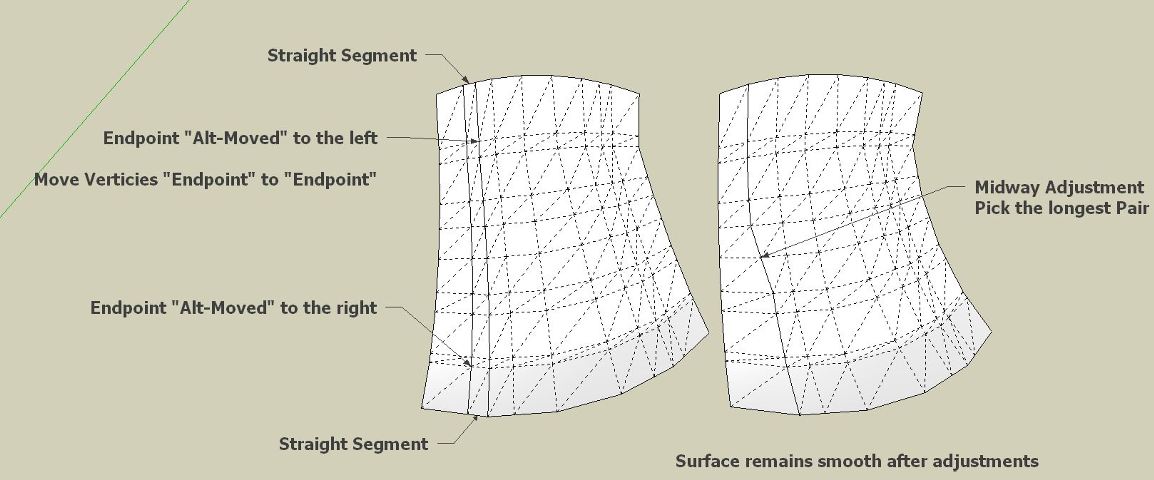
Use the ALT-Move Tool to move a vertex over to its closest partner. Pick the vertex on a perimeter that is on a straight portion of that segment.
It IS tedious, but in many of my big drawings I really need to reduce line count.
Well, the issue is that if you join vertex to vertex, you get a skewed surface, even assuming the number of vertices on each opposite side matches.
So, there is no general solution to the problem, unless Curviloft does a resampling of the contours (which it does not do in the current version).
Fredo
-
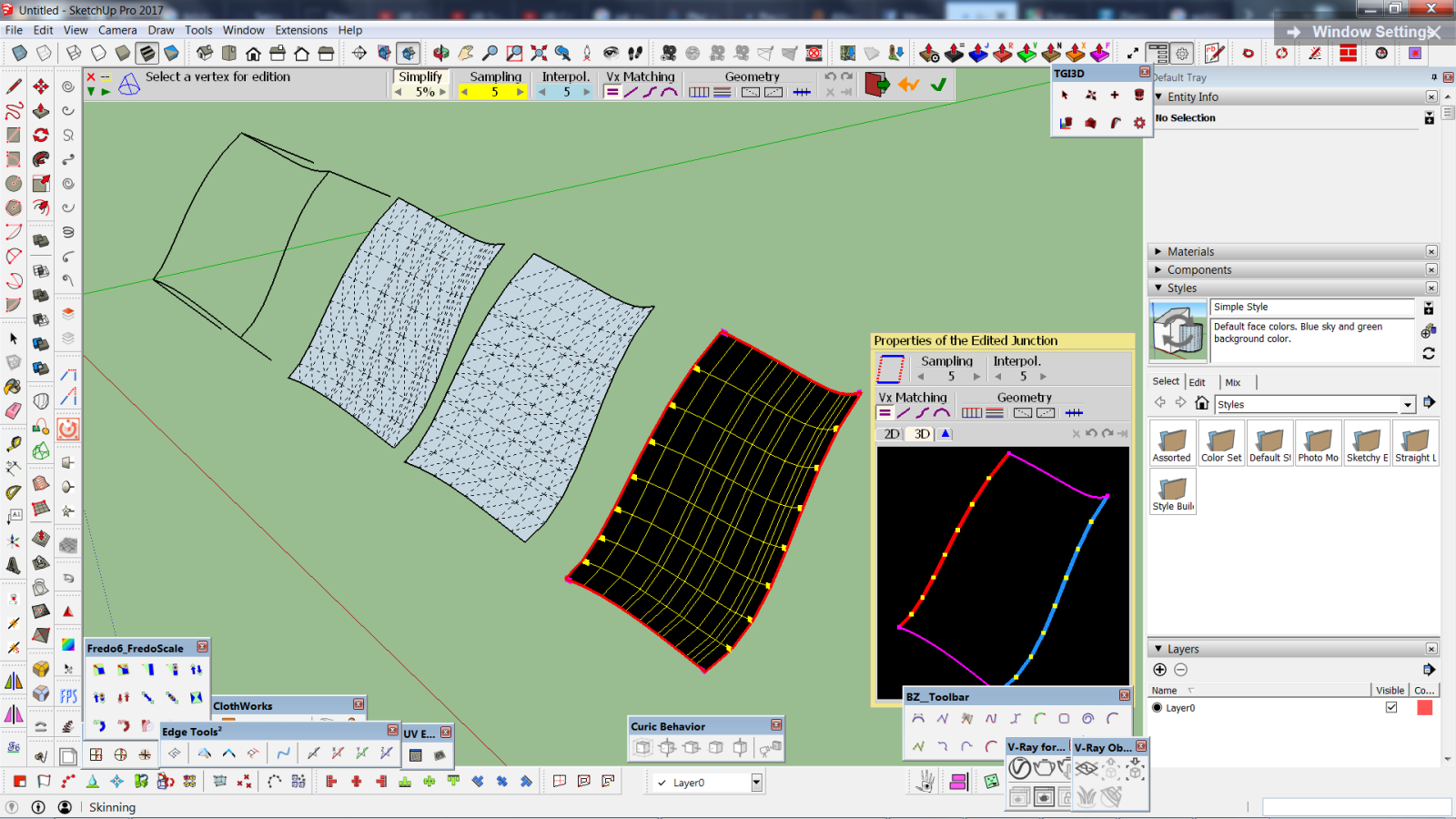
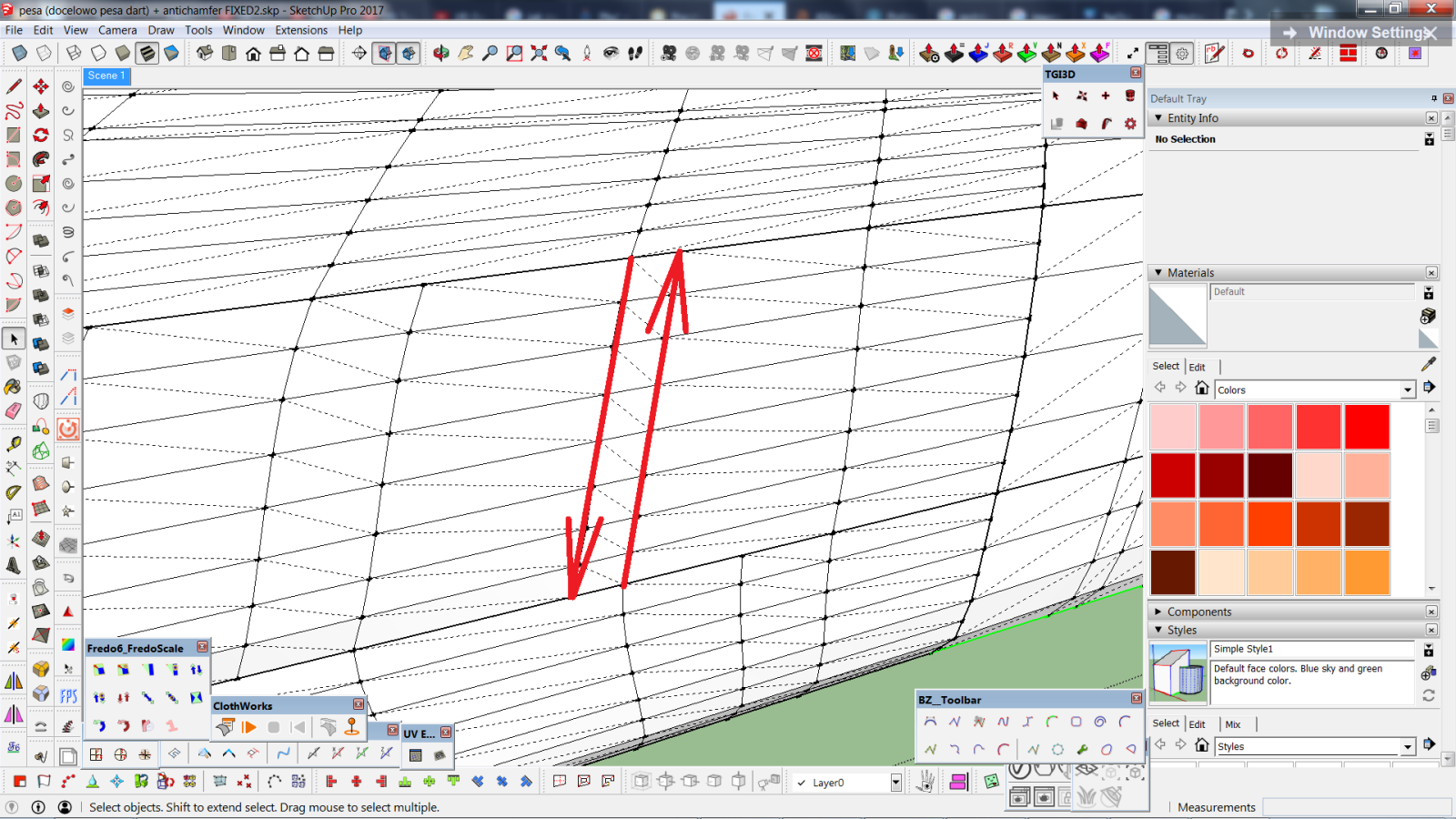
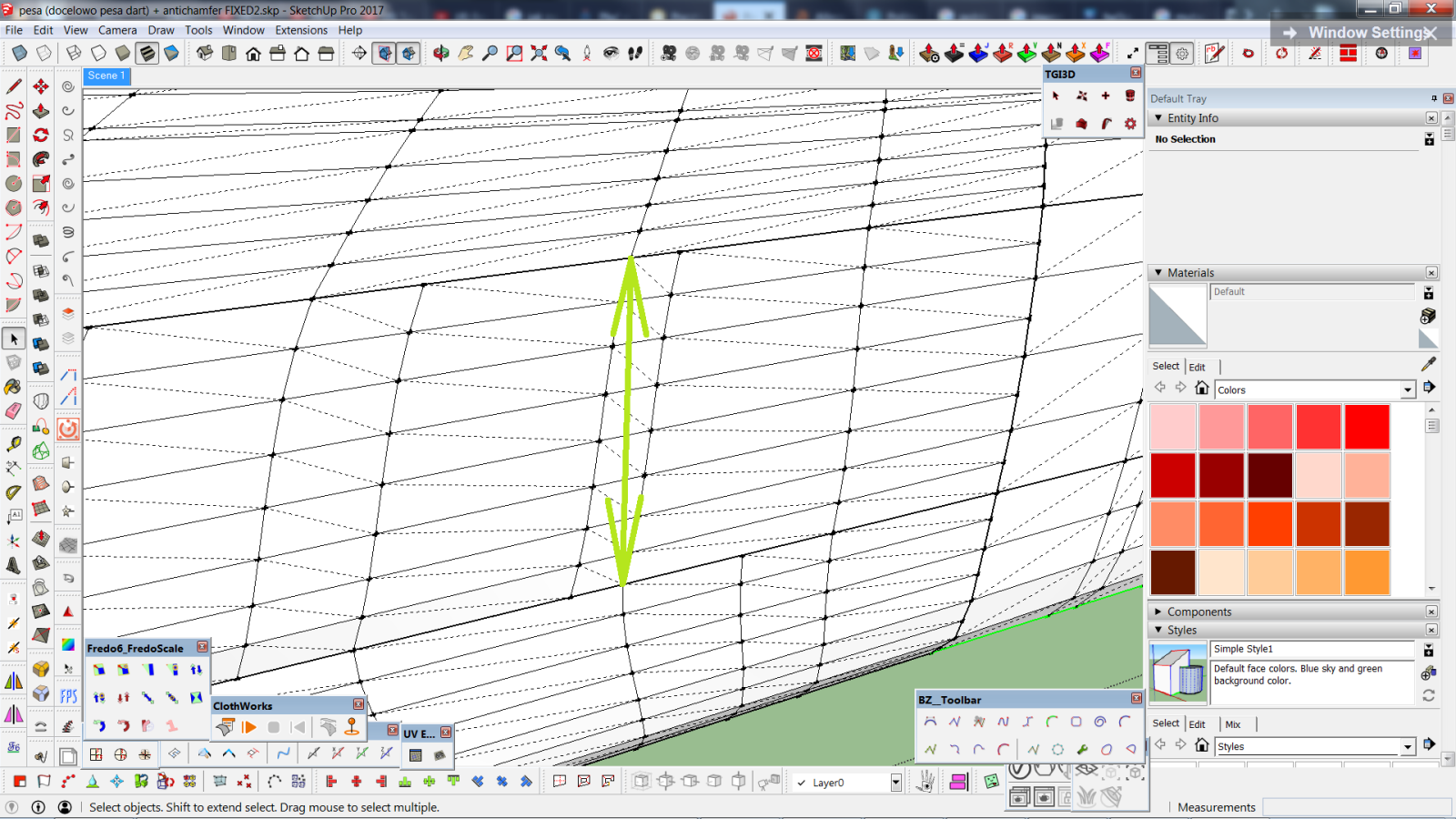
It's no problem that I spend extra time matching vertices but as you can see in the screenshot, in this case it's not even possible cuz I can only match vertices left-right while additional lines appear top-down. If I Swap Rails and Profiles, it's opposite. What if we could match both rails and profiles at the same time or force automatical matching vertex-to-vertex? In some cases Simplify parameter will work but not always, even if I set it to 80%. Maybe it would make sense to give us 100% as a maximum value? I don't know if it's mathematically possible.
In the second screenshot with red arrows I showed how the connection is done and in the third one with green arrow - how I'd imagine it.I reinstalled Curviloft and still have this no-settings bug. What's more, it also affects Round Corner plugin so when I try to roundcorner some edges, it also omits settings

-
Fredo said... Well, the issue is that if you join vertex to vertex, you get a skewed surface, even assuming the number of vertices on each opposite side matches.
True, but I move all of the vertices along a line, not just at the perimeter. My surfaces end up smooth. But each line set has to be adjusted as it approaches the opposite perimeter line or as you said, the smoothness suffers. Usually around the middle of the set I do a 1/2 move to each side to avoid a skewed surface.
Like I said, it is tedious.
I really can't live without CL, even with all its worts. I have learned to live with them and get around most of them. Still far easier and smoother than manually lofting a surface.
-
Trying to work out a way to build a surface between non-parallel lines. I've got an attachment here to show what I'm working with - basically, I've got four straight lines connecting to each other, none of which is parallel to any of the others. I want a smooth curve, but all I get is a corrugated surface or a sharp angle formed from a line directly bisecting the region. Or a stalled plugin.
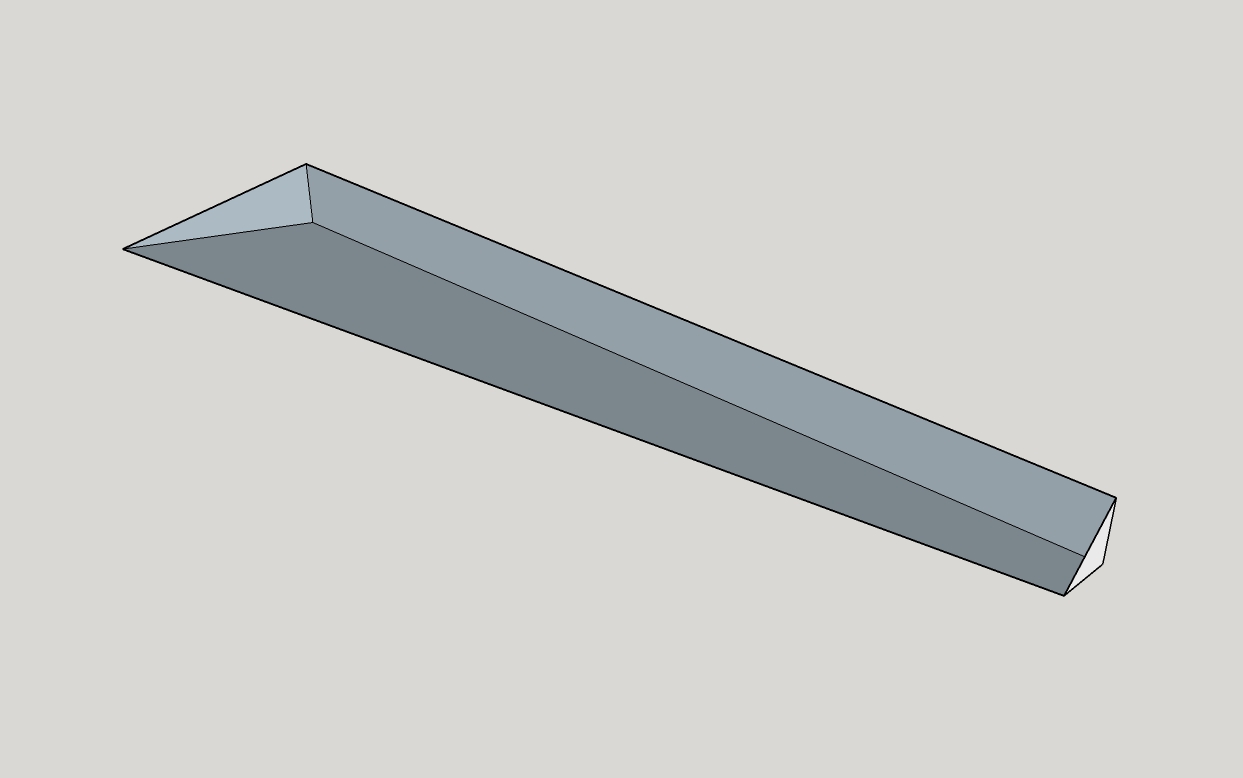
Trying to complete the missing side of this, basically.
-
@ecs05norway said:
Trying to work out a way to build a surface between non-parallel lines. I've got an attachment here to show what I'm working with - basically, I've got four straight lines connecting to each other, none of which is parallel to any of the others. I want a smooth curve, but all I get is a corrugated surface or a sharp angle formed from a line directly bisecting the region. Or a stalled plugin.
[attachment=1:2802zlol]<!-- ia1 -->Curvy Triangle.jpg<!-- ia1 -->[/attachment:2802zlol]
Trying to complete the missing side of this, basically.
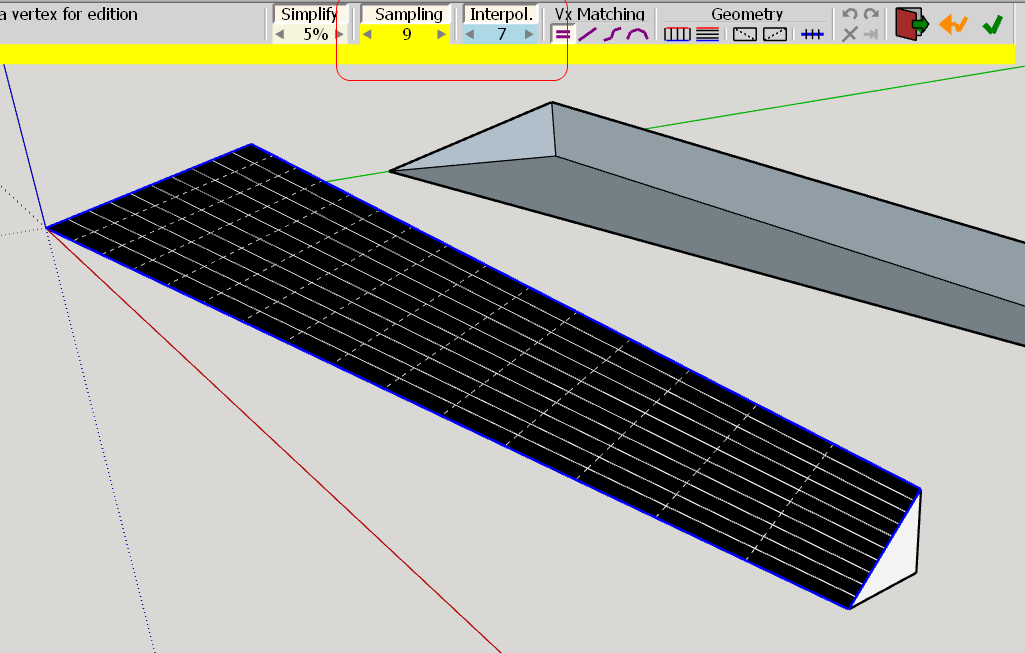
You must use the SAMPLING and INTERPOLATE options to create intermediate lines, so that the surface is smoothed.
[attachment=0:2802zlol]<!-- ia0 -->Curviloft Sampling - Interpolate lines.png<!-- ia0 -->[/attachment:2802zlol]
Fredo
-
Hello Fredo, I'd love to know if you can extract the lines in between when you use loft by spline. I'm using two lines and the tool, I'd love to get the line.

Those are the lines I want to get in order to create this kind of design.

Thank you so much!
-
In the button palette, you have a section titled "Geometry". The first two buttons gives options to keep only lines in one or the two directions (use the tooltips for details).
Fredo
-
@adrisonet said:
Hello Fredo, I'd love to know if you can extract the lines in between when you use loft by spline. I'm using two lines and the tool, I'd love to get the line.
Those are the lines I want to get in order to create this kind of design.
Thank you so much!
Hi,
I think what yo want to achieve is something like Loop Selection in 3DSmax. You can use ThomThom's Quad Face Tools, convert your mesh to quads, then select quad loops.There is also a small plugin by Blindcop "Extrapolate selected edge"
https://sketchucation.com/forums/viewtopic.php?f=323&t=61884
which will let you select continuation of an edge in a mesh. However, it doesn't manage triangulated faces well (or at all?). -
Fredo, could you please DISABLE Loft by spline tool working with PRE-selected set of edges?
Or at least give some give pop-up warning (this operation will take a loot of time co compute blah blah blah)?
So MANY times I have to shut down skp session (=loosing 15 min of work ) because it's freezing forever trying to guess the appropriate order
-
@rv1974 said:
Fredo, could you please DISABLE Loft by spline tool working with PRE-selected set of edges?
Or at least give some give pop-up warning (this operation will take a loot of time co compute blah blah blah)?
So MANY times I have to shut down skp session (=loosing 15 min of work ) because it's freezing forever trying to guess the appropriate orderDo you have a model example where this happens
Fredo
-
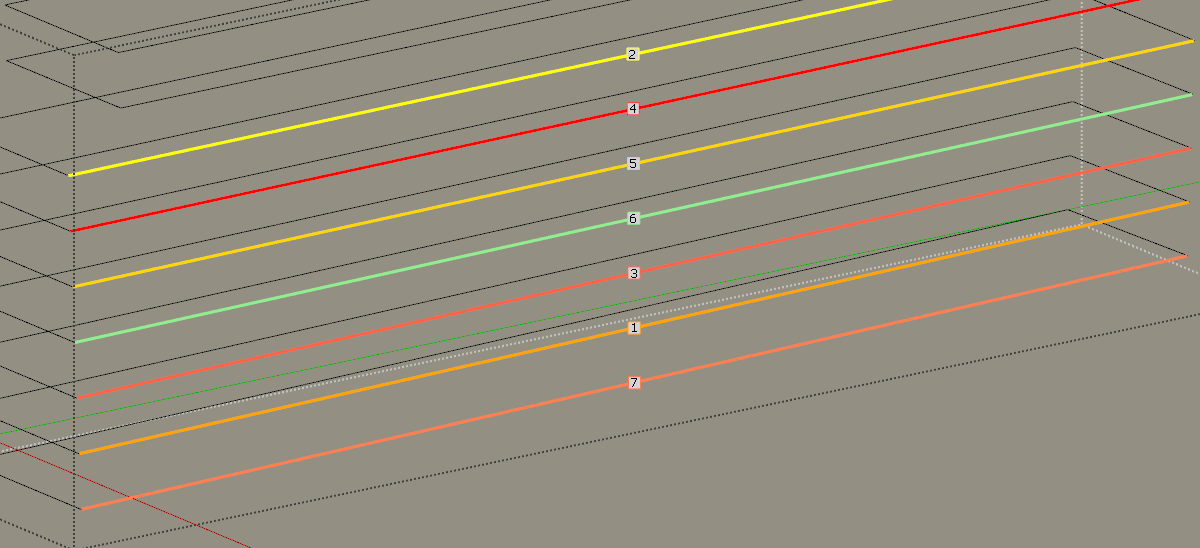
Select all 7 (not one by one), then run loft by spline-
permanent freeze. Very common thing.
-
This is just a bug, due to the fact that all contours is exactly spaced at the same distance.
Thanks for signaling
I fixed it in version 1.7d, just published.
Fredo
PS: Actually, the long waiting time you had is not infinite. After a number of seconds, you get back control. So there was no need to force an exit of Sketchup.
-
NEW RELEASE: Curviloft v1.7d - 31 May 18
Curviloft 1.7d is a maintenance release fixing a bug in the automatic ordering of contours for the Spline tool.
See Plugin Page of Curviloft for Download (or use the Sketchup PluginStore plugin for auto-installation.
Fredo
-
Unprecedented responsiveness Fredo,many thanks!
I'll test the update later today.
Another imperfection (?, - maybe I just can't find right buttons) I encountered with Loft by spline is that
the inter-medial segments can't keep exact dimensions of initial profiles (lowest and highest ones in attached example 12X81m*, storey height is 3.5m). Another issue is that segments are slightly OFFXY Plane.Is it possible to develop some special mode that'd keep segments exactly parallel to the input profiles, and if initial profiles are equal it'd keep their dimensions?
- P.S. In this particular case of 50+ storey towers PlayitItAgain script helped a lot.
-
This seems to be a problem of geometry which you can simulate manually.
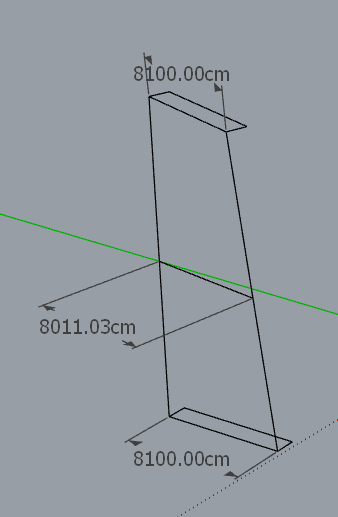
If you wish to keep the junction straight, then the intermediate profiles do not keep the same dimensions.
Also, the intermediate sections are parallel to the initial profiles. Do you have something different?
Fredo
-
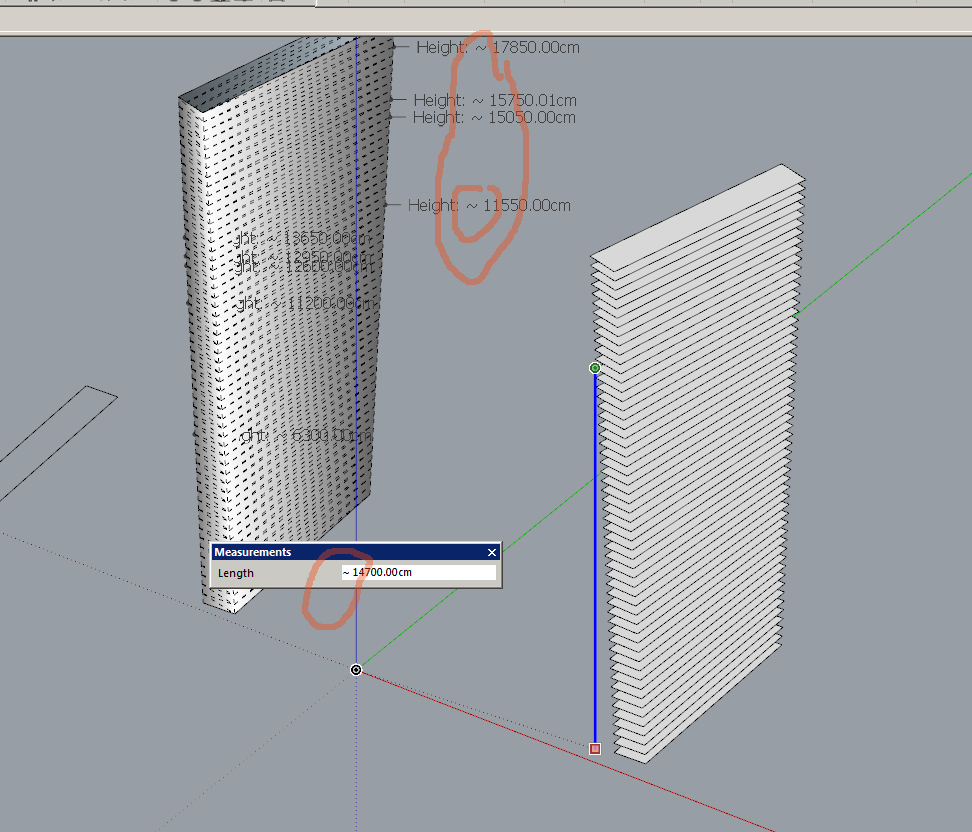
With prussian pedantry I took all horizontal segments, run make faces and...
it did it all which proves you are right- they are horizontal. What misleads is "~" sign in measurements, must be some SU glitch.
-
This seems to be a problem of geometry which you can simulate manually. If you wish to keep the junction straight, then the intermediate profiles do not keep the same dimensions.If you wish to keep the junction straight
No, what is needed is intermediate segments to preserve initial dimentions of the profile.
In attached file the red body is OK (all horizontal segments keep right sizing),
and the blue one (lofting with 51 intermediate segments) misbehaves.
-
@rv1974 said:
No, what is needed is intermediate segments to preserve initial dimensions of the profile.
Then, Curviloft is not adapted, and you should use FollowMe Rotate or TIG Grow extensions.
With rotated profile, line joining the begin and end profile corner does not meet the corner of the intermediate profiles.
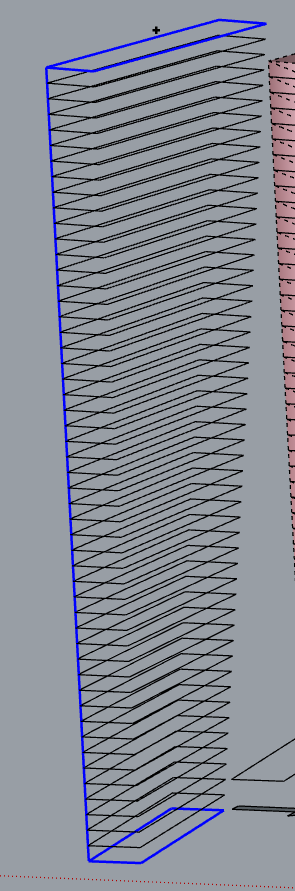
In your red shape, you can see that the short segments joining stores are not aligned and do not form a big straight line.
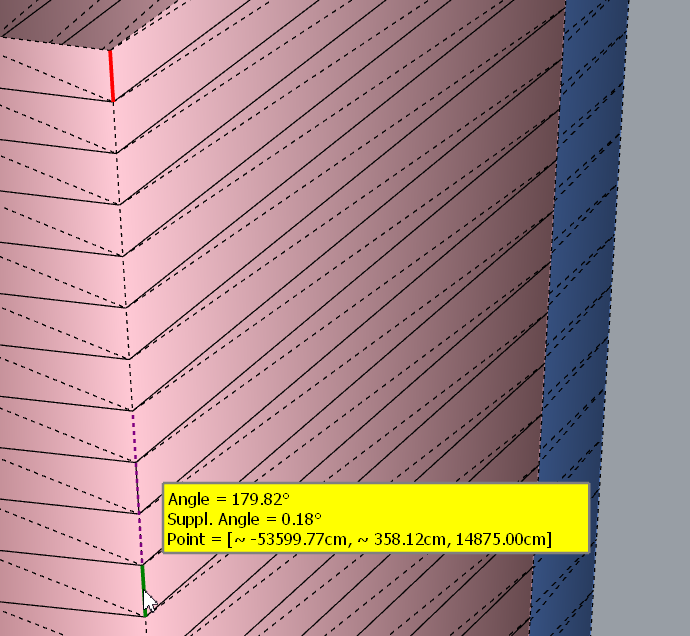
Fredo
-
Thanks for mentioning those alternatives- I'll check them. I'm so glued to your tools that completely forgot others

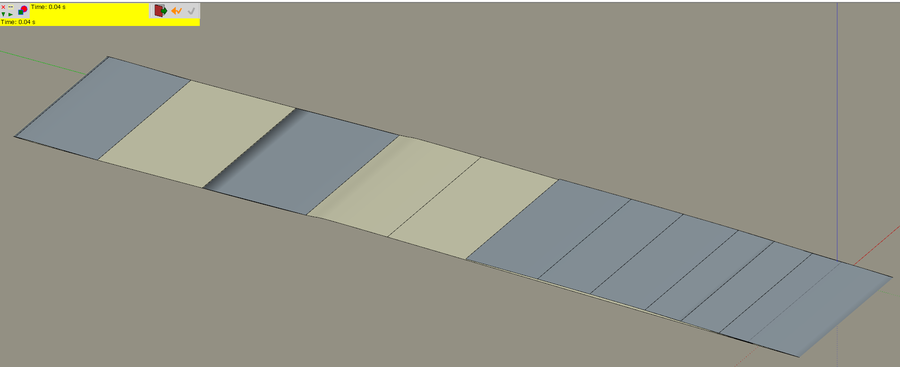
BTW the straight line on a blue tower shows the horizontal segments don't sit perfectly on it. The gap is ridiculously small in real life scale (~0.3cm in the middle floors, but big enough to spoil the model -




Advertisement