[Plugin][$] Curviloft 2.0a - 31 Mar 24 (Loft & Skinning)


-
Very likely you're working on something that is small and you're running up against the short edges/small faces issue. It would be most helpful if you would upload a sample SKP file that exhibits the problem you're having. Otherwise we're taking stabs in the dark.
-
Hey, great tool tat I've been using for some time.
Funny that only now did I come across this green dialog box stating:
"Handling Needle Eyes and other defects! -1"
Could someone enlighten me as to what this signifies?
Thanks!
-
@peterromao said:
Funny that only now did I come across this green dialog box stating:
"Handling Needle Eyes and other defects! -1"
Could someone enlighten me as to what this signifies?
Thanks!
There are a few checks on the contours, but this is not very accurate.
Needle eyes are defects which derive from the suprposition of two contours, creating small loops.
In general, Edge defects are better handled by EdgeInspector.
Fredo
-
Hi, Friends..
Curviloft not working in 2015 vercion SU

-
@cemileca said:
Hi, Friends..
Curviloft not working in 2015 vercion SU
Resolved in a parallel thread... http://sketchucation.com/forums/viewtopic.php?p=555210#p555210 -
why it says I'm not authorized to download it
-
@empty00 said:
why it says I'm not authorized to download it
You are clearly a member and logged in here to do this post...
Are you logged in to the side of the forum which hosts the PluginStore etc ?
Top-right corner of the page 'log-in' in red...
Currently there are two parts, each needing a member to be logged-in to access all possibilities - however, after logging in you should be remembered thereafter in either [unless you have cookies disabled], unless you haven't visited for a long time...
Please log-in there and retry.
If that doesn't fix it report back... -
Great plugin, i am loving it! I have just discovered it silly me.
Still! Hope someone can help me out. I make 3d belzier curves, copy array 15 of them and place them behind each other with space in between. Group them after welding and then use Sketchy FFD to make an organic form of those 15 curves. When i then ungroup them, select them all and use Curviloft it starts working till around 90% and then Sketchup crashes. Can someone help me? Thanks in Advance. When i reduce the curves and just use two of them all is good. Working on Mac with 16 GB RAM.
Kashaki!
-
Is there a way to control the face normals? In this example, I was not able to get the right face orientation...
[screenr:voso8cn5]uyYN[/screenr:voso8cn5] -
@kashaki said:
Great plugin, i am loving it! I have just discovered it silly me.
Still! Hope someone can help me out. I make 3d belzier curves, copy array 15 of them and place them behind each other with space in between. Group them after welding and then use Sketchy FFD to make an organic form of those 15 curves. When i then ungroup them, select them all and use Curviloft it starts working till around 90% and then Sketchup crashes. Can someone help me? Thanks in Advance. When i reduce the curves and just use two of them all is good. Working on Mac with 16 GB RAM.
Kashaki!
The best would be that you post your model. There may be many reasons why Curviloft have big troubles when the geometry could includes defects.
Fredo
-
@cotty said:
Is there a way to control the face normals? In this example, I was not able to get the right face orientation...
Curviloft is not really managing face orientations. This is one thing I have to change when I update it (I understand now better the logic of Sketchup).
But you have several plugins to reverse or align face orientations now.Fredo
-
Yes, I'm able to change those
 I just wanted to make sure I have not overlooked any option to change it directly.
 -
thanks fredo
-
Hi - I have been using this great plugin to design a sailplane wing. I hope to be able to create either a mold or plug using a CNC router from the design. The main part of the wing and the very small end portion of the wingtip are done, but the elliptic section in between won't loft.
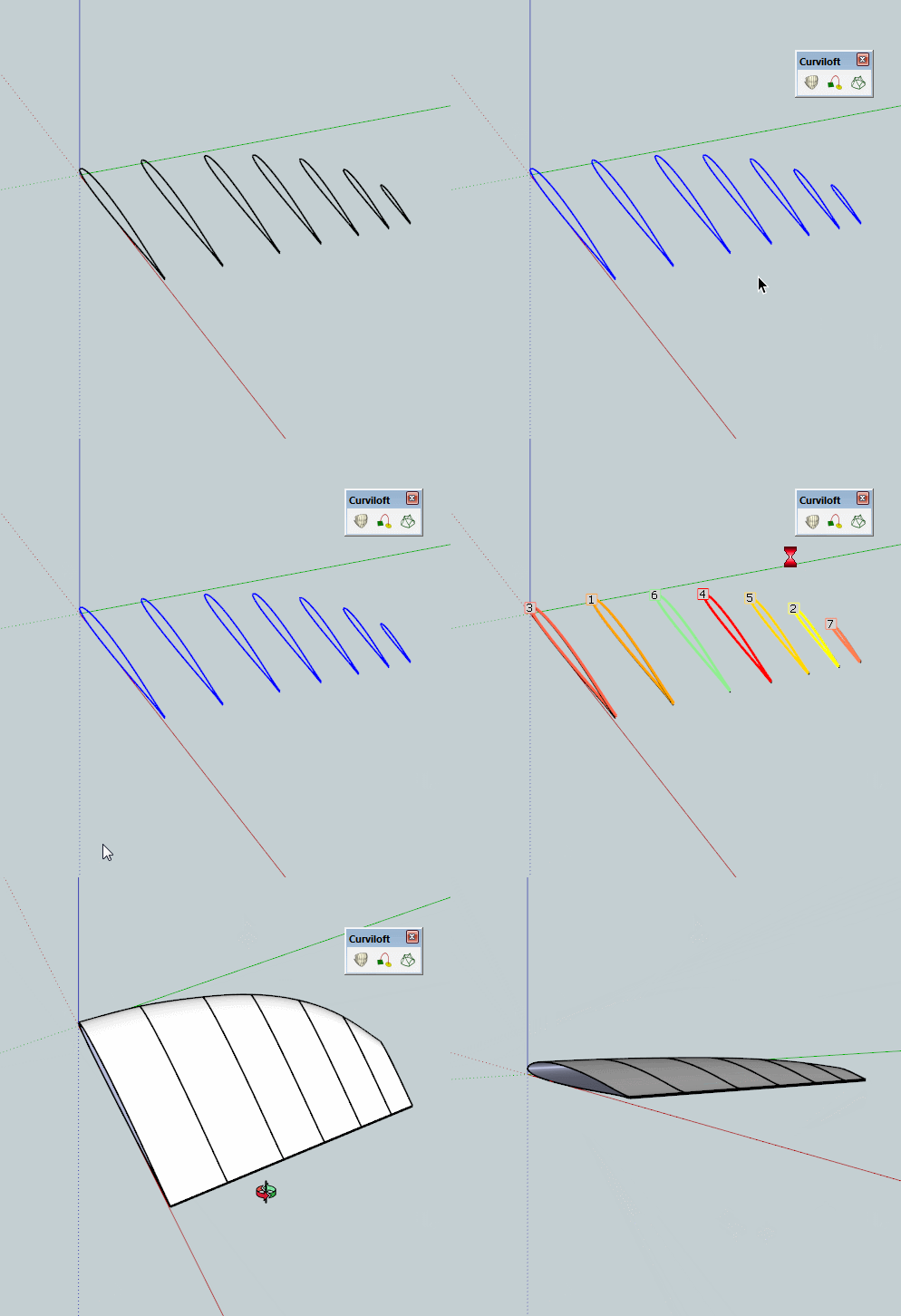
In the attached file, there are 7 curves representing the airfoil shape at different stations along the wingtip. Everything has been scaled up 100x to avoid the "small edge" problem. The trailing edge of the foil is left open as it is easy to add this face once the rest of the surface is lofted.
I can loft between most pairs of adjacent foils successfully, but when more are added, Curviloft "twists" the vectors at the trailing edge. The problem seems worst on foils 3 and 4, counting from the root. I have tried untwisting them using the plugin features, but I can't get that to work.
The edge count in the foils is pretty high, as these are automatically generated by an airfoil program. I don't have any convenient way to control this. I have a feeling that if this could be reduced, it might work. I was hoping though that some one would have another suggestion.
Thanks!
Bill
-
You can use another of Fred's excellent plugins to cleanup before lofting.
Here it is cleaned with Curvizard then Curviloft.
-
@box said:
You can use another of Fred's excellent plugins to cleanup before lofting.
Here it is cleaned with Curvizard then Curviloft.That is amazing, thank you so much! I installed Curvizard, followed the video, and everything was looking good until the last loft segment. Then I got a bugsplat.
Any ideas? I'm using Sketchup 2013 on a Mac if that makes any difference.
Bill -
Hi Box -
I have been looking at the documentation for Curvizard and I see there are quite a few settings on the buttons palette that affect the way the tool works. Would it be possible for you to share with me the settings you used to clean up the curves? The video above is tightly cropped so the settings are not visible. Thanks!
Bill -
@box said:
You can use another of Fred's excellent plugins to cleanup before lofting.
Here it is cleaned with Curvizard then Curviloft.You may have been able to loft it, but can you make it into a solid? I have been able to loft using 4 the airfoils, but even though it looks good, there are too many errors to make it into a solid. I can get faces on the root, tip, and trailing edge, but Solid Inspector**2 finds hundreds of problems that it says cannot be fixed automatically.
This is with Sketchup 2015, I upgraded to see if that would improve things. It didn't.
-
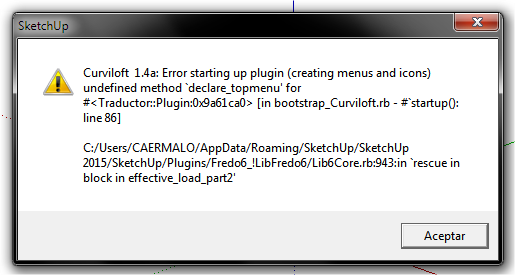
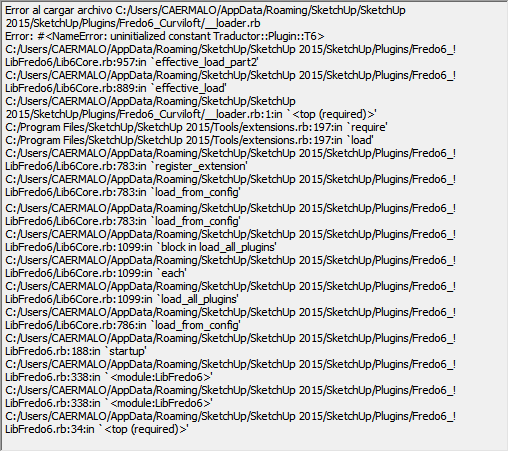
Hello fredo
I have the following problem with the plugin
-
OH MY GOD!
Thank You so Much
I just tried out this tool and it works it is saving me sooo much time in my creating the faces in my 3d models! and since I do 3d modeling of my own car designs so I can use them in unity this tool is like a blessing! and that it is free just makes you a generous person! if anyone else made this tool they would more than likely of charged a large amount of money for this tool which would suck because I literally don't have a budget for my 3d modeling because I don't have a job right now and I'm currently living with my parents.








Advertisement