sketchucation logo sketchucation
    • 登入
    Oops, your profile's looking a bit empty! To help us tailor your experience, please fill in key details like your SketchUp version, skill level, operating system, and more. Update and save your info on your profile page today!
    🔌 Smart Spline | Fluid way to handle splines for furniture design and complex structures. Download

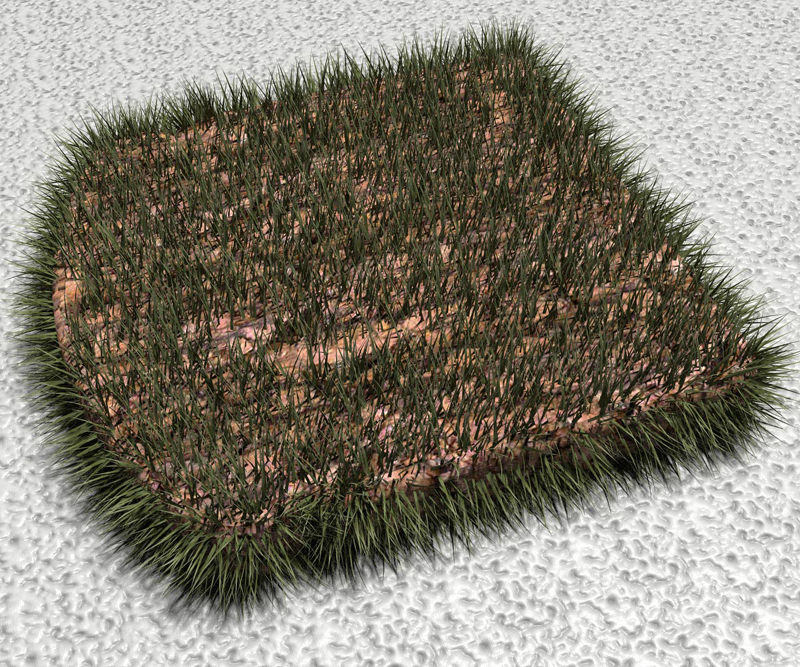
    OMG! fur plugin is AMAZING!

    已排程 已置頂 已鎖定 已移動 Gallery
    168 貼文 44 Posters 62.1k 瀏覽 44 Watching
    正在載入更多貼文
    • 從舊到新
    • 從新到舊
    • 最多點贊
    回覆
    • 在新貼文中回覆
    登入後回覆
    此主題已被刪除。只有擁有主題管理權限的使用者可以查看。
    • olisheaO 離線
      olishea
      最後由 編輯

      look at the twilight teapots tutorial....the one with 2000 teapots (i think). it explains it better than me 😳

      1. when the fur plugin gives you the option of "make by" select yes. this will turn each grass blade into a component instead of a large group.

      2. edit a grass component. double click or right click>edit component

      3. draw a line next to the blade

      4. open up the sketchup layers manager (window>layers)

      5. create a new layer called 'grass' and make it hidden (just check the hidden box)

      6. select the grass blade (by double or triple click)...right click....entity info.....change the layer to 'grass'.

      7. the blades of grass should all disappear.....leaving you with the line that you drew in step 3

      8. close the component (press escape)

      9. right click the component....twilight....render all hidden layers in all components

      10. render

      you could also just put all the grass on a hidden layer without the little lines. I just replaced the component with lines so i could see where the grass would be.

      @unknownuser said:

      thank to tak2hata and Oli.
      mate dont credit me! i'm just playing!

      oli

      1 條回覆 最後回覆 回覆 引用 0
      • X 離線
        xrok1
        最後由 編輯

        thanks! what about ghostcomp. have you tried that?

        “There are three classes of people: those who see. Those who see when they are shown. Those who do not see.”

        http://www.Twilightrender.com try it!

        1 條回覆 最後回覆 回覆 引用 0
        • olisheaO 離線
          olishea
          最後由 編輯

          yes i have but not on this model. you have to unhide the ghosts before rendering which i didnt want to do. great plugin though!

          oli

          1 條回覆 最後回覆 回覆 引用 0
          • X 離線
            xrok1
            最後由 編輯

            makes me wish SU had display states. we could display comps as wireframe. i guess this is what ghostcomp gives us (display states) but isn't quite the same as they are in other progs. 😢

            “There are three classes of people: those who see. Those who see when they are shown. Those who do not see.”

            http://www.Twilightrender.com try it!

            1 條回覆 最後回覆 回覆 引用 0
            • boofredlayB 離線
              boofredlay
              最後由 編輯

              I seem to have dropped my bread.


              Bread2.jpg

              http://www.coroflot.com/boofredlay

              1 條回覆 最後回覆 回覆 引用 0
              • olisheaO 離線
                olishea
                最後由 編輯

                haha sweet. i think there will be some tasty fur images today!

                oli

                1 條回覆 最後回覆 回覆 引用 0
                • pilouP 離線
                  pilou
                  最後由 編輯

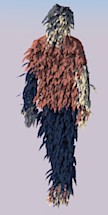
                  A new hit 😎 👍
                  fur.jpg

                  Frenchy Pilou
                  Is beautiful that please without concept!
                  My Little site :)

                  1 條回覆 最後回覆 回覆 引用 0
                  • pilouP 離線
                    pilou
                    最後由 編輯

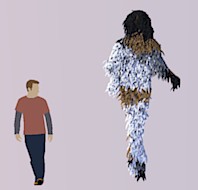
                    Funny indeed! ☀
                    fur2.jpg

                    Frenchy Pilou
                    Is beautiful that please without concept!
                    My Little site :)

                    1 條回覆 最後回覆 回覆 引用 0
                    • massimoM 離線
                      massimo Moderator
                      最後由 編輯

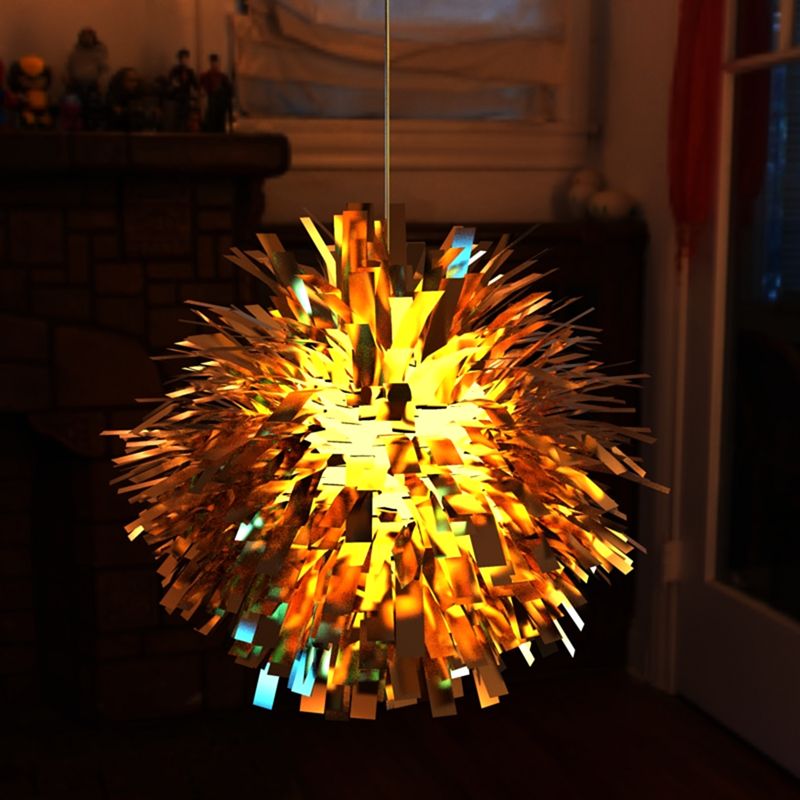
                      What about a vintage-looking lamp? 😉


                      lamp_1.jpg

                      1 條回覆 最後回覆 回覆 引用 0
                      • olisheaO 離線
                        olishea
                        最後由 編輯

                        wow!!!!!!

                        so many possibilities for this plugin!

                        keep posting more furry pictures!! we really needed this for sketchup!

                        i cant play cos im working but will post more grassy scenes soon!

                        oli

                        1 條回覆 最後回覆 回覆 引用 0
                        • F 離線
                          fymoro
                          最後由 編輯

                          Wow, Very nice lamp... 👍 I agree with Oli, "keep posting more furry pictures!!"

                          Here is a fake ivy...From far in a exterior scene It should work not ? And setup in 2 minutes... 👍
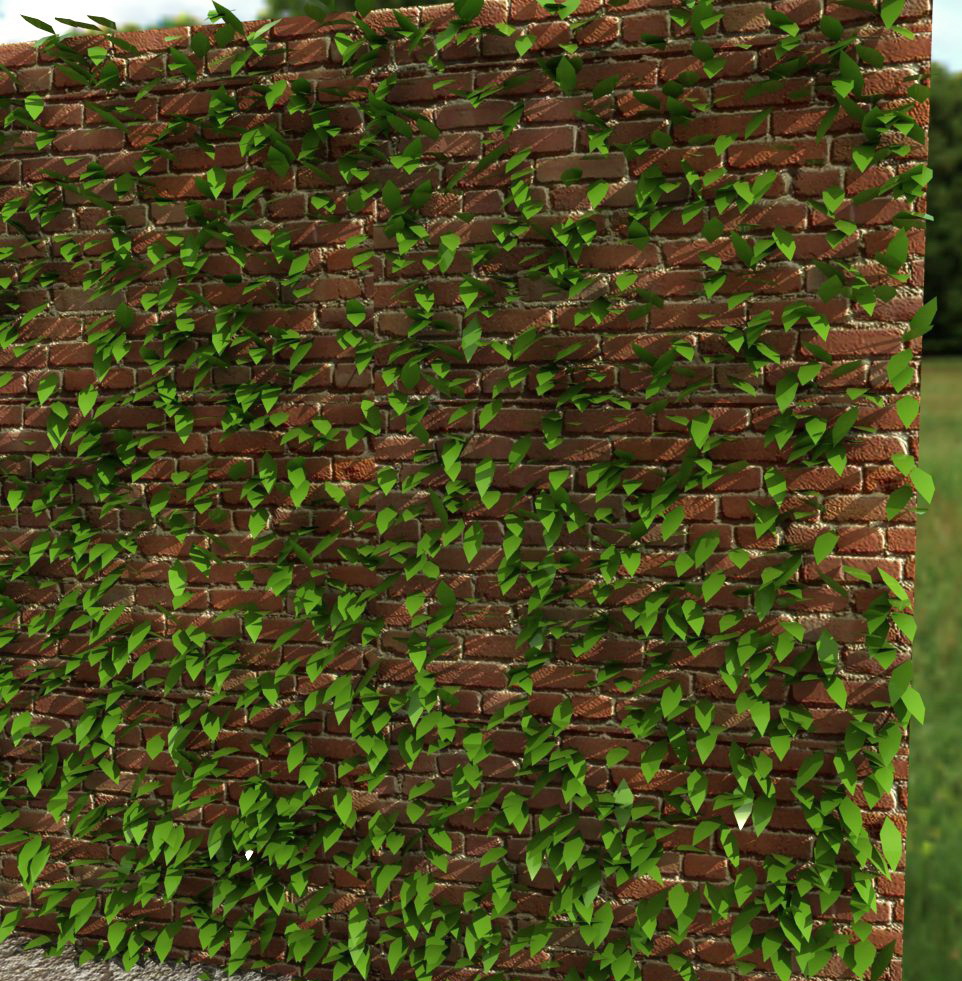

                          ivy fred.jpg

                          http://www.thearender.com/cms/index.php/news/featured-artists/137-frederic-yves-moro.html

                          1 條回覆 最後回覆 回覆 引用 0
                          • massimoM 離線
                            massimo Moderator
                            最後由 編輯

                            Looks good Fred. 😄

                            1 條回覆 最後回覆 回覆 引用 0
                            • GaieusG 離線
                              Gaieus
                              最後由 編輯

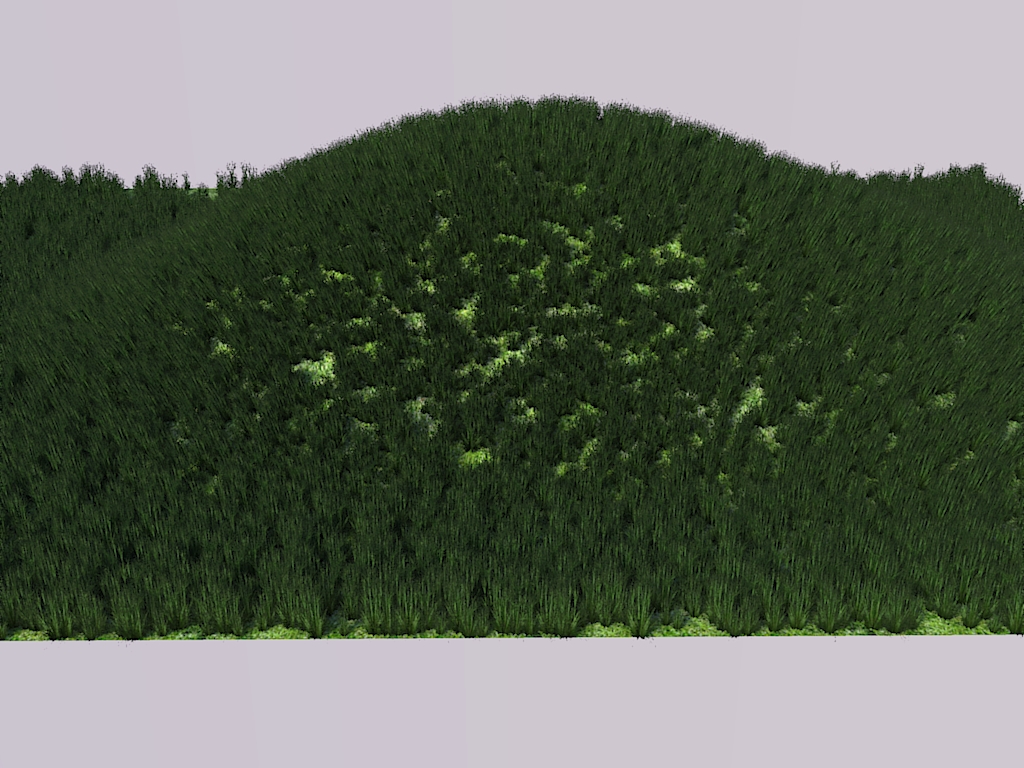
                              Some Furry Grass 😄


                              FurryGrass.jpg

                              Gai...

                              1 條回覆 最後回覆 回覆 引用 0
                              • FrederikF 離線
                                Frederik
                                最後由 編輯

                                @fymoro said:

                                Here is a fake ivy...From far in a exterior scene It should work not ? And setup in 2 minutes... 👍

                                You just gave me an idea, Fred... 😄
                                (which I find to be an excellent idea, actually...)
                                Since you can use Components from the scene together with this plug-in, you can take the texture of an Ivy leaf, create a component and "spray" that on the surface...

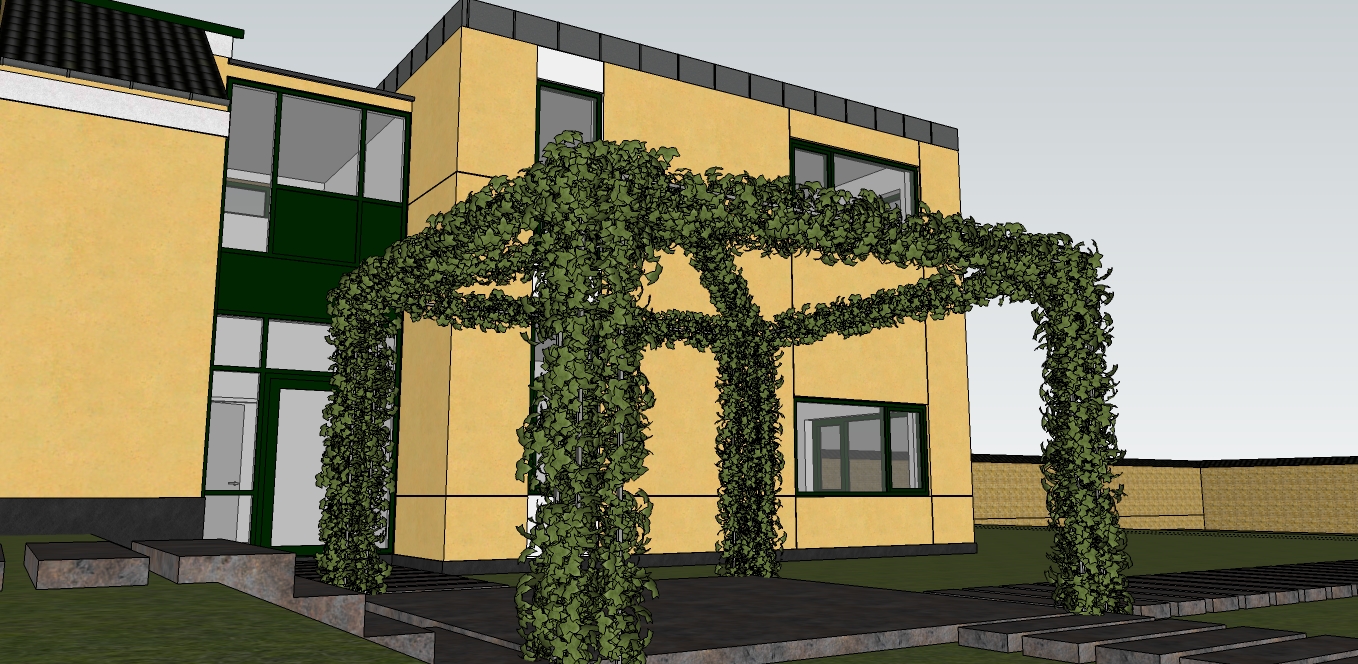
                                I have a model, where I need to make a pavilion (or whatever it's called in English) made of metal tubes and where Ivy covers it...
                                I've been struggling with Ivy Creator, but this can actually do the job... 😍
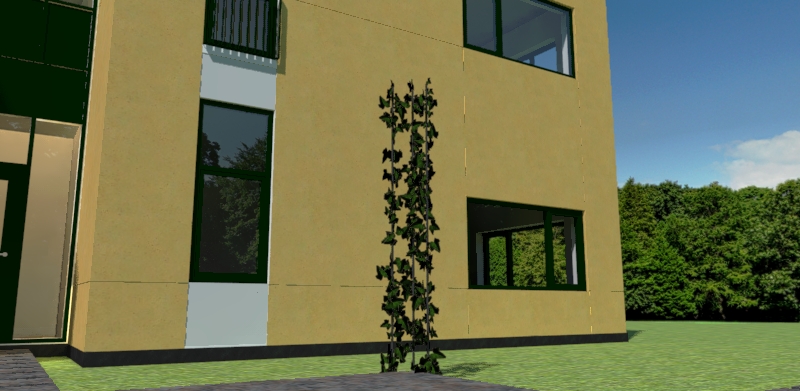

                                Ivy-test.jpg

                                Cheers
                                Kim Frederik

                                1 條回覆 最後回覆 回覆 引用 0
                                • F 離線
                                  fymoro
                                  最後由 編輯

                                  Yes Kim, It's great idea. This Plugin is awesome... 👍

                                  http://www.thearender.com/cms/index.php/news/featured-artists/137-frederic-yves-moro.html

                                  1 條回覆 最後回覆 回覆 引用 0
                                  • RichardR 離線
                                    Richard
                                    最後由 編輯

                                    @fymoro said:

                                    Here is a fake ivy...From far in a exterior scene It should work not ? And setup in 2 minutes... 👍

                                    Yep that will do the job and very well!!!

                                    BUILTBRAND.COM.AU

                                    1 條回覆 最後回覆 回覆 引用 0
                                    • FrederikF 離線
                                      Frederik
                                      最後由 編輯

                                      With this plug-in, I finally succeeded making my ivy pergola...
                                      I had never dreamed that I would be able to do it inside SU...

                                      I used two ivy leaves from the "English Ivy" in Solo's Garden pack 1, made it a component and used the fur plug-in to "distribute" it onto a frame... 😄

                                      Ivy-test2.jpg

                                      Cheers
                                      Kim Frederik

                                      1 條回覆 最後回覆 回覆 引用 0
                                      • F 離線
                                        fymoro
                                        最後由 編輯

                                        Well done, thanks for the tips Kim... 👍
                                        Please can you make a small tuto ? 😒

                                        http://www.thearender.com/cms/index.php/news/featured-artists/137-frederic-yves-moro.html

                                        1 條回覆 最後回覆 回覆 引用 0
                                        • massimoM 離線
                                          massimo Moderator
                                          最後由 編輯

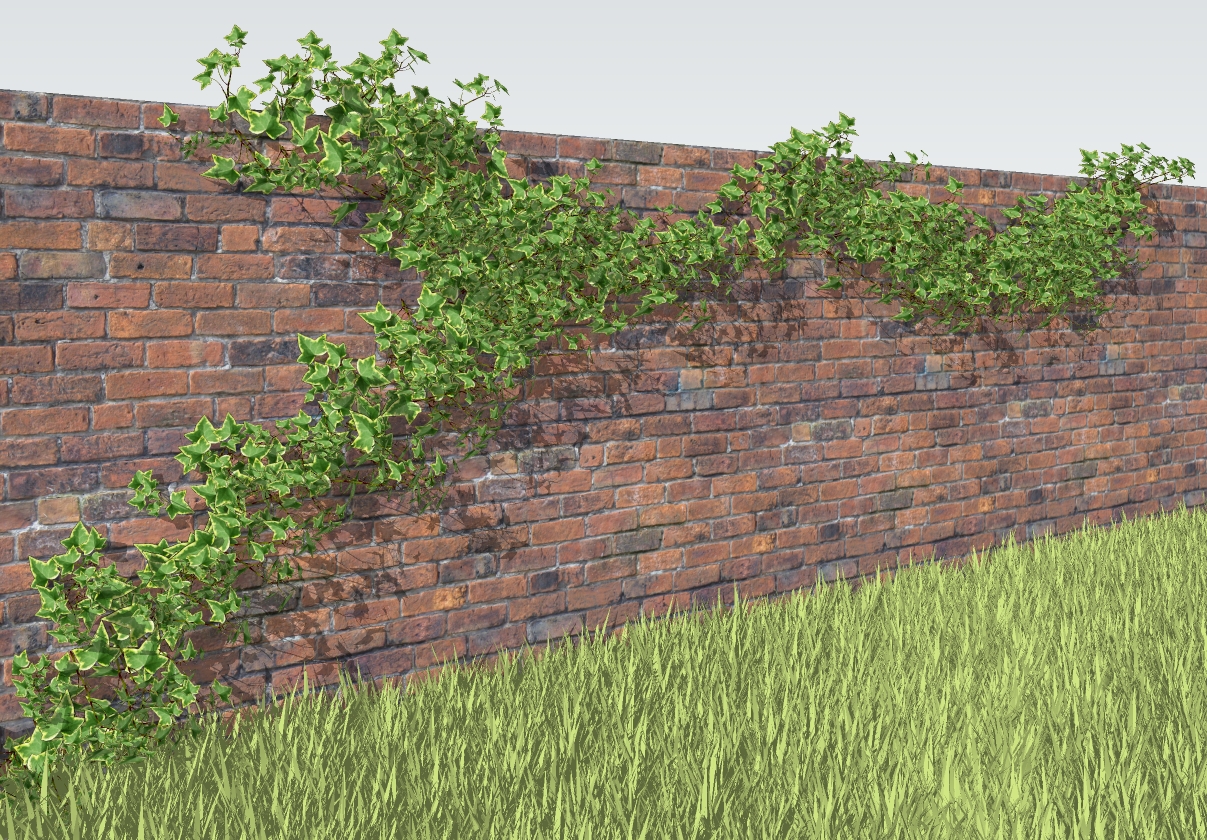
                                          5 min of work...and raw SU output. Really an amazing plugin 😄

                                          edera.jpg

                                          1 條回覆 最後回覆 回覆 引用 0
                                          • FrederikF 離線
                                            Frederik
                                            最後由 編輯

                                            @fymoro said:

                                            Please can you make a small tuto ? 😒

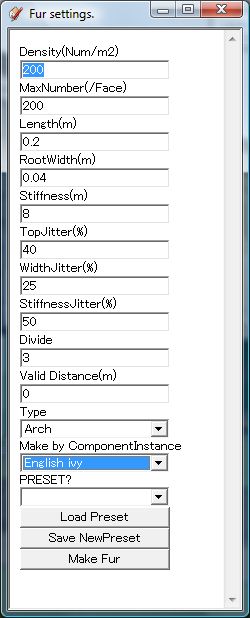
                                            It's really easy, Fred... 😄

                                            Like I wrote earlier... In my example, I used the English Ivy from Solo's Garden pack...
                                            1.) I exploded the model and deleted everything except 2 ivy leaves.
                                            2.) Make these two leaves into a component.
                                            3.) Open the Fur setting dialog
                                            4.) You'll need to play around with the settings. My input in the "Density" box was 1000
                                            5.) In the "Make by ComponentInstance" you select the Ivy leaves from the list
                                            6.) Select the surface where you want the leaves to be
                                            7.) Click "Make Fur" button.

                                            Voila...! 😄


                                            Fur settings.jpg

                                            Cheers
                                            Kim Frederik

                                            1 條回覆 最後回覆 回覆 引用 0
                                            • 1
                                            • 2
                                            • 3
                                            • 4
                                            • 5
                                            • 6
                                            • 7
                                            • 8
                                            • 9
                                            • 4 / 9
                                            • 第一個貼文
                                              最後的貼文
                                            Buy SketchPlus
                                            Buy SUbD
                                            Buy WrapR
                                            Buy eBook
                                            Buy Modelur
                                            Buy Vertex Tools
                                            Buy SketchCuisine
                                            Buy FormFonts

                                            Advertisement