sketchucation logo sketchucation
    • Login
    Oops, your profile's looking a bit empty! To help us tailor your experience, please fill in key details like your SketchUp version, skill level, operating system, and more. Update and save your info on your profile page today!
    Mac User? | Join the Rayscaper Beta for Mac Learn More

    [Plugin] Make Fur v.2.1.0(20140323)

    Scheduled Pinned Locked Moved Plugins
    650 Posts 255 Posters 1.3m Views 254 Watching
    Loading More Posts
    • Oldest to Newest
    • Newest to Oldest
    • Most Votes
    Reply
    • Reply as topic
    Log in to reply
    This topic has been deleted. Only users with topic management privileges can see it.
    • D
      DavorP
      last edited by

      Plugin is great but I have a problem. I use previously modeled component as fur instance. What happens is that each component that fur drops is inverted. How can I make sure this does not happen?

      1 Reply Last reply
      Reply Quote 0
      • D
        DavorP
        last edited by

        @latetzki said:

        What can I do to make this more precise so it wont place anything outside the selected face??

        You could use offset tool to make the area smaller. If the component is proprely centered on origin then measure the horizontal distance from origin to the farthest point of component geometry. Use that value to offset the boundary. If you have surface use offset on surface tool.

        1 Reply Last reply
        Reply Quote 0
        • T
          tak2hata
          last edited by

          Hi,Davor.
          I guess that problem....
          Fur brade may up to Z aixis in the component.
          so I think your component is filpped for Z axis.

          or Your selected face for making fur is flipped.
          The Selected Face must directed to upward for you want.

          or The value of Force(Z) is too strong.

          Is your case there?

          Hi,Latetzki.
          I think like as Davor's,too.
          Fur is created on the points of selected face.
          But,The blade of fur has width.
          offset the face if you want more precise inside.

          Thanks.


          by TAK2HATA

          1 Reply Last reply
          Reply Quote 0
          • T
            tak2hata
            last edited by

            Hi,All.
            I update to version2.0.1 in 2013.06.02.

            UI is improved.

            Hi,zieios.
            The icon is pretty cool! 😍
            Fur will be grown thick on sketchup!

            Thanks.


            by TAK2HATA

            1 Reply Last reply
            Reply Quote 0
            • A
              Anton_S
              last edited by

              Amazing plugin!!!
              I just got a hair cut, and didn't know how to fullfill my hair.
              But, now I found a way
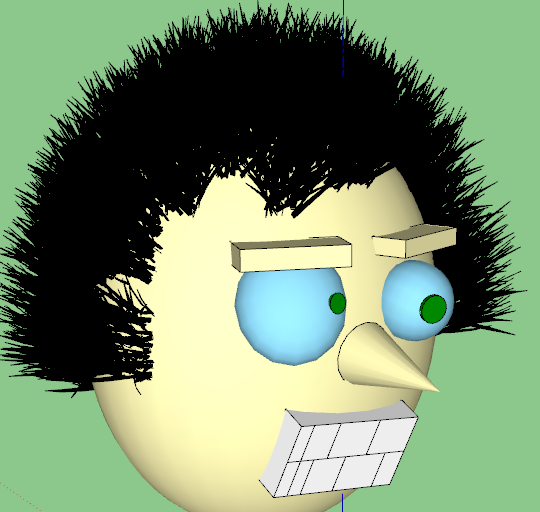
              new hair.png
              Thank you 😎

              1 Reply Last reply
              Reply Quote 0
              • P
                pepa
                last edited by

                Thanks for update, there is a czech translation.


                fur_lang_cz.txt

                http://jsvizualizace.daportfolio.com/

                1 Reply Last reply
                Reply Quote 0
                • T
                  tak2hata
                  last edited by

                  Hi,All.
                  Now I place the new language files in language folder.
                  fur_lang_farsi.txt:Persian translation by Majid.Thanks!
                  fur_lang_cz.txt:Czech translation by Pepa.Thanks!

                  Hi,Anton!
                  Nice hair!
                  I wish if I had hair like him.
                  It will need too much hair spray.

                  Thanks!


                  by TAK2HATA

                  1 Reply Last reply
                  Reply Quote 0
                  • majidM
                    majid
                    last edited by

                    Thank you for update and new interface 😍 πŸ‘

                    My inspiring A, B, Sketches book: https://sketchucation.com/shop/books/intermediate/2612-alphabet-inspired-sketches--inspiring-drills-for-architects--3d-artists-and-designers-

                    1 Reply Last reply
                    Reply Quote 0
                    • M
                      macmac12
                      last edited by

                      thanks for the update πŸ˜„

                      1 Reply Last reply
                      Reply Quote 0
                      • OxerO
                        Oxer
                        last edited by

                        Thanks for the update, I have done a new translation for Spanish Language, I add new strings to the file.

                        Spanish Language v2.0.4
                        fur_lang_esv2.0.4.txt

                        "The result is the end what is important is the process" by Oxer
                        http://www.oxervision.blogspot.com/

                        1 Reply Last reply
                        Reply Quote 0
                        • H
                          hebeijianke
                          last edited by

                          Chinese translation new


                          fur_lang_cn.txt

                          1 Reply Last reply
                          Reply Quote 0
                          • olisheaO
                            olishea
                            last edited by

                            thanks for the update. great plugin πŸ‘

                            oli

                            1 Reply Last reply
                            Reply Quote 0
                            • erikBE
                              erikB
                              last edited by

                              thanks for the update, great plugin I use it regularly.
                              erikB

                              1 Reply Last reply
                              Reply Quote 0
                              • T
                                tak2hata
                                last edited by

                                Thanks Hebeijianke and Oxer for uploading the translation files.
                                Now I'm busy ,so I will update plugin including these translation files in the end of this week.

                                Thank you very much!


                                by TAK2HATA

                                1 Reply Last reply
                                Reply Quote 0
                                • T
                                  tak2hata
                                  last edited by

                                  Hi,All.
                                  I update to v2.0.5.
                                  Include new language file for Spanish and Chinese.
                                  Thanks Oxer and Hebeijianke!

                                  Enjoy!


                                  by TAK2HATA

                                  1 Reply Last reply
                                  Reply Quote 0
                                  • M
                                    meoa
                                    last edited by

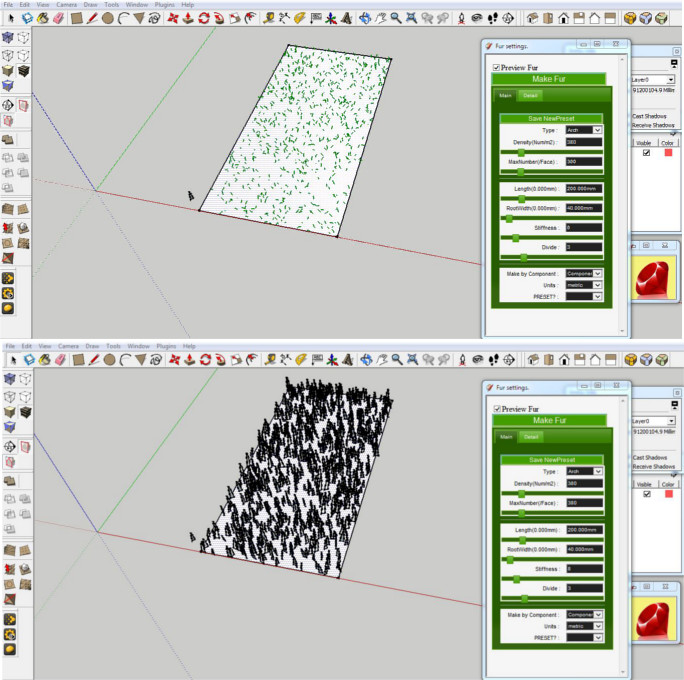
                                    Preview shows fur on the selected face but after clicking make fur, quite a number of it go off the selected face. The ones on the face are also scattered unevenly unlike the preview.

                                    Is this what should happen or am i doing something wrong ?

                                    Ok, sketchup just crashed. I tried it again and it seems to be fine now. Fur stays on the faces. I stil don't know what happened before and the cause.

                                    1 Reply Last reply
                                    Reply Quote 0
                                    • T
                                      tak2hata
                                      last edited by

                                      Hi,meoa.
                                      I need more information for your problem.
                                      I can not know what happened, too.

                                      Please upload your model and the picture of the fur setting and selected face.

                                      Thanks.


                                      by TAK2HATA

                                      1 Reply Last reply
                                      Reply Quote 0
                                      • M
                                        meoa
                                        last edited by

                                        @tak2hata said:

                                        Hi,meoa.
                                        I need more information for your problem.
                                        I can not know what happened, too.

                                        Please upload your model and the picture of the fur setting and selected face.

                                        Thanks.

                                        Sorry tak2hata, it was my mistake.

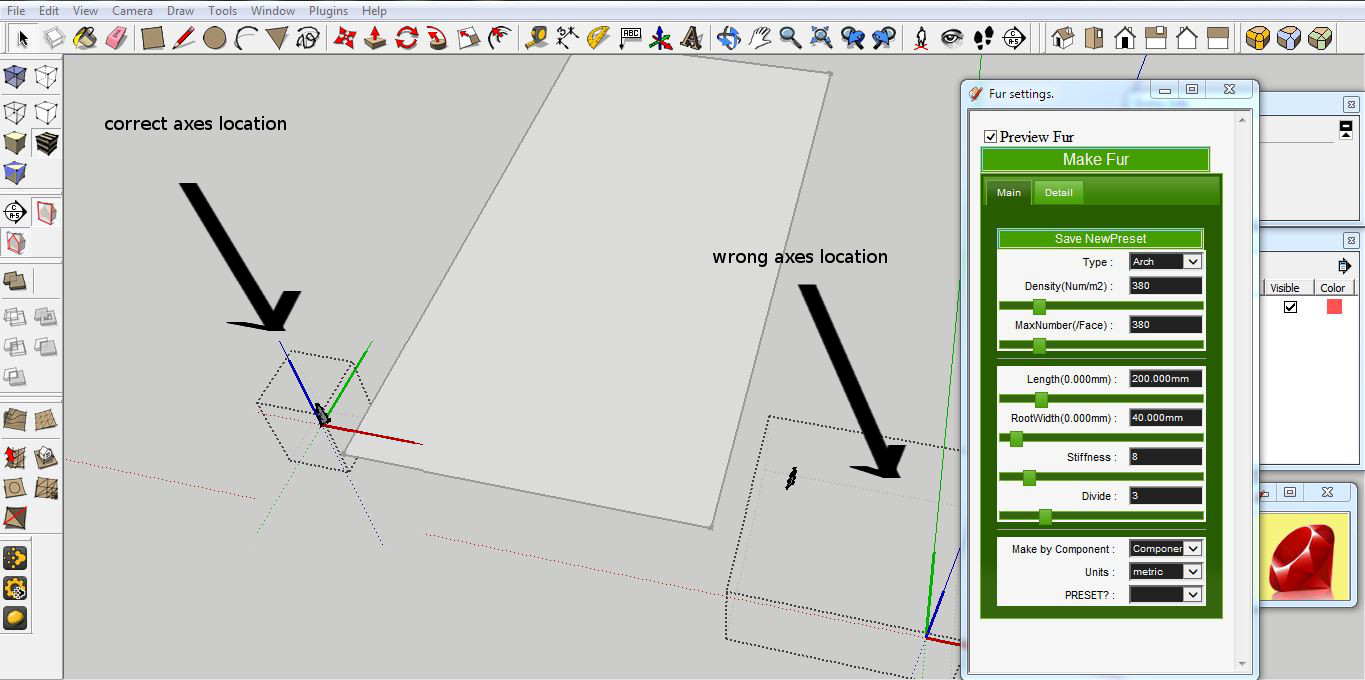
                                        I deleted geometry in a component and for some reason it did not rescale or i may have moved the axes by mistake so the component size was far larger than the content(space when you edit the component). Thus, the make fur moved the components further away than the size of the content which explains why they were off the face.


                                        make fur on the rectangle's surface using the component beside it


                                        make fur on the rectangle's surface using the component beside it
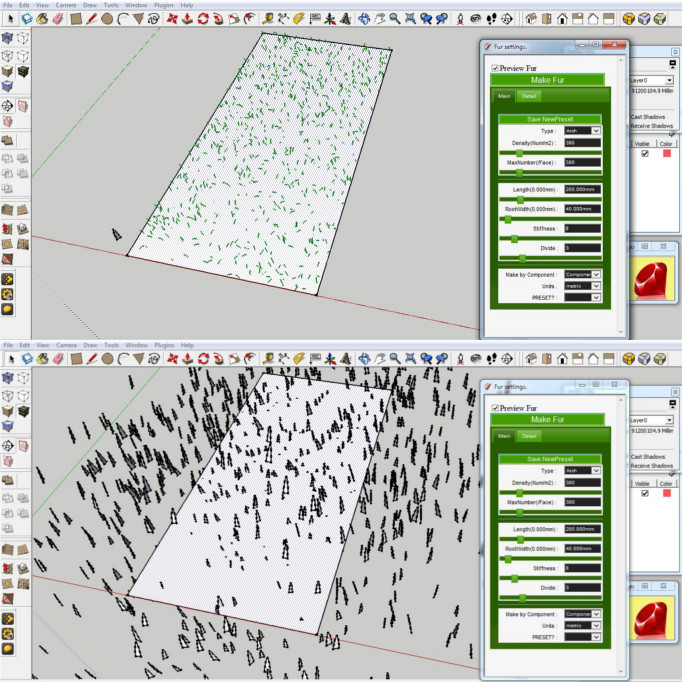

                                        larger than content.JPG


                                        same size.JPG


                                        issue.JPG

                                        1 Reply Last reply
                                        Reply Quote 0
                                        • T
                                          tak2hata
                                          last edited by

                                          @meoa said:

                                          @tak2hata said:

                                          Hi,meoa.
                                          I need more information for your problem.
                                          I can not know what happened, too.

                                          Please upload your model and the picture of the fur setting and selected face.

                                          Thanks.

                                          Sorry tak2hata, it was my mistake.

                                          I deleted geometry in a component and for some reason it did not rescale or i may have moved the axes by mistake so the component size was far larger than the content(space when you edit the component). Thus, the make fur moved the components further away than the size of the content which explains why they were off the face.

                                          Hi,meoa.

                                          This problem is solved by yourself.

                                          Thanks!


                                          by TAK2HATA

                                          1 Reply Last reply
                                          Reply Quote 0
                                          • M
                                            menes
                                            last edited by

                                            Hello there,
                                            First thanks tak2hata for the wonderful plugin.
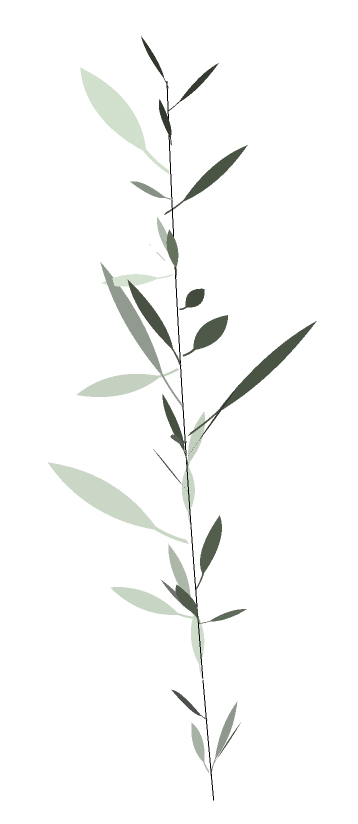
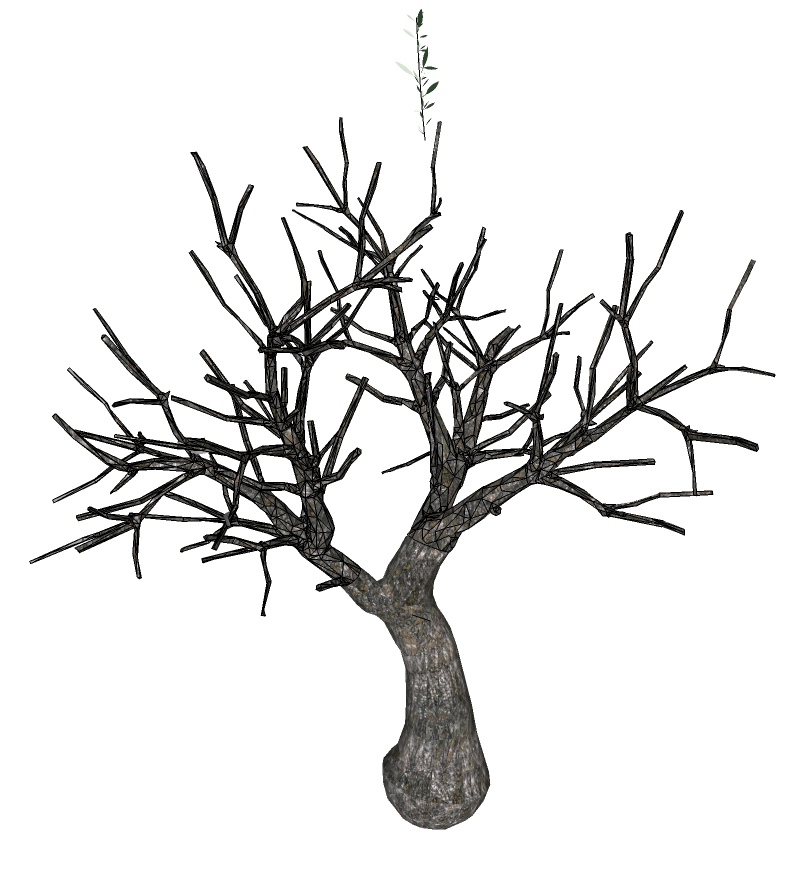
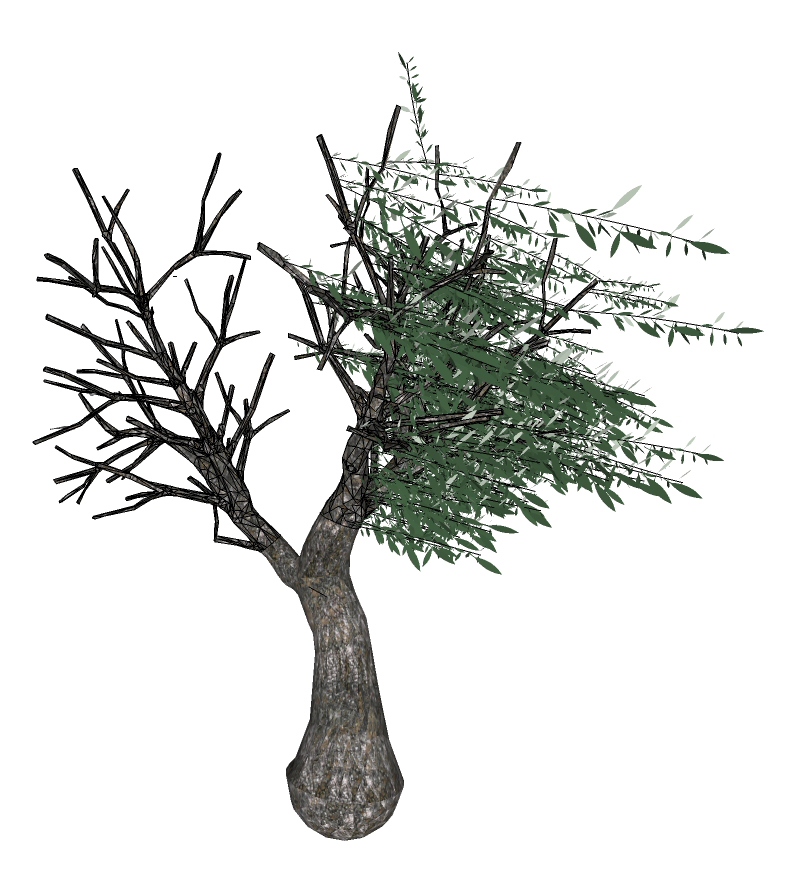
                                            I'm trying long time now to use this for create a nice Olive tree.
                                            While the plugin work perfectly for create the single element.
                                            I can not in any way create the proper effect randomizing the element using the "leaf" mode.
                                            any suggestion?

                                            thanks


                                            olive leaves.jpg


                                            olive tree trunk.jpg


                                            olive tree FUR TEST.jpg

                                            1 Reply Last reply
                                            Reply Quote 0

                                            Hello! It looks like you're interested in this conversation, but you don't have an account yet.

                                            Getting fed up of having to scroll through the same posts each visit? When you register for an account, you'll always come back to exactly where you were before, and choose to be notified of new replies (either via email, or push notification). You'll also be able to save bookmarks and upvote posts to show your appreciation to other community members.

                                            With your input, this post could be even better πŸ’—

                                            Register Login
                                            • 1
                                            • 2
                                            • 25
                                            • 26
                                            • 27
                                            • 28
                                            • 29
                                            • 32
                                            • 33
                                            • 27 / 33
                                            • First post
                                              Last post
                                            Buy SketchPlus
                                            Buy SUbD
                                            Buy WrapR
                                            Buy eBook
                                            Buy Modelur
                                            Buy Vertex Tools
                                            Buy SketchCuisine
                                            Buy FormFonts

                                            Advertisement