sketchucation logo sketchucation
    • Login
    Oops, your profile's looking a bit empty! To help us tailor your experience, please fill in key details like your SketchUp version, skill level, operating system, and more. Update and save your info on your profile page today!
    Mac User? | Join the Rayscaper Beta for Mac Learn More

    [Plugin] Make Fur v.2.1.0(20140323)

    Scheduled Pinned Locked Moved Plugins
    650 Posts 255 Posters 1.3m Views 254 Watching
    Loading More Posts
    • Oldest to Newest
    • Newest to Oldest
    • Most Votes
    Reply
    • Reply as topic
    Log in to reply
    This topic has been deleted. Only users with topic management privileges can see it.
    • McGyverM
      McGyver
      last edited by

      I just tried this out on my G5(Power PC) Mac using SU 6 free version... it works like a charm! I look forward to experimenting with this! Awesome job! Thank you!!!
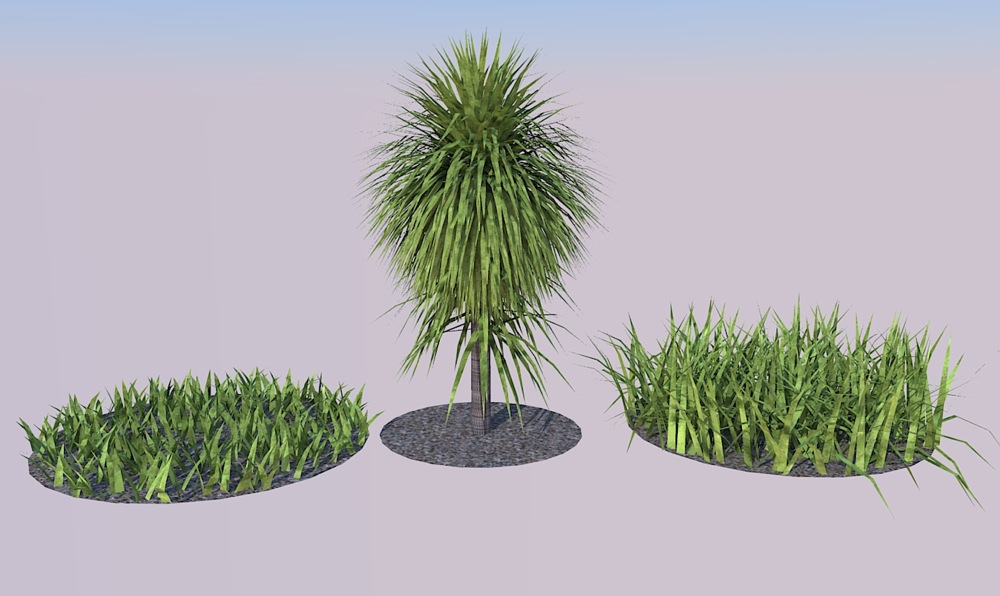

      Just a quick test I did... rendered in Kerkythea.

      Visit My ShareCG Freebie Gallery

      1 Reply Last reply
      Reply Quote 0
      • N
        Ninjamaster1470
        last edited by

        I know this will sound really dumb, but it appears that i set the plugin RB (whatever) file to google sketchup program so that when ever i click it, it opens on sketchup instead on.........um.....what it's supposed to open on--btw, what is the program its on?

        Help! do u know how to fix?

        Update: I moved it but its still a SU app instead of the supposed text doc.

        1 Reply Last reply
        Reply Quote 0
        • A
          angor2005
          last edited by

          Please Russian translation.
          Many Thanks to you all !

          1 Reply Last reply
          Reply Quote 0
          • A
            aiwkha
            last edited by

            So nice plugins.

            1 Reply Last reply
            Reply Quote 0
            • B
              blajnov
              last edited by

              @angor2005 said:

              Please Russian translation.
              Many Thanks to you all !


              fur_lang_ru.txt

              1 Reply Last reply
              Reply Quote 0
              • GaieusG
                Gaieus
                last edited by

                πŸ‘

                Gai...

                1 Reply Last reply
                Reply Quote 0
                • McGyverM
                  McGyver
                  last edited by

                  Hi. I've been playing around with this and have found some good uses for this plugin. The one thing I'm not getting is, which setting (if any) controls the number of (leafs, blades of grass, etc.) that are generated... I've been trying to get smaller number of "blades per inch" but I'm not really noticing much of a difference. I figured it would be Density(Num/m2) and or MaxNumber(/face)... I went as low as 10 on a 4 ft x 4 ft square and I really can't tell the difference between these set at 200... πŸ˜•
                  Any suggestions or help in this matter is greatly appreciated.

                  EDIT- Never mind, I figured it out... I was using sandbox and the faces(grids) were too small... works fine otherwise.

                  Visit My ShareCG Freebie Gallery

                  1 Reply Last reply
                  Reply Quote 0
                  • T
                    tak2hata
                    last edited by

                    Hi all.
                    I update makefur to version1.4c(webdialog test for mac)

                    fixing webdialog problem on mac os.
                    (referred to forum "[Web dialog] switch snippet for pc / mac" and jim's "protrude.rb")
                    I wish this working on mac!

                    @unknownuser said:

                    Hi. I've been playing around with this and have found some good uses for this plugin. The one thing I'm not getting is, which setting (if any) controls the number of (leafs, blades of grass, etc.) that are generated... I've been trying to get smaller number of "blades per inch" but I'm not really noticing much of a difference. I figured it would be Density(Num/m2) and or MaxNumber(/face)... I went as low as 10 on a 4 ft x 4 ft square and I really can't tell the difference between these set at 200... πŸ˜•
                    Any suggestions or help in this matter is greatly appreciated.

                    EDIT- Never mind, I figured it out... I was using sandbox and the faces(grids) were too small... works fine otherwise.

                    4 ft x 4ft = 16 ft.sq
                    16 * 10(num/m2) = 160.
                    16 * 200(num/m2) = 3200.
                    If you keeping MaxNumber(/face) as 200,then It makes 200 fur on each faces.
                    16 x200 = 3200 changes to 200.
                    So you should glow MaxNumber(/face) like 4000.

                    Thanks.


                    by TAK2HATA

                    1 Reply Last reply
                    Reply Quote 0
                    • mariochaM
                      mariocha
                      last edited by

                      I'm so sorry to have to report the web dialogs still do not work on Mac here. Empty.
                      I have other plugins that use them, and they work just fine.


                      Web dialog, Fur 1.4c

                      %(#008000)[Mario C.
                      Every rule has exceptions, but some.]

                      1 Reply Last reply
                      Reply Quote 0
                      • J
                        jeabdc
                        last edited by

                        I don't understand about "assign_material"&"get_from_material".
                        Thank Jeab from Thailand πŸ˜„

                        1 Reply Last reply
                        Reply Quote 0
                        • OxerO
                          Oxer
                          last edited by

                          @mariocha said:

                          I'm so sorry to have to report the web dialogs still do not work on Mac here. Empty.
                          I have other plugins that use them, and they work just fine.

                          Hello mariocha,
                          I work on Mac too, and the web dialogs don't appear but i find a solution for resolve this problem, edit "fur_en.rb" (with TextWrangler for example) and delete this sign "#" in the lines 638 and 1609, now the web dialogs will work.
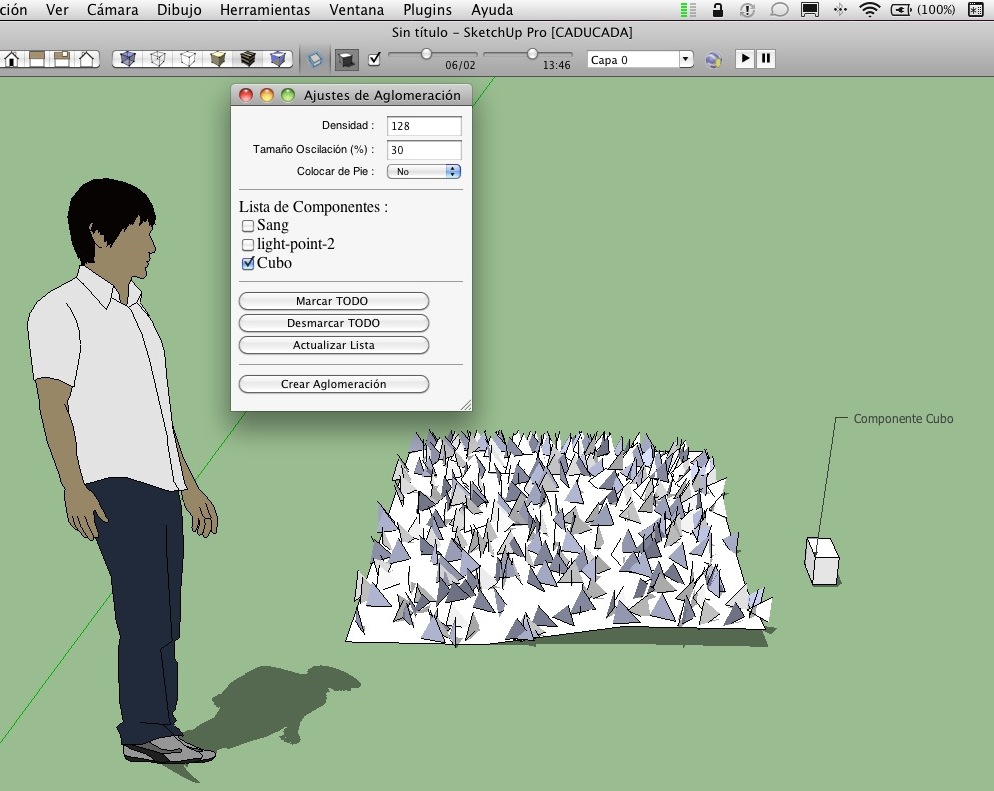
                          Captura de pantalla 2010-06-25 a las 01.03.47.JPG

                          There is a problem yet, all performances of Crowd work but when you select a component for crowd the plugin create a noname group on surface but isn't a group with your component selected, it's a group of triangles, i don't know why.
                          I hope that tak2hata help us for resolve this problem.

                          Bye!

                          "The result is the end what is important is the process" by Oxer
                          http://www.oxervision.blogspot.com/

                          1 Reply Last reply
                          Reply Quote 0
                          • T
                            tak2hata
                            last edited by

                            Thanks Mario and Oxer. πŸ˜†

                            I change "#" in line(638 and 1309).
                            now, version is 1.4d.
                            I wish this work on mac very well.

                            @oxer said:

                            There is a problem yet, all performances of Crowd work but when you select a component for crowd the plugin create a noname group on surface but isn't a group with your component selected, it's a group of triangles, i don't know why.
                            I hope that tak2hata help us for resolve this problem.

                            Bye!

                            I will examine the part again.
                            Please wait.(few days)

                            Thanks a lot.


                            by TAK2HATA

                            1 Reply Last reply
                            Reply Quote 0
                            • T
                              tak2hata
                              last edited by

                              @jeabdc said:

                              I don't understand about "assign_material"&"get_from_material".
                              Thank Jeab from Thailand πŸ˜„

                              Hi jeabdc.
                              Now, "assign_material"&"get_from_material" do not work.
                              It assign the parameters of fur to current material.
                              If exporter plugin include the function of make fur,It will perform.

                              Thanks.


                              by TAK2HATA

                              1 Reply Last reply
                              Reply Quote 0
                              • pyrolunaP
                                pyroluna
                                last edited by

                                is there any difference between 1.4b and 1.4d(c?) if I'm on a windows machine?

                                1 Reply Last reply
                                Reply Quote 0
                                • mariochaM
                                  mariocha
                                  last edited by

                                  Feedback on 1.4d.
                                  Yes! the web dialogs show properly now.
                                  But ...
                                  Make crowd stops short at "Calc __ polygons".Screen shot 2010-06-25 at 08.57.26.png
                                  And for Fur, units have only one choice, Imperial, Input box and web dialog. normal ?

                                  %(#008000)[Mario C.
                                  Every rule has exceptions, but some.]

                                  1 Reply Last reply
                                  Reply Quote 0
                                  • T
                                    tak2hata
                                    last edited by

                                    Hi
                                    I update version1.4e.
                                    Change is only one thing.
                                    remove from context menu.

                                    @unknownuser said:

                                    is there any difference between 1.4b and 1.4d(c?) if I'm on a windows machine?

                                    Hi ,Pyroluna.
                                    Recently changes do not effect windows machine.
                                    When I will change big thing ,I will increase version number to 1.5 higher.

                                    @mariocha said:

                                    Feedback on 1.4d.
                                    Yes! the web dialogs show properly now.
                                    But ...
                                    Make crowd stops short at "Calc __ polygons".
                                    And for Fur, units have only one choice, Imperial, Input box and web dialog. normal ?

                                    Hi ,Mario.
                                    I will examin that problem.
                                    Please wait.
                                    "Units" is only seeing units working with sketchup.
                                    so it can not change.

                                    Thanks.


                                    by TAK2HATA

                                    1 Reply Last reply
                                    Reply Quote 0
                                    • romboutR
                                      rombout
                                      last edited by

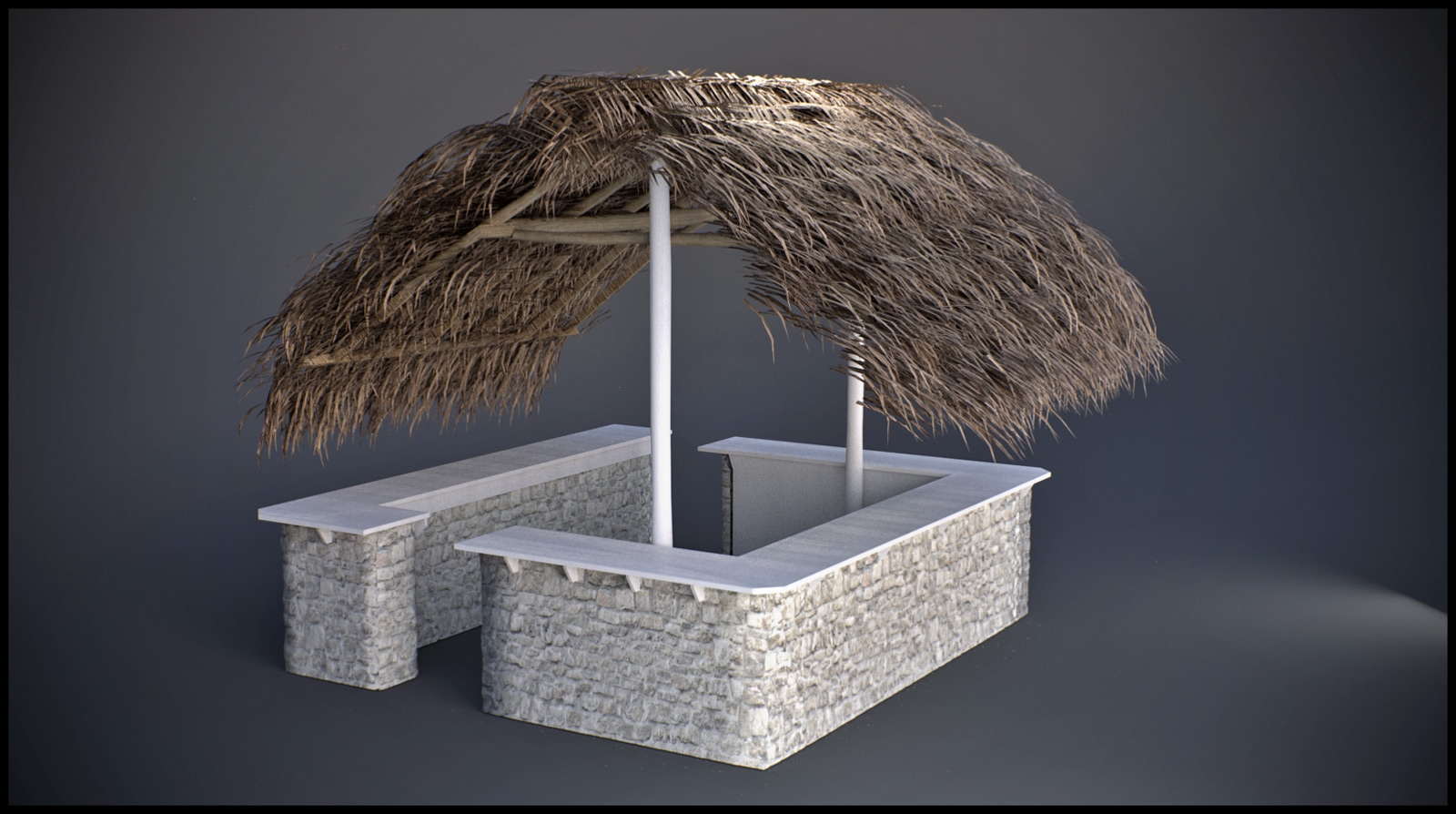
                                      finally had a project to test.
                                      this is my first and only test yet, i did need to manually adjust everything to my desire though.
                                      But im gonna 'play' with it a lot more!!!!!
                                      😎


                                      temp_postpro.jpg

                                      1 Reply Last reply
                                      Reply Quote 0
                                      • BurkhardB
                                        Burkhard
                                        last edited by

                                        Here is the German file


                                        fur_lang_de.txt

                                        http://www.ia-plus.de

                                        1 Reply Last reply
                                        Reply Quote 0
                                        • M
                                          MDM
                                          last edited by

                                          man this plugin is awesome 😍 πŸŽ‰ πŸŽ‰ πŸŽ‰ πŸŽ‰ πŸŽ‰ πŸŽ‰
                                          for landscaper couldn't be anything better, our dreams came through now we can grow grass in the computer, can't wait for the first mower 🀣 will be available
                                          great stuff I love it, and it's so much fun πŸ˜„

                                          Nothing is impossible :smile:

                                          1 Reply Last reply
                                          Reply Quote 0
                                          • F
                                            frv
                                            last edited by

                                            On a Mac crowd maker still does not work.
                                            The dialog now works fine but it does not create any crowd on the selected surface.

                                            Hope you can update when you have any time. But don't worry, I am already fine with the current version making crowds with the fur dialog.
                                            Francois

                                            An idea for crowd maker, it would be nice if we can project a line that guides the crowd into certain directions. For instance at stations crowds tend to walk back and forth following routes. Maybe its possible to click a line, or a curved line and crowdmaker puts the crowd with a specified with along this line.

                                            Francois

                                            1 Reply Last reply
                                            Reply Quote 0

                                            Hello! It looks like you're interested in this conversation, but you don't have an account yet.

                                            Getting fed up of having to scroll through the same posts each visit? When you register for an account, you'll always come back to exactly where you were before, and choose to be notified of new replies (either via email, or push notification). You'll also be able to save bookmarks and upvote posts to show your appreciation to other community members.

                                            With your input, this post could be even better πŸ’—

                                            Register Login
                                            • 1
                                            • 2
                                            • 25
                                            • 26
                                            • 27
                                            • 28
                                            • 29
                                            • 32
                                            • 33
                                            • 27 / 33
                                            • First post
                                              Last post
                                            Buy SketchPlus
                                            Buy SUbD
                                            Buy WrapR
                                            Buy eBook
                                            Buy Modelur
                                            Buy Vertex Tools
                                            Buy SketchCuisine
                                            Buy FormFonts

                                            Advertisement