sketchucation logo sketchucation
    • Login
    Oops, your profile's looking a bit empty! To help us tailor your experience, please fill in key details like your SketchUp version, skill level, operating system, and more. Update and save your info on your profile page today!
    Mac User? | Join the Rayscaper Beta for Mac Learn More

    [Plugin] Extrude Edges by Rails to Lattice

    Scheduled Pinned Locked Moved Plugins
    73 Posts 25 Posters 103.4k Views 25 Watching
    Loading More Posts
    • Oldest to Newest
    • Newest to Oldest
    • Most Votes
    Reply
    • Reply as topic
    Log in to reply
    This topic has been deleted. Only users with topic management privileges can see it.
    • TIGT
      TIG Moderator
      last edited by

      So, we both learn how to cuss better in our respective languages !
      ๐Ÿ˜‰
      So, don't mess with me dude ! ๐Ÿ‘Š

      TIG

      1 Reply Last reply
      Reply Quote 0
      • majidM
        majid
        last edited by

        it is greeeeaaaaattttt TIG. you are killing me slowly ๐Ÿ‘ ๐Ÿ‘ ๐Ÿ‘ grrreaaat. thanx ๐Ÿ‘

        My inspiring A, B, Sketches book: https://sketchucation.com/shop/books/intermediate/2612-alphabet-inspired-sketches--inspiring-drills-for-architects--3d-artists-and-designers-

        1 Reply Last reply
        Reply Quote 0
        • simon le bonS
          simon le bon
          last edited by

          @unknownuser said:

          @unknownuser said:

          I don't see how I could do the same with else tools

          Maybe 2 faces + path + FFD(or fredoscale) ๐Ÿ˜‰

          Hi Pilou ๐Ÿ˜‰

          First, using "Extrude Edges by Rails to Lattice"

          1. I had kept the perfect control on the general shape ( I think it's not possible at such degree with FFD or even with Fredoscale )
            2)I had presently used a simple grid of rails, so I could do it by hand (erasing unwanted in the skinned shape). I can't imagine to achieve the same on a real large number of curves without the help of EEbRtL ..

          Secondly, you are right for Kirill "2 faces + path" which plays in the same playground with "ExtrudeEdgesByFaces"

          *simon

          1 Reply Last reply
          Reply Quote 0
          • simon le bonS
            simon le bon
            last edited by

            @tig said:

            Here's an update http://forums.sketchucation.com/viewtopic.php?p=242239#p242239
            It now has 'Diagonals' as an option.

            This new tool is already but still growing an absolute "must have". Thank you so much Tig!

            @unknownuser said:

            Reversing the order of picking the Rails swaps the direction of the diagonals.
            very elegant solution indeed ๐Ÿ˜‰
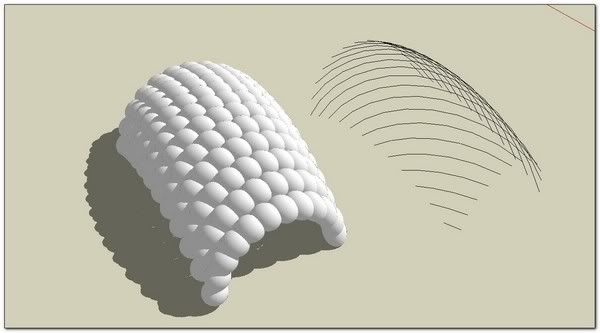

            http://i274.photobucket.com/albums/jj245/Spendauballet/SketchUp/EEbRtL_017_th.jpg

            +++simon

            1 Reply Last reply
            Reply Quote 0
            • pilouP
              pilou
              last edited by

              IF I well understand "diagonals" is only for wire ๐Ÿ˜‰
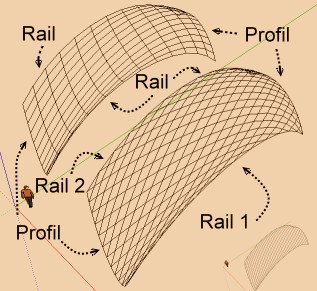
              diagonales.jpg

              Frenchy Pilou
              Is beautiful that please without concept!
              My Little site :)

              1 Reply Last reply
              Reply Quote 0
              • R
                robert111
                last edited by

                simn le bon , very nice job , how did you do to have this form plz
                can you make tutto ?

                1 Reply Last reply
                Reply Quote 0
                • TIGT
                  TIG Moderator
                  last edited by

                  There's a new version of EEbyRailsToLattice in the zipped set.
                  The change is to the way the Line only versions are Grouped...
                  http://forums.sketchucation.com/viewtopic.php?p=242239#p242239

                  TIG

                  1 Reply Last reply
                  Reply Quote 0
                  • N
                    numerobis
                    last edited by

                    AWESOME!!! Thank You very much for ANOTHER very helpful tool!!!

                    1 Reply Last reply
                    Reply Quote 0
                    • simon le bonS
                      simon le bon
                      last edited by

                      @robert111 said:

                      simn le bon , very nice job , how did you do to have this form plz
                      can you make tutto ?

                      http://i274.photobucket.com/albums/jj245/Spendauballet/SketchUp/EEbRtL_017_th.jpg

                      Thank you Robert,
                      very simple.

                      http://i274.photobucket.com/albums/jj245/Spendauballet/SketchUp/EEbRtL_018_th.jpg

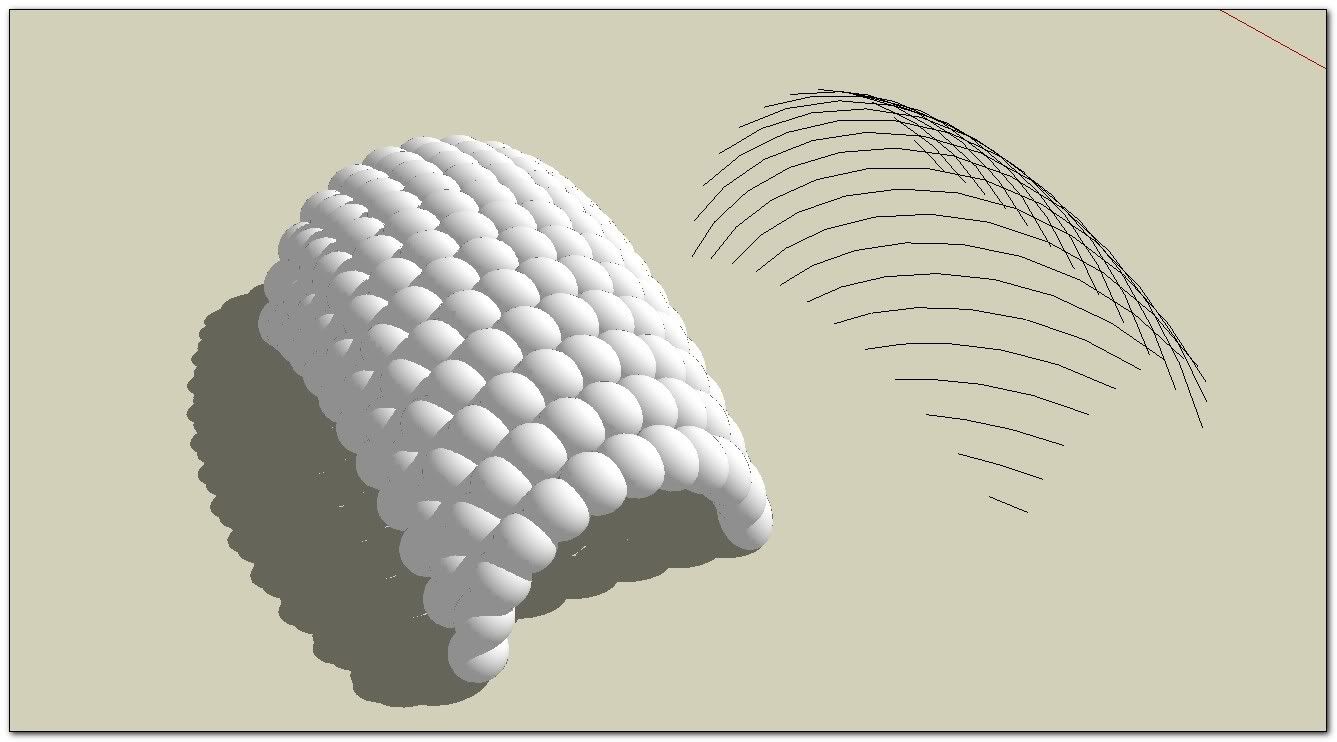
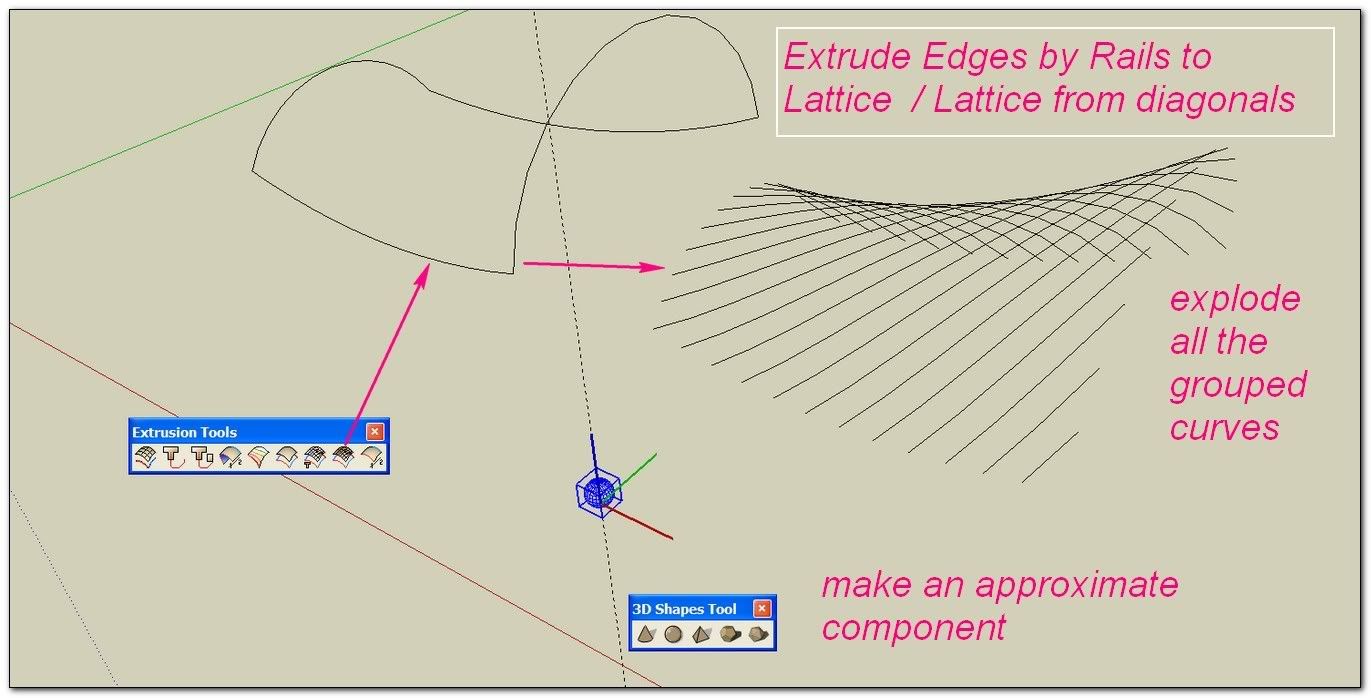
                      RE: take care to carefully place the component axis (the blue axis is going to follow the curves)

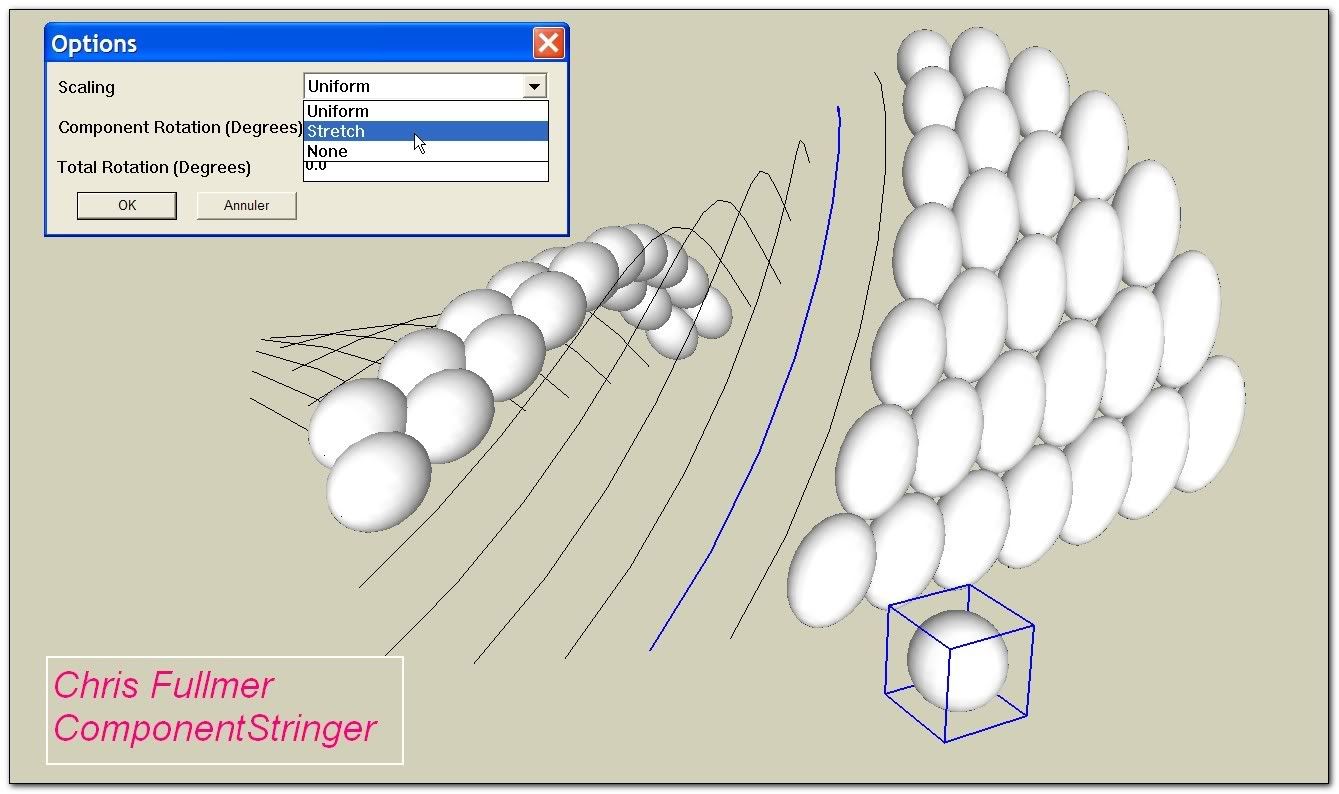
                      Then You will need Component Stringer from (our wellknown very nice fellow) Chris Fullmer

                      It is recommended to apply a shortcut to this plugin :_ Window/ Preferences/ Shortcuts: for example Alt+c
                      Because we have now to apply it one by one to each diagonal curve.
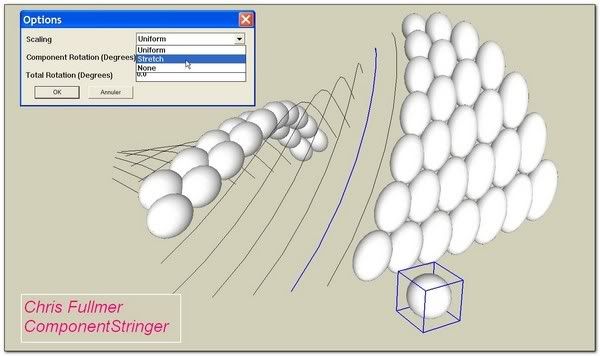
                      http://i274.photobucket.com/albums/jj245/Spendauballet/SketchUp/EEbRtL_019_th.jpg

                      that's it!

                      ๐Ÿ˜‰ simon

                      1 Reply Last reply
                      Reply Quote 0
                      • pilouP
                        pilou
                        last edited by

                        Have you some easy trick for make faces with the 2 diagonals lattices?

                        Frenchy Pilou
                        Is beautiful that please without concept!
                        My Little site :)

                        1 Reply Last reply
                        Reply Quote 0
                        • TIGT
                          TIG Moderator
                          last edited by

                          If the profiles and rails are parallel [copied etc] the diagonal lines are not needed for face forming - hence the prompt to remove them.
                          BUT if you make a lattice of the two sets of diagonals [regrouped and exploded], then they do not make coplanar quads and so they can't take faces - of course by adding a diagonal to a quad it will face, but then you have then gone 'full circle' and might as well have used plain EEbyRails in the first place !
                          So diagonal 'diamond' lattices won't take faces.
                          This is about as near as you can get - make a quarter using EEbyRails, copy the mesh to one side, Scale -1 to mirror the diagonals and overlay the two so the 'diamonds' form, then manually erase the unneeded orthogonal lines to get the diagonal lattice - note it must have some horizontals to let it 'bend' over. Rotate-Copy x3 to form the whole. Now use Windowizer to add the frames/panes ?Capture.PNG
                          TIG

                          1 Reply Last reply
                          Reply Quote 0
                          • E
                            eddy
                            last edited by

                            cool plugin
                            thanks, thanks,thanks. ๐Ÿ‘ ๐Ÿ‘

                            @ ++ Eddy

                            1 Reply Last reply
                            Reply Quote 0
                            • pilouP
                              pilou
                              last edited by

                              @TIG : THX for the precision! ๐Ÿ˜Ž
                              But for this sort of thing prefer this maybe more easy ๐Ÿ˜‰
                              I have used Windowiser by Rick Wilson and this little useful plug of Multiple face Offset by Remus, Selection Toy by Thomthom and of course your Inverse Selection! ๐Ÿ‘

                              http://forums.polyloop.net/picture.php?albumid=23&pictureid=655

                              Frenchy Pilou
                              Is beautiful that please without concept!
                              My Little site :)

                              1 Reply Last reply
                              Reply Quote 0
                              • TIGT
                                TIG Moderator
                                last edited by

                                There's an updated zipped set available http://forums.sketchucation.com/viewtopic.php?p=242239#p242239
                                All lingvo files have been updated.

                                TIG

                                1 Reply Last reply
                                Reply Quote 0
                                • M
                                  maximas
                                  last edited by

                                  please i would like to cretae an effect like this on my facade how can i do this.??

                                  http://img.archiexpo.fr/images_ae/photo-g/mur-rideau-en-panneaux-aluminium-et-verre-129841.jpg

                                  can u do an small tutorial of the use of the plugin??? thanks

                                  1 Reply Last reply
                                  Reply Quote 0
                                  • G
                                    goldenma
                                    last edited by

                                    Thanks TIG, truly marvelous tool!!
                                    one question, though - is there a function to generate 3d geometries on the diagonals? the same effect of "extrude edges by rail by face" but for diagonals.
                                    right now i can get the diagonal lines using "extrude---to lattice", but i'll have to "follow me" each line with a profile.
                                    thanks a lot!

                                    1 Reply Last reply
                                    Reply Quote 0
                                    • TIGT
                                      TIG Moderator
                                      last edited by

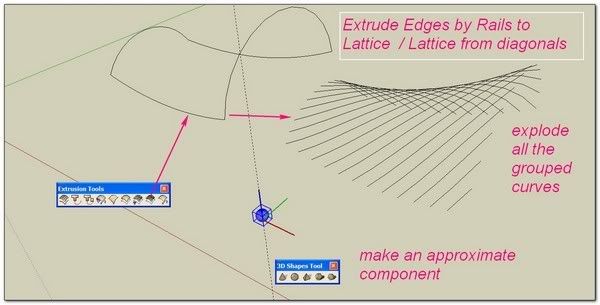
                                      Use the EEby lattice tool to make a mesh of only the diagonals as lines - one of the options [no 3D yet].
                                      Now you have a set of grouped curves == the diagonals.
                                      You might want to do a bit of un-grouping/regrouping now...
                                      We'll now use EEbyFace...
                                      Draw a face as a profile on the 'flat', in the same entities set as these curves [remember the face's Y=up when extruded].
                                      Use the preselected face and curves with EEbyFace - you should get the face used to form an extrusion with each of the diagonal curve's as a path, in turn...

                                      TIG

                                      1 Reply Last reply
                                      Reply Quote 0
                                      • G
                                        goldenma
                                        last edited by

                                        Thanks TIG! that's a great tool that i overlooked. it's a lot better than doing follow me on every curve. ๐Ÿ˜

                                        1 Reply Last reply
                                        Reply Quote 0
                                        • C
                                          Crevard
                                          last edited by

                                          i was just wondering how i could make a lattice dome with this plugin ๐Ÿ˜’ and btw thx for these awesome plugins !!!!!!

                                          1 Reply Last reply
                                          Reply Quote 0
                                          • TIGT
                                            TIG Moderator
                                            last edited by

                                            @crevard said:

                                            i was just wondering how i could make a lattice dome with this plugin ๐Ÿ˜’ and btw thx for these awesome plugins !!!!!!

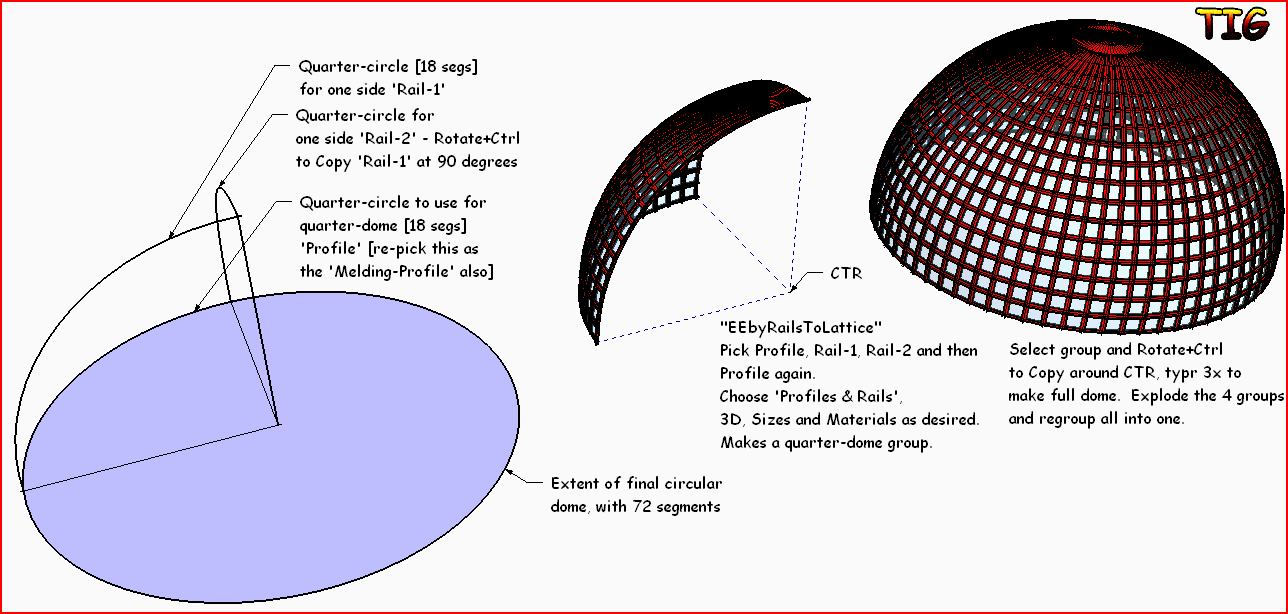
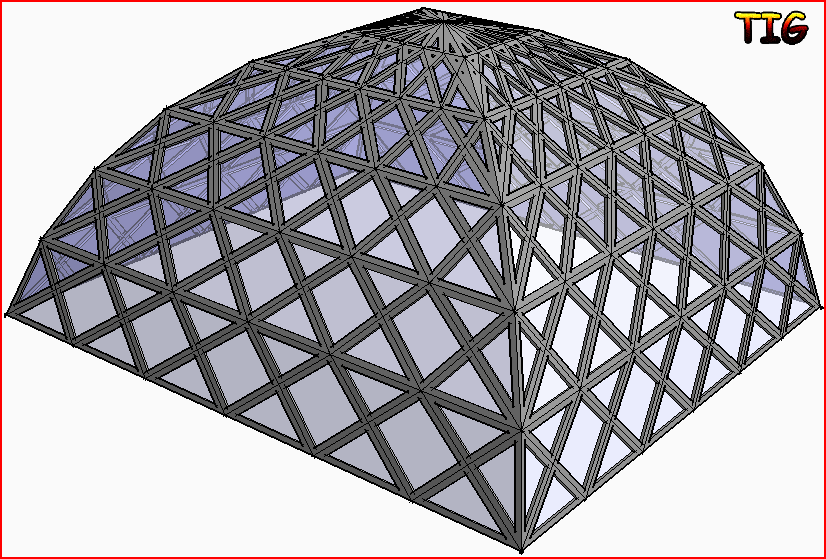
                                            Make a quarter of the dome and then Polar-Array Copy it with Rotate+Ctrl, explode the 4 groups and regroup as 1 etc... See this quick example:EEbyRailsToLattice Example.PNG

                                            TIG

                                            1 Reply Last reply
                                            Reply Quote 0

                                            Hello! It looks like you're interested in this conversation, but you don't have an account yet.

                                            Getting fed up of having to scroll through the same posts each visit? When you register for an account, you'll always come back to exactly where you were before, and choose to be notified of new replies (either via email, or push notification). You'll also be able to save bookmarks and upvote posts to show your appreciation to other community members.

                                            With your input, this post could be even better ๐Ÿ’—

                                            Register Login
                                            • 1
                                            • 2
                                            • 3
                                            • 4
                                            • 3 / 4
                                            • First post
                                              Last post
                                            Buy SketchPlus
                                            Buy SUbD
                                            Buy WrapR
                                            Buy eBook
                                            Buy Modelur
                                            Buy Vertex Tools
                                            Buy SketchCuisine
                                            Buy FormFonts

                                            Advertisement