sketchucation logo sketchucation
    • 登入
    Oops, your profile's looking a bit empty! To help us tailor your experience, please fill in key details like your SketchUp version, skill level, operating system, and more. Update and save your info on your profile page today!
    🔌 Smart Spline | Fluid way to handle splines for furniture design and complex structures. Download

    [Plugin] ExtrudeTools - Full Set

    已排程 已置頂 已鎖定 已移動 Plugins
    636 貼文 178 Posters 792.4k 瀏覽 175 Watching
    正在載入更多貼文
    • 從舊到新
    • 從新到舊
    • 最多點贊
    回覆
    • 在新貼文中回覆
    登入後回覆
    此主題已被刪除。只有擁有主題管理權限的使用者可以查看。
    • TIGT 線上
      TIG Moderator
      最後由 編輯

      It's here http://forums.sketchucation.com/viewtopic.php?p=217663#p217663
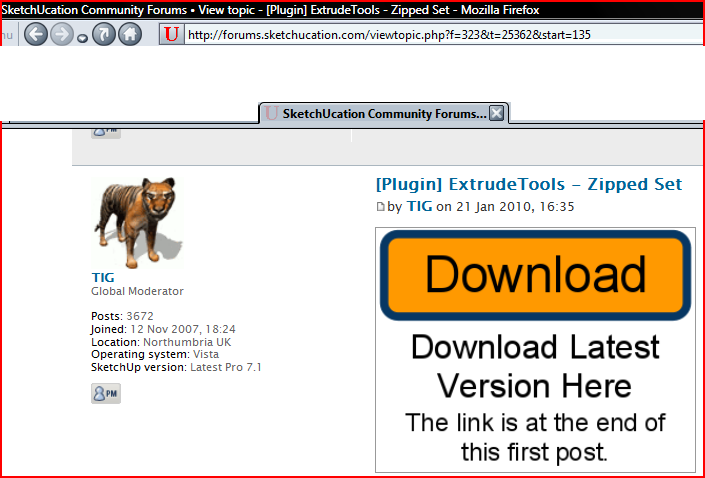
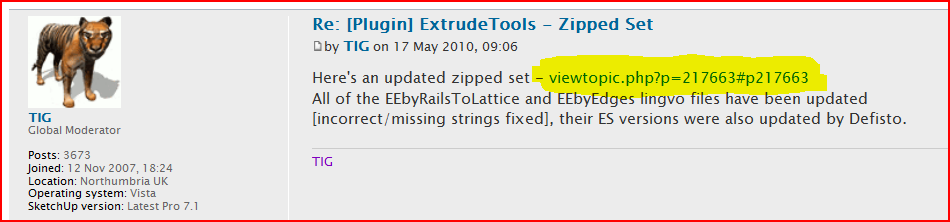
      The clue is in the 'note' 😉Capture.PNG or there are links in any of my posts announcing an update...Capture1.PNG
      TIG

      1 條回覆 最後回覆 回覆 引用 0
      • D 離線
        Daniel S
        最後由 編輯

        @tig said:

        It's here http://forums.sketchucation.com/viewtopic.php?p=217663#p217663
        The clue is in the 'note' 😉[attachment=2:2pbi3eqh]<!-- ia2 -->Capture.PNG<!-- ia2 -->[/attachment:2pbi3eqh] or there are links in any of my posts announcing an update...[attachment=1:2pbi3eqh]<!-- ia1 -->Capture1.PNG<!-- ia1 -->[/attachment:2pbi3eqh]

        Hi TIG

        Great Idea!!! What about if you click in the image and that makes a direct download of the plugin?
        Something like:
        CLICK on the image for download!!
        [attachment=0:2pbi3eqh]<!-- ia0 -->Screenshot_1.jpg<!-- ia0 -->[/attachment:2pbi3eqh]

        The code I Use:

        [url=http://forums.sketchucation.com/download/file.php?id=48174][attachment=0]Screenshot_1.jpg[/attachment][/url]
        

        Daniel S


        Screenshot_1.jpg

        1 條回覆 最後回覆 回覆 引用 0
        • TIGT 線上
          TIG Moderator
          最後由 編輯

          I'd prefer the users read the post... then download... although I know a lot will scroll past everything anyway but if the image were to link to the download they'd even have no need to do that - you'd be amazed how many PMs we scripters get about problems with installing the files, simply because most new users never read the notes and open a zip file and then drag'n'drop everything into their Plugins folder; when these days a lot of stuff goes into sub-folders to try and keep things a little 'ordered'...

          TIG

          1 條回覆 最後回覆 回覆 引用 0
          • L 離線
            liangljz
            最後由 編輯

            i am looking for it. thank you

            1 條回覆 最後回覆 回覆 引用 0
            • T 離線
              toldo39
              最後由 編輯

              thnx

              1 條回覆 最後回覆 回覆 引用 0
              • S 離線
                stefx
                最後由 編輯

                Hi TIG,
                the plugin set is amazing!
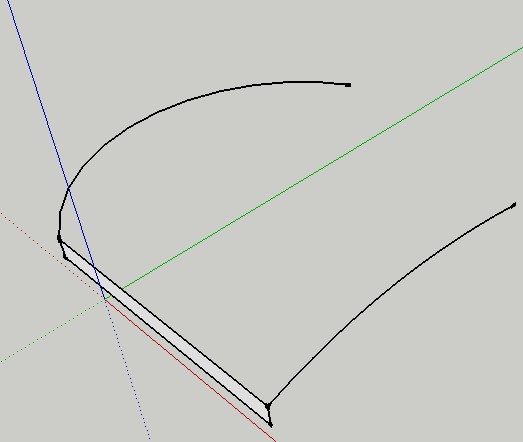
                I would like to know if there is a chance to create the extrude-edge-by-rails but for faces, something like "extrude faces by rails".

                ScreenHunter_01 Jun. 03 15.32.jpg

                1 條回覆 最後回覆 回覆 引用 0
                • TIGT 線上
                  TIG Moderator
                  最後由 編輯

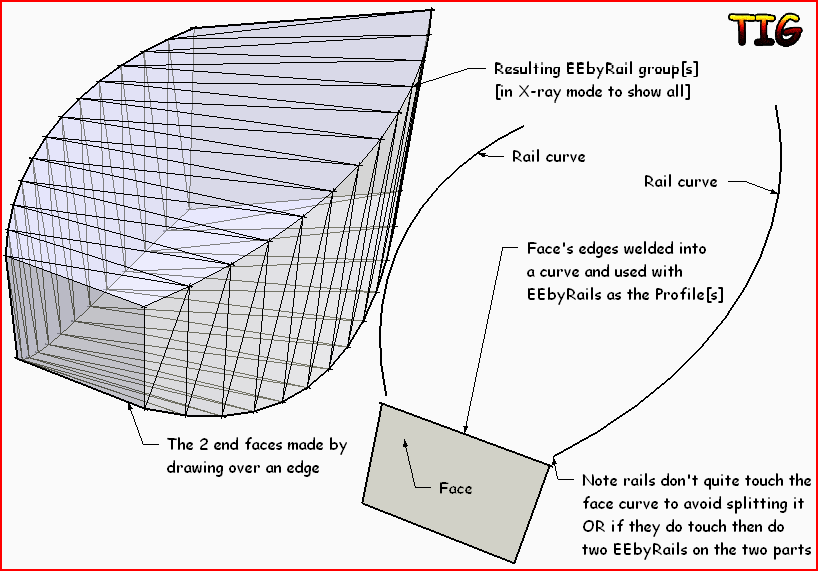
                  I didn't make a separate EEby.. tool since you can do it relatively easily with EEbyRails as in this exampleCapture.PNG

                  TIG

                  1 條回覆 最後回覆 回覆 引用 0
                  • S 離線
                    stefx
                    最後由 編輯

                    Thank you TIG.
                    I have tried but:
                    1: i create my face with all the edges welded
                    2. i select the profile as curve
                    3. i select the 2 rails
                    4. i select the melding-prfile curve

                    1. Sketchup crashes!

                    I am thinking to split the face-curve in two parts.

                    Stef.

                    1 條回覆 最後回覆 回覆 引用 0
                    • TIGT 線上
                      TIG Moderator
                      最後由 編輯

                      Can you post an example skp ?

                      TIG

                      1 條回覆 最後回覆 回覆 引用 0
                      • S 離線
                        stefx
                        最後由 編輯

                        Here it is!

                        basically it is roof design, you could find the profile of the roof and 2 rails.
                        The two rails don't touch the profile.
                        So I welded the whole profile, I welded the 2 rails but when I try to use the plugin everything crashes!

                        I have tried to split the profile in more parts, and it looks like working.

                        Stef.


                        roof test.skp

                        1 條回覆 最後回覆 回覆 引用 0
                        • TIGT 線上
                          TIG Moderator
                          最後由 編輯

                          It can only be done after the model is 'fixed'.
                          The roof profile is not quite coplanar [try to add a face to it - you can't !] so it adds all sorts of additional problems... with geometry flying off into space etc etc...
                          Complex 3D curves will work as Profiles but especially looped ones with slight discrepancies can be problematical !

                          To fix it select the roof profile curve and use EEbyVector on it to make a small temporary roof-bit [ extruded away from the 'rails' but in line with the first edge].
                          Now draw a large vertical rectangle that intersects the whole of this new roof-bit.
                          Select that rectangle and right-click > intersect > with model.
                          Erase the unwanted bits of the rectangle and keep just the faced roof profile.
                          Erase the temporary roof-bit too.
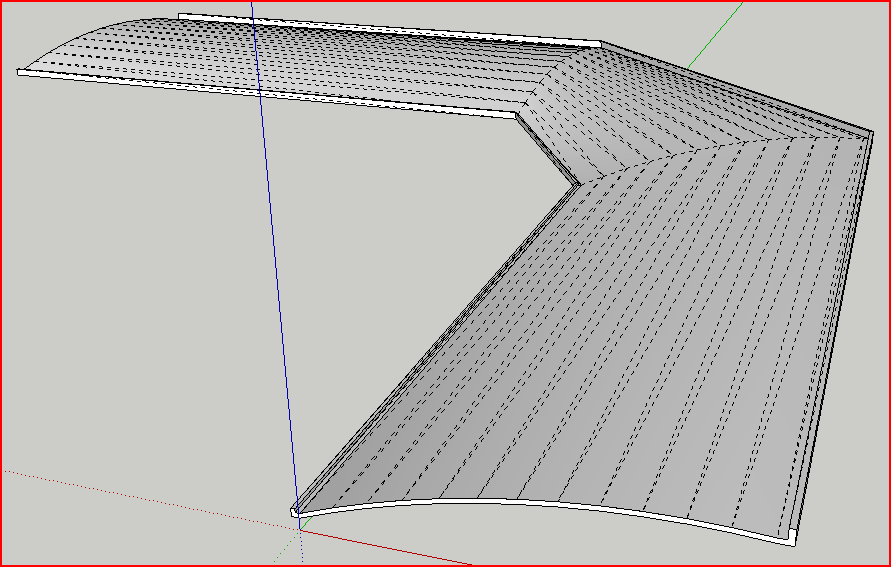
                          You know have a coplanar roof profile.
                          Select the edges of it and weld them into one curve.
                          Move it near to the rails but not touching them, so it doesn't 'split'.
                          Check that the rails have the same number of edges - if not group them draw over them with lines and erase the originals then when they have the same number of edges [select and use entity info] weld each set in turn into a curve.
                          Now you can use EEbyRails...
                          Select the Profile, then the Rails in turn and the Profile again as the melding-profile [in is 'assumed' at the other end of the rails as required].
                          The mesh is made as expected...
                          You need to add 'end-faces' by drawing over an edge at the ends... 🤓Capture.PNG
                          TIG

                          1 條回覆 最後回覆 回覆 引用 0
                          • S 離線
                            stefx
                            最後由 編輯

                            Hi TIG, thank you for your tutorial.
                            I guess it is a problem of my Sketchup.
                            This a licensed version that I used at work.
                            I am saying that because i have tried to use a simple rectangle with 2 rails (I draw one and copied as 2 rail just to have the same number of segments and same features).
                            (see attached)
                            After I welded the edge of the rectangle if I try to use the Extrude By Rails sketchup quit the work.
                            I think I have to do the same splitting the edge of the rectangle or roof in different pieces.
                            😢


                            roof test.skp

                            1 條回覆 最後回覆 回覆 引用 0
                            • TIGT 線上
                              TIG Moderator
                              最後由 編輯

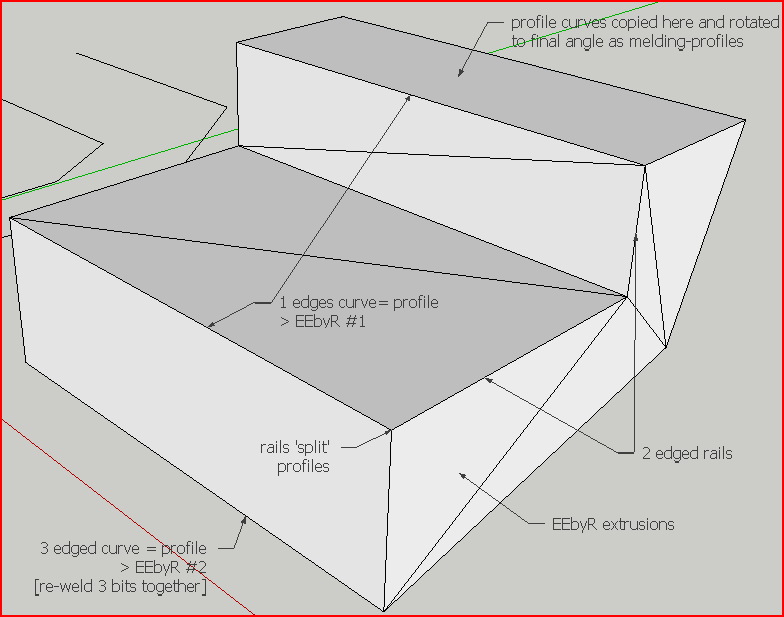
                              How do the want the profile to end at the rail-ends ? If it's wanted as 'flat' then you need to copy the profile to the end and rotate it etc. I'd let the rails split the profiles and make two extrusions, then group their groups, edit that group and explode the two into one st of geometry inside this parent-group.
                              If you want to extrude the profile along the rail in the same plane all if the time then try EEbyEdges [group] the two sets of profile and path first...Capture.PNG
                              TIG

                              1 條回覆 最後回覆 回覆 引用 0
                              • S 離線
                                stefx
                                最後由 編輯

                                Hi Tig,
                                thank you for your tutorial......again.....
                                I have followed your indications. I got the results I wondered.
                                We don't need Extrude face by rails as soon we could get the same results in other ways.

                                Thanks again.

                                Stef.

                                1 條回覆 最後回覆 回覆 引用 0
                                • R 離線
                                  rizal21
                                  最後由 編輯

                                  my toolbar for this not show up, please help 😐 , found #extrusionToolbar.rb, but i think it's for menu

                                  1 條回覆 最後回覆 回覆 引用 0
                                  • TIGT 線上
                                    TIG Moderator
                                    最後由 編輯

                                    The file you found IS needed to make the menu AND toolbar.
                                    You need to activate the toolbar from View > Toolbars > Extrusion Tools 😕

                                    TIG

                                    1 條回覆 最後回覆 回覆 引用 0
                                    • T 離線
                                      tiagomedeirosdsg
                                      最後由 編輯

                                      Obrigado pelo plugin

                                      1 條回覆 最後回覆 回覆 引用 0
                                      • GaieusG 離線
                                        Gaieus
                                        最後由 編輯

                                        @tiagomedeirosdsg said:

                                        Obrigado pelo plugin

                                        @unknownuser said:

                                        Thanks for [the] plugin

                                        👍

                                        Gai...

                                        1 條回覆 最後回覆 回覆 引用 0
                                        • olisheaO 離線
                                          olishea
                                          最後由 編輯

                                          For some reason, when I install this plugin....my sketchup starts up very quickly. I used to wait 15 seconds or so for all my plugins to load, now it's instant!!

                                          confused!!

                                          having a play with these amazing tools, thank you so much TIG.

                                          are there any videos in the pipeline? I feel they would help a lot.

                                          Also, how do you define a "melding profile"....I mean I know what it does.....is it just the finishing profile? if that makes sense

                                          oli

                                          1 條回覆 最後回覆 回覆 引用 0
                                          • TIGT 線上
                                            TIG Moderator
                                            最後由 編輯

                                            Oli

                                            There are quite a few [illustrated] pages for each tool in the set - see the many links from the main zipped set download page...

                                            A lot of the tools need two profiles and two rails.
                                            The pick order is:-

                                            A 'profile' - the starting curve form that will 'extrude' down the rails.
                                            B 'rail-1' - the first rail to follow with this extrusion.
                                            C 'rail-2' - the second rail to follow with this extrusion - Note: you can also pick 'rail-1' again as 'rail-2' and it then assumes a copy of 'rail-1' is placed at the other end of the 'profile'.
                                            D 'melding-profile' [it's a fancy name for 'profile-2'!] is what the 'profile' will 'morph' into [meld] as it is repeated down the rails - Note: you can pick 'profile' again as the 'melding-profile' and then the only 'morphing' the profile will undergo is the fitting between the rails etc.The curves need not touch but it can be helpful to visualize the result if they do... the 'mesh' is made 'over' the 'rails'.
                                            Pairs of profiles/rails need NOT have equal curve segment counts... but if they do not and the numbers are not simple multiples then extra vertices are added to adjust the mesh and it might not be what you expected...

                                            🤓

                                            TIG

                                            1 條回覆 最後回覆 回覆 引用 0
                                            • 1
                                            • 2
                                            • 3
                                            • 4
                                            • 5
                                            • 6
                                            • 31
                                            • 32
                                            • 4 / 32
                                            • 第一個貼文
                                              最後的貼文
                                            Buy SketchPlus
                                            Buy SUbD
                                            Buy WrapR
                                            Buy eBook
                                            Buy Modelur
                                            Buy Vertex Tools
                                            Buy SketchCuisine
                                            Buy FormFonts

                                            Advertisement