[Preview] UVTools 0.2
-
Whaat,
I must admit I got pretty confused while I was testing UU3D as I was juggling obj and 3ds exports from SU with obj and 3ds exports from UU3D as well as running them all through Meshlab, 3DMax and Vue 6 and saving further obj and 3ds copies to see if it helped with SU's and UU3D's importing, but I think the "no spaces" rule applied both to 3ds and obj.
Then again, I'm pretty sure most progs capable of exporting in 3ds format automatically insert understrikes/underscores in place of spaces. As such, I've never had problems importing 3ds into SU before, from any source.
-
I can confirm compatibility with Roadkill, UVMapper classic (free), and Argile.
I had a hard time testing Argile, though. I couldn't get the UV manipulators to show up and the UI seemed to behave very weird.
I can't test with UVMapper Pro or UVLayout yet because their demo versions do not allow OBJ export.
-
yeah, i tried the argile demo and it seemed very weird to me.. that's just messin around without reading anything but still...
roadkill looks to be another mac option so i'll check that one out too.
question for whaat-
what happens further down the line in terms of rendering? (more specifically, with indigo).. does the mapping stay put or does the mesh need to be built a certain way prior to mapping? (spheres need to be triangulated first for them to work in indigo etc..) -
If Whaat's plugin does the obj conversion correctly, rendering in other plugins/progs shouldn't be a problem. I did a test (the apple again), exported from SU to UU3D and back into SU via TIG's obj importer and it rendered fine in V-Ray for SU. This is actually surprising as V-Ray for SU usually doesn't recognise textures which have been skewed or distorted in SU.
-
Jeff and jackson, after using whaats current UV tools your mesh needs to be triangulated for the UVs to make it in to indigo intact, id guess this is a skindigo/indigo thing and so likely to be the same with this plugin.
-
I can confirm - V-Ray doesn't recognize textures which have been painted in Photoshop via .kmz import-export.
-
@unknownuser said:
question for whaat-
what happens further down the line in terms of rendering? (more specifically, with indigo).. does the mapping stay put or does the mesh need to be built a certain way prior to mapping? (spheres need to be triangulated first for them to work in indigo etc..)Jeff,
Currently, the meshes would have to be triangulated prior to rendering in Indigo. I am not sure about other rendering apps. Most do not support rendering distorted textures. I suspect that the apple rendered properly in Vray because it was triangulated.
-
@whaat said:
I suspect that the apple rendered properly in Vray because it was triangulated.
You can distort the mapping of a triangle as well - don't think the triangulation should matter.
-
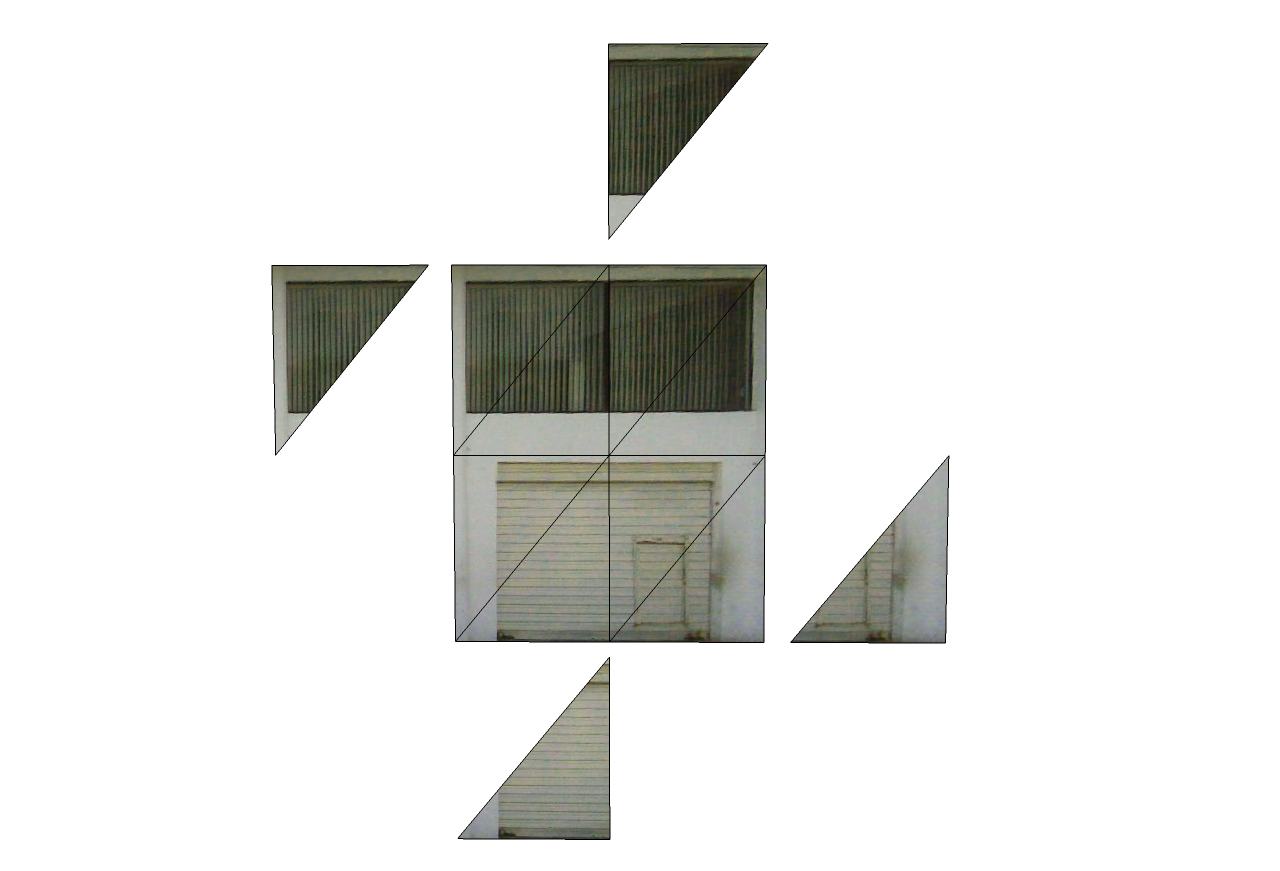
It was hard to believe at first, but a small test with triangles reveals Thomas is right.

-
When you map in SU you either get four points to drag about or the Move,ScaleUniform,ScaleNonUniform,Distort pins. You can always use the distort pin on any face, even triangles. It's basically a texture applied to an invisible plane - clipped by the shape of the face.
If there are non-parallels sides to the UV mapping gizmo - V-Ray will fail to render. But it will render a texture mapped as a parallelogram. -
For render programs that can't handle distorted mapping, I've read the workaround is to export as 3ds and re-import, but I can't test this as I don't have SketchUp Pro. If the object only has a few faces, you can click on each one and right click > Make Unique Texture.
-
@whaat said:
I can confirm compatibility with Roadkill, UVMapper classic (free), and Argile.
I had a hard time testing Argile, though. I couldn't get the UV manipulators to show up and the UI seemed to behave very weird.
I can't test with UVMapper Pro or UVLayout yet because their demo versions do not allow OBJ export.
works fine with Uvmapper Pro
-
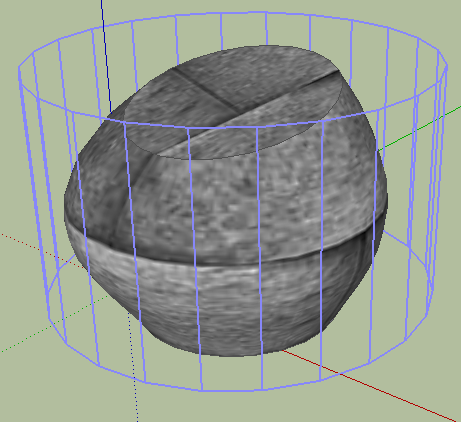
dear tom, I was on wrong topic when I requested this, but here I am gonna ask you to add some more features, to working with textures , directly is su (foe those like me that are not familliar with othe rapps ..
 ), maybe as, add a "ghost preview" of how plugin is going to UVmap (i.e. showing a sphere when choosing spherical...etc) could improve the ui!!
-
@ecuadorian said:
For render programs that can't handle distorted mapping, I've read the workaround is to export as 3ds and re-import, but I can't test this as I don't have SketchUp Pro. If the object only has a few faces, you can click on each one and right click > Make Unique Texture.
So are you saying that there is not a way in the API to automate the "Make Unique Texture" function from the popup menu. I looked at ThomThom's "uv_make_unique.rb" which does a great job of duplicating a texture/image. But I need to dice up the image and spread over multiple smaller faces. Basically, I am dicing up terrain into smaller faces, with each face needing it's own texture/image.
Thanks,
Jim





Advertisement