[Plugin] CleanUp
-
Just great!
-
Clean up of Clean up!

-
-


Thanks!
-
Thank you.
I have a feature request:
Could you have the option to not purge components that are unused but have "XXXX_proxy" instances.
I use the proxy feature in maxwell exporter a lot. It allows me to swap in the more complex geometry on export.Functionality would be a checkbox i think and an extra check when deleting an un used instance if the corresponding instance with _proxy appended to the name is used and iff that is true not delete it.
-
It seems like your last version doesn't clean as good as the previous did. I wanted to clean some lines from a geometry I modified, but they remained. I had to delete them manually.
-
@unknownuser said:
It seems like your last version doesn't clean as good as the previous did. I wanted to clean some lines from a geometry I modified, but they remained. I had to delete them manually.
What version compared to which? 3.1.5 has no change in how it cleans compared to 3.1.4...
Got sample model? And screenshot of settings? -
Hmmm, strange....
when I install 3.1.5 and try with either TT_Lib 2.5.4 or 2.5.5 I get a blank Window on hitting the Cleanup Menue Item. So I switched back to 3.1.4 and Lib 2.5.4, which is the combination that works.
I use SU 8 Pro, WinXP 32bit,
but anyway - thx again for keeping it up!
all the best, 3rdEye
-
@thomthom said:
What version compared to which? 3.1.5 has no change in how it cleans compared to 3.1.4...
Got sample model? And screenshot of settings?Uhh, I just downloaded today last version and replaced the one I had (can't say what version I had) and I noticed that it didn't worked as I expected. Now I'm home. I'll check tomorrow and eventually I'll send you a model.
-
@unknownuser said:
@thomthom said:
What version compared to which? 3.1.5 has no change in how it cleans compared to 3.1.4...
Got sample model? And screenshot of settings?Uhh, I just downloaded today last version and replaced the one I had (can't say what version I had) and I noticed that it didn't worked as I expected. Now I'm home. I'll check tomorrow and eventually I'll send you a model.
Also be sure that all setting where identical between your test. Could be some some checkbox being unticked.
-
Tomtom
Thanks for 3.1.5. When I "clean" nothing happens, no window pup up, when I "clean with last settings" it works like 3.1.4. Windows 7 64 bit. The window should pup up, correct? I try tomorrow at the office... -
@zacchia said:
Tomtom
Thanks for 3.1.5. When I "clean" nothing happens, no window pup up, when I "clean with last settings" it works like 3.1.4. Windows 7 64 bit. The window should pup up, correct? I try tomorrow at the office...Can you open the Ruby Console before you try "Clean..." and post back any errors?
-
Same thing in office. See screenshot.
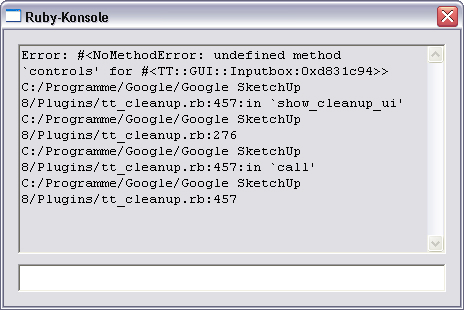
-
My bad. I made a minor change that required an update in TT_Lib2.
Version 3.1.6
Updated TT_Lib requirement to 2.5.5 -
@thomthom said:
My bad. I made a minor change that required an update in TT_Lib2.
Version 3.1.6
Updated TT_Lib requirement to 2.5.5Updated to version 2.5.5 TT_Lib and plug tt_cleanup.rb (Version 3.1.6), but I fall empty menu
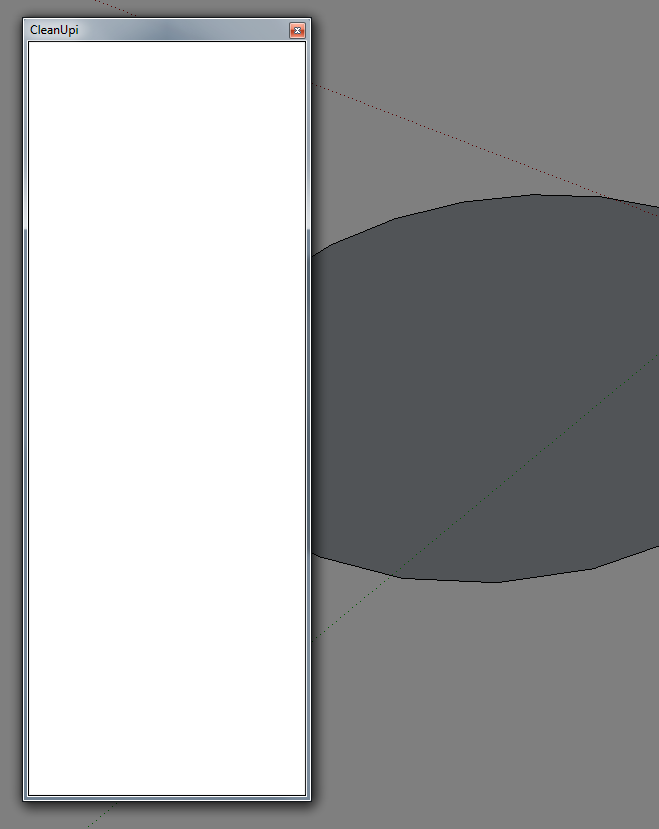
-

Any error messages this time?
Btw, you're using Windows7 or Vista, right? If you go to the plugins folder in Windows Explorer, is there a Compatibility Files button visible?
-
Just noticed something odd in your screenshot:
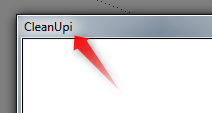
"CleanUpi" - the title is suppose to be "CleanUp³" ... I wonder if your copy has been corrupted...
-
@thomthom said:
:?:
Any error messages this time?
Btw, you're using Windows7 or Vista, right? If you go to the plugins folder in Windows Explorer, is there a Compatibility Files button visible?
Windows7 x64, previous versions worked flawlessly Cleanup
-
@blajnov said:
@thomthom said:
:?:
Any error messages this time?
Btw, you're using Windows7 or Vista, right? If you go to the plugins folder in Windows Explorer, is there a Compatibility Files button visible?
Windows7 x64, previous versions worked flawlessly Cleanup
Any error messages in the Ruby Console?
Do you see a Compatibility Files button in Windows Explorer when you go to the Plugins folder? -
Hi Tom
No error message but just an empty window





Hello! It looks like you're interested in this conversation, but you don't have an account yet.
Getting fed up of having to scroll through the same posts each visit? When you register for an account, you'll always come back to exactly where you were before, and choose to be notified of new replies (either via email, or push notification). You'll also be able to save bookmarks and upvote posts to show your appreciation to other community members.
With your input, this post could be even better 💗
Register Login


Advertisement