sketchucation logo sketchucation
    • 登入
    Oops, your profile's looking a bit empty! To help us tailor your experience, please fill in key details like your SketchUp version, skill level, operating system, and more. Update and save your info on your profile page today!
    🔌 Smart Spline | Fluid way to handle splines for furniture design and complex structures. Download

    [Plugin] FreeDXF Importer

    已排程 已置頂 已鎖定 已移動 Plugins
    148 貼文 41 Posters 185.0k 瀏覽 41 Watching
    正在載入更多貼文
    • 從舊到新
    • 從新到舊
    • 最多點贊
    回覆
    • 在新貼文中回覆
    登入後回覆
    此主題已被刪除。只有擁有主題管理權限的使用者可以查看。
    • thomthomT 離線
      thomthom
      最後由 編輯

      Does it handle units at all? Or does it assume inches?

      Thomas Thomassen — SketchUp Monkey & Coding addict
      List of my plugins and link to the CookieWare fund

      1 條回覆 最後回覆 回覆 引用 0
      • TIGT 離線
        TIG Moderator
        最後由 編輯

        My importDXFtext.rb ideas could be cannibalized into this tool to add the DXF's text in 2d 3dText groups, using available fonts or defaulting [mine uses Arial.ttf if the font is not in one that's listed] - my tool also replicates the [M/D]text/attribute's coded-symbols, colors, size etc wherever possible - also you could easily add an attribute for the text's 'string'... 😄

        TIG

        1 條回覆 最後回覆 回覆 引用 0
        • thomthomT 離線
          thomthom
          最後由 編輯

          I managed to hack this plugin for my need. Placed Text objects. Then I could use them to extract their insertion points and move them to the height given in the text - resulting in a point cloud, which I used TIG's Triangualte Points (modification of Didier) to generate a terrain mesh.

          phew

          At least now I got an accurate terrain. Thanks for all your scripts. 👍

          Thomas Thomassen — SketchUp Monkey & Coding addict
          List of my plugins and link to the CookieWare fund

          1 條回覆 最後回覆 回覆 引用 0
          • TIGT 離線
            TIG Moderator
            最後由 編輯

            Ages ago I wrote an AutoLisp tool to run in your CAD DWG and read 'flat' spot-height pieces of D/Mtext and move them in the Z to suit their given 'elevation' taken from the text's string into a float, and also add a 'point' at the text's origin - you can then export those as a point-cloud DXF for use in your SKP... to meshify it...
            If the lisp would be of any help let me know and I can PM it...

            TIG

            1 條回覆 最後回覆 回覆 引用 0
            • J 離線
              Jim
              最後由 編輯

              @thomthom said:

              I went looking at it to work out what it imported DXF TEXT entities as. Text entity in SketchUp?

              Currently TEXT and MTEXT are imported as 3D text (but with zero thickness.) The Font defaults to low-quality Arial. Texts respect newlines, position, height, font (if installed?), bold, and italic styles. Roation is not yet complete. Tects color is always black for now.

              I had planned an option to import text as SketchUp screen text. In fact that's the easiest way to import it and the most economical as far as geometry.

              @thomthom said:

              And/or when the text is imported as geometry, add the text value to an attribute so it can be read by other Ruby scripts.

              Good idea - will implement.

              @thomthom said:

              Does it handle units at all? Or does it assume inches?

              FreeDXF does not consider units at the moment, so every import would be considered as being in Inches.

              Hi

              1 條回覆 最後回覆 回覆 引用 0
              • D 離線
                driven
                最後由 編輯

                hi Jim, here's a mac screenshot,

                I've got an archive of these simple reduction gear dxf's and it opens them a threat...

                it's particularly useful being able to specify circle and arc segment counts, the v7 SU importer bought these in a such low quality, I couldn't use them.

                it splits out into layers, but doesn't group those items, I haven't read the script yet but is that addable?

                i.e. each layers geometry is also a group so it doesn't stick on first opening with all layers on.

                also does it do faces?, I'm not sure if this test file has any... a lot of them don't.

                cheers

                john
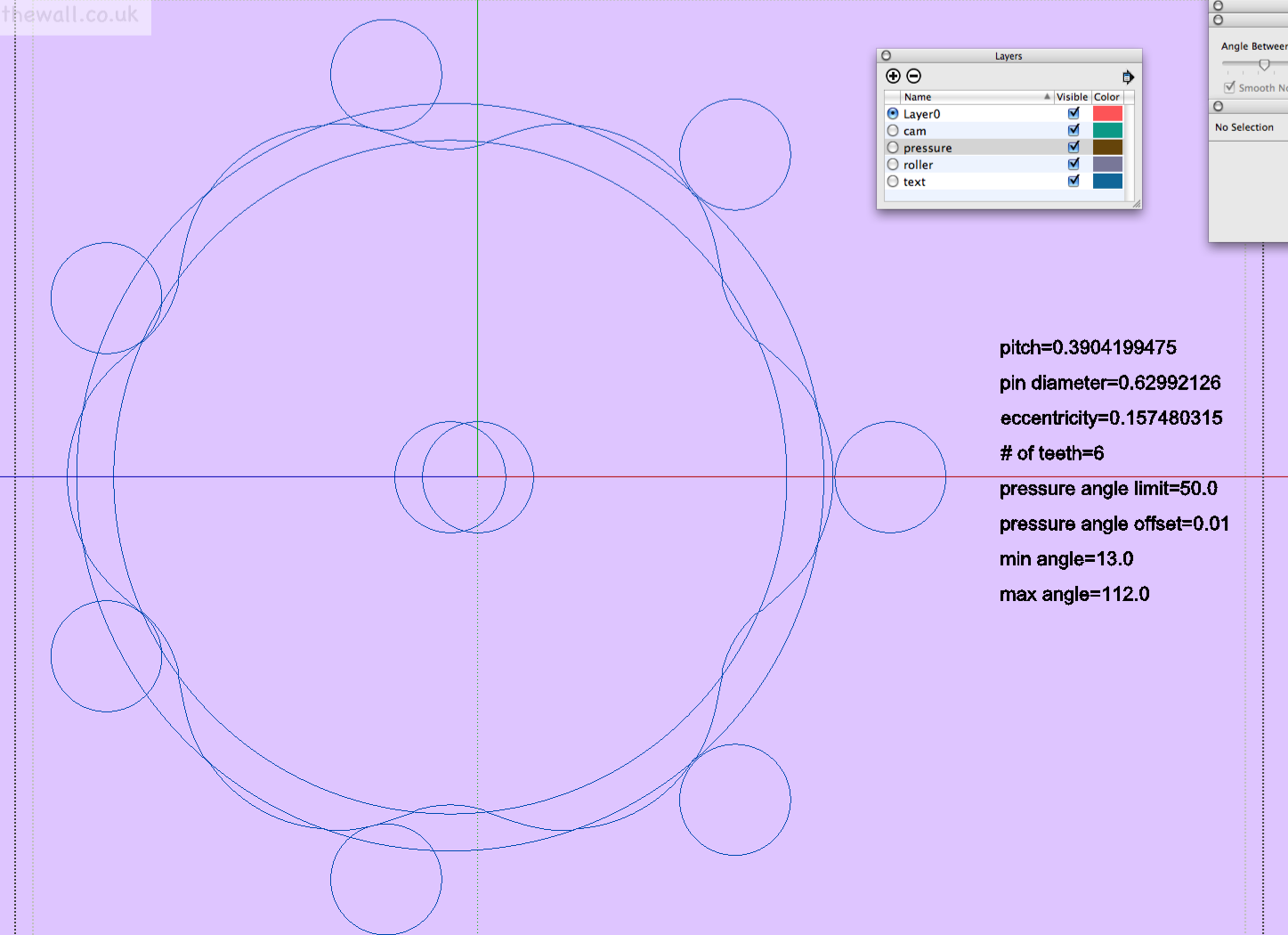

                enough to build a 3d  cycloidal drive...

                learn from the mistakes of others, you may not live long enough to make them all yourself...

                1 條回覆 最後回覆 回覆 引用 0
                • J 離線
                  Jim
                  最後由 編輯

                  @driven said:

                  it splits out into layers, but doesn't group those items, I haven't read the script yet but is that addable? i.e. each layer's geometry is also a group so it doesn't stick on first opening with all layers on.

                  Yes, I think it's addable. I was using SketchUp Pro's dxf importer as my example; which does not group geometry by layer. But it seems like a better way to import geometry seeing as cad layers are more like SketchUp Groups than SketchUp Layers. So would all entities in the group be on the cad layer, or just the group on the cad layer with the raw geom on Layer0?

                  @driven said:

                  also does it do faces?, I'm not sure if this test file has any... a lot of them don't.

                  Not really yet. It does import 3DFACE entities, but I think they are not common in dxf's.

                  I appreciate the feedback. (send test files.)

                  Hi

                  1 條回覆 最後回覆 回覆 引用 0
                  • HumpmetwiceH 離線
                    Humpmetwice
                    最後由 編輯

                    By reading everything I'm not sure if I'm doing something wrong or its not able to import text yet? It would really be a helpful tool if it did!

                    Thanks Kurt
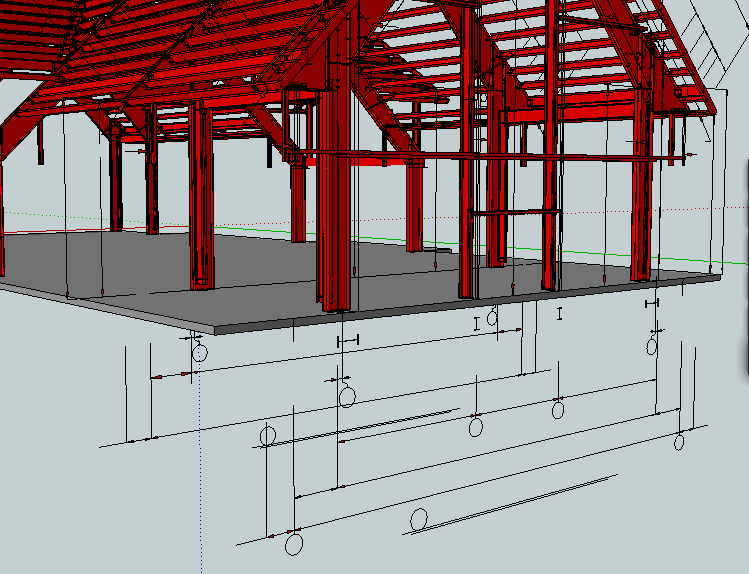

                    2011-07-11_201346.png


                    2011-07-11_201529.png

                    1 條回覆 最後回覆 回覆 引用 0
                    • J 離線
                      Jim
                      最後由 編輯

                      Thanks Kurt. It should import text and mtext entities. I would be interested in testing your .dxf file, if possible.

                      Hi

                      1 條回覆 最後回覆 回覆 引用 0
                      • HumpmetwiceH 離線
                        Humpmetwice
                        最後由 編輯

                        @jim said:

                        Thanks Kurt. It should import text and mtext entities. I would be interested in testing your .dxf file, if possible.

                        Hope this helps, I think its just the type of text we used but I'm not sure. I was thinking it was standard MTEXT but may have been wrong?


                        B05-7947EP.dxf

                        1 條回覆 最後回覆 回覆 引用 0
                        • honoluludesktopH 離線
                          honoluludesktop
                          最後由 編輯

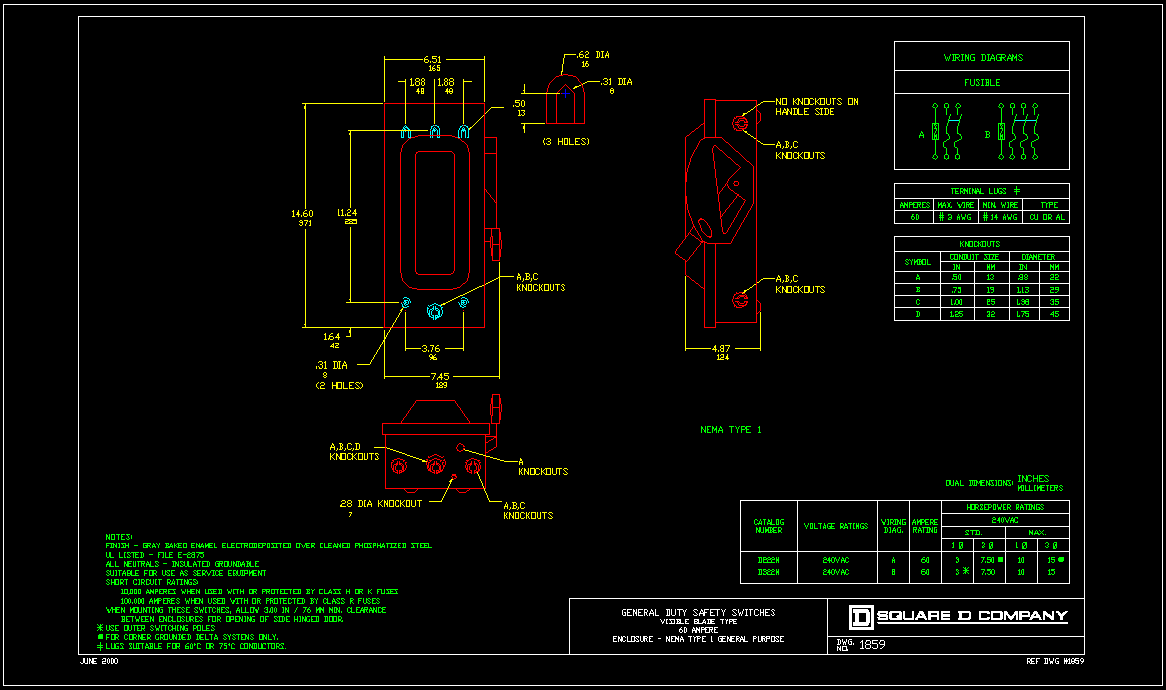
                          I just accidentally discovered that you can drag and drop some dxf files into IE and it will open to view. Jim's reference file opens, but humpmetwice's doesn't. Is it a Acad created file?

                          temp.png

                          1 條回覆 最後回覆 回覆 引用 0
                          • J 離線
                            Jim
                            最後由 編輯

                            @honoluludesktop said:

                            I just accidentally discovered that you can drag and drop some dxf files into IE and it will open to view. Jim's reference file opens, but humpmetwice's doesn't. Is it a Acad created file?

                            @HDT - Do you have AutoCAD installed, or a dxf/dwg viewer that enables the browser to display them using a add-on? (My guess.)

                            @Kurt - Thanks. This is what I get when importing your .dxf. It looks mostly OK, except the texts are not rotated (which I am aware but haven't fixed that yet.)
                            Untitled.png

                            Hi

                            1 條回覆 最後回覆 回覆 引用 0
                            • honoluludesktopH 離線
                              honoluludesktop
                              最後由 編輯

                              I have a old copy of volo, but it was a popup that prompted a activeX download to then open the dxf to view. Are they related?

                              Btw, Jim, do you know if the majority of the non text/dimension entities in your reference file are polylines?

                              1 條回覆 最後回覆 回覆 引用 0
                              • HumpmetwiceH 離線
                                Humpmetwice
                                最後由 編輯

                                @jim said:

                                @Kurt - Thanks. This is what I get when importing your .dxf. It looks mostly OK, except the texts are not rotated (which I am aware but haven't fixed that yet.)

                                Far more than what I get! I think I could work with that if you would tell me the secret to what I may be doing wrong. Is it the text we use?
                                Thanks Kurt

                                1 條回覆 最後回覆 回覆 引用 0
                                • D 離線
                                  driven
                                  最後由 編輯

                                  when I first import and use zoom extents I get this
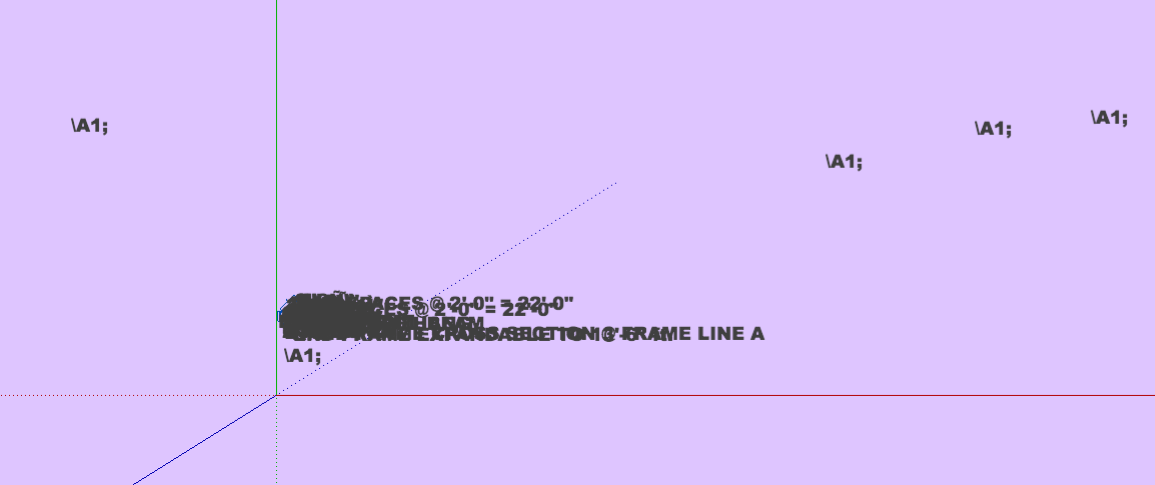
                                  initial import

                                  then in SU, I deleted the \A1; text, I did 'select-all' to changed the font to momo 12pt, moved a couple of overlaps and in 'parallel projection' & 'top view'
                                  I get this.
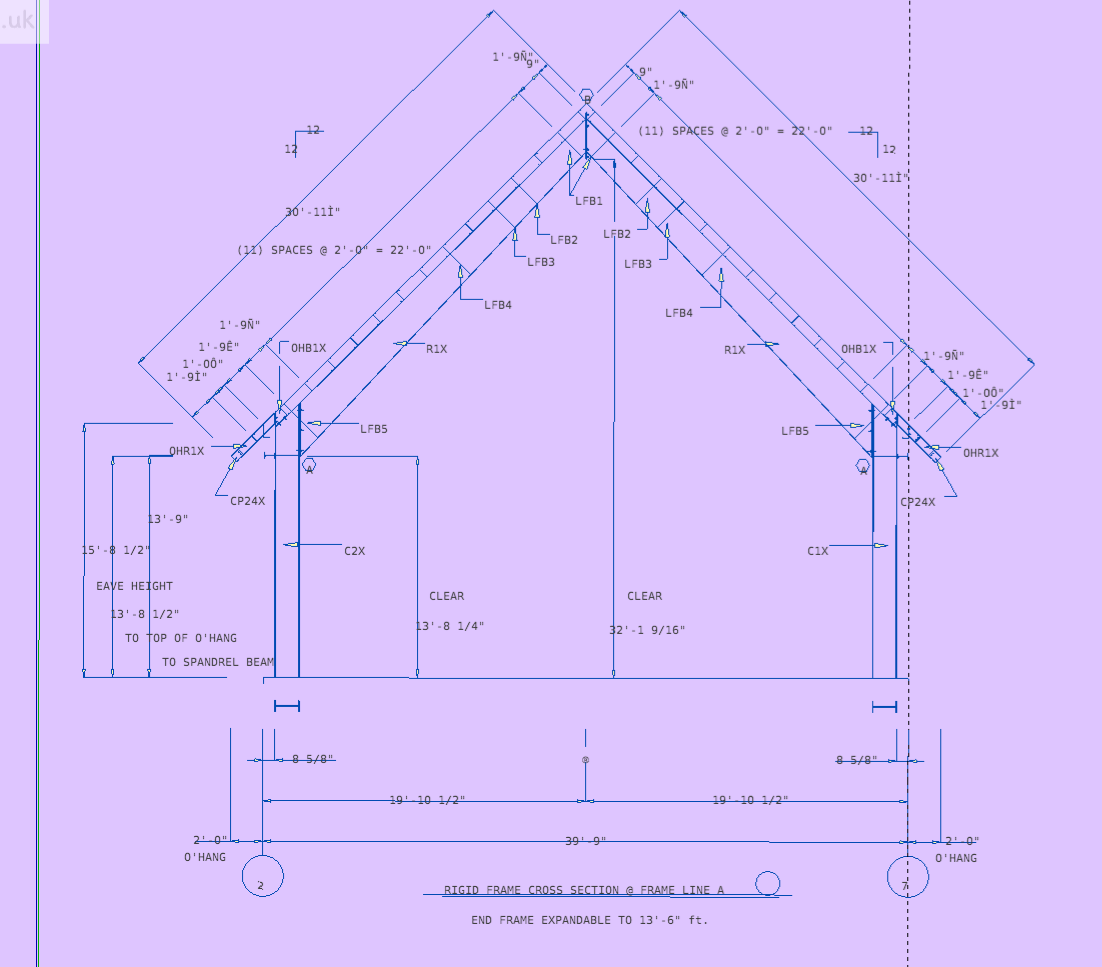
                                  on the mac
                                  the text is on Layer0
                                  the model and dim lines are on the text layer,
                                  and the dimensionline layer is empty

                                  john
                                  @Kurt hope you don't mind me testing your file, consistency helps debugging...

                                  learn from the mistakes of others, you may not live long enough to make them all yourself...

                                  1 條回覆 最後回覆 回覆 引用 0
                                  • J 離線
                                    Jim
                                    最後由 編輯

                                    @John - Select "No" for the Screen Text option to use 3D text (well, 3D in only 2D.)

                                    Hi

                                    1 條回覆 最後回覆 回覆 引用 0
                                    • J 離線
                                      Jim
                                      最後由 編輯

                                      @unknownuser said:

                                      @jim said:

                                      @Kurt - Thanks. This is what I get when importing your .dxf. It looks mostly OK, except the texts are not rotated (which I am aware but haven't fixed that yet.)

                                      Far more than what I get! I think I could work with that if you would tell me the secret to what I may be doing wrong. Is it the text we use?
                                      Thanks Kurt

                                      Just try the latest version. (This link is always the most recent.)

                                      Hi

                                      1 條回覆 最後回覆 回覆 引用 0
                                      • J 離線
                                        Jim
                                        最後由 編輯

                                        @driven said:

                                        the text is on Layer0
                                        the model and dim lines are on the text layer,
                                        and the dimensionline layer is empty

                                        Yes, this is similar to what I get when using SketchUp's Pro dxf importer.

                                        (added text rotation, btw in latest. v0.6.1)

                                        Hi

                                        1 條回覆 最後回覆 回覆 引用 0
                                        • thomthomT 離線
                                          thomthom
                                          最後由 編輯

                                          I've been looking around at the various ruby based importers for SketchUp and I see that no one uses the Importer class. If this class is used the importer can be found in the native import list which would be very nice.
                                          http://code.google.com/apis/sketchup/docs/ourdoc/importer.html

                                          Thomas Thomassen — SketchUp Monkey & Coding addict
                                          List of my plugins and link to the CookieWare fund

                                          1 條回覆 最後回覆 回覆 引用 0
                                          • D 離線
                                            Dekker
                                            最後由 編輯

                                            It looks like the "inputbox.rb" plugin is no longer found in bitbucket 😞

                                            Any alternates available?

                                            EDIT: Never mind... Found it! For the reference of others, the source is located here: http://forums.sketchucation.com/viewtopic.php?f=323&t=19103&p=347871&hilit=+inputbox.rb+#p347871


                                            1 條回覆 最後回覆 回覆 引用 0
                                            • 1
                                            • 2
                                            • 3
                                            • 4
                                            • 5
                                            • 6
                                            • 7
                                            • 8
                                            • 2 / 8
                                            • 第一個貼文
                                              最後的貼文
                                            Buy SketchPlus
                                            Buy SUbD
                                            Buy WrapR
                                            Buy eBook
                                            Buy Modelur
                                            Buy Vertex Tools
                                            Buy SketchCuisine
                                            Buy FormFonts

                                            Advertisement