[SQ]Make a face to follow a section of a Circle ?
-
[SQ] for simple questions I still asking me while I begin to get a reasonable control of SketchUp!
I still knock my feet on this simple question: How can I use FollowMe Tool so that a face follows a section of a circle to obtain something like a "piece of cake" ??
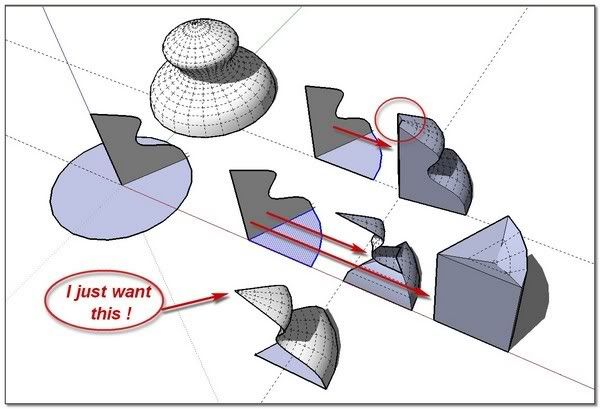
When I want to do so, I am forced to make the face following the entire circle and delete the unwanted section

(To do so, I take advantage of using thomthom's Selection Toys >Quad-face Loop option (with unHidden geometry), and Jim's Selection Memory to store one by one the basic sections, and then Copy/Move my complete selection.
 simon
simon -
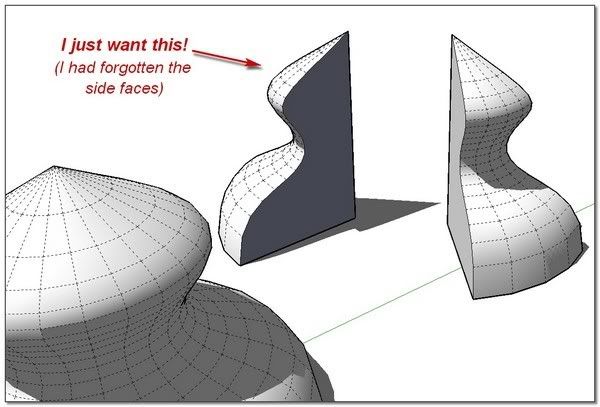

-
Yes, this has been such an old issue with the Follow me tool that we don't even consider it a bug any more, only a "feature" we have to learn to live with.
-
ah! "ok"

-
If you always want it around a circular arc segment then it could be readily scripted. A 'lathe' tool...
You'd pick the arc to get the center and vertex points.
Then get the vertex points of the face's edges.
Copy these points and rotate them about the center by the angle subtended by the segment of the arc, then you'd keep copy/rotating them... and finally make a face from these mesh points...
Alternatively you could select a continuous path of edges (a polyline ?), specify the swept angle and number of segments desired and pick the the 'center' ... It'd then copy the edges vertices around the centre point at a sub-division of the angle... -
Hi Simon, hi folks.
The problem is caused by the fact that the cross section is not perpendicular with the first segment of the path. With such a situation, the "Follow me" Tool first rotate the cross section so it becomes perpendicular to the path and then do the actual follow along the path.
For example, with a typical 24 segment circle, a cross section will be rotated by 7.5° in regard to the first segment. This value is half of the angle between two consecutive segments or half of 15° since 360° ÷ 24 = 15°.
The simplest workaround is, as you discovered, to simply do a full 360° revolution around the circle and then to cut the required part.
Just ideas.
-
Maybe I don't get the extent of the problem, but can't you just explode the circle and then select only the parts of the circle (arc) that would be the desired path?
D
-
It's not that obvious. Here is an example where I would like to make a half dome for my favourite Romanesque church for instance. I marked the path you should select for the Follow me tool and the face that should be extruded along the half circle.
Hidden geometry is on to show the glitch immediately when you do it.
-
dear TIG,
I'm afraid my english is a bit low to understand everything you explain. I have understood that I can help myself with construction points to make a grid to fill with handmade edges.. (my poor english..sorry).
If it is so, I'm not sure it is the quicker solution
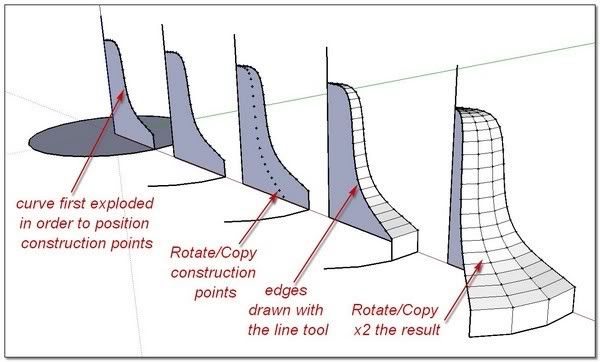
dear Jean,
Your "Just ideas" seems to be the "right idea" (l'idée juste)

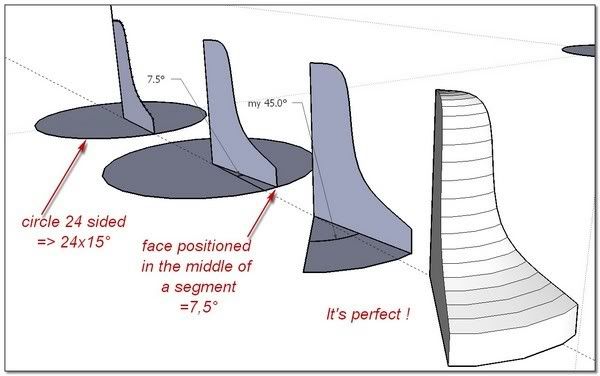
OOps! dear David and Gaieus, I was working on TIG and Jean suggestions while you come and I just discover your posts. It is late in the night I will test the skp tomorrow.

with my sympathy simon
-
dear Gaieus,
I have applied Jean's solution to your example with the same good result


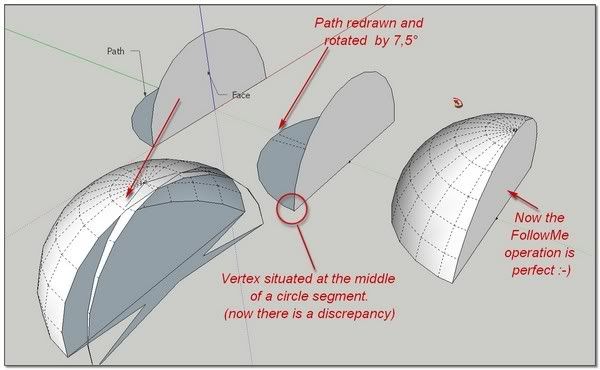
**simon
-
That's one solution of the problem however may (in the modelling phase) cause different problems as now your half dome does not "end" with an endpoint but with a face (flat and not pointy). Sometimes it will cause problems with alignment and such.
So for me, the easiest (and in fact, the fastest) way still remains the whole dome > halving it
-
@gaieus said:
../as now your half dome does not "end" with an endpoint but with a face (flat and not pointy). Sometimes it will cause problems with alignment and such.
So for me, the easiest (and in fact, the fastest) way still remains the whole dome > halving it
Unfortunately I guess you are right
PS: But I understand now from where comes the problem and I understand too that there is probably no solution to solve it (by a ruby or by Google development of the code)
-
"Lathe" tool now available here http://forums.sketchucation.com/viewtopic.php?p=184477#p184477

-
woahoo!!
It's unbelievable. You are now such a master in Ruby that it seems (~~) you just now have to snap two fingers to produce a wonderful powerful tool...
Was it a tool you where already working on, or have you scripted it on the fly in "one day"!!!
It is so easy to use
It does exactly what I was asking for but also open on great else possibilities with the choice of the center. (Re: It would be great that the pointer snap with more evident inference to the geometry; may be )
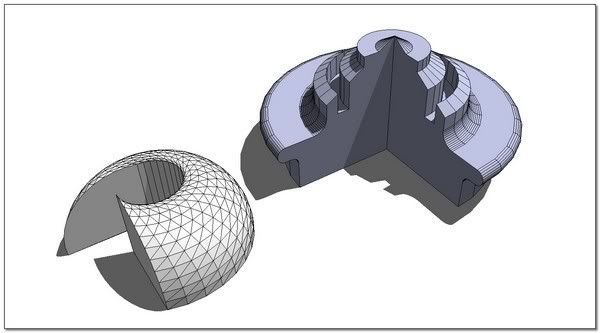
Thank you Tig,
simon -
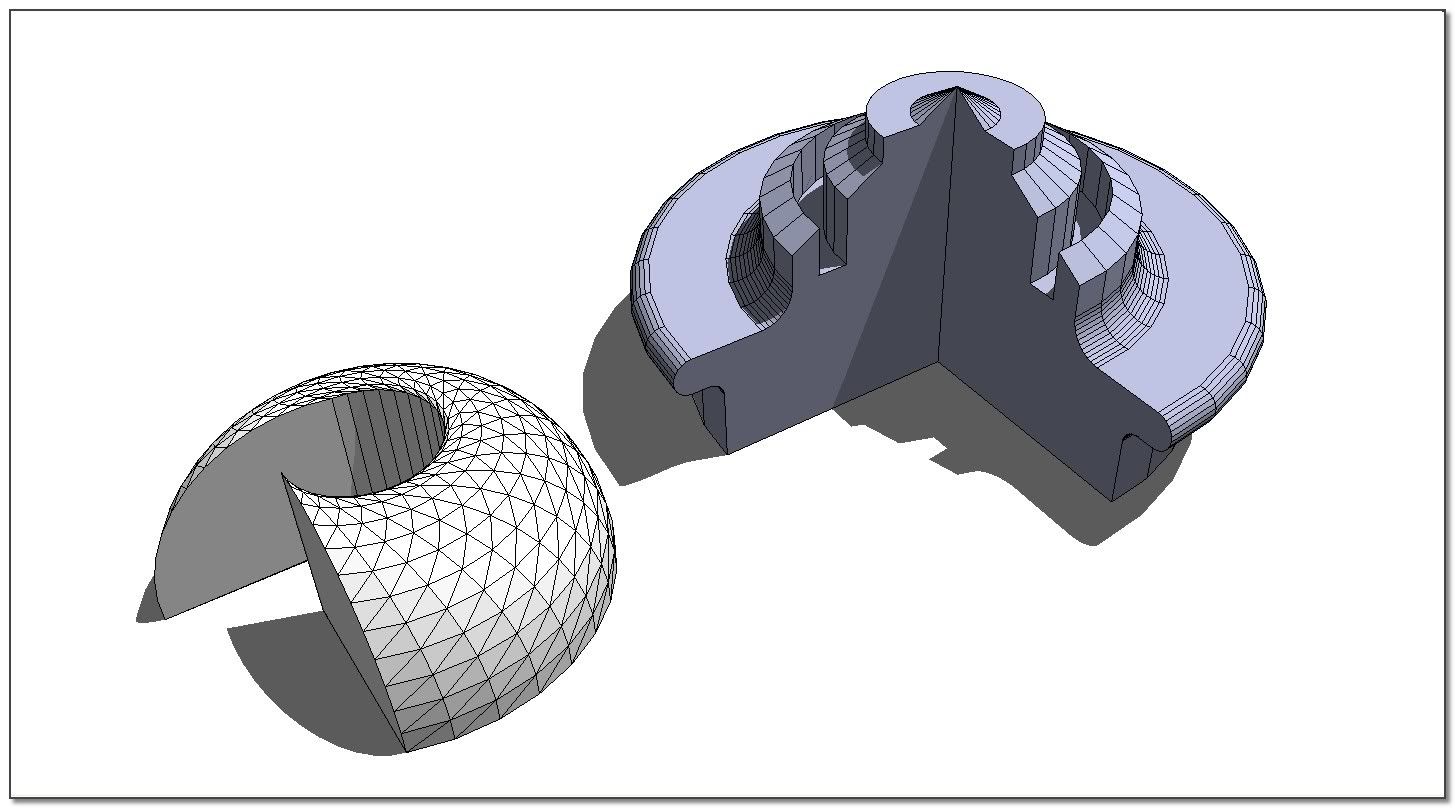
Indeed, looks very cool, TIG, thanks!








Hello! It looks like you're interested in this conversation, but you don't have an account yet.
Getting fed up of having to scroll through the same posts each visit? When you register for an account, you'll always come back to exactly where you were before, and choose to be notified of new replies (either via email, or push notification). You'll also be able to save bookmarks and upvote posts to show your appreciation to other community members.
With your input, this post could be even better 💗
Register Login


Advertisement